For the single-use bed variant, see Straw Bed.


| Renewable | Yes |
|---|---|
| Stackable | No |
| Tool | Any tool |
| Blast resistance | 0.2 |
| Hardness | 0.2 |
| Luminous | No |
| Transparent | Yes |
| Waterloggable | JE: No BE: Yes |
| Flammable | No |
| Catches fire from lava |
JE: Yes BE: No |
| Map color |  3 WOOL  16 colors 16 colors 8 SNOW
|
| Note block instrument | Default (Harp) |


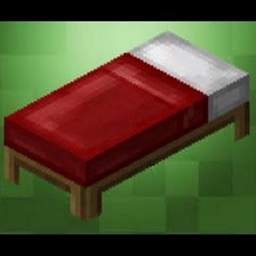
A bed is a dyeable utility block that allows a player in the Overworld to sleep through the night and change their spawn point to within a few blocks of the bed, as long as it is not broken or obstructed. Villagers sleep in beds at night and require spare beds to produce offspring.
Obtaining
Breaking
No tool can accelerate the breaking process of a bed.[1]
- incorrect tool, drops nothing
- correct tool, drops nothing or something other than the block itself
- correct tool, drops the block itself
- italicized can be instant mined
A bed drops itself when it's destroyed.
Natural generation
Igloo
- A red bed naturally generates in each igloo.
Village
- Beds of various colors generate in village houses, depending on the specific structure and biome:
- Desert village houses have cyan, green, or lime beds.
- Plains village houses have white or yellow beds.
- Savanna village houses have orange, red, or yellow beds.
- Snowy taiga[BE only] and taiga village houses have blue or purple beds.
- Snowy tundra village houses have blue, red, or white beds.
Trial chambers
- In Java Edition, any color of beds can generate in intersection rooms of trial chambers.
- In Bedrock Edition, beds can generate with limited sets of colors in intersection rooms of trial chambers.
- Secret rooms can contain purple beds.
Crafting
| Ingredients | Crafting recipe | Notes |
|---|---|---|
| Matching Wool + Any Planks |
                             |
The wool color must match. The planks, however, can be different. |
| Any Bed + Matching Dye |
                |
A bed of any color can be re-dyed using dyes. |
| Any Dyed Bed + Bleach |
 |
This removes the color from the bed.[Bedrock Edition and Minecraft Education only] |


Trading
| Villager | Probability | Villager wants | Player receives | Trades in stock | Villager experience | Price multiplier | ||
|---|---|---|---|---|---|---|---|---|
| JE | BE | |||||||
 Shepherd Shepherd |  Journeyman Journeyman | 95% | 100% | 3 ×  Emerald Emerald |                 Any color Bed[t 1] | 12 | 10 | 0.05 |
- ↑ Because each color represents a unique trade, villagers in Java Edition can offer multiple colors simultaneously.
Usage
Sleeping


Beds are used by pressing the use item button while looking at the bed.
A player sleeps by using a bed when the internal sky light is 11 or below. This occurs between 12523 and 23477 ticks in clear weather, when stars appear in the sky, between 12002 and 23998 ticks in rainy weather, and at any time of day during thunderstorms. Players can sleep during a thunderstorm even if they are in a biome where it does not rain (e.g. desert). Attempting to use a bed at any other time results in the message "You can sleep only at night or during thunderstorms" in Java Edition or "You can only sleep at night or during thunderstorms" in Bedrock Edition. A player sleeps in a bed for 101 in-game ticks, or 5.05 seconds before the time skips to the next day. Sleeping in a bed with the advance_time[JE only] or dodaylightcycle[BE only] set to false results in the player being kicked out of the bed after the 101 ticks, but does not change time of the world to day.
Sleeping in a bed is possible only in the Overworld. Attempting to sleep in a bed in the Nether, the End, and custom dimensions[JE only] in which they are disabled causes it to explode and set fire to surrounding blocks and to the player.[2] The explosion has power 5, which is stronger than TNT (4), but not as strong as a charged creeper or end crystal (6). The explosion centers on the head part of the bed. Villagers can sleep normally in any dimension without the bed being blown up.[3] Upon death from a bed explosion, the message "<player> was killed by [Intentional Game Design]" appears. In Bedrock Edition, bed explosions can be disabled by setting /gamerule respawnBlocksExplode to false; this still prevents beds from being used in invalid dimensions.
The player must be close to the bed to sleep. If the player is close enough to interact with the bed, but not close enough to sleep in it, the message "You may not rest now; the bed is too far away" in Java Edition or "Bed is too far away" in Bedrock Edition appears. To use a bed, a player must be within a distance of 3 blocks in Java Edition or 2 blocks in Bedrock Edition from the bed.
If a monster is within 8 blocks of the bed head horizontally (in the X- and Z-axis), and 5 blocks vertically (in the Y-axis), the message "You may not rest now; there are monsters nearby" in Java Edition or "You may not rest now, there are monsters nearby" in Bedrock Edition appears and the player is prevented from sleeping until the monsters leave or are killed. Most hostile mobs, as well as some neutral mobs prevent players from sleeping, as shown in the table below.


If the player has not entered a bed and didn't die for 3 in-game days, phantoms can spawn unless /gamerule doInsomnia is set to false. In Java Edition, this can be verified by checking if the "Time Since Last Rest" statistic is greater than 1.00 h.
Taking damage from any source while in a bed causes the player to wake; this means players cannot sleep while on fire, while poisoned, or while starving, because the damage wakes them before they can fully fall asleep. Attacks from other players and hostile mobs also wake the player in this way, although the latter is rarely seen due to hostile mobs typically preventing the bed from being entered in the first place.
The player also cannot sleep in a bed occupied by another player, resulting in the message, "This bed is occupied".
A player can, however, sleep in a bed being used by a villager. The player may first wake the villager (pressing use on the villager) and then quickly enter the bed before the villager can lie down again. The villager reclaims the bed after the player wakes. The villager is kicked out of its bed when a player attempts to sleep there.
If all sleeping requirements are met and the player enters a bed, the player is positioned in the bed. The player falls asleep as the screen fades to black. In Bedrock Edition, the sleeping animation slowly lowers the player into bed.
Once all players in a world are asleep, after 5 seconds (100 ticks) the time of day changes to sunrise. (time 0)
During this time, the chat window is focused, and the player can leave the bed by clicking the button.
Waterlogged beds[Bedrock Edition only] cannot be slept in unless the player or villager has the Water Breathing or Conduit Power status effects. Attempting to use a waterlogged bed otherwise does not display any message.[4]
In Java Edition, beds displaying an error above the hotbar is a feature exclusive to beds. In Bedrock Edition, the bed sends the message in the chat; other blocks that cannot be used do not display such a message.[5]
The process for determining where to put the player after waking up is the same as for determining where to respawn the player after death (see below). The player attempting to sleep in a bed with no suitable wakeup positions (achievable by interacting with the bed from underneath it), such that the player will suffocate upon waking up, will result in the message "This bed is obstructed" in Java Edition or "Bed is obstructed" in Bedrock Edition. The player always wakes up facing the head of the bed.
Villagers always wake up on top of the bed, meaning they can suffocate if there isn't enough room above the bed.
Passing the night
Sleeping changes the time of day to sunrise and resets the weather cycle, changing the weather to clear conditions. In Java Edition, the weather cycle resets only during rainy or snowy weather.
Sleeping does not accelerate processes that take place over time such as the growth of crops or smelting.
To skip the night in multiplayer, all players in the Overworld must be in bed at the same time. Pressing the button is not necessary in this case. The percentage of players that need to sleep to skip the night can be customized with the game rule players_sleeping_percentage[JE only] or playerssleepingpercentage[BE only]. Sleeping in a bed while players_sleeping_percentage[JE only] or playerssleepingpercentage[BE only] is set to higher than 100 displays the message "No amount of rest can pass this night." and disables passing the night.
Villagers are unable to skip the night by sleeping in beds, unlike players.
Players and villagers do not drown or take damage from lava while in a bed, even if the bed is covered in lava. However, if the bed is destroyed while the player is in it, due to for example an explosion or by another player, the player wakes prematurely and the night does not pass.
In Bedrock Edition, on Peaceful difficulty only, sleeping in a bed fully restores the player's health.
Setting the spawn point
Once a player has entered a bed (or right clicked the bed during daytime), their spawn point is set to the location of that bed. Multiple players can set their spawn point on a single bed.
Using a bed in the daytime likewise sets the spawn point, without actually entering the bed.
When a bed explodes, it does not set the spawn point.
The message "Respawn point set" is displayed in chat when the respawn point is successfully changed.
The check for a bed is made only when the player respawns. This means that the bed can be destroyed and replaced or even reoriented, but as long as there is a bed present in the same location, the player can respawn there. If a player's bed is absent, or if the area around the bed is made unsuitable for respawning (see below), a message is displayed saying "You have no home bed or respawn anchor, or it was obstructed" in Java Edition or "Your home bed was missing or obstructed" in Bedrock Edition, and the player respawns at the world spawn point.
When choosing where to respawn the player, the two blocks to the immediate left and right of the head of the bed are considered first. Which block is chosen between the two corresponds to which direction the player was facing when they last interacted with the bed to set their spawn point; For example, a bed facing west will respawn the player on the south side of the bed if they are facing towards the north while setting their spawn point, and vice versa. If the player is perfectly aligned with the bed when the spawn point is set, the right side of the bed takes priority. Interacting with the bed again will still update which side of the bed is chosen for respawning, even if the location of the spawn point itself does not change.
Once a side is chosen, if the block immediately on the chosen side of the head of the bed is obstructed, the next block to be checked is chosen moving in a clockwise (right side) or counterclockwise (left side) direction around the bed. If all of the 10 blocks immediately adjacent to the bed are obstructed, the block above the head of the bed is checked, followed by the block above the foot of the bed. The player is always respawned facing the head of the bed, the same as for waking up.
For a location to be unobstructed, the block at the level of the bed must be air or non-solid (e.g. torches, but not glass) and there must be a space with a solid block below it and two non-colliding blocks for the player to stand in 0-2 blocks below the bed. It does not matter if the bed itself has blocks above it. Putting a slab one block above a bed can act as a two block tall space, as the bed is half a block tall. The bed never spawns the player directly below itself even if all other locations are obstructed. If a bed is obstructed, the player's spawn point is cleared after they respawn. That is, even if the bed is subsequently made usable again, the player continues to respawn at the world spawn until interacting with the bed again.
Specifically, when interacting with it, the location of the head of the bed is saved as the spawn point, and if a bed is in that space (whether it is the foot or the head) then the respawn works. This can be observed by reorienting the bed with its head in the same location. Interacting with it does not produce a "Respawn point set" message as the game doesn't change the saved spawn point. If a bed is reoriented so that its foot is in this space, it still functions on the next respawn, but it can also be interacted with to update the spawn point to the new head of the bed and cause a "Respawn point set" message. Attempting the reverse, reorienting the bed so that it overlaps the original location of the foot, results in a respawn at world spawn. However, the location of the foot of the bed is also saved. If the bed is moved so that part of it overlaps the original location of the head, it can be observed that the same locations need to be obstructed to stop spawning. It is possible to respawn 2 blocks away from the bed this way.
Bouncing
Falling onto a bed bounces any living entity with 75% of the impact velocity. The entity also takes less fall damage when bouncing on a bed. The entity's fall distance is set to 50% of the actual distance fallen, which results in the entity taking slightly less than half of the normal fall damage.
Baby villagers bounce on beds during the day.
If the player is falling while sleeping requirements are met, and presses use on a bed within reach before hitting the ground, the fall damage is delayed until the player wakes.
A player can bounce on a bed while another player or villager is sleeping on it without waking the player or the villager up.
Curing
Each bed in the vicinity of a zombie villager has a chance to speed up the process of curing the zombie villager. Iron bars (such as in a prison cell) also have this effect.
Placement
Beds require two blocks of floor space. Placement requires at least 2 blocks from the player's facing direction. When placed, the foot of the bed is placed on the block selected and the head of the bed on the block farther away from the player. In Bedrock Edition, beds require solid blocks below them when placed. However, the bed remains in place if its supporting blocks are later removed. They also cannot be placed on transparent blocks. In Java Edition, beds do not require supporting blocks and can be placed anywhere, provided there is enough room.
Explosions
Because beds explode when a player attempts to sleep in the Nether or the End, they can be used as any other explosion, to demolish blocks or deal damage, with the advantage of being extremely cheap compared to TNT or end crystals, and being instantaneous. Explosions can be used, for example, to mine for ancient debris or to kill the ender dragon. The explosion has power 5.
In Bedrock Edition, beds do not explode if /gamerule respawnBlocksExplode is set to false.
Piston interactivity
Beds are destroyed when a piston tries to push them. They cannot be pulled by sticky pistons.
Sounds
Generic
 wood sound type | ||||||||
|---|---|---|---|---|---|---|---|---|
| Sound | Closed captions | Source | Description | Identifier | Translation key | Volume | Pitch | Attenuation distance |
| Block broken | Blocks | Once the block has broken | block | subtitles | 1.0 | 0.8 | 16 | |
| Block placed[until: JE 26.4] | Blocks | When the block is placed | block | subtitles | 1.0 | 0.8 | 16 | |
| Block breaking | Blocks | While the block is in the process of being broken | block | subtitles | 0.25 | 0.5 | 16 | |
| Something falls on a block | Entity-Dependent | Falling on the block with fall damage | block | subtitles | 0.5 | 0.75 | 16 | |
| Footsteps | Entity-Dependent | Walking on the block | block | subtitles | 0.15 | 1.0 | 16 | |
wood sound type | |||||||
|---|---|---|---|---|---|---|---|
| Sound | Closed captions | Source | Description | Identifier | Translation key | Volume | Pitch |
| Block broken | Blocks | Once the block has broken | dig | subtitles | 1.0 | 0.8–1.0 | |
| Block placed | Blocks | When the block is placed | place | subtitles | 1.0 | 0.8 | |
| Axe strips | Blocks | When an axe strips a log or wood block [sound 1] | use | subtitles | 1.0 | 0.8 | |
| Block breaking | Blocks | While the block is in the process of being broken | hit | subtitles | 0.23 | 0.5 | |
| Footsteps | Players | Falling on the block with fall damage | fall | subtitles | 0.4 | 1.0 | |
| Footsteps | Players | Walking on the block | step | subtitles | 0.3 | 1.0 | |
| Footsteps | Blocks | Jumping from the block | jump | subtitles | 0.12 | 1.0 | |
| Footsteps | Blocks | Falling on the block without fall damage | land | subtitles | 0.18 | 1.0 | |
Unique
| Sounds | ||||||||
|---|---|---|---|---|---|---|---|---|
| Sound | Closed captions | Source | Description | Identifier | Translation key | Volume | Pitch | Attenuation distance |
| Explosion[sound 1] | Blocks | When a player attempts to sleep while in the nether or the end | entity | subtitles | 4.0 | 0.56–0.84 | 16 | |
| Sounds | |||||||
|---|---|---|---|---|---|---|---|
| Sound | Closed captions | Source | Description | Identifier | Translation key | Volume | Pitch |
| ? | Blocks | When a player attempts to sleep while in the nether or the end | random | ? | 4.0 | 1.0 | |
Data values
ID
| Name | Identifier | Form | Block tags | Item tags | Translation key |
|---|---|---|---|---|---|
 White Bed White Bed | white_bed | Block & Item | beds | beds |
block |
 Orange Bed Orange Bed | orange_bed | Block & Item | beds | beds |
block |
 Magenta Bed Magenta Bed | magenta_bed | Block & Item | beds | beds |
block |
 Light Blue Bed Light Blue Bed | light_blue_bed | Block & Item | beds | beds |
block |
 Yellow Bed Yellow Bed | yellow_bed | Block & Item | beds | beds |
block |
 Lime Bed Lime Bed | lime_bed | Block & Item | beds | beds |
block |
 Pink Bed Pink Bed | pink_bed | Block & Item | beds | beds |
block |
 Gray Bed Gray Bed | gray_bed | Block & Item | beds | beds |
block |
 Light Gray Bed Light Gray Bed | light_gray_bed | Block & Item | beds | beds |
block |
 Cyan Bed Cyan Bed | cyan_bed | Block & Item | beds | beds |
block |
 Purple Bed Purple Bed | purple_bed | Block & Item | beds | beds |
block |
 Blue Bed Blue Bed | blue_bed | Block & Item | beds | beds |
block |
 Brown Bed Brown Bed | brown_bed | Block & Item | beds | beds |
block |
 Green Bed Green Bed | green_bed | Block & Item | beds | beds |
block |
 Red Bed Red Bed | red_bed | Block & Item | beds | beds |
block |
 Black Bed Black Bed | black_bed | Block & Item | beds | beds |
block |
| Bed | Identifier | Numeric ID | Form | Item ID[i 1] | Translation key |
|---|---|---|---|---|---|
 Block Block | bed | 26 | Block & Ungiveable Item[i 2] | item.bed |
tile |
 Item Item | bed | 418 | Item | — | itemitemitemitemitemitemitemitemitemitemitemitemitemitemitem |
| Name | Savegame ID |
|---|---|
| Block entity | Bed |
Metadata
In Bedrock Edition, bed items use the following data values:
| DV | Description | |
|---|---|---|
|
0 | White Bed |
|
1 | Orange Bed |
|
2 | Magenta Bed |
|
3 | Light Blue Bed |
|
4 | Yellow Bed |
|
5 | Lime Bed |
|
6 | Pink Bed |
|
7 | Gray Bed |
|
8 | Light Gray Bed |
|
9 | Cyan Bed |
|
10 | Purple Bed |
|
11 | Blue Bed |
|
12 | Brown Bed |
|
13 | Green Bed |
|
14 | Red Bed |
|
15 | Black Bed |
 |
16-32767 | Purple Bed(unused) |
Block states
| Name | Default value | Allowed values | Description |
|---|---|---|---|
| facing | north | eastnorthsouthwest | The direction the head of the bed is pointing. The same direction the player faces when placing the bed. |
| occupied | false | falsetrue | True when a player or villager is using the bed. |
| part | foot | foothead | The half of the bed in the current block. |
| Name | Metadata Bits | Default value | Allowed values | Values for Metadata Bits |
Description |
|---|---|---|---|---|---|
| direction | 0x10x2 | 0 | 0123 | 0123 | The direction the head of the bed is pointing.
|
| head_piece_bit | 0x8 | true | falsetrue | 01 | If the current block is the head part. |
| occupied_bit | 0x4 | false | falsetrue | 01 | True when a player or villager is using the bed. |
Block data
A bed has a block entity associated with it that holds additional data about the block.
- [NBT Compound / JSON Object] Block entity data
- Tags common to all block entities see Template:Nbt inherit/blockentity/template
Achievements
| Icon | Achievement | In-game description | Actual requirements (if different) | Gamerscore earned | Trophy type (PS) | |
|---|---|---|---|---|---|---|
| PS4 | Other | |||||
 |  | Change of Sheets | Dye your bed a different color. | — | — | Bronze |
Advancements
| Icon | Advancement | In-game description | Actual requirements (if different) |
|---|---|---|---|
 | Sweet Dreams | Sleep in a Bed to change your respawn point | Lie down in a bed. The advancement is granted as soon as the player is in the bed, even if the player does not successfully sleep. |
History
Development
| September 16, 2010 | Notch was considering adding beds as a block to reset spawn points, making up "some interesting economics" with this. | ||||||
|---|---|---|---|---|---|---|---|
| November 26, 2011 | Jeb mentioned that crying obsidian was intended to act as a block to reset spawn points as well. | ||||||
| March 13, 2017 | Jeb mentions colored beds for 1.12. | ||||||
| 24 May 2019 | Bartosz Bok discusses that changing beds back to using the block model system (as was the case prior to 1.12) is a current backlog item, but that actually doing so would be a "pain in the ass". | ||||||
Java Edition
| Java Edition Beta | |||||||
|---|---|---|---|---|---|---|---|
| 1.3 |   Added beds. Added beds.
| ||||||
| The only color for beds is red. | |||||||
| Beds can be crafted using any color combination of wool. | |||||||
| When a player goes to sleep, the game attempts to spawn up to 20 zombies, skeletons, or spiders in a 32x16x32 area centered on the bed. For each mob that spawns successfully, the game attempts to find a valid path from the mob to the player's bed; if one is found, the mob is teleported next to the bed and the player woken up without skipping to morning. | |||||||
| The ability to leave beds is currently only intentionally available in multiplayer. However, in singleplayer it is possible for the player to aim at the bed they are sleeping in by moving the mouse in the right way, and then break it, which will forcibly wake them up. | |||||||
| Trying to sleep in a bed in the Nether does nothing. | |||||||
| 1.4 | Sleeping in a bed now resets the player's spawn position, though it does not work for most users. The spawn point unintentionally changes only if Leave Bed button (only available in multiplayer at the time) is clicked. | ||||||
| 1.4_01 | Beds now set the player's spawn point as intended, both in singleplayer and in multiplayer. | ||||||
| 1.6 | Test Build 3 | Trying to sleep in a bed in the Nether now causes the bed to explode. | |||||
| 1.7 | As blocks now pull textures from the expected places for model application, this has resulted in the bed texture shifting downward in terrain.png. No visual difference has resulted for the actual bed. | ||||||
| Java Edition | |||||||
| 1.0.0 | Beta 1.9 Prerelease 4 | Bed explosions in the Nether now light nearby blocks on fire. | |||||
| Beta 1.9 Prerelease 5 | The bottom textures of beds have been changed to the texture of the new oak planks from  to to  . . | ||||||
| Beta 1.9 Prerelease 6 | Beds no longer spawn monsters and the pathfinding logic has been removed. Trying to sleep when monsters are around now displays the message You may not rest now, there are monsters nearby, regardless of if the monsters can actually reach the player or not. | ||||||
| Trying to sleep in a bed in the End now causes the bed to explode. | |||||||
| 1.2.4 | release | Cats while in standing position now purposely go and sit on beds. | |||||
| Spruce, birch, and jungle planks can now be used to craft beds. | |||||||
| 1.3.1 | 12w18a | As a result of singleplayer being changed to an internal server, the ability to leave beds is now available in singleplayer. | |||||
| 1.5 | 13w05a | Beds now check their biome for detonation rather than just their dimension. | |||||
| 1.7.2 | 1.7.1 | Acacia and dark oak planks can now be used to craft beds. | |||||
| 1.8 | 14w04a |     If a bed is set to render as the block inside of a minecart via commands or map editing, it now appears as this (previously it would be entirely invisible). If a bed is set to render as the block inside of a minecart via commands or map editing, it now appears as this (previously it would be entirely invisible). | |||||
| 14w29a | Beds now display the cracking animation on top and bottom. | ||||||
| 14w32c | It is now possible to step from a normal block to on top of a bed without jumping. | ||||||
| 14w33a | Beds now make sounds when placed, and play logical sounds when stepped on and broken.[6] | ||||||
| 1.9 | 15w43a | Bed now generates inside igloos. | |||||
| 16w06a | The player's body, hand and held item are now rendered while sleeping in bed. | ||||||
| 1.11 | 16w32a | The messages "You can only sleep at night", "You may not rest now, there are monsters nearby", and "This bed is occupied" are now displayed on the action bar instead of in chat. | |||||
| 16w33a | If the player is close enough to click on the bed, but not close enough to sleep in it, the message "You may not rest now, the bed is too far away" is now displayed. | ||||||
| 1.12 | 17w06a | Neutral zombie pigmen no longer prevent the player from sleeping in a bed. | |||||
| 17w15a |                Dyed beds have been added. Dyed beds have been added.
| ||||||
| The "Bed" has been renamed to "Red Bed". | |||||||
| Beds can now only be crafted using wool of the same color. | |||||||
 The texture of red beds has been changed. The top of the beds are no longer mirrored. The texture of red beds has been changed. The top of the beds are no longer mirrored.
| |||||||
 Beds now appear 3D in the inventory. Beds now appear 3D in the inventory.
| |||||||
 Beds now have 3D legs.[7] Beds now have 3D legs.[7]
| |||||||
| Beds have been made bouncy, though they do not completely reduce all fall damage. | |||||||
| Beds are now a block entity. | |||||||
| 17w17a |  The four legs of a bed are now each textured separately, and their model is different. The four legs of a bed are now each textured separately, and their model is different.
| ||||||
                The textures of beds have now also been changed. The textures of beds have now also been changed. | |||||||
| 1.13 | 17w47a | The different block states for the bed ID have been split up into their own IDs.
| |||||
| As part of The Flattening, the numeric IDs (26 for the block form and 355 for the item form) of beds have been removed. | |||||||
| Beds now require solid blocks below them, or they break into an item. Previously, a bed needed to be placed on solid blocks, but the blocks could later be removed. | |||||||
| Beds can no longer be placed with their foot part inside entities[8] but can still be placed with their head part inside entities.[9] | |||||||
| 18w07a | Sleeping in a bed is now important to keep phantoms from spawning. | ||||||
| A smooth transition is now applied to the camera when the player enters or leaves a bed. | |||||||
| 18w20a | Players in Creative mode can now sleep even if monsters are nearby. | ||||||
| 18w22a | Beds no longer require supporting blocks below them; they do not break into an item if said blocks are removed, and can be directly placed on top of non-solid blocks. | ||||||
| pre2 | The "You can only sleep at night" message when using a bed has been changed to "You can sleep only at night and during thunderstorms." | ||||||
| 1.14 | 18w43a |                 The textures of all beds have been changed. The textures of all beds have been changed.
| |||||
 The bottom textures of beds have been changed to new oak planks texture. The bottom textures of beds have been changed to new oak planks texture. | |||||||
| 18w44a | Cats can now sleep in empty beds or sit on their owner when their owner is sleeping. | ||||||
| 18w47a |  The bottom textures of beds have been changed to the new oak planks texture, once again. The bottom textures of beds have been changed to the new oak planks texture, once again. | ||||||
| 18w48a | Beds now generate in the updated plains villages. | ||||||
| Beds now have an accurate hitbox.[10] | |||||||
| 18w49a | Beds now generate in the updated savanna villages and the new snowy tundra villages. | ||||||
| 18w50a | Beds now generate in the updated desert and taiga villages. | ||||||
| 19w08a | All mobs can now sleep in beds using commands. | ||||||
| 19w11a | Villagers now claim beds and sleep in them during the night. | ||||||
| Shepherd villagers now sell beds. | |||||||
| Third-person view now works properly while sleeping in a bed. | |||||||
| 1.15 | 19w35a | If a player tries to sleep in a bed that is occupied by a villager, that villager is now kicked out of the bed. | |||||
| 19w36a | Trying to sleep in a bed during the daytime now sets the player's spawn location to that bed. | ||||||
| pre2 | Successfully changing a spawn point using a bed now displays a message in chat. | ||||||
| 1.16 | 20w06a | Crimson planks and warped planks can now be used to craft beds. | |||||
| 20w12a | The message "Your home bed was missing or obstructed" has been changed to "You have no home bed or respawn anchor, or it was obstructed" due to the addition of the respawn anchor, used to set the player's spawn in the Nether. | ||||||
| 20w18a | The message "You have no home bed or respawn anchor, or it was obstructed" has been changed to "You have no home bed or charged respawn anchor, or it was obstructed" due to the fact that respawn anchors can be depleted.[11] | ||||||
| 1.16.2 | 20w30a | Beds now prioritize the side of the bed the player or villager entered from and then spaces circling around the foot of the bed up to the head of the bed. | |||||
| 1.17 | 20w51a | Added gamerules for sleeping in multiplayer. | |||||
| 1.18 | 21w44a | Sleeping now resets the weather cycle only if it is currently raining or snowing.[12] | |||||
| 1.19 | 22w11a | Mangrove planks can now be used to craft beds. | |||||
| 1.19.3 Experiment | 22w42a | Bamboo planks can now be used to craft beds. | |||||
| 1.19.3 | 22w43a | Bed explosions can now be properly blocked by shields.[13] | |||||
| 1.19.4 Experiment | 23w07a | Cherry planks can now be used to craft beds. | |||||
| 1.20 | pre1 | Beds of any color can now be dyed into any other color. | |||||
| 1.20.3 Experiment | 23w45a | Beds now generate in trial chambers. | |||||
| 1.21.2 | 24w33a | Beds in trial chambers intersections now have randomized colors. | |||||
| 1.21.2 Experiment | 24w40a | Pale oak planks can now be used to craft beds. | |||||
| 1.21.9 | 25w33a | Black and white smoke particles are once again shown when beds explode while trying to set the respawn point in the Nether or the End.[14] | |||||
| 26.2 | snap3 | Beds are no longer block entities. As such, their textures have been split up and moved into the textures/block/ folder. Additionally they now use standard blockstate models like other blocks instead of a hardcoded entity model.
| |||||
| Beds no longer have inner faces. | |||||||
| snap8 | Beds now bounce up entities falling onto them with 75% of the impact velocity instead of 66% to match Bedrock Edition. | ||||||
Bedrock Edition
| Pocket Edition Alpha | |||||||
|---|---|---|---|---|---|---|---|
| v0.4.0 | Added beds. | ||||||
| v0.5.0 | Beds can now be obtained after activating the nether reactor. | ||||||
 Added a Leave Bed button that lets the player exit the bed. Added a Leave Bed button that lets the player exit the bed.
| |||||||
| Beds now restore health when slept in. | |||||||
| v0.7.0 |  The texture of Leave Bed button has been changed. The texture of Leave Bed button has been changed. | ||||||
| v0.9.0 | build 1 | Beds no longer restore health in normal difficulty, making food a more required Survival-needed resource. | |||||
| Added smooth lighting to beds. | |||||||
 The Leave Bed button is now smaller. The Leave Bed button is now smaller. | |||||||
| v0.11.0 | build 8 | The lighting on beds has been improved. | |||||
| v0.12.1 | build 1 | Tamed ocelots while standing now purposely go and sit on beds. | |||||
| Beds are no longer available from the nether reactor. | |||||||
| v0.16.0 | build 1 | Beds now make a sound when placed, identical to blocks like stone.[15] | |||||
| Pocket Edition | |||||||
| 1.0.0 | alpha 0.17.0.1 | Beds are now generated in igloos. | |||||
| alpha 0.17.0.2 |  The texture of Leave Bed button has been changed again. The texture of Leave Bed button has been changed again. | ||||||
| alpha 1.0.0.0 | Sleeping now ends weather. | ||||||
| 1.1.0 | alpha 1.1.0.0 |                               Added the other 15 colors of beds. Added the other 15 colors of beds.
| |||||
| The "Bed" has been renamed to "Red Bed". | |||||||
 The texture of red beds has been changed. The texture of red beds has been changed.
| |||||||
| A new animation when sleeping has been added to beds. | |||||||
| Beds in igloos are now white in ice plains and brown in cold taigas. | |||||||
| Beds now bounce the player two blocks up, and have 3D legs. | |||||||
| Placement, stepping and breaking sounds for beds are now correctly wooden.[15] | |||||||
| alpha 1.1.0.8 | The textures of beds have been changed. | ||||||
| Bedrock Edition | |||||||
| 1.4.0 | beta 1.2.14.2 | Beds can now be waterlogged and require Water Breathing to sleep in. | |||||
| beta 1.2.20.1 | Colored beds can now be turned into white beds by adding bleach. This works only if Minecraft Education features are turned on. | ||||||
| 1.6.0 | beta 1.6.0.1 | Sleeping in a bed is now important to keep phantoms from spawning. | |||||
| 1.8.0 | beta 1.8.0.8 | Cats can now sleep in empty beds or sit on their owner when their owner is sleeping. | |||||
| 1.10.0 | beta 1.10.0.3 | Various beds now generate in the new villages. | |||||
| Villagers can now sleep by occupying a bed, which prevent players from using it. | |||||||
| Igloos now generate with red beds. | |||||||
| Beds are now used to count the number of available houses in villages. | |||||||
 The textures of all beds have been changed. The textures of all beds have been changed. | |||||||
| 1.11.0 | beta 1.11.0.4 | Beds can now be bought from shepherd villagers. | |||||
| 1.13.0 | beta 1.13.0.1 | Players now succeed in attempting to sleep on villager-occupied beds, kicking the villager off. | |||||
| 1.21.20 | Preview 1.21.20.21 |  Bed screen (Experimental) toggle in Sleep screen has been updated to match Ore UI, available in preview only. Bed screen (Experimental) toggle in Sleep screen has been updated to match Ore UI, available in preview only.
| |||||
 The texture of Leave Bed button has been updated to match Ore UI. The texture of Leave Bed button has been updated to match Ore UI. | |||||||
| 1.21.50 | Preview 1.21.50.24 | Sleep screen is released to the public and no longer in Bed screen (Experimental) toggle. | |||||
| release | Sleep screen is released to the public and no longer in preview only. | ||||||
| 1.21.60 | Preview 1.21.60.21 | Changed wording for lowest number required for player sleeping to skip the night. | |||||
| 26.0 | Preview 26.0.27 | Camel husks, skeleton horses, zombie horses and zombie nautiluses no longer prevent the player from sleeping when nearby. | |||||
| 26.40 | Preview 26.40.26 |                 The textures of all bed items have been changed. The textures of all bed items have been changed. | |||||
Minecraft Education
| Minecraft Education | |||||||
|---|---|---|---|---|---|---|---|
| 1.0 | Added beds. | ||||||
| 1.0.1 | Added the other 15 colors of beds.
| ||||||
| The "Bed" has been renamed to "Red Bed".
| |||||||
| Beds now bounce the player two blocks up, and have 3D legs. | |||||||
| 1.0.27 | Colored beds can now be turned into white beds by adding bleach. | ||||||
| 1.12 | The textures of all beds have been changed. | ||||||
| 1.21.91 | Preview 1.21.50.1 | Sleep screen has been updated to match Ore UI.
| |||||
| The texture of Leave Bed button has been updated to match Ore UI. | |||||||
| 26.32 | Preview 26.30.0 | Camel husks, skeleton horses, zombie horses, and zombie nautiluses no longer prevent the player from sleeping when nearby. | |||||
Legacy Console Edition
| Legacy Console Edition | |||||||
|---|---|---|---|---|---|---|---|
| Xbox 360 | Xbox One | PS3 | PS4 | PS Vita | Wii U | Switch | |
| TU1 | CU1 | 1.00 | 1.00 | 1.00 | Patch 1 | 1.0.1 | Added beds. |
| TU7 | Beds no longer spawn monsters and the pathfinding logic has been removed. Trying to sleep when monsters are around now displays the message You may not rest now, there are monsters nearby, regardless of if the monsters can actually reach the player or not. | ||||||
| TU12 | Cats in standing position now purposely go and sit on beds, preventing players from using them. | ||||||
| TU31 | CU19 | 1.22 | 1.22 | 1.22 | Patch 3 | It is now possible to step from a normal block to on top of a bed without jumping. | |
| TU43 | CU33 | 1.36 | 1.36 | 1.36 | Patch 13 | The sleeping animation while in beds has been changed. | |
| Bed now generates inside igloos. | |||||||
| TU54 | CU44 | 1.52 | 1.52 | 1.52 | Patch 24 | 1.0.4 |                Added the other 15 colors of beds. Added the other 15 colors of beds.
|
| The "Bed" has been now renamed to "Red Bed". | |||||||
 The textures of red beds has been changed. The textures of red beds has been changed.
| |||||||
| Beds are now dyeable and bounce the player two blocks up, and have a single 3D legs. | |||||||
| If the player is close enough to click on the bed, but not close enough to sleep in it, the message "You may not rest now, the bed is too far away" is now displayed. | |||||||
| TU56 | CU47 | 1.55 | 1.55 | 1.55 | Patch 26 | 1.0.6 | Beds in the Nether or the End no longer explode if "TNT Explodes" is disabled. |
| The description of beds has been updated due to different colors of beds now existing. | |||||||
| TU60 | CU51 | 1.64 | 1.64 | 1.64 | Patch 30 | 1.0.11 | The sleeping animation in beds has been changed again. |
| TU69 | 1.76 | 1.76 | 1.76 | Patch 38 | Sleeping in a bed is now important to keep phantoms from spawning. | ||
Beds can now be waterlogged and require  Water Breathing to sleep in. Water Breathing to sleep in.
| |||||||
| A smooth transition is now applied to the camera when the player enters or leaves a bed. | |||||||
| 1.83 | The sleeping animation for beds has been reverted to how it was before 1.64. | ||||||
| 1.91 | Various beds now generate in the new villages. | ||||||
| Villagers can now sleep by occupying a bed, which prevents players from using it. | |||||||
| Beds are now used to count the number of available houses in villages. | |||||||
| Beds can now be bought from shepherd villagers. | |||||||
New Nintendo 3DS Edition
| New Nintendo 3DS Edition | |||||||
|---|---|---|---|---|---|---|---|
| 0.1.0 | Added beds. | ||||||
| 1.9.19 | Added the other 15 colors of beds.
| ||||||
| The "Bed" has been renamed to "Red Bed". | |||||||
| The texture of red beds has been changed.
| |||||||
| Beds now bounce the player two blocks up and have 3D legs. | |||||||
Issues
Issues relating to "Bed" are maintained on the bug tracker. Issues should be reported and viewed there.
Trivia
- Beds explode in the Nether and the End because Notch found it was the easiest solution to dimension-unique respawning.[16]
- Jeb is "not a fan" of the mechanic, and removing it was discussed during the Nether Update.[17]
- If the player quits the game while sleeping, upon return the player wakes up beside the bed.
- Using the
/teleportcommand while another player is sleeping still teleports the sleeping player, but the player wakes immediately.[Java Edition only] - If the player places a bed on ice, running over the bed acts like running over ice, similar to slabs.
- When placed using the
/setblockcommand, only one half of a bed is placed, because beds are two blocks long. A single half can be slept in like a whole bed. - Villagers can sleep in the Nether and the End without causing the bed to explode.[3]
- While the block state used to determine the half of a two-block block such as doors and double-tall flowers is called half, in the case of beds this is called part.
- The red bed was the original default bed color. In Java Edition 1.12 and Pocket Edition 1.1.0 version of the game, the default color was changed to white.
Gallery
Screenshots
-
 A sleeping player in multiplayer
 -
 The message that can be seen after a failed attempt to respawn at the spawn point set by a bed
 -
 A crater created by attempting to sleep in the Nether
 -
 A crater created by attempting to sleep in the End
 -
 All the different color variants
 -

-
 A stack of beds
 -
 A player being awakened by a zombie
 -
 The message that can be seen when any players attempt to sleep during daytime
 -
 A player going to sleep in a bed on the first day of a Minecraft world
 -
 A bed in an abandoned village has its bottom half replaced by wheat crops due to a glitch
 -
 A bed in a desert village has its missing bottom half due to a sulfur spring
 -
 The updated Bedrock Edition sleep screen in Bed menu
Bedrock Edition and Minecraft Education
-
 The sleep screen in Bed menu in Bedrock Edition
 -
 The sleep screen in Bed menu in Minecraft Education
Mojang images
-
 "Moments before disaster"
Development images
Bedrock Edition
![An early look of the sleep screen.[18]](https://minecraft.wiki/images/thumb/Ore_UI_development_sleep_screen.png/120px-Ore_UI_development_sleep_screen.png?0bf61)
In other media
-
 The Sham, a villainous, sentient bed featured in the Campfire Tales Skin Pack
 -
 The rainbow bed, a unique bed featured in Minecraft Earth
 -
 Efe sleeping on a bed in A Tale of Two Friends
 -
 Efe gets off the bed, from the same short film
 -

-

-
 A cyan bed from 21263 The Badlands Mineshaft
 -
 An apartment with Minecraft furnishing
 -
 A duo dressed as a bed and Nether portal
 -
 A cat on a bed
 -
 A purple bed depicted in A Minecraft Movie
 -
 Team Speedrunners shirt promo, featuring a bed exploding near the ender dragon
 -

-

See also
- Ore UI, the Bedrock Edition and Minecraft Education UI refresh
References
- ↑ MC-192722 – Beds have no assigned tool
- ↑ MCPE-28723 – Exploding bed in the Nether!? – resolved as "Works As Intended". This is referenced in Java Edition when a player is killed by "Intentional Game Design".
- ↑ a b MC-146515 – Villagers can sleep in all dimensions – resolved as "Works As Intended".
- ↑ MCPE-35802 – Attempting to use a waterlogged bed without the Conduit Power/Water Breathing effect will not give an error message
- ↑ MC-160479 – Attempting to use an obstructed bed gives an error message above the hotbar but attempting to use an obstructed chest or shulker box does not – resolved as "Works As Intended".
- ↑ MC-66347 – Beds make incorrect sounds – resolved as "Fixed".
- ↑ MC-11963 – bed hind legs not rendered – resolved as "Fixed".
- ↑ MC-2208 – Blocks with special placement can be placed inside player / entity – resolved as "Fixed".
- ↑ MC-123619 – When placing a bed or door, it does not check whether there is a mob or player in the second block
- ↑ MC-4090 – Bed Hit Box is Incorrect – resolved as "Won't Fix".
- ↑ MC-178336 – The message "You have no home bed or respawn anchor, or it was obstructed" doesn't make it clear that your respawn anchor might have been depleted – resolved as "Fixed".
- ↑ MC-63340 – Sleeping always resets time until rain – resolved as "Fixed".
- ↑ MC-200006 – Explosions from beds and respawn anchors can't be blocked by shields – resolved as "Fixed".
- ↑ MC-165991 – TNT explosion no longer shows additional smoke particles since 1.15 Pre-release 1 – resolved as "Fixed".
- ↑ a b MCPE-10077 – "Incorrect sounds on beds" resolved as "Fixed".
- ↑ "duh" – @Notch on X (formerly Twitter), May 11, 2020, in response to "So you're telling me the "Inteded Game Design" should actually be "Sorry, I was too lazy to code"?" – @NoahBandito on X (formerly Twitter), May 11, 2020
- ↑ "Personally I am not a fan of this mechanic. When we did Nether Update we discussed removing it, but it has become a very iconic behavior and it's also used to defeat the ender dragon." – @jebox.bsky.social (Jens Bergensten) on Bluesky, June 2, 2026
- ↑ "Thanks to @xKingDarkYT , the sleep screen seems to be the next one to receive OreUI. And also a compare stats screen?" – @SmokeyStack_ on X (formerly Twitter), February 29, 2024