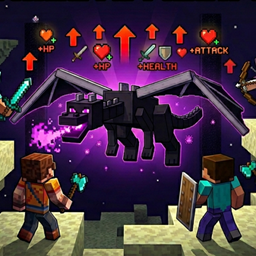
Multiplayer is the style of playing Minecraft that involves multiple players interacting on a single world hosted by a player or an external server, allowing them to work together to mine ores, build structures, and fight mobs or each other, or to simply play together.
Gameplay
The gameplay of a multiplayer game still retains the same structure as the singleplayer counterpart. Take for example, in a Survival multiplayer game, players advance by gathering resources, fighting monsters, exploring the world, and reaching the End. However, multiplayer puts more emphasis on collaboration between players. Tasks such as resource gathering, farming, and building structures can be divided among players, making progression much faster compared to a singleplayer game.
Multiplayer allows for player-driven activities beyond the main game objectives. Players often establish in-game economy by building shops to trade valuable resources like diamonds and enchanted items. They can also engage in elaborate building for their homes and structures, such as houses, bridges, castles, pixel arts, statues, and more – usually forming into towns or cities.
Multiplayer experiences can also deviate from the base game; competitive gamemodes can involve combat between players and many minigames are heavily community-based. In addition, many adventure maps are also playable in multiplayer. These activities often rely on the chat system for communication between players, which can be managed on the Social interactions screen.[Java Edition only] There are various communication tools within the multiplayer chat using commands such as /msg for private messaging, and the host of the world can change multiplayer settings.
Differences from singleplayer

The game runs an internal server for singleplayer mode, allowing for better parity between the multiplayer and singleplayer experience. However, there are still some differences between a multiplayer and singleplayer game, one being that the game cannot be paused by a player.
Opening the game menu in multiplayer does not pause the game. For example, if the player has items being smelted in a furnace, pressing the pause button (⎋ Escape by default) does not stop the smelting process. Mobs and entities don't pause and continue to work regardless, and even attacking the player. Although, in Java Edition, server operators can simulate pausing by using /tick freeze command. In this state, non-player characters and interactions such as physics, daylight and weather cycle, mob AI and movements, item smelting, certain animations, and other actions are frozen. Players and player-ridden entities are still able to continue play, regardless if they are operator status or not.
In multiplayer mode, the locator bar is enabled and keeps track of other players' waypoints. This is absent in singleplayer, though in Java Edition, it can be enabled manually for tracking entities using /waypoint command and waypoint_transmit_range attribute.
Multiplayer worlds
Java Edition

In Java Edition, singleplayer worlds can be hosted as multiplayer games on the local area network (LAN), usually connected by Wi-Fi or router. LAN is not enabled by default, and must be activated on "Open to LAN" menu under the pause menu. Upon activation, the multiplayer game provides additional settings:
- "Game Mode", which sets the game mode of other players once they join the world for the first time. Once a player rejoins, they retain their previous game mode even if the game mode on join was changed.
- "Allow Commands", which allows or denies other players access to execute commands depending on the selected option. Once a player rejoins, they do not retain their cheats permissions unless enabled again.
- "Port Number", which specifies the port number for the LAN-based server. If not specified, the game randomizes the server port. The port is automatically shown on the chat when the LAN game is activated.
Players can also open their game to LAN by using /publish command, which provide arguments to configure the same settings.
Once published, the host's game sends a UDP multicast to the multicast address 224.0.2.60:4445 every 1.5 seconds, notifying other players of the host's presence, and making their LAN world pop up automatically in the server list.
LAN worlds can also be unpublished via this menu or the /unpublish command.
Peer-to-Peer


Players that are in-game friends via the Friends list could join each other's online multiplayer worlds via Peer-to-Peer. Friends that are online could be invited to join to a world through the "Invite to game" button displayed next to their profile in the "Friends" tab and the Friends could accept or deny the invite.
The player could also request to join a friend's online world and the friend could accept or deny the request in the "Friends" tab.
Bedrock Edition

In Bedrock Edition, the game features multiplayer connections using local area network (LAN) and Minecraft's social system within the Xbox network. When signed in with a Microsoft account and connected to the internet, the host can let players join their game by invites or their friend status in the Xbox network. Multiplayer game is enabled by default upon a world creation, which can be changed in the edit world screen.
The multiplayer game visibility in the Xbox network can be changed in "Edit World" → "Multiplayer" → "Player access", which provides following options:
- "Invited players", which allows some Xbox friends that the host invites to join.
- "Friends", which allows any Xbox friends of the host to join them. This is the default option.
- "Friends of friends", which allows the host's Xbox friends and their friends to join them.

A friend's multiplayer game in the Xbox network appears on the "Worlds" tab of the Play screen, showing the world name and amount of active players. Individual players can also be joined through the social drawer or the player's profile screen. Friends can be invited to a world with the "Invite to play" button in the social drawer in the pause menu, who will get a notification (even when not in-game), and the option to join the world.
The host can set specific permissions for each player in the game. By default, a player upon joining gets "Member" role, which enables mining, building, and interacting with the world and entities. This can be set in the multiplayer settings, which provides "Visitor" and "Operator" roles, and further more on the player permissions screen in the pause menu, which provides more granular and custom permissions. The host can also kick active players from the multiplayer world, or ban them to hide the world for them.
The "Visible to LAN players" option allows anyone on the same local network (either by Wi-Fi hotspot or router) as the host to join them, regardless if they are an Xbox friend of the host or not, and does not require any internet connection.
On console versions, playing a multiplayer game requires an online subscription of either Xbox Game Pass, PlayStation Plus, or Nintendo Switch Online.[1] This includes joining or hosting a LAN multiplayer game.
There can be a maximum of 5 or 8 players at a time in a world, depending on the host's system, and can be set using /setmaxplayers up to 40 players.
Servers


A server is a standalone software that allows players to host a Minecraft world outside the normal game software. In order to join a Minecraft server, the game includes a menu where players can join a server, and save the ones they've visited. This feature is called the server list, and it's available inside the Multiplayer menu,[JE only] or the Servers tab on the Play menu.[BE only] From the list, players can check if a server is online, check their ping time to the server, and see how many players are in the game. In Bedrock Edition, the server list includes featured servers which are partnered with Mojang Studios. In the console versions, the featured servers are the only servers available to the players, and external servers cannot be added or accessed.
Worlds hosted on servers can also be joined through LAN play as described above. Servers cannot be joined through the Xbox network in Bedrock Edition.
The Official Minecraft Server List by GamerSafer and Mojang features a variety of servers for the player to choose, which are categorized into options such as minigames, SMPs, and creative builds. All servers listed on the website are required to comply with Minecraft Usage Guidelines (MUG) and End-user license agreement (EULA), and have been vetted by both GamerSafer and the Mojang Enforcement Team.
Realms
Players can pay a subscription service to create their own private Minecraft server which is always online. This service is called Realms, and it is provided by Mojang Studios on Java and Bedrock editions. Realms are not available in the server list, players can join Realms only if they're invited by the Realm owner. Realms provides several exclusive features included in the subscription.
Player list
Java Edition
Players can see a list of players in the server by holding down ↹ Tab key, which is bound to List Players by default. For each player, the face part of their skin is shown alongside their username, and on the right, a network bar indicator that shows how good the player's connection to the server; when more green bar is filled in the indicator, the lower ping time the player has. If a scoreboard objective is set to the list display slot, the player's score for that objective is shown to the left of the network indicator. Players in spectator mode have a grayed out and italicised username. The outer layer, or hat, of a player is not loaded in the player list until they are in render distance.
| Icon | Player's ping time |
|---|---|
 |
Below 0ms[note 1] |
 |
Between 0 and 150ms |
 |
Between 150 and 300ms |
 |
Between 300 and 600ms |
 |
Between 600 and 1000ms |
 |
Above 1000ms |
The ping time (or latency) is calculated by (previous latency × 3 + client round trip time) ÷ 4, which the client round trip time is calculated from subtracting the current system time by milliseconds with the client keep alive time.[3] If no previous latency is set, then the initial latency is zero.
- ↑ Unlikely to ever happen. The game's code does not have any case where the ping (or latency) is set to less than zero.
Bedrock Edition

Online players in the server can be seen in social drawer in the game menu (opened with F4 or the bound key). Each player is shown with their player permission, and their skin face, allowing to open the profile and change social settings.
Parties

Players can join and create parties within the friends system, and connect with up to 15 people in the menus. When the leader joins a multiplayer world or Realm, all members automatically join the leader and can quickly hop from world to world. Parties also have a chat feature which allows members to communicate even if they are not in the same world, or in the menus.
Videos
History
 This article is about general multiplayer server history. For Bedrock Edition server software history, see Bedrock Dedicated Server § History. For Java Edition server software history, see server.jar § History.
Java Edition
| Java Edition Classic | |||||||
|---|---|---|---|---|---|---|---|
| 0.0.12a | May 18, 2009 | Began work on the implementation of multiplayer. | |||||
| 0.0.15a (Multiplayer Test 1) | Multiplayer is first tested in the form of Multiplayer Test. | ||||||
| 0.0.15a (Multiplayer Test 4) | Players' names now appear above their heads. | ||||||
| 0.0.15a (Multiplayer Test 5) | Added the chat system. | ||||||
| Due to a bug, attempting to send a message in the chat in a singleplayer world crashes the game. | |||||||
| ? | The default port has been changed to 25565 | ||||||
| 0.0.16a | Reduced bandwidth usage. | ||||||
Added commands for admins such as /kick and /ban.
| |||||||
| 0.0.16a_02 | server 1.0 | Multiplayer testing is concluded with multiplayer being released onto the base game page. | |||||
| 0.0.17a | server 1.3 | Players can now see the chat log when typing. | |||||
| Added the ability to see the list of players logged in by pressing ↹ Tab. | |||||||
| Custom player skin test. | |||||||
| The chat can no longer be accessed in singleplayer. | |||||||
| 0.0.18a | server 1.4 | Custom skins have been released. | |||||
| 0.0.18a_02 | server 1.4.1 | Added support in chat for characters |, @, and $. | |||||
| 0.0.23a | server 1.8.2 | Clicking a player's name under the player list pastes their username into the chat. | |||||
| 0.24_SURVIVAL_TEST | Removed multiplayer. | ||||||
| 0.28 | server 1.9 | Re-added multiplayer. | |||||
| Other players can be killed in multiplayer. | |||||||
| 0.28_01 | server 1.9 | Other players can no longer be killed in multiplayer. | |||||
| Java Edition Indev | |||||||
| 0.31 | 20091223-0040 | Multiplayer has been made partially inaccessible (although the multiplayer code still exists and can be re-enabled). | |||||
| Connecting to a multiplayer server causes players to spawn in a bedrock cube. | |||||||
| The game acts as if it is in singleplayer – the chat is inaccessible and the player list cannot be opened. | |||||||
| 20100110 | Multiplayer no longer works. | ||||||
| Java Edition Alpha | |||||||
| v1.0.10 | Mojang hosts a private Survival multiplayer server that requires invitation to join. | ||||||
| v1.0.12 | Survival multiplayer testing begins. | ||||||
| v1.0.15 | server 0.1.0 | Survival multiplayer is released. | |||||
| v1.0.16 | server 0.1.1 | Added /ban, /pardon, /ban-ip, /pardon-ip, /op and /deop commands.
| |||||
| Added server operators. | |||||||
| v1.0.16_01 | server 0.1.2 | Added /tp <player1> <player2>, /save-all, /save-off and /save-on commands. | |||||
| v1.0.16_02 | server 0.1.3 | Added /tell and /list commands.
| |||||
| Operators can now build in the spawn area. | |||||||
| The server now logs what admin does what and broadcasts any admin events to all connected ops. | |||||||
/save-off now works. | |||||||
| v1.0.17 | server 0.1.4 | Chickens, pigs and slimes can now spawn. | |||||
| The daylight cycle now works. | |||||||
| v1.1.0 | server 0.2.0 | Added a shared client-server inventory. | |||||
| Chests, signs and furnaces now work. | |||||||
| v1.2.1 | server 0.2.3 | Music now plays in multiplayer. | |||||
| v1.2.2 | server 0.2.4 | Vehicles are now functional. | |||||
| v1.2.3 | server 0.2.5 | Health and damage are now functional. | |||||
| v1.2.3_05 | server 0.2.6 | Other players are shown as sneaking when they are sneaking. | |||||
| Names of sneaking players are now fainter and visible at shorter distances, and are not visible through solid blocks. | |||||||
| Java Edition Beta | |||||||
| 1.0 | Inventory is now server-side (fixes disappearing items and duplication as a result). | ||||||
| Server versions now follow client versions. | |||||||
| 1.2 | Worn armor is now visible on other players. | ||||||
| Paintings now work. | |||||||
| 1.3 | Players standing on fences no longer get stuck. | ||||||
| 1.4 | "Ghost" client-sided slimes no longer spawn. | ||||||
| 1.5 | Wolves no longer constantly whimper when they have full health. | ||||||
| 1.6 | Test Build 3 | The Nether now works in multiplayer. | |||||
| Dispensers now emit smoke and play sounds when used. | |||||||
| Fixed fake client-sided music discs spawned when ejecting them from a jukebox. | |||||||
New settings in Server.properties: view-distance and allow-nether. | |||||||
| 1.7.3 | Modded clients can no longer edit text of placed signs. | ||||||
| 1.8 | Pre-release | Ghast attack sounds in multiplayer have been fixed. | |||||
| Java Edition | |||||||
| 1.0.1 | Fixed "Invalid server key" error when attempting to log into server. | ||||||
| Fixed "Null pointer exception" error when logging into server. | |||||||
| 1.1 | 11w49a | Corrected a setTileEntity multiplayer bug. | |||||
| ? | It is now possible to enter colored text in the chat. | ||||||
| 1.2.1 | 12w06a | It is no longer possible to enter colored text in multiplayer's chat with the vanilla client. | |||||
| Monster spawners now show the correct mob inside them. | |||||||
| Mob hitboxes have been fixed (it is now possible to hit their legs). | |||||||
| 1.2.4 | Added a chat history. | ||||||
| Added the ability to complete usernames using the ↹ Tab key. | |||||||
| Added the ability to copy-paste text. | |||||||
| 1.3.1 | 12w23a | Players can now see the cracking effect when other players mine blocks. | |||||
| Armor and tool enchantments now show to other players on multiplayer. | |||||||
| Multiplayer now scans for local games. | |||||||
| 1.8 | 14w02a | Improved chat communication. | |||||
| Messages are now either chat, system, or action bar messages. | |||||||
| Action bar messages are always shown. Chat and system messages are now only shown if chat settings are configured that way. | |||||||
| Some instances of usernames in the chat do now show the player's UUID when hovered on when debug tooltips are enabled. | |||||||
| 1.9 | 15w37a | Previously, Hardcore mode kicked players when they died with "You have died. Game over, man, it's game over!" disconnect message. This is no longer the case, and instead players may enter Spectator mode. | |||||
| 15w43a | Chat now supports Chinese, Japanese and Korean, and probably other IME entered languages. | ||||||
| 1.11 | 16w38a | Chat messages can now be 256 characters long instead of 100. | |||||
| 1.12 | 17w13a | Added the narrator, which can read chat messages aloud. | |||||
| 17w15a | Added a toast notification for toggling the narrator. | ||||||
| The narrator now has four settings: "Off", "All", "Chat", and "System". | |||||||
| 17w18b | Made the narrator work on nearly all systems (Linux requires Flite for it to work). | ||||||
| 1.16 | 20w15a | Chat line spacing can be adjusted. | |||||
| A chat delay can be set between 0 (default) and 6 seconds. | |||||||
| 1.19.1 | 22w24a | Added the Player Reporting system, only accessible in multiplayer worlds. | |||||
| 1.20.5 | 24w04a | Renamed "Allow Cheats" to "Allow Commands" on the Open to LAN screen. | |||||
| 26.2 | snap7 | Players can now open their worlds to Peer-to-Peer online play and invite friends via the Friends list. | |||||
| pre1 | Players can no longer open their worlds for Peer-to-Peer online play. | ||||||
| pre4 | "Open to LAN" renamed back from "Multiplayer Options". | ||||||
| The "Game Mode" and "Allow Commands" options are now under a "Settings for Other Players" header, and no longer affect the host of a world. | |||||||
Bedrock Edition
| Pocket Edition Alpha | |||||||
|---|---|---|---|---|---|---|---|
| v0.1.0 | The first public version of Pocket Edition supports multiplayer over a wireless local area network. | ||||||
| Multiplayer worlds can be saved for offline use with the "Copy World" button in the pause menu. | |||||||
| v0.7.0 | Added the chat system. | ||||||
| Added Pocket Realms, accessible only to the testers of the Java Edition Realms. | |||||||
| v0.7.4 | Added an "External" button in the edit section of world create menu, for connecting to servers by IP address. | ||||||
| Added support for commands, however no commands have been implemented yet. | |||||||
| v0.7.6 | Realms are shut down for maintenance. | ||||||
| v0.11.0 | Added custom kick and ban messages. | ||||||
| Added server status and message of the day on the server entries screen. | |||||||
| Added ability for players to choose "Steve" and "Alex" models, and apply their own custom skin. | |||||||
| v0.12.0 | The fist public release of Windows 10 Edition being able to cross-play with players of Pocket Edition v0.12.1 alpha up to five players. | ||||||
| v0.15.0 | Updated Realms with cross-play between mobile and Windows platforms. | ||||||
| Bedrock Edition | |||||||
| 1.2.0 | beta 1.2.0.18 | Added cross-play support for Xbox One players. Previously, Xbox One ran the Legacy Console Edition, and Bedrock Edition only had cross-play between mobile, Windows, and VR platforms. | |||||
| 1.6.0 | An unreleased Bedrock Dedicated Server version has been shown. | ||||||
| 1.6.1 | The first public Bedrock Dedicated Server (BDS) release. | ||||||
| 1.21.20 | Preview 1.21.10.22 | Removed debug symbols (bedrock_server.pdb file) from Bedrock Dedicated Server. | |||||
| 26.20 | Preview 26.0.25 | Added parties. | |||||
Legacy Console Edition
| Legacy Console Edition | |||||||
|---|---|---|---|---|---|---|---|
| Xbox 360 | Xbox One | PS3 | PS4 | PS Vita | Wii U | Switch | |
| TU3 | CU1 | 1.00 | 1.00 | 1.00 | Patch 1 | 1.0.1 | Added ban list functionality to allow players to self-ban from levels they feel contain offensive content. |
| Added an option for the host to limit online games to only players in their friends list (no friends of friends). | |||||||
New Nintendo 3DS Edition
| New Nintendo 3DS Edition | |||||||
|---|---|---|---|---|---|---|---|
| 1.4.23 | Added support for 2-player multiplayer using Local Play. | ||||||
Issues
Issues relating to "Multiplayer" or "Server" are maintained on the bug tracker. Issues should be reported and viewed there.
Gallery
Screenshots
-
 A multiplayer group
 -
 Two players look towards a massive build they made.
 -
 Three players in a cave, stumbling on an Ancient city
 -
 Two players in boats heading towards a shipwreck. A base can be seen above.
 -
 Three players building a house on a cliffside
 -
 Two players mining
 -
 Four players in multiplayer, with the chat open
 -
 Two players fighting near a cliff
User interface
-
 The disclaimer that appears in Java Edition before going to the multiplayer menu screen
 -
 The same disclaimer in Bedrock Edition
 -
 Banned from a Minecraft server
 -
 Banned from online play and Realms
 -
 Title screen with inaccessible multiplayer and Realms buttons when banned from online play
Historical screenshots
-
 A multiplayer group taken in Java Edition Beta
 -
 A player-made creeper structure in multiplayer Java Edition Beta
 -
 A player-made great pillars, assuming to be a massive castle
 -

-
 Numerous players on a Pocket Edition server in 2014
 -
 An early multiplayer game on Java Edition Alpha
 -

-
 An early Creative mode server on Java Edition Classic
Development images
-
 Notch testing multiplayer
 -
 Early multiplayer
 -
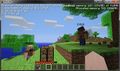 Early multiplayer
 -
 Early multiplayer
In other media
-
 A multiplayer game on a rainy night
 -
 Players gaining achievements with add-ons enabled
References
- ↑ "How to Join a Friend’s Online World in Minecraft: Bedrock Edition" – Minecraft Help Center.
- ↑ The player list implementation can be seen on PlayerTabOverlay class in the game's code. (Mojang mapping)
- ↑ The calculation can be checked on ServerCommonPacketListenerImpl#handleKeepAlive() method. (Mojang mapping)


![Lucky OneBlock - Lucky Blocks - Multiplayer - [ 26.2!! ]](https://media.forgecdn.net/avatars/thumbnails/830/427/256/256/638219856897484454.jpeg)