For the hanging variant of signs, see Hanging Sign.




| Renewable | Yes |
|---|---|
| Stackable | Yes (16) |
| Tool | 
|
| Blast resistance | 1 |
| Hardness | 1 |
| Luminous | No |
| Transparent | Yes |
| Waterloggable | Yes |
| Flammable | No |
| Catches fire from lava |
JE: Yes, except  Crimson and Crimson and  Warped Signs Warped SignsBE: Yes |
| Map color | |
| Note block instrument | Bass |
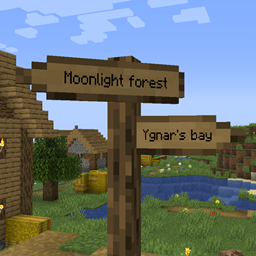
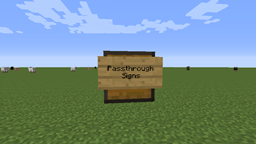
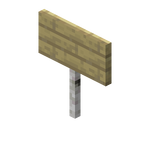
A sign is a non-solid block that can display text, and can be placed on the top or side of other blocks. The text of signs can be customized with dyes and glow ink sacs, and they can be waxed to prevent its text from being edited by any player.
Obtaining
Breaking
Signs can be broken with any tool or without a tool, but an axe is fastest.


- incorrect tool, drops nothing
- correct tool, drops nothing or something other than the block itself
- correct tool, drops the block itself
- italicized can be instant mined
- ↑ These durations ignore any other influential factors (e.g., Mining Fatigue) and are measured in seconds. For more information, see Breaking § Mining efficiency.
A sign also breaks and drops itself as an item if the block the sign is attached to is moved, removed or destroyed.
Natural generation
An oak sign can be found in igloo basements. Spruce signs can be found in taiga village houses, as part of a chair but the sign says nothing.
Generated loot
| Item | Structure | Container | Quantity | Chance |
|---|---|---|---|---|
| Java Edition | ||||
 Spruce Sign Spruce Sign
|
 Village Village
|
Taiga house chest | 1 | 9.7%{ "item": "Spruce Sign", "stacksize": 1, "chance": 0.09723883474496142, "structure": "Village", "container": "Taiga house chest" }
|
| Bedrock Edition | ||||
 Oak Sign Oak Sign
|
Village
|
Taiga house chest | 1 | 10.7%{ "item": "Oak Sign", "stacksize": 1, "chance": 0.10665831307875395, "structure": "Village", "container": "Taiga house chest" }
|
Crafting


Usage
Signs can be used to display text; they can be used to label storage, display information to other players or note areas of interest. Signs are also not destroyed by water or lava and therefore may be used to control the flow of these fluids.
Placement
Signs may be placed on the top or side of other blocks (including semi-solid and non-solid blocks such as fences, trapdoors and other signs). To place a sign, use a sign item while pointing at the block the sign should be attached to, enter the desired text (or none), and click the "Done" button,[JE only] press anywhere outside the sign texture,[BE only] press "escape" on a keyboard, or  on an Xbox controller,
  on a PlayStation controller, or
  on a Nintendo Switch controller. Closing the virtual keyboard on a mobile device also exits the typing menu. To place a sign on a block that can be interacted with by the use control (for example, chests, note blocks, etc.), sneak while placing the sign.
Signs on the top of a block stand on a short post and face toward the player who placed it, in any of 16 different directions. Signs placed on the side of a block simply float there, even if the block doesn't make contact with the sign.
For more information about the blocks signs can be placed on, see Opacity/Placement.
Text


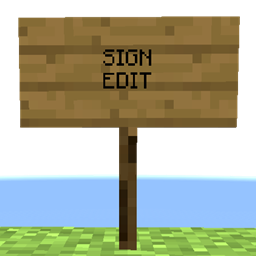
Placing a sign opens an editor interface resembling a magnified view of the sign. Up to four lines of text can then be entered using a keyboard (hardware or on-screen). The editor supports limited editing, including moving the cursor and inserting and deleting characters. In Bedrock Edition, formatting codes with § can also be used to apply decorative effects such as color, bold, italic and obfuscated to various bits of the text.
Text can be added to the back side of a sign by interacting with that side of the sign after placing it and editing the front.
Signs can be waxed by using a honeycomb on it. Once waxed, a sign cannot be unwaxed or edited without being broken and placed down again or by using commands like /data.
After placing and affixing text on a sign, a player can change the text color by using a dye on it. When colored with dye, the text color may differ from any color specified by formatting codes. These values are hard-coded in the game's code, each dye color maps to one of these. The dye color on the sign's face is applied to all 4 lines of text. Any text that has been colored with text component format overwrites this color, effectively making the 'dye' color be used as a base color for any unstyled text.

A player can use a glow ink sac on a sign to make its text glow and have an outline. The glowing text is not affected by lighting. The player can use a regular black ink sac on the sign to remove the glowing effect. If the text has been colored with text component format the glow outline still shows the default white or the color of underlying dye that was used on the sign.
| Name | Main color | Outline color |
|---|---|---|
| Black | #000000 |
#F0EBCC |
| Red | #FF0000 |
#660000 |
| Green | #00FF00 |
#006600 |
| Brown | #8B4513 |
#371B07 |
| Blue | #0000FF |
#000066 |
| Purple | #A020F0 |
#400C60 |
| Cyan | #00FFFF |
#006666 |
| Light gray | #D3D3D3 |
#545454 |
| Gray | #808080 |
#333333 |
| Pink | #FF69B4 |
#662A48 |
| Lime | #BFFF00 |
#4C6600 |
| Yellow | #FFFF00 |
#666600 |
| Light blue | #9AC0CD |
#3D4C52 |
| Magenta | #FF00FF |
#660066 |
| Orange | #FF681F |
#66290C |
| White | #FFFFFF |
#666666 |
In Creative mode, the combination ⎈ Control + pick block on Windows/Linux, or ⌘ Command + pick block on macOS, can be used to copy an already-placed sign, including its text (with decorations), into the player's inventory.
A dyed sign facing east or west has text that appears more saturated and bright than a sign facing north or south. However, it is actually the sign that is dimmer, because Minecraft's lighting engine uses side lighting to make the world appear less flat, but the text on signs is not affected by this.
In Bedrock Edition and on Java Realms, inappropriate words or phrases in a sign's text are displayed as hashtags if the "Filter Profanity" setting is enabled.
In Java Edition, signs can be created with text components, which allows complex formatting (colors, bold, italic, etc.), hover and click events, localized translation (for Minecraft technical terms, like "Redstone Repeater", otherwise translations must be provided in language files in resource packs), and the incorporation of scoreboard values into text. Use the /data merge block command to create or alter text component-based signs.
- Example:
/data merge block ~ ~1 ~ {front_text: {color: "green", messages: [{selector: "@p", bold: false, italic: false, underlined: false, strikethrough: false, obfuscated: false, text: "First Line"}, 'Second Line', '', '']}}
Signs can post the success count of text hover and click events to scoreboard objectives. The objectives to be used can be specified by running the /execute store command or by modifying the sign's NBT data directly with the /data merge block command.
In Bedrock Edition, when you type certain letters, it displays icons. [more information needed]
Interaction
Signs can be edited after being placed by using them, which opens the edit sign message GUI.
Signs are destroyed and drop as an item when pushed by a piston.[Bedrock Edition only]
Signs are non-solid and have no collision, so items and mobs can move through sign blocks. Other blocks (including other signs) can be placed on any edge of a sign.
Water and lava flow around signs. Lava can create fire in air blocks next to signs as if the signs were flammable, but the signs do not burn (and cannot be burned by other methods either, except in Bedrock Edition).
Fuel
Overworld signs can be used as a fuel in furnaces, smelting an item per sign. Nether signs (crimson and warped), cannot be used as fuel in a furnace.
Sounds
Generic
Normal wood
| Sounds | Closed captions | Description | Category | Details | » | Technical data | » | |||
|---|---|---|---|---|---|---|---|---|---|---|
| Volume | Pitch | Attenuation | Identifier | Translation key | ||||||
| Block broken | Once the block has broken | Blocks | 1.0 | JE: 0.8 BE: 0.8–1.0 | JE: 16 BE: ? | JE: block.wood.breakBE: dig.wood | subtitles.block.generic.break | |||
| Block placed[until: JE 26.4] Block is placed[upcoming: JE 26.4] | When the block is placed | 1.0 | 0.8 | JE: block.wood.placeBE: dig.wood | subtitles.block.generic.place | |||||
| Block breaking | While the block is in the process of being broken | JE: 0.25 BE: 0.23 | 0.5 | JE: block.wood.hitBE: hit.wood | subtitles.block.generic.hit | |||||
| JE: Something falls on a block BE: Footsteps | Falling on the block with fall damage | JE: Entity-dependent BE: Players | JE: 0.5 BE: 0.4 | JE: 0.75 BE: 1.0 | JE: block.wood.fallBE: fall.wood | JE: subtitles.block.generic.fallBE: subtitles.block.generic.footsteps | ||||
| Footsteps | Walking on the block | JE: 0.15 BE: 0.3 | 1.0 | JE: block.wood.stepBE: step.wood | subtitles.block.generic.footsteps | |||||
| Footsteps | Jumping from the block[BE only] | Players | 0.12 | 1.0 | ? | jump.wood | subtitles.block.generic.footsteps | |||
| Footsteps | Falling on the block without fall damage[BE only] | 0.18 | 1.0 | land.wood | subtitles.block.generic.footsteps | |||||
Cherry wood
| Sounds | Closed captions | Description | Category | Details | » | Technical data | » | |||
|---|---|---|---|---|---|---|---|---|---|---|
| Volume | Pitch | Attenuation | Identifier | Translation key | ||||||
| Block broken | Once the block has broken | Blocks | 1.0 | JE: 0.8 BE: 0.8–1.0 | JE: 16 BE: ? | JE: block.cherry_wood.breakBE: break.cherry_wood | subtitles.block.generic.break | |||
| Block placed[until: JE 26.4] Block is placed[upcoming: JE 26.4] | When the block is placed | 1.0 | 0.8 | JE: block.cherry_wood.placeBE: dig.cherry_wood | subtitles.block.generic.place | |||||
| Block breaking | While the block is in the process of being broken | JE: 0.25 BE: 0.23 | 0.5 | JE: block.cherry_wood.hitBE: hit.cherry_wood | subtitles.block.generic.hit | |||||
| JE: Something falls on a block BE: Footsteps | Falling on the block with fall damage | JE: Entity-dependent BE: Players | JE: 0.5 BE: 0.4 | JE: 0.75 BE: 1.0 | JE: block.cherry_wood.fallBE: fall.cherry_wood | JE: subtitles.block.generic.fallBE: subtitles.block.generic.footsteps | ||||
| Footsteps | Walking on the block | JE: 0.15 BE: 0.2 | 1.0 | JE: block.cherry_wood.stepBE: step.cherry_wood | subtitles.block.generic.footsteps | |||||
| Footsteps | Jumping from the block[BE only] | Players | 0.12 | 1.0 | ? | jump.cherry_wood | subtitles.block.generic.footsteps | |||
| Footsteps | Falling on the block without fall damage[BE only] | 0.18 | 1.0 | land.cherry_wood | subtitles.block.generic.footsteps | |||||
Bamboo wood
| Sounds | Closed captions | Description | Category | Details | » | Technical data | » | |||
|---|---|---|---|---|---|---|---|---|---|---|
| Volume | Pitch | Attenuation | Identifier | Translation key | ||||||
| Block broken | Once the block has broken | Blocks | 0.9 | JE: 0.8 BE: 0.8–1.0 | JE: 16 BE: ? | JE: block.bamboo_wood.breakBE: break.bamboo_wood | subtitles.block.generic.break | |||
| Block placed[until: JE 26.4] Block is placed[upcoming: JE 26.4] | When the block is placed | 0.9 | 0.8 | JE: block.bamboo_wood.placeBE: place.bamboo_wood | subtitles.block.generic.place | |||||
| Block breaking | While the block is in the process of being broken | JE: 0.225 BE: 0.207 | 0.5 | JE: block.bamboo_wood.hitBE: hit.bamboo_wood | subtitles.block.generic.hit | |||||
| JE: Something falls on a block BE: Something fell | Falling on the block with fall damage | JE: Entity-dependent BE: Players | JE: 0.5 BE: 0.4 | JE: 0.75 BE: 1.0 | JE: block.bamboo_wood.fallBE: fall.bamboo_wood | subtitles.block.generic.fall | ||||
| Footsteps | Walking on the block | JE: 0.15 BE: 0.2 | 1.0 | JE: block.bamboo_wood.stepBE: step.bamboo_wood | subtitles.block.generic.footsteps | |||||
| Footsteps | Jumping from the block[BE only] | Players | 0.12 | 1.0 | ? | jump.bamboo_wood | subtitles.block.generic.footsteps | |||
| Footsteps | Falling on the block without fall damage[BE only] | 0.18 | 1.0 | land.bamboo_wood | subtitles.block.generic.footsteps | |||||
Nether wood
| Sounds | Closed captions | Description | Category | Details | » | Technical data | » | |||
|---|---|---|---|---|---|---|---|---|---|---|
| Volume | Pitch | Attenuation | Identifier | Translation key | ||||||
| Block broken | Once the block has broken | Blocks | 1.0 | JE: 0.72 BE: 0.8–1.0 | JE: 16 BE: ? | JE: block.nether_wood.breakBE: break.nether_wood | subtitles.block.generic.break | |||
| Block placed[until: JE 26.4] Block is placed[upcoming: JE 26.4] | When the block is placed | 1.0 | JE: 0.72 BE: 0.8 | JE: block.nether_wood.placeBE: place.nether_wood | subtitles.block.generic.place | |||||
| Block breaking | While the block is in the process of being broken | JE: 0.25 BE: 0.23 | JE: 0.45 BE: 0.5 | JE: block.nether_wood.hitBE: hit.nether_wood | subtitles.block.generic.hit | |||||
| Something falls on a block | Falling on the block with fall damage | JE: Entity-dependent BE: Players | JE: 0.5 BE: 0.4 | JE: 0.75 BE: 1.0 | JE: block.nether_wood.fallBE: fall.nether_wood | subtitles.block.generic.fall | ||||
| Footsteps | Walking on the block | JE: 0.15 BE: 0.3 | 1.0 | JE: block.nether_wood.stepBE: step.nether_wood | subtitles.block.generic.footsteps | |||||
| Footsteps | Jumping from the block[BE only] | Players | 0.12 | 1.0 | ? | step.nether_wood | subtitles.block.generic.footsteps | |||
| Footsteps | Falling on the block without fall damage[BE only] | 0.18 | 1.0 | step.nether_wood | subtitles.block.generic.footsteps | |||||
Unique
| Sounds | ||||||||
|---|---|---|---|---|---|---|---|---|
| Sound | Closed captions | Source | Description | Identifier | Translation key | Volume | Pitch | Attenuation distance |
| Glow Ink Sac splotches | Blocks | When a glow ink sac is used on a sign | item | subtitles | 1.0 | varies [sound 1] | 16 | |
| Ink Sac splotches | Blocks | When an ink sac is used on a sign | item | subtitles | 1.0 | varies [sound 2] | 16 | |
| Dye stains | Blocks | When dye is used on a sign | item | subtitles | 1.0 | varies [sound 3] | 16 | |
| Wax on | Blocks | When a sign is waxed | item | subtitles | 1.0 | 1.0/0.9/1.1 | 16 | |
| Sign wobbles | Blocks | When a player attempts to edit a waxed sign | block | subtitles | 1.0 | varies | 16 | |
| Sounds | |||||||
|---|---|---|---|---|---|---|---|
| Sound | Closed captions | Source | Description | Identifier | Translation key | Volume | Pitch |
| ? | Sound | When a glow ink sac or an ink sac is used on a sign | sign | ? | 1.0 | 1.0 | |
| ? | Sound | When dye is used on a sign | sign | ? | 1.0 | 1.0 | |
| ? | Friendly Mobs | When a honeycomb waxes a sign | copper | ? | 1.0 | 0.8–1.2 | |
| ? | Blocks | When a player attempts to edit a waxed sign | block | ? | 1.0 | varies [sound 1] | |
- ↑ Can be 1.0 or 0.9 for
waxed_interact_fail1; can be 0.8 or 0.9 forwaxed_interact_fail2andwaxed_interact_fail3
Data values
ID
| Name | Identifier | Form | Block tags | Item tags | Translation key |
|---|---|---|---|---|---|
 Oak Sign Oak Sign | oak_sign | Block & Item | signsstanding_signswall_post_override | signs |
block |
 Spruce Sign Spruce Sign | spruce_sign | Block & Item | signsstanding_signswall_post_override | signs |
block |
 Birch Sign Birch Sign | birch_sign | Block & Item | signsstanding_signswall_post_override | signs |
block |
 Jungle Sign Jungle Sign | jungle_sign | Block & Item | signsstanding_signswall_post_override | signs |
block |
 Acacia Sign Acacia Sign | acacia_sign | Block & Item | signsstanding_signswall_post_override | signs |
block |
 Dark Oak Sign Dark Oak Sign | dark_oak_sign | Block & Item | signsstanding_signswall_post_override | signs |
block |
 Mangrove Sign Mangrove Sign | mangrove_sign | Block & Item | signsstanding_signswall_post_override | signs |
block |
 Cherry Sign Cherry Sign | cherry_sign | Block & Item | signsstanding_signswall_post_override | signs |
block |
 Pale Oak Sign Pale Oak Sign | pale_oak_sign | Block & Item | signsstanding_signswall_post_override | signs |
block |
 Poplar Sign Poplar Sign | poplar_sign | Block & Item | signsstanding_signswall_post_override | signs |
block |
 Bamboo Sign Bamboo Sign | bamboo_sign | Block & Item | signsstanding_signswall_post_override | signs |
block |
| Crimson Sign | crimson_sign | Block & Item | signsstanding_signswall_post_override | non_flammable_woodsigns |
block |
| Warped Sign | warped_sign | Block & Item | signsstanding_signswall_post_override | non_flammable_woodsigns |
block |
 Oak Wall Sign Oak Wall Sign | oak_wall_sign | Block | signswall_signs | — | block |
 Spruce Wall Sign Spruce Wall Sign | spruce_wall_sign | Block | signswall_signs | — | block |
 Birch Wall Sign Birch Wall Sign | birch_wall_sign | Block | signswall_signs | — | block |
 Jungle Wall Sign Jungle Wall Sign | jungle_wall_sign | Block | signswall_signs | — | block |
 Acacia Wall Sign Acacia Wall Sign | acacia_wall_sign | Block | signswall_signs | — | block |
 Dark Oak Wall Sign Dark Oak Wall Sign | dark_oak_wall_sign | Block | signswall_signs | — | block |
 Mangrove Wall Sign Mangrove Wall Sign | mangrove_wall_sign | Block | signswall_signs | — | block |
 Cherry Wall Sign Cherry Wall Sign | cherry_wall_sign | Block | signswall_signs | — | block |
 Pale Oak Wall Sign Pale Oak Wall Sign | pale_oak_wall_sign | Block | signswall_signs | — | block |
 Poplar Wall Sign Poplar Wall Sign | poplar_wall_sign | Block | signswall_signs | — | block |
 Bamboo Wall Sign Bamboo Wall Sign | bamboo_wall_sign | Block | signswall_signs | — | block |
 Crimson Wall Sign Crimson Wall Sign | crimson_wall_sign | Block | signswall_signs | — | block |
 Warped Wall Sign Warped Wall Sign | warped_wall_sign | Block | signswall_signs | — | block |
| Name | Identifier |
|---|---|
 Block entity Block entity | sign |
| Sign | Identifier | Alias ID | Numeric ID | Form | Item ID[i 1] | Item tags | Translation key |
|---|---|---|---|---|---|---|---|
| Oak standing | standing_sign | None | 63 | Block & Ungiveable Item[i 2] | Identical[i 3] | — | tile |
| Spruce standing | spruce_standing_sign | None | 436 | Block & Ungiveable Item[i 2] | Identical[i 3] (Numeric: -181) | — | tile |
| Birch standing | birch_standing_sign | None | 441 | Block & Ungiveable Item[i 2] | Identical[i 3] (Numeric: -186) | — | tile |
| Jungle standing | jungle_standing_sign | None | 443 | Block & Ungiveable Item[i 2] | Identical[i 3] (Numeric: -188) | — | tile |
| Acacia standing | acacia_standing_sign | None | 445 | Block & Ungiveable Item[i 2] | Identical[i 3] (Numeric: -190) | — | tile |
| Dark Oak standing | darkoak_standing_sign | None | 447 | Block & Ungiveable Item[i 2] | Identical[i 3] (Numeric: -192) | — | tile |
| Mangrove standing | mangrove_standing_sign | None | 749 | Block & Ungiveable Item[i 2] | Identical[i 3] (Numeric: -494) | — | tile |
| Cherry standing | cherry_standing_sign | None | 797 | Block & Ungiveable Item[i 2] | Identical[i 3] (Numeric: -542) | — | tile |
| Pale Oak standing | pale_oak_standing_sign | None | 1256 | Block & Ungiveable Item[i 2] | Identical[i 3] (Numeric: -1001) | — | tile |
| Poplar standing | poplar_standing_sign | None | 1395 | Block & Ungiveable Item[i 2] | Identical[i 3] (Numeric: -1140) | — | tile |
| Bamboo standing | bamboo_standing_sign | None | 773 | Block & Ungiveable Item[i 2] | Identical[i 3] (Numeric: -518) | — | tile |
| Crimson standing | crimson_standing_sign | None | 505 | Block & Ungiveable Item[i 2] | Identical[i 3] (Numeric: -250) | — | tile |
| Warped standing | warped_standing_sign | None | 506 | Block & Ungiveable Item[i 2] | Identical[i 3] (Numeric: -251) | — | tile |
| Oak wall | wall_sign | None | 68 | Block & Ungiveable Item[i 2] | Identical[i 3] | — | tile |
| Spruce wall | spruce_wall_sign | None | 437 | Block & Ungiveable Item[i 2] | Identical[i 3] (Numeric: -182) | — | tile |
| Birch wall | birch_wall_sign | None | 442 | Block & Ungiveable Item[i 2] | Identical[i 3] (Numeric: -187) | — | tile |
| Jungle wall | jungle_wall_sign | None | 444 | Block & Ungiveable Item[i 2] | Identical[i 3] (Numeric: -189) | — | tile |
| Acacia wall | acacia_wall_sign | None | 446 | Block & Ungiveable Item[i 2] | Identical[i 3] (Numeric: -191) | — | tile |
| Dark Oak wall | darkoak_wall_sign | None | 448 | Block & Ungiveable Item[i 2] | Identical[i 3] (Numeric: -193) | — | tile |
| Mangrove wall | mangrove_wall_sign | None | 750 | Block & Ungiveable Item[i 2] | Identical[i 3] (Numeric: -495) | — | tile |
| Cherry wall | cherry_wall_sign | None | 799 | Block & Ungiveable Item[i 2] | Identical[i 3] (Numeric: -544) | — | tile |
| Pale Oak wall | pale_oak_wall_sign | None | 1258 | Block & Ungiveable Item[i 2] | Identical[i 3] (Numeric: -1003) | — | tile |
| Poplar wall | poplar_wall_sign | None | 1393 | Block & Ungiveable Item[i 2] | Identical[i 3] (Numeric: -1138) | — | tile |
| Bamboo wall | bamboo_wall_sign | None | 774 | Block & Ungiveable Item[i 2] | Identical[i 3] (Numeric: -519) | — | tile |
| Crimson wall | crimson_wall_sign | None | 507 | Block & Ungiveable Item[i 2] | Identical[i 3] (Numeric: -252) | — | tile |
| Warped wall | warped_wall_sign | None | 508 | Block & Ungiveable Item[i 2] | Identical[i 3] (Numeric: -253) | — | tile |
| Oak item | oak_sign | sign | 360 | Item | — | minecraft:sign |
item |
| Spruce item | spruce_sign | None | 576 | Item | — | minecraft:sign |
item |
 Birch item Birch item | birch_sign | None | 577 | Item | — | minecraft:sign |
item |
 Jungle item Jungle item | jungle_sign | None | 578 | Item | — | minecraft:sign |
item |
 Acacia item Acacia item | acacia_sign | None | 579 | Item | — | minecraft:sign |
item |
 Dark Oak item Dark Oak item | dark_oak_sign | darkoak_sign | 587 | Item | — | minecraft:sign |
item |
 Mangrove item Mangrove item | mangrove_sign | None | 642 | Item | — | minecraft:sign |
item |
 Cherry item Cherry item | cherry_sign | None | 659 | Item | — | minecraft:sign |
item |
| Pale Oak item | pale_oak_sign | None | 724 | Item | — | minecraft:sign |
item |
 Bamboo item Bamboo item | bamboo_sign | None | 660 | Item | — | minecraft:sign |
item |
 Crimson item Crimson item | crimson_sign | None | 614 | Item | — | minecraft:sign |
item |
 Warped item Warped item | warped_sign | None | 615 | Item | — | minecraft:sign |
item |
| Name | Savegame ID |
|---|---|
| Block entity | Sign |
Block states
- Standing
| Name | Default value | Allowed values | Description |
|---|---|---|---|
| rotation | 0
| 0 | The block is facing south. |
1 | The block is facing south-southwest. | ||
2 | The block is facing southwest. | ||
3 | The block is facing west-southwest. | ||
4 | The block is facing west. | ||
5 | The block is facing west-northwest. | ||
6 | The block is facing northwest. | ||
7 | The block is facing north-northwest. | ||
8 | The block is facing north. | ||
9 | The block is facing north-northeast. | ||
10 | The block is facing northeast. | ||
11 | The block is facing east-northeast. | ||
12 | The block is facing east. | ||
13 | The block is facing east-southeast. | ||
14 | The block is facing southeast. | ||
15 | The block is facing south-southeast. | ||
| waterlogged | false | falsetrue | Whether or not there's water in the same place as this sign. |
- Wall
| Name | Default value | Allowed values | Description |
|---|---|---|---|
| facing | north | eastnorthsouthwest | The direction the block is facing. For example, a block facing east is attached to a block to its west. Opposite from the direction a player faces when placing the block. |
| waterlogged | false | falsetrue | Whether or not there's water in the same place as this sign. |
- Standing
| Name | Metadata Bits | Default value | Allowed values | Values for Metadata Bits |
Description |
|---|---|---|---|---|---|
| ground_sign_direction | 0x10x20x40x8 | 0
| 0 | 0 | The block is facing south. |
1 | 1 | The block is facing south-southwest. | |||
2 | 2 | The block is facing southwest. | |||
3 | 3 | The block is facing west-southwest. | |||
4 | 4 | The block is facing west. | |||
5 | 5 | The block is facing west-northwest. | |||
6 | 6 | The block is facing northwest. | |||
7 | 7 | The block is facing north-northwest. | |||
8 | 8 | The block is facing north. | |||
9 | 9 | The block is facing north-northeast. | |||
10 | 10 | The block is facing northeast. | |||
11 | 11 | The block is facing east-northeast. | |||
12 | 12 | The block is facing east. | |||
13 | 13 | The block is facing east-southeast. | |||
14 | 14 | The block is facing southeast. | |||
15 | 15 | The block is facing south-southeast. |
- Wall
| Name | Metadata Bits | Default value | Allowed values | Values for Metadata Bits |
Description |
|---|---|---|---|---|---|
| facing_direction | 0x10x20x4 | 2 | 2345 | 2345 | The direction the block is facing. For example, a block facing east is attached to a block to its west.
|
01 | 01 | Unused |
Block data
A sign has a block entity associated with it that holds additional data about the block.
- [NBT Compound / JSON Object] Block entity data
- Tags common to all block entities see Template:Nbt inherit/blockentity/template
- [Boolean] is_waxed: 1 or 0 (
true/false), defaults tofalse.trueif the text is locked with honeycomb. Represents theminecraft:waxedcomponent. - [Boolean] allow_op_features: 1 or 0 (
true/false), defaults tofalse. Iftrue, the sign will executerun_command,show_dialog, andcustomclick events from [NBT Compound / JSON Object] front_text or [NBT Compound / JSON Object] back_text when the relevant side of the sign is used. Only events on the root component of each line will be executed; click events in nested text components are ignored. Unlike the normal behavior ofrun_command, commands are not limited by chat restrictions. Commands run with permission level 2 (like command blocks), at the center of the sign block, and as the player who clicked. - [NBT Compound / JSON Object] front_text: A compound that describes front text. Represents the
minecraft:sign_text_frontcomponent.- A sign text object see Template:Nbt inherit/sign_text_object/template
- [NBT Compound / JSON Object] back_text: A compound that describes back text. Represents the
minecraft:sign_text_backcomponent.- A sign text object see Template:Nbt inherit/sign_text_object/template
- [NBT Compound / JSON Object] Block entity data
- Tags common to all block entities see Template:Nbt inherit/blockentity/template
- [Byte] GlowingText: 1 or 0 (true/false) - true if the sign has been dyed with a glow ink sac.
- [String] Color: The color that has been used to dye the sign. The default value is "black". One of "white", "orange", "magenta", "light_blue", "yellow", "lime", "pink", "gray", "light_gray", "cyan", "purple", "blue", "brown", "green", "red", or "black".
- [String] Text1: First row of text.
- [String] Text2: Second row of text.
- [String] Text3: Third row of text.
- [String] Text4: Fourth row of text.
Achievements
| Icon | Achievement | In-game description | Actual requirements (if different) | Gamerscore earned | Trophy type (PS) | |
|---|---|---|---|---|---|---|
| PS4 | Other | |||||
 |  | It's a Sign! | Craft and place an Oak Sign. | — | 15 | Bronze |
Advancements
| Icon | Advancement | In-game description | Actual requirements (if different) |
|---|---|---|---|
  | Glow and Behold! | Make the text of any kind of sign glow | Use a glow ink sac on a sign or a hanging sign. |
History
Java Edition
| Java Edition Classic | |||||||
|---|---|---|---|---|---|---|---|
| 0.24_SURVIVAL_TEST |  Signs are currently being tested as entities. They always display "This is a test of the signs. Each line can be 15 chars!" and can be spawned only by pressing B.[1] Signs are currently being tested as entities. They always display "This is a test of the signs. Each line can be 15 chars!" and can be spawned only by pressing B.[1] | ||||||
| 0.26 SURVIVAL TEST | Removed ability to spawn signs. | ||||||
| Java Edition Infdev | |||||||
| 20100607 |   Signs have been re-implemented as blocks, although still rendering as entities. Signs have been re-implemented as blocks, although still rendering as entities.
| ||||||
| Signs now have a crafting recipe and the text can now be edited. Editing a sign pauses the game. | |||||||
| Signs are currently huge and drop planks when destroyed. | |||||||
| Signs do not have a particle texture defined. As such, they default to using the grass block texture instead. | |||||||
| 20100608 | Signs are now broken faster. | ||||||
| Signs now drop themselves when destroyed, instead of planks. | |||||||
| Signs now use planks particles. | |||||||
| Java Edition Alpha | |||||||
| v1.0.1 |  Added wall signs. Added wall signs.
| ||||||
 Signs are now smaller. Signs are now smaller. | |||||||
| v1.0.5 | Signs no longer require a free block above it to place. | ||||||
| Java Edition Beta | |||||||
| April 27, 2011 | Hand-drawn signs are mentioned. | ||||||
| Java Edition | |||||||
| 1.0.0 | Beta 1.9 Prerelease 6 | Signs are now broken faster using an axe. | |||||
| 1.3.1 | 12w18a | During the switch of singleplayer to an internal server, the ability to pause the game has been temporarily removed, including when editing a sign. | |||||
| 12w22a | Restored the ability to pause, including when editing signs. | ||||||
| 12w27a | Signs are now stackable up to 16. | ||||||
| The same crafting recipe now produces 3 signs instead of 1. | |||||||
| June 9, 2014 | Searge tweeted a picture of a sign showing a username and a scoreboard score. | ||||||
| 1.8 | 14w25a | Added support for JSON text to signs. | |||||
| Sign character limit now depends on character width. Previously, the sign character limit was exactly 15 characters. | |||||||
| 14w29a | Signs now display the cracking animation. | ||||||
| 1.9 | 15w43a | A sign now generates within igloo basements. | |||||
| 1.11 | 16w33a | Signs can now be used as fuel in furnaces. | |||||
| 1.13 | 17w47a | The player editing a sign can now also see the written text on the sign itself before closing the UI, however other players only see the text when the UI is closed.[2] | |||||
| Signs now play a sound when placed. | |||||||
The standing sign ID has been changed from standing_sign to sign.
| |||||||
| As part of The Flattening, the numeric item IDs of signs (63 for standing signs, 68 for wall signs and 323 for the item form) have been removed. | |||||||
| 18w10d | Water can now be placed on the same block as signs. | ||||||
| 1.14 | 18w43a | "Sign" has been renamed to "Oak Sign". | |||||
 The texture of oak sign items has been changed. The texture of oak sign items has been changed.
| |||||||
          Added spruce, birch, jungle, acacia and dark oak signs. Added spruce, birch, jungle, acacia and dark oak signs.
| |||||||
| The sign's text has been changed from black to white. | |||||||
| A sign's recipe now requires the same type of planks instead of a random assortment. | |||||||
| 18w44a | Signs can now be used while holding a dye to change the text color. | ||||||
| Default text color for signs has been changed back to black. | |||||||
| 18w45a | A new movable cursor for free text editing to signs has been added. | ||||||
| Selection and copy/paste support have been added to signs. | |||||||
| 18w50a | Spruce signs now generate in some taiga village houses. | ||||||
| Spruce sign items can now be found in chests in taiga village houses. | |||||||
| 19w12a | Signs can now be dyed only in Creative mode. | ||||||
| 19w12b | Signs can now be dyed in Survival mode again. | ||||||
| 1.16 | 20w06a |     Added crimson and warped signs. Added crimson and warped signs. | |||||
| 20w09a | Crimson and warped signs can now be crafted. | ||||||
| 1.17 | 21w03a | Signs can now be tinted with glow ink sacs to make the text glow. | |||||
| Works with both undyed and dyed signs. | |||||||
| Signs now have a sound for being dyed. | |||||||
| 21w11a |             The textures of signs have been changed to reflect the changes made to planks in the Texture Update. The textures of signs have been changed to reflect the changes made to planks in the Texture Update. | ||||||
| pre1 | Glowing text on signs now has an outer glow, making text more visible in the dark. | ||||||
| 1.18 | 21w41a |         Changed all signs textures as items. Changed all signs textures as items. | |||||
| 1.19 | 22w11a |    Added mangrove signs. Added mangrove signs. | |||||
| 22w14a | Due to the addition of the mangrove tree and mangrove swamp, mangrove signs are now obtainable in Survival and renewable. | ||||||
| October 15, 2022 | Hanging signs were announced and shown on Minecraft Live 2022. | ||||||
| Hanging signs were conceptualized by Agnes Larsson with input from her daughter.[3] | |||||||
| 1.19.3 Experiment | 22w42a |    Added bamboo signs. Added bamboo signs.
| |||||
| Added unique sounds for Nether and bamboo wood signs. | |||||||
| 1.19.4 Experiment | 23w07a |    Added cherry signs. Added cherry signs. | |||||
| pre4 |  The texture of cherry signs has been changed. The texture of cherry signs has been changed. | ||||||
| 1.20 | 23w12a | Signs can now be edited after being placed. | |||||
| Signs now support text on both sides. | |||||||
| Signs can now be waxed with honeycomb to prevent editing. | |||||||
| Editing a sign no longer pauses the game in singleplayer. | |||||||
| 23w14a | Signs with click commands can now be interacted with even if the sign is not waxed. | ||||||
| Signs can no longer be edited by players in Adventure mode. | |||||||
| Signs with non-text chat components can no longer be edited, even if the sign is not waxed. | |||||||
| Signs now save text even if the edit screen is closed by the player being moved far away. | |||||||
| 1.21.2 Experiment | 24w40a |    Added pale oak signs. Added pale oak signs. | |||||
| 1.21.4 | 24w44a |  The texture of pale oak sign items have been changed to match Bedrock Edition. The texture of pale oak sign items have been changed to match Bedrock Edition. | |||||
| 26.2 | snap7 | Signs and hanging signs now use block models instead of built-in entity models. The text cannot be configured yet. | |||||
| snap8 | The main board of signs, when facing in one of the four cardinal directions, is now rotated by 0.0001 degrees. This is presumably to fix a lighting issue arising from when next to a block. | ||||||
| 26.3 | snap1 |   Added poplar signs. Added poplar signs. | |||||
| snap2 |  The texture of poplar signs has been changed. The texture of poplar signs has been changed. | ||||||
| snap4 | Added [Boolean] allow_op_features. Signs no longer execute click events in custom text unless [Boolean] allow_op_features is set to true. | ||||||
Bedrock Edition
| Pocket Edition Alpha | |||||||
|---|---|---|---|---|---|---|---|
| v0.5.0 | Signs have been added, though they can be obtained only through inventory editors.
| ||||||
| The player currently cannot write on signs. | |||||||
| v0.6.0 | Signs can now be legitimately obtained in Survival and Creative mode. | ||||||
| The player can now write on signs. | |||||||
| v0.10.0 | build 1 | Signs now have a selection overlay. | |||||
| Pocket Edition | |||||||
| 1.0.0 | alpha 0.17.0.1 | Signs can now be found in igloo basements. | |||||
| Bedrock Edition | |||||||
| 1.9.0 | beta 1.9.0.0 | "Sign" has been renamed to "Oak Sign". | |||||
| Added spruce, birch, jungle, acacia and dark oak signs. | |||||||
| The sign's text has been changed from black to white. | |||||||
| A sign's recipe now requires the same type of wood instead of a random assortment. | |||||||
| beta 1.9.0.2 | The default sign text color has been changed back to black. | ||||||
| Sign variants are now grouped in their own inventory category. | |||||||
| 1.10.0 | beta 1.10.0.3 | The texture of oak sign items has been changed.
| |||||
| Spruce signs now generate in new taiga and snowy taiga village houses. | |||||||
| 1.11.0 | beta 1.11.0.1 | Signs can now be used as a fuel in furnaces. | |||||
| Oak signs can now be found inside taiga and snowy taiga village house chests. | |||||||
| 1.16.0 | beta 1.16.0.51 | Added crimson and warped signs. | |||||
| The texture of all signs except oak sign have been changed. | |||||||
| 1.16.20 | beta 1.16.20.50 | Crimson and warped signs now uses regular plank sounds instead of their stem variant sounds. | |||||
| 1.16.210 | beta 1.16.210.59 | Signs can now be used while holding a dye to change the text color. | |||||
| Signs can now be tinted with glow ink sacs to make the text glow. | |||||||
| Works with both default and dyed signs. | |||||||
| beta 1.16.210.60 | Color on dyed signs disappears and the text turns back to black. | ||||||
| Signs with applied glowing effect as well as color stops glowing and color is removed. | |||||||
| 1.16.220 | beta 1.16.220.50 | Signs can now be used while holding a dye to change the text color again. | |||||
| Signs can now be tinted with glow ink sacs to make the text glow again. | |||||||
| beta 1.16.220.52 | Now has sounds for being dyed. | ||||||
| release | A glowing effect can no longer be applied to signs due to glow ink sacs becoming inaccessible in the full release. | ||||||
| 1.17.0 | beta 1.17.0.50 |       Textures of sign items was updated. Textures of sign items was updated.
| |||||
| The textures of oak signs have been changed to reflect the changes made to planks in the Texture Update. | |||||||
| 1.17.10 | beta 1.17.10.21 | Glowing text on signs now has an outer glow, making text more visible in the dark. | |||||
| 1.18.10 | beta 1.18.10.20 | Changed all signs textures as items. | |||||
| 1.19.0 | Preview 1.19.0.21 | Added mangrove signs. | |||||
| 1.19.50 Experiment | Preview 1.19.50.21 | Added bamboo signs behind the "Next Major Update" experimental toggle.
| |||||
| Added unique sounds for nether and bamboo wood signs. | |||||||
| 1.19.80 Experiment | Preview 1.19.80.20 | Added cherry signs behind the "Next Major Update" experimental toggle. | |||||
| Preview 1.19.80.21 | The texture of cherry signs has been changed. | ||||||
| Preview 1.19.80.22 | Signs can now be edited after being placed. | ||||||
| Signs now support text on both sides. | |||||||
| Signs can now be waxed with honeycomb to prevent editing. | |||||||
| 1.20.0 | Preview 1.20.0.21 | Bamboo signs cherry signs are now available without using the "Next Major Update" experimental toggle. | |||||
| 1.21.50 | Preview 1.21.50.20 | Added pale oak signs. | |||||
| Preview 1.21.50.24 |  The texture of pale oak sign items has been changed. The texture of pale oak sign items has been changed. | ||||||
| Preview 1.21.50.25 | The textures of the pale oak signs have been adjusted for consistency with other signs. | ||||||
| 26.40 Experiment | Preview 26.40.27 | Added poplar signs. | |||||
| 26.50 | Preview 26.50.22 | All features from the "Drop 3 of 2026" experiment have been fully implemented. | |||||
Legacy Console Edition
| Legacy Console Edition | |||||||
|---|---|---|---|---|---|---|---|
| Xbox 360 | Xbox One | PS3 | PS4 | PS Vita | Wii U | Switch | |
| TU1 | CU1 | 1.00 | 1.00 | 1.00 | Patch 1 | 1.0.1 | Added signs. |
| TU9 | Signs are now stackable up to 16. | ||||||
| The same crafting recipe for signs now produces 3 signs instead of 1. | |||||||
| TU32 | CU20 | 1.23 | 1.23 | 1.23 | Patch 3 | Signs now display a cracking animation. | |
| TU43 | CU33 | 1.36 | 1.36 | 1.36 | Patch 13 | A sign now generates within igloo basements. | |
| TU53 | CU43 | 1.49 | 1.50 | 1.49 | Patch 23 | 1.0.3 | Signs can now be used as fuel in furnaces. |
| 1.88 | Added spruce, birch, jungle, acacia and dark oak signs. | ||||||
| 1.90 | The texture of oak sign items has been changed. | ||||||
New Nintendo 3DS Edition
| New Nintendo 3DS Edition | |||||||
|---|---|---|---|---|---|---|---|
| 0.1.0 | Added signs. | ||||||
Issues
Issues relating to "Sign" are maintained on the bug tracker. Issues should be reported and viewed there.
Gallery
Screenshots
-
 All signs and hanging signs
 -
 Test of signs in early Java Edition Classic (0.24 SURVIVAL TEST 03)
 -
 Oak sign with glow ink in the dark in Java Edition 21w03a
 -
 Difference in visibility of a lime text, from left to right, in a lit birch sign, unlit birch sign, lit dark oak sign, and unlit dark oak sign
 -
 The comparison between glow text and non-glow text
 -
 Signs being different shades depending on orientation
 -
 All sixteen colors of glow text
 -
 Showcase of different ways to style a sign using a dye and a glow ink, text formatting, and a set of Unicode characters to use as an alternative font
Mojang screenshots
-

-
 First image of sign blocks during Infdev
 -
 First image of signs on Pocket Edition (v0.6.0 alpha)
 -
 Ditto, with only a sign in hand
 -
 First image of text editing on Pocket Edition, iOS version
 -
 First image of text editing on Pocket Edition, Android version
 -
 A sign placed on a door, tweeted by Jens Bergensten (Jeb) as an apparent response image on April 5, 2013
 -

-
 First image of a sign using JSON text, posted by Searge on June 9, 2014
 -
 First image of a sign using width based character limits, posted by Searge on June 14, 2014
 -
 A sign being broken in a "Breaking news!" tweet by Ryan Holtz (TheMogMiner) on July 16, 2014
 -
 Visibility test on a dark oak sign with black text, tweeted by Dinnerbone on October 15, 2018
 -
 Ditto, but with a white text on a dark oak sign (which appears like "an ugly grey" due to lighting)
 -
 Minecraft blog header of a sign pointing to a creeper in "Taking Inventory: Sign" (January 9, 2020)
 -
 Screenshot of the crafting recipe for a sign in "Taking Inventory: Sign"
 -
 Kingbdogz showing off signs with glowing ink in several colors (May 27, 2021)
 -
 Cory Scheviak (Cojomax) showing off more signs with glowing ink (May 27, 2021)
 -
 A bamboo sign with a "bamboo shrek shitpost" by Minecraft 2D/UI artist Nekofresa, which appeared at Minecraft Live 2022
 -
 "This is a post of a post that says this is a post", promotional screenshot on the Minecraft X (Twitter) posted on February 6, 2025
In other media
-
 A sign in A Minecraft Movie
 -
 A copper golem holding up a sign promoting Minecraft LIVE – September 2025
See also
References
- ↑ https://youtube.com/watch?v=bdT76iFEnLk
- ↑ MC-247031 – Text on signs cannot be seen by other players whilst the sign GUI is open – resolved as "Invalid".
- ↑ "Minecraft 1.20: New Blocks and Their Functions! @ 0:29" – Minecraft on YouTube, February 24, 2023
External links
- "Taking Inventory: Sign" by Duncan Geere – Minecraft.net, January 9, 2020.