| Renewable | No |
|---|---|
| Stackable | Yes (16) |
| Tool | 
|
| Blast resistance | 1 |
| Hardness | 1.15 |
| Luminous | No |
| Transparent | Yes |
| Waterloggable | Yes |
| Flammable | No |
| Catches fire from lava |
No |
| Note block instrument | Bass |
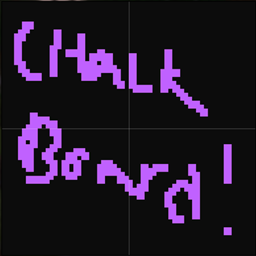
A chalkboard is a block that can display more text than a sign.[1] Three sizes are available: 1×1 (slate), 2×1 (poster), and 3×2 (board).
Obtaining
In Minecraft Education, chalkboards can be obtained in the Creative inventory or through the /give command.
In Bedrock Edition, chalkboards cannot be obtained by commands or the Creative inventory, and can only be obtained by using glitches or inventory editors.
Breaking
The suitable tool to break chalkboards is an axe.
| Block |  Chalkboard Chalkboard
| |
|---|---|---|
| Hardness | 1.15 | |
| Tool | 
| |
| Breaking time (sec)[A] | ||
| Default | 1.75 (JE) 1.75 (BE) | |
 Wooden Wooden
|
0.9 (JE) 0.9 (BE) | |
 Stone Stone
|
0.45 (JE) 0.45 (BE) | |
 Copper Copper
|
0.35 (JE) 0.35 (BE) | |
 Iron Iron
|
0.3 (JE) 0.3 (BE) | |
 Diamond Diamond
|
0.25 (JE) 0.25 (BE) | |
 Netherite Netherite
|
0.2 (JE) 0.2 (BE) | |
 Golden Golden
|
0.15 (JE) 0.15 (BE) | |
- incorrect tool, drops nothing
- correct tool, drops nothing or something other than the block itself
- correct tool, drops the block itself
- italicized can be instant mined
- ↑ These durations ignore any other influential factors (e.g., Mining Fatigue) and are measured in seconds. For more information, see Breaking § Mining efficiency.
Chalkboards drop themselves when they are destroyed. In Bedrock Edition, chalkboards display no breaking animation and produce breaking particles with the placeholder texture.
Usage
A chalkboard can be used similarly to a sign, to display text. Once placed, players can press use on any chalkboard to open its UI. The "×" in the upper right corner of the board closes the edit screen and saves changes.
Placement

Chalkboards may be placed on the top or side of other blocks (including non-solid blocks like fences, glass, rails, and other chalkboards). To place a chalkboard, use a chalkboard item while pointing at the block the chalkboard should be attached to. To place a chalkboard on a block that can be interacted with by the use control (for example, chests, note blocks, etc.), sneak while placing the chalkboard.
1×1 slates placed on the top of a block stand on a short post, facing in the direction of the player who placed it, in any of 16 different directions. 2×1 posters and 2×3 boards can be placed in any of 4 different directions. Chalkboards placed on the side of a block simply float there, even if the block doesn't make contact with the chalkboards.
Text
Text can be entered using the same logic as sign editing. It also supports formatting codes, but not emojis.
When entering text, six lines of text are available for the slates and posters, while fifteen lines of text are available for the 2×3 boards. To switch between lines, the player can press Enter or the up/down arrow keys. The location of text currently selected has a flashing cursor.
While editing, typing and backspacing can occur at any point in the line by moving the cursor using the left and right arrow keys. Once the end of the line has been reached, the word is hyphenated and is continued on the next line.
After the editing window is closed, right-clicking on a chalkboard reopens the editing menu. Copy and paste can be performed, and no more than the basic/shifted keyboard characters may be entered.


Interaction
Chalkboards act as though they have a use action, so sneaking is required to place blocks or use items while the cursor is pointed at them.
Unlike signs, boards block a piston from moving.
Boards have no collision box (they are completely non-solid), so items and mobs can move through boards blocks. Other blocks (including other boards) can be placed on any edge of a board.
Water and lava flow around boards. Lava can create fire in air blocks next to boards as if the boards were flammable, but the boards do not burn.
Sounds
 normal sound type | |||||||
|---|---|---|---|---|---|---|---|
| Sound | Closed captions | Source | Description | Identifier | Translation key | Volume | Pitch |
| Block broken | Blocks | Once the block has broken | dig | subtitles | 1.0 | 0.8–1.0 | |
| Block placed | Blocks | When the block is placed | place | subtitles | 1.0 | 0.8–1.0 | |
| Block breaking | Blocks | While the block is in the process of being broken | hit | subtitles | 0.27 [sound 1] | 0.5 | |
| Footsteps | Players | Falling on the block with fall damage | fall | subtitles | 0.4 | 1.0 | |
| Footsteps | Players | Walking on the block | step | subtitles | 0.3 | 1.0 | |
| Footsteps | Blocks | Jumping from the block | jump | subtitles | 0.12 | 1.0 | |
| Footsteps | Blocks | Falling on the block without fall damage | land | subtitles | 0.22 | 1.0 | |
- ↑ MCPE-169612 – Many blocks make slightly different sounds to stone
Data values
ID
| Name | Identifier | Numeric ID | Form | Item ID[i 1] | Translation key |
|---|---|---|---|---|---|
| Chalkboard | chalkboard | 230 | Block & Ungiveable Item[i 2] | Identical[i 3] | tile |
 Slate Slate | board | 454 | Item | — | tiletiletile |
Metadata
In Bedrock Edition, chalkboard items use the following data values:
| DV | Description | |
|---|---|---|
 |
0 | Slate |
 |
1 | Poster |
|
2 | Board |
Invalid data values yield a "Slate" with an invisible item texture, which functions the same as regular slates.
Block states
Bedrock Edition:
Note: Chalkboards only use block states if it is on a wall.
| Name | Metadata Bits | Default value | Allowed values | Values for Metadata Bits |
Description |
|---|---|---|---|---|---|
| direction | 0x10x20x40x8 | 0 | 0123 | 0123 | The direction the block is facing. For example, a block facing east is attached to a block to its west.
|
Entity
ID
| Name | Identifier | Numeric ID | Translation key |
|---|---|---|---|
| Chalkboard | chalkboard | 78 |
— |
History
Bedrock Edition
| Pocket Edition Alpha | |||||||
|---|---|---|---|---|---|---|---|
| v0.16.0 | build 1 |      Added chalkboards. Added chalkboards.
| |||||
Chalkboards can be obtained and placed using the /give and /setblock commands respectively. However, they serve no purpose.
| |||||||
| Their addition was likely accidental due to Pocket Edition sharing the same codebase as Education Edition. | |||||||
| build 2 | Removed chalkboards. | ||||||
| Bedrock Edition | |||||||
| 1.11.0 | beta 1.11.0.1 | Re-added chalkboards. They still exist as entities, but can't be spawned. The items can't be spawned either. | |||||
| 1.17.30 | beta 1.17.30.20 | Chalkboards can now be placed consistently. | |||||
| 1.21.50 | Preview 1.21.50.25 | Slates have been added to the Creative inventory, likely by accident.[2] | |||||
 Chalkboard models are now masked by placeholder block models, even in worlds with the Education edition toggle on.[3] Chalkboard models are now masked by placeholder block models, even in worlds with the Education edition toggle on.[3] | |||||||
| Preview 1.21.50.28 | Slates have been removed from the Creative inventory. | ||||||
| 1.21.60 | Preview 1.21.60.21 |  Chalkboard items no longer have a texture. Chalkboard items no longer have a texture. | |||||
| ? | ? | Chalkboards have once again a texture, in item, entity, and block form. Their breaking particles still use the placeholder texture, and they have no breaking animation. | |||||
Minecraft Education
| Minecraft Education | |||||||
|---|---|---|---|---|---|---|---|
| MinecraftEdu |  MinecraftEdu, Education Edition's predecessor, had "Big Signs", 3 block wide signs that served a similar purpose. MinecraftEdu, Education Edition's predecessor, had "Big Signs", 3 block wide signs that served a similar purpose. | ||||||
| 1.0 | Added chalkboards. | ||||||
| 1.0.2 | The UI of chalkboards now has a locked option. | ||||||
| Students now can place their own chalkboards even without a worldbuilder ability. | |||||||
Trivia
- The chalkboard texture is the only texture in the "textures/item" folder. Other textures like signs or banners are in the "textures/entity" folder.
Gallery
Textures
-
 Slate texture
 -
 Poster texture
 -
 Board texture
Screenshots
-
 The chalkboard placed in a world along with other Minecraft Education features
 -
 The chalkboard in Pocket Edition v0.16.0 alpha build 1
In other media
-
 Sprite of a chalkboard
References
- ↑ "Communicating With Boards" by Justin – Minecraft Education.
- ↑ MCPE-187696 – Slate appears in Creative Inventory with Education toggle off – resolved as "Fixed".
- ↑ MCPE-187753 – Slate is covered by missing texture in Education Edition – resolved as "Won't Fix".