For other uses, see Rail (disambiguation).

Reason: Much of the information about rail mechanics needs to be checked for accuracy and/or reformatted to reflect modern Minecraft. The effects waterlogged rails have on minecart speeds need explaining. Experimental Minecart Improvements may be worth mentioning in some capacity, even if it is just to mention it exists.


| Renewable | Yes |
|---|---|
| Stackable | Yes (64) |
| Tool | 
|
| Blast resistance | 0.7 |
| Hardness | 0.7 |
| Luminous | No |
| Transparent | Yes |
| Waterloggable | Yes |
| Flammable | No |
| Catches fire from lava |
No |
| Map color | 0 NONE |
| Note block instrument | Default (Harp) |
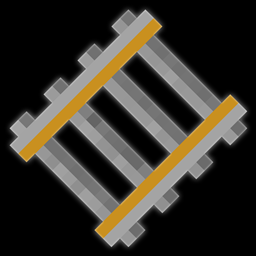
A rail is a non-solid block that provides a path along which minecarts can travel, and can be placed either flat on the ground, as a ramp, or curved.
A curved rail allows minecarts to turn corners, and can rotate to connect to a different rail line while powered.
Obtaining
Breaking
The suitable tool to break a rail is a pickaxe. It will always drop itself when broken.


- incorrect tool, drops nothing
- correct tool, drops nothing or something other than the block itself
- correct tool, drops the block itself
- italicized can be instant mined
- ↑ These durations ignore any other influential factors (e.g., Mining Fatigue) and are measured in seconds. For more information, see Breaking § Mining efficiency.
Natural generation
Rails can be found naturally running along the floor in mineshafts, both in the center of tunnels and under loot chest minecarts, and in the "pumpkin ring room" of woodland mansions.
Generated loot
| Item | Structure | Container | Quantity | Chance |
|---|---|---|---|---|
| Java Edition and Bedrock Edition | ||||
 Rail Rail
|
 Mineshaft Mineshaft
|
Chest not located in a sulfur cave | 4–8 | 78.4%{ "item": "Rail", "stacksize": "4–8", "chance": 0.784, "structure": "Mineshaft", "container": "Chest not located in a sulfur cave" }
|
| Mineshaft
|
Chest located in a sulfur cave | 4–8 | 70.4%{ "item": "Rail", "stacksize": "4–8", "chance": 0.7037037037037037, "structure": "Mineshaft", "container": "Chest located in a [[sulfur cave]]" }
| |
Crafting
| Ingredients | Crafting recipe |
|---|---|
| Iron Ingot + Stick |
  16 16 |
Usage
A rail can be used as a track for minecarts to move along.
Placement
To place a rail, use a rail item while pointing at a surface facing the space the rail should occupy. A rail can be placed on top of a block whose top face has a rim around the edge, such as any full block, hopper, top slab, upside-down stairs, or top trapdoor. A full list of these blocks is here. A rail can also be placed into a water source on any of these blocks and will be waterlogged after placement.
Rails visually float 1⁄16 blocks above the ground, with an outline 2⁄16 blocks high.
A rail cannot be attached to the side or bottom of any block, but attempting to make such an attachment may cause the rail to attach to the top of a block under the destination space. For example, if a fence is on the ground, attempting to attach a rail to the side of the fence causes the rail to be attached to the top of the ground next to the fence instead.
More information regarding placement on transparent blocks can be found at Opacity/Placement.
A placed rail configures itself to be straight or curved according to rail blocks around it.
- If there are no other rails adjacent, or if placed beside an existing rail line of any type, then in Bedrock Edition the new rail orients itself as a straight north-south rail, and in Java Edition the new rail orients itself in the direction the player is facing.
- A new rail placed at the end of an existing rail line continues the existing line in the same direction, either east-west or north-south.
- If there are two adjacent rails on its level, or one level up or down, the newly placed rail configures itself as straight or curved as needed to connect the other two.
- If placed between three adjacent rails (forming a T-junction) the newly placed rail configures itself as curved to join two of the sides.
-
 T-junction before filling in rails
 -
 T-junction after filling in rails
Existing rail lines one block up and down are considered for adjacency in the same manner, and the new rail gets laid as a curve, but unless space is left for sloping rails, minecarts can continue past the curve only on level or one-block-down corners. In one-block-up corners, the cart ends up buried in the ground.
-
 Before placing the top block.
 -
 Top block is placed as curve.
 -
 Showing cart getting buried.
Some rail placements produce rail layouts that cause minecarts to collide and enter blocks.
-
 Minecarts always buried
 -
 Minecarts get through
- If placed to form a 4-way junction with no curved rail, it does not form a cross-rail connection.
- If placed between four adjacent rails to form a junction, the center rail always curves south-to-east.
-
 Curve controls minecart passage
Existing rails may get re-oriented, become sloping, or even change into curved rails when a new rail is placed adjacent to it:
- An existing straight, north-south rail re-orients to east-west when a new rail is placed at the east or west sides.
- If placed next to an existing rail that is one block up or down, the new rail becomes a ramp to join it. A rail "prefers", in order: west, east, south, and north. Other configurations can be created by placing and removing rails.
- If a rail is placed perpendicular to an existing length of rail, it appears as a straight rail, but is in fact curved according to the patterns for T-junctions as seen above; minecarts going through the junction will turn the corner. Breaking and re-laying rails so that the middle rail is laid last causes it to be updated as a curved rail.
Redstone functionality
A curved rail at a T-junction can be rotated by applying redstone power.
If a rail is not in its most preferred available state, it will change to that preferred state as its default when the rail is updated via redstone power.[1]


Separate rails are laid adjacent, but at the next level, lower or higher rails can sometimes cause rail reorientation.
Minecart behavior
South-east rule


A minecart travels straight through a T-junction when entering from the "back of" the curved rail. It follows the curve when entering from either of the other two legs.
A minecart passes straight through a 4-way junction constructed to have no curved rail. When entering the 4-way from east or west a cart turns according to the south-east rule.
Downhill rule

At non-curve rail junctions, minecarts always travel downhill if they can, ignoring the south-east rule.
Ramp clearance & one-way effect

A block placed above a rail line at the downhill end of a ramp prevents minecarts from traveling down the slope, but not up. For a minecart to move down a diagonal tunnel, there must be clearance sufficient for a player to walk through it.
Curved rail interactions

If a straight rail leads to a curved rail and does not connect to it, a minecart runs over the gap and continues to go straight over the curved rail. This is not applicable for other types of rails.
Notably, minecarts can exceed the normal 8 m/s speed limit while it jumps over the gap. For example, by placing curved rails on every other block of a straight rail, it is possible to travel at 10 m/s in a straight direction.
As with straight T-junctions and 4-way junctions, the practice of making a minecart jump between rails can be used to make one-way entries onto a rail line. For curved rails, the behavior is more intuitive as the cart simply proceeds in the direction it is already going, allowing designs that do not rely on the south-east rule.
Minecart speeds
To accelerate from a standstill to full speed, most minecarts need seven powered rails (a minecart with furnace has a lower top speed). After a certain number of rails, the minecart begins slowing down. This slowdown can be negated using a powered rail. A certain number of rails followed by a single powered rail can then be repeated indefinitely to maintain full speed with the minimum amount of powered rails.
| Minecart type | Initial maximum rails at full speed | Subsequent maximums |
|---|---|---|
| Empty minecart and minecart with TNT | 7 | 3 |
| Minecart with entity | 112 | Alternates between 38 and 26 |
| Minecart with chest and minecart with hopper | 85 | 20, then 29 onward |
For example, a minecart with an entity would require 112 rails, then 1 powered rail, then 38 rails, then 1 powered rail, then 26 rails, then 1 powered rail, then 38 rails, etc. Note that these rails can go in any direction: going 112 rails diagonally would still require a powered rail.
A minecart with no rider at full speed can climb 10 blocks on an unpowered rail. This suggests that a powered rail is needed at a height of only 10 blocks to keep a cart climbing. However, the cart slows so much that it can reach only another 5 blocks high with 2 lengths of powered rails starting at 9 blocks high. The minimum number of powered rails to keep the cart climbing constantly is 3 every 6 blocks.
Minecarts carrying entities, or minecarts with chests, have more momentum and so climb higher than empty minecarts. With a rider, a minecart can climb at most 24 blocks before stopping and needing powered rails to go higher.
Mob behavior
In Java Edition, most mobs avoid walking on rails,[2] but they ignore rails when they are already on them. Jumping mobs like slimes, frogs[3], and goats can jump onto rails, but frogs and goats do not walk onto rails. Aquatic creatures like guardians, tadpoles, and fish that flop around on land can flop onto rails. Parrots can land on rails and endermen can teleport onto rails, although they do not walk onto them. In pursuit of their targets, zombies may push other mobs onto the rails. The only mobs that freely walk onto rails are spiders, cave spiders, and wardens.
Piston interactivity
Rails can be pushed by pistons, and can be pulled by sticky pistons. However, a rail breaks and drops as an item when it becomes unsupported as a result of being moved.
Sounds
 metal sound type | ||||||||
|---|---|---|---|---|---|---|---|---|
| Sound | Closed captions | Source | Description | Identifier | Translation key | Volume | Pitch | Attenuation distance |
| Block broken | Blocks | Once the block has broken | block | subtitles | 1.0 | 1.2 | 16 | |
| Block placed[until: JE 26.4] | Blocks | When the block is placed | block | subtitles | 1.0 | 1.2 | 16 | |
| Block breaking | Blocks | While the block is in the process of being broken | block | subtitles | 0.25 | 0.75 | 16 | |
| Something falls on a block | Entity-Dependent | Falling on the block with fall damage | block | subtitles | 0.5 | 1.25 | 16 | |
| Footsteps | Entity-Dependent | Walking on the block | block | subtitles | 0.15 | 1.5 | 16 | |
metal sound type | |||||||
|---|---|---|---|---|---|---|---|
| Sound | Closed captions | Source | Description | Identifier | Translation key | Volume | Pitch |
| Block broken | Blocks | Once the block has broken | dig | subtitles | 1.0 | 1.1–1.2 | |
| Block placed | Blocks | When the block is placed | use | subtitles | 1.0 | 1.2–1.25 | |
| Block breaking | Blocks | While the block is in the process of being broken | hit | subtitles | 0.3 | 0.75 | |
| Footsteps | Players | Falling on the block with fall damage | fall | subtitles | 0.4 | 1.0 | |
| Footsteps | Players | Walking on the block | step | subtitles | 0.35 | 1.0 | |
| Footsteps | Blocks | Jumping from the block | jump | subtitles | 0.12 | 1.0 | |
| Footsteps | Blocks | Falling on the block without fall damage | land | subtitles | 0.22 | 1.0 | |
Data values
ID
| Name | Identifier | Form | Block tags | Item tags | Translation key |
|---|---|---|---|---|---|
| Rail | rail | Block & Item | prevent_mob_spawning_insiderails | rails |
block |
| Name | Identifier | Numeric ID | Form | Item ID[i 1] | Translation key |
|---|---|---|---|---|---|
| Rail | rail | 66 | Block & Giveable Item[i 2] | Identical[i 3] | tile |
Block states
| Name | Default value | Allowed values | Description |
|---|---|---|---|
| shape | north_south
| east_westnorth_eastnorth_southnorth_westsouth_eastsouth_west | The two directions a rail connects to. For example, a south_east rail is a curved rail that connects to the south and to the east.
|
ascending_eastascending_northascending_southascending_west | A rail that ascends toward the direction noted. For example, an ascending_west rail is a straight rail that goes upward from the east toward the west. | ||
| waterlogged | false | truefalse | Whether or not there's water in the same place as this rail. |
| Name | Metadata Bits | Default value | Allowed values | Values for Metadata Bits |
Description |
|---|---|---|---|---|---|
| rail_direction | 0x10x20x40x8 | 0
| 0 | 0 | Straight rail connecting to the north and south. |
1 | 1 | Straight rail connecting to the east and west. | |||
2 | 2 | Sloped rail ascending to the east. | |||
3 | 3 | Sloped rail ascending to the west. | |||
4 | 4 | Sloped rail ascending to the north. | |||
5 | 5 | Sloped rail ascending to the south. | |||
6 | 6 | Curved rail connecting to the south and east. | |||
7 | 7 | Curved rail connecting to the south and west. | |||
8 | 8 | Curved rail connecting to the north and west. | |||
9 | 9 | Curved rail connecting to the north and east. |
Achievements
| Icon | Achievement | In-game description | Actual requirements (if different) | Gamerscore earned | Trophy type (PS) | |
|---|---|---|---|---|---|---|
| PS4 | Other | |||||
 |  | On A Rail | Travel by minecart to a point at least 500m in a single direction from where you started. | Travel by minecart 500 blocks in a straight line away from the player's starting point. | 40 | Gold |
Videos
History
Java Edition
| Java Edition Infdev | |||||||
|---|---|---|---|---|---|---|---|
| 20100618 |           Added rails in the first "Seecret Friday Update" to Infdev. Added rails in the first "Seecret Friday Update" to Infdev. | ||||||
| 20100624 | Sloped rails are currently being dropped if the block on the side was destroyed. | ||||||
| Java Edition Alpha | |||||||
| v1.2.0 | ? |           The textures of rails and curved rails have been changed slightly. The textures of rails and curved rails have been changed slightly. | |||||
| Java Edition Beta | |||||||
| 1.6 | Test Build 3 | Before this update, parallel rail lines would be used to create minecart boosters. | |||||
| 1.8 | Pre-release | Rails are now found in the new mineshaft chests. | |||||
| Java Edition | |||||||
| 1.0.0 | Beta 1.9 Prerelease | Rails are now destroyed by snowfall (bug). | |||||
| Beta 1.9 Prerelease 4 | Some rail behavior is now affected following the change of the south-west rule to south-east rule. | ||||||
| Beta 1.9 Prerelease 6 | Rails are now broken faster using a pickaxe. | ||||||
| 1.3.1 | 12w25a | Rails can now be placed on upside-down slabs and stairs. | |||||
| 1.5 | 13w04a | Mobs no longer walk over rails, if they are not currently standing on one. | |||||
| 1.8 | 14w04a |   If a rail is set to render as the block inside of a minecart via commands or map editing, it now appears as this (previously it would be entirely invisible). If a rail is set to render as the block inside of a minecart via commands or map editing, it now appears as this (previously it would be entirely invisible). | |||||
| 1.9 | 15w38a | All sloped rail types' hitbox heights have been decreased from 10 pixels of a block to about 2.5 pixels of a block. | |||||
| 15w44a | The average yield from chest minecarts in mineshafts has been increased by more than 20 times. | ||||||
| 15w46a | Mobs no longer spawn on rails. | ||||||
| 1.10 | 16w21a | All sloped rail types' hitbox heights have been increased from about 2.5 pixels of a block to a full block. | |||||
| 1.11 | 16w32b | All sloped rail types' hitbox heights have been decreased from a full block to a half block. | |||||
| 16w39a | Rails now generate in woodland mansions. | ||||||
| 1.14 | 18w43a |           The texture of rails has been changed. The texture of rails has been changed. | |||||
| 19w12b | Rails can now be placed on glass, ice, glowstone and sea lanterns. | ||||||
| 1.15 | 19w39a | Placing a new, unconnected section of rails now orients them in the direction the player is facing, rather than always north-south. | |||||
| October 22, 2020 | A leaked screenshot was accidentally posted in a bug report that said "waterlogged-rail", which was later removed. | ||||||
| 1.16 | 20w09a |     Sloped rails are affected by directional shading. Sloped rails are affected by directional shading. | |||||
| 1.17 | 20w45a | All rail types can now be waterlogged. | |||||
| Rails are no longer swept away by water. | |||||||
| 1.19 | 22w13a | Wardens can now pass over rails.[4] | |||||
| 1.21.6 | 25w15a | Sloped rails are no longer affected by directional shading. | |||||
Bedrock Edition
| Pocket Edition Alpha | |||||||
|---|---|---|---|---|---|---|---|
| v0.8.0 | build 1 | Added rails. | |||||
| build 2 | Rails are now craftable. | ||||||
| v0.9.0 | build 1 | Rails now generate in mineshafts. | |||||
| v0.14.0 | build 1 | Rails can now be found in mineshaft chests. | |||||
| Pocket Edition | |||||||
| 1.1.0 | alpha 1.1.0.0 | Rails now generate in woodland mansions. | |||||
| Bedrock Edition | |||||||
| 1.4.0 | beta 1.2.20.1 | Rails can now be placed underwater. | |||||
| 1.7.0 | beta 1.7.0.2 | Rails are once again broken by flowing water. Previously it flowed through the rails. | |||||
| 1.10.0 | beta 1.10.0.3 | The texture of rails has been changed. | |||||
| 26.10 | Preview 26.10.21 | Zombie horses no longer avoid walking on rails, making mobs avoiding rails remaining a Java Edition exclusive. | |||||
Legacy Console Edition
| Legacy Console Edition | |||||||
|---|---|---|---|---|---|---|---|
| Xbox 360 | Xbox One | PS3 | PS4 | PS Vita | Wii U | Switch | |
| TU1 | CU1 | 1.00 | 1.00 | 1.00 | Patch 1 | 1.0.1 | Added rails. |
| TU19 | CU7 | 1.12 | 1.12 | 1.12 | Mobs no longer walk over rails, if they are not currently standing on one. | ||
| TU46 | CU36 | 1.38 | 1.38 | 1.38 | Patch 15 | Mobs no longer spawn on rails. | |
| All sloped rail types' hitbox heights have been increased from 10 pixels of a block to a full block. | |||||||
| TU54 | CU44 | 1.52 | 1.52 | 1.52 | Patch 24 | 1.0.4 | All sloped rail types' hitbox heights have been decreased from a full block to a half block. |
| Rails now generate in woodland mansions. | |||||||
| TU69 | 1.76 | 1.76 | 1.76 | Patch 38 | All types of rails can now be waterlogged and are no longer destroyed by flowing water. Instead it flows right through them. | ||
| 1.90 | The texture of rails has been changed. | ||||||
New Nintendo 3DS Edition
| New Nintendo 3DS Edition | |||||||
|---|---|---|---|---|---|---|---|
| 0.1.0 | Added rails. | ||||||
-
 A roller coaster.
Data history
| Java Edition | ||||||||||||||||||||||||||||||||||||||||
|---|---|---|---|---|---|---|---|---|---|---|---|---|---|---|---|---|---|---|---|---|---|---|---|---|---|---|---|---|---|---|---|---|---|---|---|---|---|---|---|---|
| 1.8 | 14w10a | Rails with numerical metadata variants 10 to 15, which are inaccessible through normal gameplay or even commands and as such require the use of external editors to exist, now have no model  . Their appearances prior to this point used the south east curved rail model. . Their appearances prior to this point used the south east curved rail model. | ||||||||||||||||||||||||||||||||||||||
| 14w25a | Rails are now defined via block states rather than by numerical metadata. Prior to this version, the numerical metadata variants of the rail were as follows:
| |||||||||||||||||||||||||||||||||||||||
| 14w26a | Rails with metadata values 10 to 15 have been completely removed from the game. | |||||||||||||||||||||||||||||||||||||||
| 1.13 | 17w47a | Prior to The Flattening, this block's numeral ID was 66. | ||||||||||||||||||||||||||||||||||||||

Issues
Issues relating to "Rail" are maintained on the bug tracker. Issues should be reported and viewed there.
Trivia
- When walking on a block that has a rail on top, a player will hear the sound of the block they are walking on, but if they jump (while still walking), they hear the sound of the rail itself.[5]
- Rails are narrow gauge with a controversial gauge value (the gauge value is the distance between the rails) that may be 8 pixels (500mm) between the innermost edges of the rails, 10 pixels (625mm) between the two lighter sections (which may be intended to be the raised section), 632 mm (approx. 2-foot), or 750mm (approx. 2-foot 5-inch).
- A chest of rails has a total length of 64×27 = 1728 meters, which is slightly more than 1 mile (1.074 miles, 0.933 nautical miles).
- Rails do not touch the block they are placed on. The flat texture can actually be seen to hover over their supporting block.
Gallery
Renders
-
 North south
 -
 East west
 -
 North east
 -
 South east
 -
 South west
 -
 North west
 -
 An example of a rail line with curves and ramps.
Screenshots
-
 An example of sticky piston use with rails
 -
 A randomly generated misplaced rail found in a mineshaft
 -
 Three more floating rails in a mineshaft
 -

-
 A railroad stop without any redstone switching mechanisms, based purely on the one-way curved rail behavior
 -
 An example of rails used to build a roller coaster in Infdev
In other media
-

-
 Rails in A Minecraft Movie
 -
 Rails in Minecraft Earth
See also


References
- ↑ This is caused by the way rails update when given a redstone signal. A rail's preference inverts when a redstone signal is applied, and then its direction is updated to be the most preferred state. This can easily be observed when placing a rail on a redstone block with a 4-way junction compared to a non-powered block.
- ↑ MC-33359 – Mobs are unable to cross minecart rails – resolved as "Works As Intended".
- ↑ MC-263494 – Frogs jump over rails and sometimes land on them – resolved as "Works As Intended".
- ↑ MC-249642 – Wardens can't pass over rails – resolved as "Fixed".
- ↑ MC-1691 – Sprinting / falling on level 1 and 2 snow, lily pads and carpet use the block below for the particles