For other uses, see Chest (disambiguation).


| Item description[BE only] | Storage |
|---|---|
| Renewable | Yes |
| Stackable | Yes (64) |
| Tool | 
|
| Blast resistance | 2.5 |
| Hardness | 2.5 |
| Luminous | No |
| Transparent | Yes |
| Waterloggable | Yes |
| Flammable | No |
| Catches fire from lava |
No |
| Map color | 13 WOOD |
| Note block instrument | Bass |
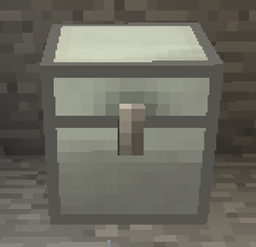
A chest is a block used to store items.
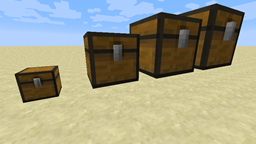
A large chest (or "double chest") is the combination of two adjacent chests, and can store twice as many items.
Obtaining
Breaking
A chest can be broken using anything, but an axe is the fastest. Chests always drop themselves when mined. If the chest contains items, the items are also dropped when the chest is broken. If one half of a large chest is destroyed, the corresponding items from the destroyed chest (in Java Edition, the top three rows for the left-hand chest or the bottom three for the chest on the right; in Bedrock Edition, the top three for whichever half was placed first or the bottom three for whichever half was placed last) are dropped and the remaining half continues to function as a small chest.


- incorrect tool, drops nothing
- correct tool, drops nothing or something other than the block itself
- correct tool, drops the block itself
- italicized can be instant mined
- ↑ These durations ignore any other influential factors (e.g., Mining Fatigue) and are measured in seconds. For more information, see Breaking § Mining efficiency.
In Java Edition, a chest produces oak plank particles when breaking, walking or falling on this block;[1] in Bedrock Edition, a chest produces particles of the block itself.
Natural generation
Chests generate naturally in all three dimensions. They can generate in monster rooms, strongholds, villages, jungle pyramids, desert pyramids, nether fortresses, end cities, igloo basements, woodland mansions, shipwrecks, ocean ruins, buried treasure, pillager outposts, bastion remnants, ruined portals, ancient cities, trial chambers and abandoned camps.
Large chests can occasionally generate in monster rooms by one single chest generating next to the other. They can also generate in certain types of bastion remnants.
Bonus chest
The bonus chest is a chest that appears near the player's spawn if the "Bonus chest" option is toggled on the world creation screen. It generates with a semi-random collection of basic items to help the player survive early on and gather necessary resources, including wood, tools, blocks, and food.
Crafting


Usage
Chests can be used as containers and are an ingredient in some crafting recipes.
A chest placed adjacent to another chest joins to create a large chest. A player can prevent this, and place two small chests side by side, by sneaking while placing the second chest in Java Edition, pushing a chest into place with a piston in Bedrock Edition, or placing the second chest facing a different direction from the first chest. Alternatively, trapped chests do not combine with normal chests.
In Bedrock Edition, chests can be moved by pistons. Water and lava flow around chests without affecting them. Lava can create fire in air blocks next to chests as if the chests were flammable, but the chests do not actually catch fire and cannot be burned.
Container


A small chest has 27 slots of inventory space, and a large chest has twice that amount, at 54 slots. In the Java Edition interface, the top three rows for a large chest correspond to the left half of the chest when facing it, and the bottom three rows correspond to the right half. In Bedrock Edition, the top three rows correspond to whichever half was placed first and the bottom three to the other half.
Chests open when used. To move items between the chest inventory and the player inventory or hotbar while the chest GUI is open, the player can drag or shift-click the items. In Java Edition, holding ⇧ Shift and double-clicking while holding an item moves all items of the type clicked on in or out of the chest, to the extent that space is available for them. To exit the chest GUI, the ⎋ Escape control can be used.
A chest cannot be opened if there is a conductive block above it. Solid faces do not prevent chests from opening, so the lid of the chest can phase through blocks such as bottom-half slabs,[Java Edition only] stairs, and non-conductive full cubes such as glass and ice. In Bedrock Edition, bottom slabs prevent chests from being opened. Cats sitting on chests prevent them from opening. Because chests themselves are non-conductive, two chests can be stacked on top of one another while still allowing the lower chest to be opened. Players can open chests when they are being hurt (effect of Instant Damage, Poison, Wither, on fire, damaged by other players or mobs, etc.).
By default, the GUI of a chest is labeled "Chest" and the GUI of a large chest is labeled "Large Chest". A chest's GUI label can be changed by naming the chest in an anvil before placing it, or, in Java Edition, by using the /data command (for example, to label a chest at (0,64,0) as "Bonus Chest!", use /data modify block 0 64 0 CustomName set value "Bonus Chest!"). If half of a large chest is renamed, that name is used to label the GUI of the entire large chest, but if the named half is destroyed the other half reverts to the default label. If both halves of a large chest have different names, the GUI uses the name of the northernmost or westernmost half.
In Java Edition, a chest can be "locked" by setting its [NBT Compound / JSON Object] lock tag using the /data command. If a chest's [NBT Compound / JSON Object] lock tag is not blank, the chest cannot be opened unless the player is holding an item that matches the item predicate in the lock tag. For example, to lock a chest at (0,64,0) so that the chest cannot be opened unless the player is holding an item named "Chest Key", use /data modify block 0 64 0 lock set value {components:{"minecraft:custom_name":"Chest Key"}}.
The capacity of a chest varies greatly, depending on its size, whether the items inside it are stackable, and whether shulker boxes are used. The minimum capacity is obtained when storing only non-stackable items while the maximum capacity can be achieved when storing items that stack to 64. Filled shulker boxes are not stackable, but each can hold 27 stacks of up to 64 items (excluding other shulker boxes), so filling a chest with them increases the maximum by a factor of 27.
| Chest size | Slots | Maximum number of items | |
|---|---|---|---|
| Without shulker boxes | With shulker boxes | ||
| Small | 27 | 1,728 | 46,656 |
| Large | 54 | 3,456 | 93,312 |
Donkey, mule, or llama pack
A chest can be added to a donkey, a mule, or a llama by pressing use on the animal.
A chest attached to a donkey or mule has only 15 slots. A chest attached to a llama has anywhere from 3 to 15 slots depending on its "Strength" value (see Llama § Data values). The chest cannot be removed except by killing the carrier. The chest can be opened by holding sneak and pressing use, or by riding the carrier and pressing inventory.
If shulker boxes are again used, each donkey, mule or strength value 5 llamas with a chest attached to it can carry up to 405 stacks of items (up to 25920 items), and with strength value 5 llamas, each caravan of 10 llamas with inventories full of shulker boxes can carry up to 4050 stacks of items (up to 259200 items).
Copper golems
Copper golems can sort items into chests. If a copper golem is holding an item, it visits the nearest chest within 32 blocks horizontally and 8 blocks vertically to try to place the item in. It takes 3 seconds to stop at each chest it visits.
A copper golem places the item it is holding either if the chest is empty, or if the chest contains the same type of item. In Java Edition, a copper golem cannot distinguish between different potion contents or suspicious stew types, but it can in Bedrock Edition. In both editions, a copper golem ignores durability, enchantments, shulker box contents, custom names, or any other data.
If it cannot place the item in, the copper golem moves on to the nearest chest it hasn't visited. The copper golem can remember up to 10 chests it has visited. If it has already visited 10 chests and still cannot place the item, it wanders around for 7 seconds, forgets which chests it has visited, and continues searching for a chest to place the item in.
If the chest a copper golem is walking towards can no longer be opened (e.g. a chest has a cat sitting on it) or is destroyed, the copper golem marks the position as visited and move on. This occupies one of their 10-chest memory.
Copper golems do not simultaneously open a chest that another non-player entity is already interacting with.
Piglins
Piglins become hostile toward players who open or mine chests.
Crafting ingredient
| Name | Ingredients | Crafting recipe |
|---|---|---|
| Copper Chest | Copper Ingot + Chest |
  |
| Hopper | Iron Ingot + Chest |
  |
| Boat with Chest | Chest + Matching Boat |
                      |
| Minecart with Chest | Chest + Minecart |
  |
| Shulker Box | Shulker Shell + Chest |
  |
| Trapped Chest | Tripwire Hook + Chest |
  |
Fuel
Chests can be used as fuel in furnaces, smelting 1.5 items per chest.
Christmas chest


From December 24 to 26, chests, large chests, and their trapped chest counterparts have their textures changed to "Christmas chests", which look like wrapped Christmas presents. Since the game uses the date stored on the player's computer, players can apply the Christmas chest textures at any time by changing the date on their computer to December 24, 25, or 26.
Sounds
Generic
 wood sound type | ||||||||
|---|---|---|---|---|---|---|---|---|
| Sound | Closed captions | Source | Description | Identifier | Translation key | Volume | Pitch | Attenuation distance |
| Block broken | Blocks | Once the block has broken | block | subtitles | 1.0 | 0.8 | 16 | |
| Block placed[until: JE 26.4] | Blocks | When the block is placed | block | subtitles | 1.0 | 0.8 | 16 | |
| Block breaking | Blocks | While the block is in the process of being broken | block | subtitles | 0.25 | 0.5 | 16 | |
| Something falls on a block | Entity-Dependent | Falling on the block with fall damage | block | subtitles | 0.5 | 0.75 | 16 | |
| Footsteps | Entity-Dependent | Walking on the block | block | subtitles | 0.15 | 1.0 | 16 | |
wood sound type | |||||||
|---|---|---|---|---|---|---|---|
| Sound | Closed captions | Source | Description | Identifier | Translation key | Volume | Pitch |
| Block broken | Blocks | Once the block has broken | dig | subtitles | 1.0 | 0.8–1.0 | |
| Block placed | Blocks | When the block is placed | place | subtitles | 1.0 | 0.8 | |
| Axe strips | Blocks | When an axe strips a log or wood block [sound 1] | use | subtitles | 1.0 | 0.8 | |
| Block breaking | Blocks | While the block is in the process of being broken | hit | subtitles | 0.23 | 0.5 | |
| Footsteps | Players | Falling on the block with fall damage | fall | subtitles | 0.4 | 1.0 | |
| Footsteps | Players | Walking on the block | step | subtitles | 0.3 | 1.0 | |
| Footsteps | Blocks | Jumping from the block | jump | subtitles | 0.12 | 1.0 | |
| Footsteps | Blocks | Falling on the block without fall damage | land | subtitles | 0.18 | 1.0 | |
Unique
| Sounds | ||||||||
|---|---|---|---|---|---|---|---|---|
| Sound | Closed captions | Source | Description | Identifier | Translation key | Volume | Pitch | Attenuation distance |
| Chest closes | Blocks | When a chest closes | block | subtitles | 0.5 | 0.9–1.0 | 16 | |
| Chest opens | Blocks | When a chest opens | block | subtitles | 0.5 | 0.9–1.0 | 16 | |
| Chest locked[until: JE 26.4] | Blocks | When a player attempts to open a chest locked using the [NBT Compound / JSON Object] lock tag | block | subtitles | 1.0 | 1.0 | 16 | |
| Sounds | |||||||
|---|---|---|---|---|---|---|---|
| Sound | Closed captions | Source | Description | Identifier | Translation key | Volume | Pitch |
| Chest closes | Blocks | When a chest closes | random | subtitles | 0.5 | 0.9–1.0 | |
| Chest opens | Blocks | When a chest opens | random | subtitles | 0.5 | 0.9–1.0 | |
Data values
ID
| Name | Identifier | Form | Block tags | Translation key |
|---|---|---|---|---|
 Chest Chest | chest | Block & Item | guarded_by_piglins |
block |
| Name | Identifier |
|---|---|
| Block entity | chest |
| Name | Identifier | Numeric ID | Form | Item ID[i 1] | Block tags | Translation key |
|---|---|---|---|---|---|---|
| Chest | chest | 54 | Block & Giveable Item[i 2] | Identical[i 3] | minecraft:is_axe_item_destructiblenot_feature_replaceable |
tile |
| Name | Savegame ID |
|---|---|
| Block entity | Chest |
Block states
| Name | Default value | Allowed values | Description |
|---|---|---|---|
| facing | north | eastnorthsouthwest | The direction the chest's latch is on. The opposite from the direction the player faces when placing a chest. |
| type | single | leftrightsingle | The direction the chest has a connection with. |
| waterlogged | false | falsetrue | Whether or not there's water in the same place as this chest. |
| Name | Metadata Bits | Default value | Allowed values | Values for Metadata Bits |
Description |
|---|---|---|---|---|---|
| minecraft:cardinal_direction | Not Supported | north | eastnorthsouthwest | Unsupported | The direction the chest's latch is on. The opposite from the direction the player faces when placing a chest. |
Block data
A chest has a block entity associated with it that holds additional data about the block.
- [NBT Compound / JSON Object] Block entity data
- Tags common to all block entities see Template:Nbt inherit/blockentity/template
- Tags common to all objects that can be renamed see Template:Nbt inherit/nameable/template
- Tags common to all containers that can be locked see Template:Nbt inherit/lockable/template
- Tags common to all objects that use loot tables to produce items see Template:Nbt inherit/lootable/template
- [NBT List / JSON Array] Items: List of items in this container. Represents the
minecraft:containercomponent. The component is still present on the block entity, even if the tag does not exist (due to a loot table existing instead).- [NBT Compound / JSON Object]: An item, including the slot tag. Chest slots are numbered 0-26, 0 starts in the top left corner.
- An item stack in a container slot see Template:Nbt inherit/item/template
- [NBT Compound / JSON Object]: An item, including the slot tag. Chest slots are numbered 0-26, 0 starts in the top left corner.
Item data
- [NBT Compound / JSON Object] components: the item's components tag.
- [NBT Compound / JSON Object] minecraft:block_entity_data: Block entity NBT applied when this block is placed. Depending on the block type that this item places, and the block entity ID specified in this component, this component may add a red message to the item's tooltip (for operator players only) warning the player that placing it may result in command execution.
- See Block entity format. Must include
idtag. Excludesx,y,z,componentsandkeepPackedtags.
- See Block entity format. Must include
- [NBT List / JSON Array] minecraft:container: The items contained in this container's slots. If present on an item, the first 5 item slots in the container are listed in the tooltip, and the number of any extra slots are listed as "and
<N>more..." underneath (only seen on shulker boxes in normal gameplay or ctrl-middle-clicked containers in creative mode). This component supports up to 256 item slots but, when present on some block entities, the number of slots may be artificially limited based on the number of slots the block needs (e.g. 1 for decorated pots, and 27 for chests).- [NBT Compound / JSON Object]: A single item.
- [NBT Compound / JSON Object] item: The item stack in this slot.
- A single item stack see Template:Nbt inherit/itemnoslot/template
- [Int] slot: A slot in this container. Can be from 0 to 255 (inclusive).
- [NBT Compound / JSON Object] item: The item stack in this slot.
- [NBT Compound / JSON Object]: A single item.
- [NBT Compound / JSON Object] minecraft:container_loot: The unresolved loot table and seed of this container item.
- [String] loot_table: The ID of a loot table.
- [Long] seed: The pseudorandom seed to resolve the loot table with. If not specified or 0, a seed is randomly chosen by the game.
- [NBT Compound / JSON Object] minecraft:block_entity_data: Block entity NBT applied when this block is placed. Depending on the block type that this item places, and the block entity ID specified in this component, this component may add a red message to the item's tooltip (for operator players only) warning the player that placing it may result in command execution.
- [String][NBT List / JSON Array][NBT Compound / JSON Object] minecraft:custom_name: The player-assigned name of this item, block, or entity, typically assigned with an anvil or a name tag. See Text component format.
- If present on an item, this component has highest priority to display as the item's name, and appears italic unless overridden by the text component format.
- If present on an entity, it will replace the entity's name tag, will show the name tag to players when they hover over the entity (unless invisible), and will appear as that entity's name in commands and chat messages.
- If present on a block with a GUI (such as a container), this replaces the name at the top of the GUI.
- If present on a command block, this replaces the execution context name when the command is ran.
- [NBT Compound / JSON Object] minecraft:lock: An item predicate representing the "key" to open this container. If present on a block, players must have an item that passes this predicate in their main hand in order to open the container. If they do not, interacting with the container will play a sound and display a message in the actionbar.
- item predicate see Template:Nbt inherit/conditions/item/template
Achievements
| Icon | Achievement | In-game description | Actual requirements (if different) | Gamerscore earned | Trophy type (PS) | |
|---|---|---|---|---|---|---|
| PS4 | Other | |||||
 |  | Chestful of Cobblestone | Mine 1,728 Cobblestone and place it in a chest. | A player must open a chest that contains 27 stacks of cobblestone. | 20 | Bronze |
 |  | Freight Station | Use a Hopper to move an item from a Chest Minecart to a Chest. | Use a Hopper to move an item from a Minecart with Chest or a Boat with Chest to a Chest. | 15 | Bronze |
 |  | Smelt Everything! | Connect 3 Chests to a single Furnace using 3 Hoppers. | Be within the range of three chests connected to a Furnace with 3 Hoppers. Note: The demonstration shown in the image would not give the achievement. | 15 | Bronze |
Advancements
| Icon | Advancement | In-game description | Actual requirements (if different) |
|---|---|---|---|
 | War Pigs | Loot a Chest in a Bastion Remnant | Open a naturally generated, never-before opened chest in a bastion remnant. More precisely, the chest must use one of the bastion chest loot tables, so a chest from another structure that happens to overlap a bastion does not qualify. |
Videos
History
For a more in-depth breakdown of changes to textures and models, including a set of renders for each state combination, see /Asset history
Java Edition
| Java Edition Indev | |||||||
|---|---|---|---|---|---|---|---|
| 0.31 | 20100124-2119 |   Added chests and large chests. Added chests and large chests.
| |||||
| Chests are considered a solid block. | |||||||
| The front of the chest (with the latch) faces away from any adjacent solid blocks, or faces west if placed independent of other blocks. | |||||||
 If a chest is placed next to a large chest, it attempts to "connect" with the large one, changing its texture to that of half a large chest. However, this is purely visual; they still act like two separate chests. Additionally, if the player attempts to open a chest connected on all four sides, the game freezes and the client crashes. If a chest is placed next to a large chest, it attempts to "connect" with the large one, changing its texture to that of half a large chest. However, this is purely visual; they still act like two separate chests. Additionally, if the player attempts to open a chest connected on all four sides, the game freezes and the client crashes. | |||||||
| 20100129-2332 | Chests can now be crafted. | ||||||
| Java Edition Infdev | |||||||
| 20100625-1917 | Chests now generate in the newly added monster rooms. | ||||||
| Java Edition Alpha | |||||||
| v1.0.14 | Chests are now used to craft minecarts with chests. | ||||||
| Java Edition Beta | |||||||
| 1.0 | Moving too far away from a chest, or having it blow up, closes the inventory screen. | ||||||
| 1.1_02 | The placement of chests has been partially fixed. It is still possible to create triple chests, if the chest was not placed horizontally adjacent to a large chest or if placed in the location of a fluid. | ||||||
| The game no longer freezes, but instead displays a graphically glitched, fully functional chest screen. | |||||||
| 1.5 | Chests can no longer be placed to create a triple chest; however, any chest previously created in this way still functions in that manner. | ||||||
| ⇧ Shift + clicking on an item or a stack while the chest is opened moves it between the chest and the inventory. | |||||||
| 1.8 | Pre-release |     The chest's model has been redone. Rather than a usual cube, it uses an entity model, which allows for an opening and closing animation, and is also smaller. The chest's model has been redone. Rather than a usual cube, it uses an entity model, which allows for an opening and closing animation, and is also smaller.
| |||||
| Added chest opening and closing sounds, which used the door sounds. | |||||||
This conversion to an entity model resulted in anomalies with the chest's item form. When held (in both first person and in third person/by other players)   , it is shown at a different angle from other blocks, and when dropped on the ground , it is shown at a different angle from other blocks, and when dropped on the ground  , it rotates around one of its corners rather than its center, with its shadow also centered on this corner. , it rotates around one of its corners rather than its center, with its shadow also centered on this corner.
| |||||||
| Chests now use textures in the "item" folder; "chest.png" is used for single chests and "chestlarge.png" is used for large chests. | |||||||
| The particles for chests (when sprinted on, broken, or later when walked on by an iron golem) use the top texture of chests before this version. | |||||||
| Chests now change the direction they face based on the viewpoint of the player that places them, rather than adjusting by themselves based on adjacent blocks. | |||||||
| Chests no longer show the block breaking animation. | |||||||
| Chests can now be found in mineshafts, as well as the libraries and storerooms of strongholds. | |||||||
| Java Edition | |||||||
| 1.0.0 | Beta 1.9 Prerelease | The opening and closing sounds were removed. | |||||
| Beta 1.9 Prerelease 3 | Chests now generate in the corridor altars of strongholds. | ||||||
| Beta 1.9 Prerelease 6 | Chests do not prevent other chests underneath from opening. | ||||||
| RC1 | The opening and closing sounds of chests have been changed. | ||||||
| 1.1 | 12w01a | Chests can now be found in blacksmiths in villages. | |||||
| 1.2.4 | release | Cats now try to sit on chests, making them unopenable. | |||||
| Spruce planks, birch planks, and jungle planks can now be used to craft chests. | |||||||
| 1.3.1 | 12w16a | The 'bonus chest' option has now added to the Create New World menu. | |||||
| 12w21a | The textures which the chest used prior to their model update in Beta 1.8 have been removed from terrain.png, being replaced with the placeholder block texture  . .
| ||||||
| The old chest top texture was still used for the block particles up until this version, even after the model change. As the texture has been removed in this version, the oak planks texture is now used for the chest's particles.[2] | |||||||
| Chests can now be found in desert pyramids. | |||||||
| 12w22a | The chest item is now aligned more like other item forms of blocks, resulting in a more natural first-person holding position as well as the item form appearing properly aligned in third person as well as when dropped. | ||||||
| Chests can now be found in jungle pyramids. | |||||||
| 12w24a | Large chest inventory titles have changed from "Large chest" to "Large Chest". | ||||||
| 1.4.4 | 1.4.3 | Chests now have a smaller hitbox. Previously, the hitbox was that of a full cube; it now fits the newer size and shape of the chest. | |||||
| 1.4.6 | 12w50a |   Added alternate chest textures into the game files. They are for a future "Christmas chest" easter egg. Added alternate chest textures into the game files. They are for a future "Christmas chest" easter egg. | |||||
| 12w50b | The server/client desync of chests has been fixed. | ||||||
| 1.5 | 13w01a | Chests can now be used to craft hoppers and trapped chests. | |||||
| Chests can now be used in conjunction with hoppers. | |||||||
| 13w02a | Chests no longer generate naturally in mineshafts, and minecarts with chests are generated instead. | ||||||
| 1.6.1 | 13w18a | Chests are now found in nether fortresses. | |||||
| 13w19a | Chests can now be put on donkeys and mules. | ||||||
| 1.7.2 | 1.7.1 | Acacia planks and dark oak planks can now be used to craft chests. | |||||
| 1.8 | 14w29a | Chests now display the cracking animation. | |||||
| 1.9 | 15w31a | Chests now naturally generate in end cities. | |||||
| Chests now have their item model rotated, to have the front face in view of the player. | |||||||
| 15w43a | A chest now generates within igloo basements. | ||||||
| Loot tables have been added; chests can now use loot tables. | |||||||
| All chests generated with the world now make use of loot tables. | |||||||
| The chests opening and closing sounds has been changed. | |||||||
| 15w44a | Bonus chest loot has been changed. | ||||||
| Raw salmon is now possible to find in bonus chests. | |||||||
| The average supply of sticks and planks have been nearly doubled in bonus chests. | |||||||
| The average supply of wood has been decreased, and that of stone tools have been nearly halved in bonus chests. | |||||||
| 1.9.1 | pre1 | A hopper can now push into and pull items from a blocked chest. | |||||
| 1.11 | 16w39a | Chests now generate in woodland mansions. | |||||
| Chests are now used to craft shulker boxes. | |||||||
| Chests can now be put on llamas. | |||||||
| 1.13 | 17w47a | Chests and trapped chests can now be put directly next to their large variants, instead of requiring one block between them. | |||||
| Crouching while placing the chest now makes it try to connect to the clicked block. | |||||||
| 18w09a | Chests now generate in ocean ruins. | ||||||
| 18w10a | Chests now generate as buried treasure structures. | ||||||
| 18w10c | Water can now be placed on the same block as chests. | ||||||
| 18w11a | Chests can now be found in shipwrecks. | ||||||
| 1.14 | 18w47a | Chests can now be found in pillager outposts. | |||||
| 18w48a | Chests now generate in many houses in the updated plains villages. | ||||||
| 18w49a | Chests now generate in many houses in the updated savanna villages and the new snowy villages. | ||||||
| 18w50a | Chests now generate in many houses in the updated desert and taiga villages. | ||||||
| 1.15 | 19w38a | The chest texture layout has been changed. The layout has been changed from  to to  . . | |||||
| 19w42a | Individual halves of large chests now use separate texture files; previously there was a single texture file used for each type of large chest. | ||||||
| Before this point, chests with one-half blockstate would be completely invisible, whereas the other half displayed the whole chest. From this point on, each blockstate correctly displays the associated half. | |||||||
| 1.16 | 20w06a | Crimson planks and warped planks can now be used to craft chests. | |||||
| 20w07a | Added piglins, which turn hostile to players opening and breaking chests. | ||||||
| 20w15a | Chests placed in a dispenser can now be put on tamed llamas, donkeys and mules. | ||||||
| 20w16a | Chests now generate as part of bastion remnants and ruined portals. | ||||||
| 1.19 | Deep Dark Experimental Snapshot 1 | Chests now generate as part of ancient cities. | |||||
| 22w11a | Mangrove planks can now be used to craft chests. | ||||||
| 22w12a | Chests can now be used to craft boats with chests. | ||||||
| 22w13a | Chests no longer drop when breaking a minecart with chest. | ||||||
| 1.19.3 Experiment | 22w42a | Bamboo planks can now be used to craft chests. | |||||
| Chests can now be used to craft a bamboo raft with chest. | |||||||
| 1.19.4 Experiment | 23w07a | Cherry planks can now be used to craft chests. | |||||
| Chests can now be used to craft a cherry boat with chest. | |||||||
| 1.20 | 23w14a |  Changed texture for large chest to move the black pixel to slightly bottom.[3] Changed texture for large chest to move the black pixel to slightly bottom.[3] | |||||
| 1.20.3 Experiment | 23w45a | Chests now generate as part of trial chambers. | |||||
| 1.21.2 Experiment | 24w40a | Pale oak planks can now be used to craft chests. | |||||
| Chests can now be used to craft a pale oak boat with chest. | |||||||
| 1.21.9 | 25w31a | Chests can now be used to craft copper chests. | |||||
| Sounds for chests now plays at a lower volume. | |||||||
| 26.3 | snap1 | Poplar planks can now be used to craft chests. | |||||
| Chests can now be used to craft a poplar boat with chest. | |||||||
| Chests now generate as part of abandoned camps. | |||||||
Bedrock Edition
| Pocket Edition Alpha | |||||||
|---|---|---|---|---|---|---|---|
| v0.3.2 |  Added chests. They were currently unobtainable. Added chests. They were currently unobtainable.
| ||||||
| Only single chests have been added. | |||||||
| Chests are considered a non-full-solid block. | |||||||
| v0.4.0 | Chests are now available in both Survival and Creative mode. | ||||||
| Chests are now functional in Survival mode. | |||||||
| v0.7.3 | Added large chests.
| ||||||
| The texture and model of single chests has been changed to match Java Edition.
| |||||||
| An animation and sound have been added for chests. | |||||||
| Chests can now be placed adjacent to large chests or other chests facing in a different direction. | |||||||
| However, chests still use old texture and model inside the inventory and side texture for particles. | |||||||
| v0.7.4 | Large chests can be created vertically. | ||||||
| v0.7.5 | Large chests can no longer be created vertically. | ||||||
| v0.9.0 | build 1 | Chests now naturally generate in mineshafts, villages, strongholds and monster rooms. | |||||
| Smooth lighting has been added to chests. | |||||||
| v0.10.0 | build 1 | Chests now have a selection overlay. | |||||
| v0.12.1 | build 1 | Cats now try to sit on chests, making them unopenable. | |||||
| Chests now naturally generate in nether fortresses. | |||||||
| v0.13.0 | build 1 | Chests are now used to craft trapped chests. | |||||
| Chests now naturally generate in desert pyramids. | |||||||
| v0.14.0 | build 1 | Chests are now used to craft hoppers and chest minecarts. | |||||
| v0.15.0 | build 1 | Chests can now be put on donkeys and mules. | |||||
| Pistons and sticky pistons can now move chests. | |||||||
| Chests now naturally generate in jungle pyramids. | |||||||
| v0.16.0 | build 1 | Custom names in chests no longer appear in GUI. | |||||
| build 5 | A chest containing farming loot can now naturally generate in large houses in villages. | ||||||
| Pocket Edition | |||||||
| 1.0.0 | alpha 0.17.0.1 | Chests can now generate in end cities and igloos. | |||||
| 1.1.0 | alpha 1.1.0.0 | Chests now generate in woodland mansions. | |||||
| Chests are now used to craft shulker boxes. | |||||||
| Bedrock Edition | |||||||
| 1.2.0 | beta 1.2.0.2 | The 'bonus chest' option has been added, which can be toggled in World Options. | |||||
| 1.4.0 | beta 1.2.14.2 | Chests can now naturally generate in shipwrecks. | |||||
| Chests now generate as buried treasure structures. | |||||||
| beta 1.2.20.1 | Chests now naturally generate in ocean ruins. | ||||||
| 1.10.0 | beta 1.10.0.3 | Chests are now found in pillager outposts. | |||||
| 1.16.0 | beta 1.16.0.51 | Added piglins, which turn hostile to players opening and breaking chests. | |||||
| beta 1.16.0.57 | Chests now generate as part of bastion remnants and ruined portals. | ||||||
| 1.18.30 Experiment | beta 1.18.30.28 | Chests can now be used to craft boats with chests. | |||||
| 1.19.50 Experiment | Preview 1.19.50.21 | Chests can now be used to craft a bamboo raft with chest. | |||||
| 1.20.60 Experiment | Preview 1.20.60.20 | Chests now generate as part of trial chambers. | |||||
| 1.20.60 | Preview 1.20.60.25 | The texture for large chests has been changed slightly. | |||||
| 1.21.100 Experiment | Preview 1.21.100.23 | Chests can now be used to craft copper chests. | |||||
| 26.40 Experiment | Preview 26.40.27 | Chests can now be used to craft a poplar boat with chest. | |||||
| Chests now generate as part of abandoned camps. | |||||||
| 26.50 | Preview 26.50.22 | All features from the "Drop 3 of 2026" experiment have been fully implemented. | |||||
Legacy Console Edition
| Legacy Console Edition | |||||||
|---|---|---|---|---|---|---|---|
| Xbox 360 | Xbox One | PS3 | PS4 | PS Vita | Wii U | Switch | |
| TU1 | CU1 | 1.00 | 1.00 | 1.00 | Patch 1 | 1.0.1 | Added chests. |
| TU5 | The model of chests has been changed to have a 3D lock, opening and closing animations, and a smaller block model. However, the hitbox size is still a full block. | ||||||
| The 'bonus chest' option has now added to the Options menu. | |||||||
| TU9 | Chests can now be found in blacksmiths in villages. | ||||||
| Spruce planks and birch planks can now be used to craft chests. | |||||||
| The textures which the chest used prior to their model update in TU5 have been removed from terrain.png, being replaced with the placeholder block texture . | |||||||
| TU12 | Cats now try to sit on chests, making them unopenable. | ||||||
| Jungle planks can now be used to craft chests. | |||||||
| TU14 | 1.04 | Chest particles are no longer based on terrain.png and for the locked chest texture. | |||||
| Chests can now be found in desert pyramids. | |||||||
| Chests can now be found in jungle pyramids. | |||||||
| Chests now have a smaller hitbox. Previously, the hitbox was that of a full cube; it now fits the newer size and shape of the chest. | |||||||
| TU19 | CU7 | 1.12 | 1.12 | 1.12 | Chests can now be used to craft hoppers and trapped chests. | ||
| Chests can now be used in conjunction with hoppers. | |||||||
| Chests are now found in nether fortresses. | |||||||
| Chests can now be put on donkeys and mules. | |||||||
| TU32 | CU20 | 1.23 | 1.23 | 1.23 | Patch 3 | Chests now display a cracking animation. | |
| TU43 | CU33 | 1.36 | 1.36 | 1.36 | Patch 13 | A chest now generates within igloo basements. | |
| TU46 | CU36 | 1.38 | 1.38 | 1.38 | Patch 15 | Chests now naturally generate in end cities. | |
| TU53 | CU43 | 1.49 | 1.50 | 1.49 | Patch 23 | 1.0.3 | Chests are now used to craft shulker boxes. |
| TU54 | CU44 | 1.52 | 1.52 | 1.52 | Patch 24 | 1.0.4 | Chests now generate in woodland mansions. |
| Chests can now be put on llamas. | |||||||
| TU62 | CU52 | 1.66 | 1.66 | 1.66 | Patch 31 | 1.0.12 | Pistons can now move small chests but only if the new position would have been valid for players to place a new chest. This limitation can however be bypassed by moving the chests simultaniously. |
| TU63 | CU53 | 1.67 | 1.67 | 1.67 | Patch 32 | 1.0.13 | Chests can no longer be opened when an entity is standing on top of it. |
| TU69 | 1.76 | 1.76 | 1.76 | Patch 38 | Chests now generate in ocean ruins. | ||
| Chests can now be found in shipwrecks. | |||||||
| Chests now generate as buried treasure structures. | |||||||
| 1.91 | Chests can now be found in pillager outposts. | ||||||
| Chests now generate in many houses in the updated villages. | |||||||
New Nintendo 3DS Edition
| New Nintendo 3DS Edition | |||||||
|---|---|---|---|---|---|---|---|
| 0.1.0 | Added chests and large chests. | ||||||
| 1.9.19 | Chests now generate in woodland mansions. | ||||||
-
 A "triple" chest before Java Edition Beta 1.8
 -
 First picture released of the new chest animation, also displaying the ability to have chests facing directions other than west
 -
 Torches could previously be placed on chests
 -
 A chest being broken
 -
 Multiple chests placed next to each other
 -
 A chest in early Pocket Edition
 -
 Chests placed adjacent to one another in Pocket Edition
Data history
Java Edition
| Java Edition | |||||||
|---|---|---|---|---|---|---|---|
| 1.8 | 14w02a | Chests can now have a [String] Lock tag. When set, players must have an item with a matching custom name to open that chest. | |||||
| 1.13 | 17w47a | Prior to The Flattening, this block's numeral ID was 54. | |||||
Bedrock Edition
| Bedrock Edition | |||||||
|---|---|---|---|---|---|---|---|
| 1.20.40 | Preview 1.20.40.20 | Chests now use the minecraft:cardinal_direction block state instead of facing_direction. | |||||
Issues
Issues relating to "Chest" are maintained on the bug tracker. Issues should be reported and viewed there.
Trivia
- The chest recipe is not unlocked by any specific item, but rather, having enough slots in the inventory occupied by any item.
- In Pocket Edition, a player who leaves the game while standing on a chest rejoins the game with legs inside the chest.
- If the tick speed is set to "freeze" through /tick, the chest does not show opening or closing animations but it still makes sounds.
- In Java Edition, when in Creative mode, if pick block + ctrl is used on a naturally generated loot chest (or by modifying the data of a normal chest using
/data), instead of displaying the first few items inside like a shulker box, it will just display "???????" due to the loot not being generated yet. Placing the chest and opening it will result in a different loot table every time. The same thing also happens with barrels and shulker boxes.
Gallery
Screenshots
-
 A screenshot of a chest opening and closing
 -
 Custom chest name obtained by using anvil naming or commands
 -
 An in-game screenshot of chests during Christmas time
 -
 Large chest placed in a player´s base
Mojang screenshots
-

-
 Ari opening a chest in the Bundles of Bravery trailer
 -
 Ari opening a large chest in the Scary Furniture Add-On
In other media
-
 Ari hiding behind a chest in the Trails & Tales Update trailer
 -
 A chest as it appears on Minecoin gift cards
 -

-
 A diamond sword in a chest
 -
 Alex retrieving the sword from the chest
 -
 Pixel art of Alex and several allays with Christmas chests
 -
 A giant chest as it appears in The Traveling Trader
 -
 A chest as it appears in the Timeless Trails DLC
 -
 A chest as it appears in Deep Dive!
 -
 Officially licensed recreation of a chest, by Paladone
 -
 Chest figure of Flippin' Figs
 -
 The chest as it appears on a shirt
 -
 A chest as it appears in Minecraft: Story Mode
 -
 A chest as it appears in A Minecraft Movie
 -
 A chest full of Minecraft plushies and a playstation
 -
 A supply chest as it appears in Minecraft Dungeons
See also
- Trapped chest, a variant of the chest that interacts with redstone
- Copper chest, a variant of the chest that interacts with copper golems
- Locked chest, a joke block from an April Fools' Day joke
References
External links
- "Block of the Week: Chest" by Duncan Geere – Minecraft.net, July 28, 2017.