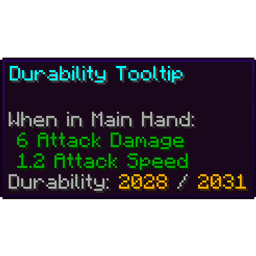
A tooltip contains information that appears when hovering over or focusing on items or certain UI elements.
Item tooltips
When hovering over an item with the cursor while in the inventory or a container screen, a tooltip with the item’s name appears next to the cursor. When playing with touch controls, tapping an item displays its tooltip on the bottom of the screen. Some items display extra information on their tooltips, such as enchantments and shulker box contents. In Java Edition, basic item tooltips are also visible in the "Items" section of the statistics menu when hovering over a block or item on the left side of the screen.
In Java Edition, advanced tooltips, including item IDs and the exact remaining durability of tools, can be displayed by pressing the debug hotkey F3 + H.
Some information that is visible on tooltips is also shown as item text above the hotbar on the HUD when selecting the item.
In Bedrock Edition, tooltip lines that are customizable allow formatting codes and emojis. Obfuscated text is not animated in tooltips, but it is on the HUD.
Description of item tooltip lines
The table below describes all possible tooltip lines, in the order at which they always appear in-game.
In "Content" column, cells with yellow background means the exact text displayed.
| Example | Content | Description | Color[note 1] |
|---|---|---|---|

|
Item name | The name of the item.
Custom item names, for example when renamed in an anvil, are italic, and can have formatting codes.[BE only] Certain items have variable names, such as buckets of tropical fish[BE only] and filled maps, which are not italicized. Shown on the HUD above the hotbar when selecting the item. |
Depends on rarity:
|

|
Can hold a mixed stack of items | Shown on bundles and pocket jukeboxes[upcoming: Music Features Add-On] (reading "Can hold music discs") when empty. | #555555 |

|
Bundle contents | Shown on bundles with items, displays the first 12 item types in slots that can be scrolled over, displaying a second tooltip containing only the selected item name above the bundle tooltip. With 13 item types or more, displays the first 11 items and an unselectable counter of the remaining item quantity.
Pocket jukeboxes[upcoming: Music Features Add-On] also have this tooltip with only music discs as allowed items. All up to 20 music discs are shown and accessible. For an overview on the usage of items in a bundle, see Bundle § Usage. |
- |
| Bundle fulness bar | A progress bar that can display "Empty", a blue progress, or "Full" with red progress. | ||

|
Item description[BE only] | Many items have a description about their functionality:
|
#447FFF[until: BE 26.70] #C6C6C6[upcoming: BE 26.70] |
| Redstone functionality[BE only] | Items with functionality in redstone circuits can display additional information below the description:
|
#FF5555 | |
| Creative inventory section[JE only] | The name of the Creative inventory tab in which the item appears. Shown only when the player is in Creative mode, and only in the Search Items, Survival Inventory and Saved Hotbars tabs. | ||

|
Music disc name | The name of the music disc, e.g. "C418 - strad". | #C6C6C6 |
| Playing Next[upcoming: Fourth Drop 2026] | Shown when the music disc is queued next in a jukebox playlist. | #54FF54 | |

|
Music Disc – 5 | Shown on the disc fragment item. | #C6C6C6 |

|
Goat horn instrument | The instrument of the goat horn, e.g. "Ponder". | #C6C6C6 |

[JE only] |
Smithing template | Description of smithing templates, shown only on smithing template items. | |
| [note 2] | |||
| Applies to: | |||
| Applicable items | |||
| Ingredients: | |||
| Ingredients | |||

[JE only] |
Painting's name | Painting information when the item is a preset painting variant obtained from the Creative inventory. | |
| Painting's author | |||
| Painting's dimensions | |||

[JE only] |
Tropical fish's pattern | The pattern and base and pattern color displayed on buckets of tropical fish. Bedrock Edition shows this information in the item name. | |
| Tropical fish's base and pattern color | |||

|
Unknown Map[JE only] | Shown when the map has no map data. In Bedrock Edition, the item name changes to "Unknown Map" instead. | |
| Map ID[JE only] | Shown on maps that do not have a unique name or modification, mainly explorer maps. | ||
| Map level[BE only] | The scale level (0-4) of the map, e.g. "Level 3/4". Shown on any non-explorer filled map. | #FFFFFF | |
| Locked | Shown when the map is locked. | ||
| Map scaling[JE only] | Additional information about map scaling and level. Only shown with advanced tooltips enabled. | ||
| Map level[JE only] | |||
| [JE only] | Number of bees | Number of bee entities inside the beehive or bee nest. | |
| Honey amount | Amount of honey in beehives or bee nests. | ||

|
Shulker box contents | Displays the item names of the first 5 item slots in the shulker box followed by the stack size (e.g. "String x64"). If there are more slots filled, this also displays the amount of stacks not shown. (e.g. "and 6 more...").
Item names in the shulker box can override formatting codes. In Bedrock Edition, this is also shown above the hotbar when selecting the item. |
#C6C6C6 |

|
Banner patterns | Displays all (max 6) banner patterns preceded by their color. | #FFFFFF |

|
[note 2] | Decorated pot materials, either a pottery sherd item name or "Brick". | |
| Front side material | #C6C6C6 | ||
| Left side material | |||
| Right side material | |||
| Rear side material | |||

|
Book's author | The author of the written book preceded by "by ". In Bedrock Edition, this can be chosen while signing a book and quill, and can have custom formatting codes. | |
| Book's generation | The book's generation, which can be "Original", "Copy of original", or "Copy of a copy". | ||

[JE only] |
Projectile name | Shown on crossbows with a charged projectile. | |
| Projectile's tooltip lines[note 3] | |||

|
Flight duration | A firework rocket's flight duration, e.g. "Flight Duration: 3". | #447FFF |
| Firework effects | Shown on firework rockets and firework stars. Each firework star effect is shown as follows, multiple can be on one firework rocket:
| ||

|
No effects | Shown on any potion without effects: water bottle, mundane potion, long mundane potion, thick potion, awkward potion, and their splash and lingering variants. Also shown above the hotbar in Bedrock Edition, in #C6C6C6. | |

|
Effect name | Effect name, level (if higher than 1), and duration, e.g. "Slowness IV (0:20)". Shown on potions, tipped arrows, and suspicious stew in Creative mode. There can be multiple effects. Also shown above the hotbar in Bedrock Edition, in #C6C6C6. |
When positive: #447FFF When negative: |
| [note 2][JE only] | Attribute information, e.g. "+2.99 Attack Damage". Can only show Speed and Attack Damage. | ||
| When Applied:[JE only] | |||
| Attributes | |||

[JE only] |
Upgrade: | Shown on armor items with armor trims applied, with the material and used armor trim (e.g. "Quartz Tide Trim"). | |
| Trim pattern | |||
| Trim material | |||

[BE only] |
Trim pattern & material | Depends on used materials:
| |

|
Enchantments | Enchantments with level (if higher than 1) applied to the item (e.g. "Feather Falling IV"), can have multiple. Also shown above the hotbar in Bedrock Edition. | Enchantments: #447FFF Curses: |

|
Attributes | Attribute modifier (e.g. "+11 Armor"). In Bedrock Edition shown for Armor, Armor Toughness, Knockback Resistance, Attack Damage, Chop Efficiency, Mining Efficiency, and Dig Efficicency. In Java Edition, shown below lore. | #447FFF |
| [note 2][JE only] | The "When..." field specifying the required equipment slot for the attributes to apply. | ||
| Required slot[JE only] | |||

|
[note 2][BE only] | Shown when the item (leather armor or wolf armor) is dyed. | #FFFFFF |
| Dyed | |||
| Color[JE only] | The hexadecimal color of the dye, shown only when advanced tooltips is enabled. | ||
| [JE only] | Lore | Custom text shown in tooltip, defined by minecraft:lore component.
By default it has | |
| [JE only] | Unbreakable | Shown when item is unbreakable, using the minecraft:unbreakable component.
| |
| [JE only] | ??????? | Indicates that this item has the minecraft:container_loot component.
| |
| [JE only] | Disabled in Peaceful | Shown in Peaceful mode when item has id tag in minecraft:entity_data component, pointing to a mob which is not allowed in Peaceful.
| |
| [JE only] | [note 2] | Shown on monster spawners and trial spawners and has spawn data. | |
| Interact with Spawn Egg: | |||
| Sets mob type | |||
| Spawner entity name | |||
| [note 2] | Shows a list of blocks defined in minecraft:can_break component that can be mined with this item in Adventure mode.
|
#FFFFFF | |
| Can break: | #C6C6C6 | ||
| Breakable blocks | #555555 | ||

|
[note 2] | Shows a list of blocks defined in minecraft:can_place_on component on which this block can be placed in Adventure mode.
|
#FFFFFF |
| Can be placed on: | #C6C6C6 | ||
| Placeable blocks | #555555 | ||
| [JE only] | Durability | Remaining and total durability of the tool item, only shown with advanced tooltips enabled. | |
| [JE only] | Item ID | Internal item ID, only shown with advanced tooltips enabled. | |
| [JE only] | Number of components | Total number of data components, only shown with advanced tooltips enabled. | |
| [JE only] | Warning: | Usage warning, shown on block items with id tag in minecraft:block_entity_data component.
| |
| Use of this item might lead to command execution | |||
| Do not use unless you know the exact contents! | |||

[BE only] |
☆ Can't Drop Items can't be: | Shown on items with lock_in_inventory NBT component. Also shown above the hotbar, in #FFFFFF (star) and #C6C6C6. |
#FFFFFF |
| - dropped | |||
| - removed | |||
| - crafted with | |||

[BE only] |
☆ Can't Move Items can't be: | Shown on items with lock_in_slot NBT component. Also shown above the hotbar, in #FFFFFF (star) and #C6C6C6. | |
| - moved | |||
| - dropped | |||
| - removed | |||
| - crafted with | |||

[BE only] |
This item is not lost on death. | Shown on items with keep_on_death NBT component. Also shown above the hotbar, in #C6C6C6. | |

[BE only] |
(+DATA) | Shown on items obtained using ⎈ Control + Pick block, making them contain data (such as a command block with commands). | #AA00AA, italicized |


Other tooltips
Enchanting table options

The three enchantment options in an enchanting table, displayed when an enchantable item is added, have tooltips displaying one of the enchantments that are added through this option, formatted like "<Enchantment> <level> . . . ?". The tooltip is italicized in Bedrock Edition; in Java Edition, the enchantment name and level are displayed in gray (
#AAAAAA).
In Survival and Adventure mode, additional lines are shown for the experience and lapis lazuli requirements:
- When the enchantment is not available and there is not enough lapis lazuli in the enchanting table slot, it displays the required lapis lazuli (in red,
#FF5555), and consumed experience levels (in gray,
#AAAAAA in Java Edition or
#C6C6C6 in Bedrock Edition). - When the enchantment is available, it displays the required lapis lazuli and consumed experience levels both in gray.
- When there is enough lapis lazuli, but the player does not meet the level requirement, it displays the enchantment's level requirement in red.
-
 Tooltip when there is not enough lapis lazuli in the enchanting table
 -
 Tooltip when the player does not meet the level requirement
 -
 Tooltip when the enchantment is available
Smithing table slots

In a smithing table, the three slots can show tooltips when empty:
- Add Smithing Template: always displayed in the first slot.
- Add a piece of armor: displayed in the second slot when an armor trim is in the first.
- Add Diamond armor, weapon, or tool: displayed in the second slot when a netherite upgrade is in the first.
- Add ingot or crystal: displayed in the third slot when an armor trim is in the first.
- Add Netherite Ingot: displayed in the third slot when a netherite upgrade is in the first.
Additionally, when items are placed in smithing table slots, their tooltips have fixed width.
Tooltips are not shown in empty smithing table slots on touch controls.
Villager trading

A tooltip reading "Not enough <Item>" is shown in the villager trading slots when the player added too few items in the slot for trading.
Creative inventory group


Item groups in the Creative inventory show their name in a tooltip.
Disc press track

When browsing music tracks in a disc press, their names and authors are also displayed on a tooltip.
Effect tooltips


When effects in the inventory are displayed in the compact style, hovering over an effect icon displays more information about that effect.
Option tooltips
In Java Edition, when certain buttons, text fields, and sliders are hovered over, or focused on when navigating with ↹ Tab, they show a description in the form of a tooltip. The “Key Binds” options menu also has tooltips to provide details on conflicts between keys.
In Bedrock Edition, most options have descriptions that are always visible instead of tooltips. Menu tooltips are only used in the game menu for the small buttons on the bottom, and a message with the tooltip texture appears in the chat if there are unread messages below.
-
 An option tooltip
 -
 An example of a key bind conflict tooltip in Java Edition
 -
 Tooltip in the game menu
History
Java Edition
| Java Edition Beta | |||||||
|---|---|---|---|---|---|---|---|
| 1.0 | Added item tooltips. | ||||||
| 1.5 | Added statistics, which use tooltips in the "Blocks" and "Items" sections. | ||||||
| Java Edition | |||||||
| 1.0.0 | Beta 1.9 Prerelease 2 | Item tooltips now have an outline and rounded corners. | |||||
| Added potions, which display effect information on their tooltip. | |||||||
| Beta 1.9 Prerelease 3 | Added enchantments. Enchanted items display "Enchanted!!" on their tooltip. | ||||||
| Beta 1.9 Prerelease 4 | The “Enchanted!!” text has been removed from enchanted item tooltips, and items now display their enchantments. | ||||||
| 1.4.2 | 12w34a | F3 + H now shows advanced tooltips. | |||||
| 12w41a | Advanced tooltips now display tool and armor durability, and map zoom levels. | ||||||
| 1.4.6 | 12w50a | Added held item tooltips. | |||||
| 1.6.1 | 13w21a | Attributes now display on item tooltips. | |||||
| 1.11 | 16w39a | Added shulker boxes, which list their contents on their item tooltip. | |||||
| 1.13.1 | 18w33a | Tropical fish buckets now display the type of fish they are holding on their tooltip. | |||||
| 1.14 | 18w43c | Added crossbows, which show what projectile is loaded on their tooltip when in that state. | |||||
| 1.16 | pre1 | Added option tooltips. | |||||
| 1.17 | 20w45a | Added bundles, which list their contents on their item tooltip. | |||||
| 20w46a | Changed how bundles display their contents on their tooltip. | ||||||
| 1.18 | 21w39a | Added effect tooltips, which appear when the compact style is used for displaying effects in the inventory. | |||||
| 1.19 | 22w17a | Added goat horns, which display the variant name on their tooltips. | |||||
| 1.19.1 | Pre-release 3 | Tooltips can no longer become offset.[1] | |||||
| 1.19.3 | 22w42a | Long tooltips no longer get cut off at the edge of the screen.[2] | |||||
| 22w44a | Monster spawner tooltips now display the name of the mob that it spawns. If the spawner’s mob spawn type has not been set, it instead shows information on how to do so. | ||||||
| Pre-release 2 | Tooltips now appear when navigating through menus with ↹ Tab. | ||||||
| 1.19.4 | 23w03a | Added the “Notification Display Time” option, which affects how long held item tooltips appear onscreen. | |||||
| 23w05a | Adjusted the positioning of option tooltips to avoid covering the button being hovered over. | ||||||
| 23w06a | Option tooltips are now used in the key binds options menu to provide details on conflicts between keys. | ||||||
| Paintings now have special tooltips in the creative inventory. | |||||||
| Pre-release 2 | Hovering over the world name field on the world creation screen now displays a tooltip that shows the name of the folder in which the world is saved. | ||||||
| 1.19.4 Experiment | 23w04a | Tooltips for trimmed armor now show the trim material and variant name. | |||||
| Added smithing templates, which show their type, what items they can be used on, and what materials can be used with them on their tooltip. | |||||||
| 1.20 | 23w17a | Tooltips for decorated pots with pottery sherds now list the ingredients used to craft them. | |||||
| 1.20.2 | 23w31a | Updated the design of the tooltips in the statistics screen.[3] | |||||
| 1.20.5 | 24w10a | No longer appears when hovering outside the containing element. | |||||
| 1.21 | 24w18a | Enchanted items and potions now show more attributes on their tooltips. | |||||
| 1.21.2 Experiment | 24w33a | Bundle tooltips have been changed again; they now feature a fullness meter and the item slots no longer have backgrounds. | |||||
| It is now possible to scroll to select items in a bundle while the tooltip is displayed. | |||||||
| 1.21.2 | 24w33a | Smithing template tooltips have been changed; the variant’s name and “Smithing Template” have switched places. | |||||
| Banner patterns now specify which variant they are in their name instead of a subtitle. | |||||||
| 24w35a | Tooltips for bee nests and beehives now show the amount of bees and honey inside on their tooltips. | ||||||
| 24w36a | Data packs now support custom tooltip window designs. | ||||||
| 1.21.5 | 25w04a | Crossbows will now show all charged projectiles in their tooltip instead of just the first. | |||||
| 25w06a | Tooltips for fireworks and crossbows now show a compact form of multiple repeated stars or projectiles that are identical. | ||||||
-
 Development screenshot of item tooltips
 -
 The old Java Edition item tooltip as seen in the statistics menu before 1.20.2
Bedrock Edition
| Pocket Edition Alpha | |||||||
|---|---|---|---|---|---|---|---|
| v0.5.0 | Added item tooltips. | ||||||
| Pocket Edition | |||||||
| 1.1.0 | alpha 1.1.0.0 | Added shulker boxes, which list their contents on their tooltip. | |||||
| Bedrock Edition | |||||||
| 1.16.0 | beta 1.16.0.63 | Held item tooltips now have a background. | |||||
| 1.20.10 | Preview 1.20.10.20 | Decorated pots crafted with at least one pottery sherd now list their crafting ingredients on their tooltip. | |||||
| 1.21.111 | Preview 1.21.110.22 | Added Armor and Armor Toughness values to vanilla armor tooltips, not working with add-on armors. | |||||
| 26.0 | Preview 26.0.23 | Added Armor and Armor Toughness values to add-on armor tooltips and all vanilla mob armor. | |||||
| 26.50 | Preview 26.50.24 | Added item descriptions for many different items, replacing recipe book categories. | |||||
| Added "Chop Efficiency", "Mining Efficiency", and "Dig Efficiency" attribute modifiers. | |||||||
| Removed some line breaks and texts like "When on Head:" as well as smithing ingredients. Condensed armor trim information into one line. | |||||||
| Upcoming Bedrock Edition | |||||||
| 26.70 | Preview 26.70.20 | Added the "Playing Next" toolip line for jukebox playlists. | |||||
| Preview 26.70.22 | Added item descriptions for many different items. | ||||||
| Chnaged item description tooltip color from blue to gray. | |||||||
Legacy Console Edition
| Legacy Console Edition | |||||||
|---|---|---|---|---|---|---|---|
| Xbox 360 | Xbox One | PS3 | PS4 | PS Vita | Wii U | Switch | |
| TU1 | CU1 | 1.00 | 1.00 | 1.00 | Patch 1 | 1.0.1 | Added item tooltips. |
| TU3 | Changed the tooltip display setting to in-game tooltip display, so that tooltips always display in menus. | ||||||
| TU7 | Added potions, which display effect information on their tooltip. | ||||||
| Added enchantments. Enchanted items show their enchantments on their tooltip. | |||||||
| Added held item tooltips. | |||||||
| Added more descriptive tooltips for different types of tree-related blocks, silverfish blocks and stone bricks, a feature from Java Edition 1.3.1. | |||||||
| TU19 | CU7 | 1.12 | 1.12 | 1.12 | Attributes now display on item tooltips. | ||
| TU36 | CU25 | 1.28 | 1.28 | 1.28 | Patch 7 | Held item tooltips now show the rarity of the item and the first 3 rows of the item's lore. | |
| TU53 | CU43 | 1.49 | 1.50 | 1.49 | Patch 23 | 1.0.3 | Added shulker boxes, which list their contents on their tooltip. |
Issues
Issues relating to "Tooltip" are maintained on the bug tracker. Issues should be reported and viewed there.
Gallery
Screenshots
-
 Tooltip of a bucket of tropical fish in Bedrock Edition
 -
 The tooltip of the longest item name in the game, a hardened light blue stained glass pane
 -
 A full bundle tooltip
 -
 A tooltip for a custom item name
 -
 A tooltip with formatting codes. Note how the italics in the author name are also applied to the book's generation.
 -
 A similar tooltip but obfuscated. Letters are not animated here.
 -
 Emojis in a tooltip
 -
 A completely empty tooltip. This can be achieved by entering
§ras item name in Bedrock Edition. -
 A long armor tooltip
 -
 A very long firework rocket tooltip


![Legendary Tooltips [Neo/Forge]](https://media.forgecdn.net/avatars/thumbnails/438/697/256/256/637684634562173457.png)