This article is about the block that drops projectiles as an item. For the block that can fire projectiles, see Dispenser.


| Item description[BE only] | Eject items |
|---|---|
| Renewable | Yes |
| Stackable | Yes (64) |
| Tool | 
|
| Blast resistance | 3.5 |
| Hardness | 3.5 |
| Luminous | No |
| Transparent | No |
| Flammable | No |
| Catches fire from lava |
No |
| Map color | 11 STONE |
| Note block instrument | Bass Drum |
A dropper is a low-capacity storage block that can eject its contents into the world or into other containers when given a redstone signal.
Obtaining
Breaking
A dropper can be mined with a pickaxe, in which case it drops itself and its contents. If mined without a pickaxe, the dropper drops only its contents.


- incorrect tool, drops nothing
- correct tool, drops nothing or something other than the block itself
- correct tool, drops the block itself
- italicized can be instant mined
- ↑ These durations ignore any other influential factors (e.g., Mining Fatigue) and are measured in seconds. For more information, see Breaking § Mining efficiency.
Crafting
| Ingredients | Crafting recipe |
|---|---|
| Cobblestone + Redstone Dust |
  |
Usage
A dropper can be used as a container or as a redstone component to move items.
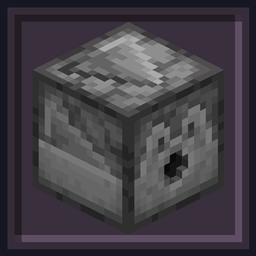
A dropper can be placed so that its output faces in any direction, including up or down. When placed, the dropper's output faces toward the player. With default textures, the droppers output side looks like a face when positioned for horizontal output. Otherwise, the output side has a square hole.
In Java Edition, droppers cannot be moved by pistons.
Container

A dropper has 9 slots of inventory space.
To open the dropper GUI, use the Use Item control. To move items between the dropper inventory and the player inventory or hotbar while the dropper GUI is open, drag or shift-click the items. To exit the dropper GUI, use the ⎋ Escape control.
By default, the GUI of a dropper is labeled "Dropper". A dropper's GUI label can be changed by naming the dropper in an anvil before placing it. In Java Edition, droppers can also be renamed by using the /data command (for example, to label a dropper at (0,64,0) "Alice's Dropper", use /data merge block 0 64 0 {CustomName:'"Alice's Dropper"'}).
In Java Edition, a dropper can be "locked" (or subsequently unlocked) by setting the dropper's lock tag with the /data command. If a dropper's lock tag is not blank, the dropper cannot be accessed except by players holding an item that matches the item predicate in the lock tag. For example, to lock a dropper at (0,64,0) so that only players holding an item named "Alice's Key" can access the dropper, use /data merge block 0 64 0 {lock:{components:{"custom_name":"Alice's Key"}}}.
Redstone component
A dropper can be used to eject items, or push items into another container.
- Activation
- A dropper can be activated by:
- an adjacent active power component (exceptions: a redstone torch does not turn ON a dropper it is attached to)
- an adjacent powered opaque block (strongly-powered or weakly-powered)
- a powered redstone repeater or redstone comparator facing the dropper
- powered redstone dust configured to point at the dropper, or on top of it; a dropper is not activated by adjacent powered redstone dust that is configured to point in another direction.
- In addition to the methods above, droppers in Java Edition can also be activated by quasi-connectivity. A dropper activates if one of the methods above would activate a mechanism component in the block above the dropper, even if there is no mechanism component there (even if the block above the dropper is air or a transparent block), but only when the dropper receives a block update (including a redstone update within two blocks of the dropper).
- A dropper has a delay of 4 game ticks (0.2 seconds) between activation and a response. During this time, additional inputs are ignored.
- In Bedrock Edition, the dropper can only activate on the input/consumer redstone tick (C-tick).
- Behavior
- When activated, a dropper waits 4 game ticks (0.2 seconds) and then ejects one item from its inventory. The dropper does not continue to eject items while activated — ejection occurs only on the initial activation (the rising edge of an input signal). To eject multiple items, repeatedly activate the dropper with a clock circuit.
- If multiple slots are occupied by items, a random occupied slot is chosen for ejection. The slot is chosen when an item is ejected, not when the dropper is initially activated, thus it is possible to move items into or out of a dropper between its activation and item dispensing.
- If the dropper is facing a container, the ejected item is transferred into the container. If the container it is facing is full, or the item cannot be inserted into the container, the dropper does not activate. Examples of containers that items cannot be inserted into include chests that cannot be opened because of a solid block above them, and droppers that are already in an activated state.
- Otherwise, the item is ejected in the direction the dropper is facing, as if a player had used the drop control. Even items that would be treated differently by a dispenser (such as arrows) are simply ejected by a dropper.
- A dropper makes a clicking noise (the
random.clicksound event) when activated empty or when ejecting items into air. It is silent when it successfully transfers an item into any kind of chest or barrel, or another dropper.
- A dropper is an opaque block, so powering it directly can cause adjacent mechanism components (including other droppers) to activate as well.
- A line of droppers, each pushing items into the next dropper, is known as a dropper pipe. A dropper pipe must be clocked to move items, but can be clocked to move items faster than a hopper pipe's transfer rate. When a dropper pipe pushes items upward, it is known as a droppervator (short for "dropper elevator").
- A dropper that is directly powered by redstone will activate before any adjacent droppers activated during the same game tick. In a droppervator or dropper pipe, this has the effect of moving the item in the directly-powered dropper 2 blocks in one game tick. First, the item is ejected from the directly powered dropper. Then, during the same game tick, this item is ejected from the adjacent dropper.
Container interactions
Some containers interact with droppers in specific ways:
 Barrel,
  boat with chest,
  dispenser,
  dropper
- Droppers interact normally with barrels, boats with chests, dispensers, and other droppers.
 Brewing stand
- A dropper facing toward a brewing stand from above deposits only into the ingredient slot and it can insert only valid brewing ingredients. A dropper facing toward a brewing stand from the sides or from below can deposit only blaze powder in the fuel slot, or filled bottles into the three brew slots.
 Chest,
  trapped chest
- Large chests and large trapped chests are treated as a single container: a dropper depositing into a large chest fills up the entire chest. Trapped chests being accessed by a player trigger any adjacent droppers, depositing items into the chest if they are facing toward it.
 Chiseled bookshelf
- A dropper facing toward a chiseled bookshelf from any direction can insert books, books and quills, written books, enchanted books, and knowledge books.
 Crafter
- Droppers can insert ingredients in the crafting grid. Items are distributed in enabled slots, going left to right starting from the first row; if the crafter has all item slots filled then items are added to the lowest count item stack of the same type.
 Composter
- A dropper facing toward a composter from above can push compostable items into the composter, with a chance of increasing the compost level as if the player used the item on the composter.
 Decorated pot
- Droppers can deposit up to a stack of a single type of item into a decorated pot. Items are not inserted if the decorated pot is full or the pot contains a different item.
 Ender chest
- Droppers cannot interact with ender chests in any way.
 Furnace,
  blast furnace,
  smoker
- A dropper facing toward a furnace from above deposits only into the ingredient slot. It can insert any item, including items that can't be smelted by the furnace. A dropper facing toward a furnace from the sides or from below deposits only into the fuel slot, and only items that are usable as fuel.
 Hopper
- A dropper facing toward a hopper can insert items even if the hopper is locked by an active redstone signal.
 Shelf
Shelf- A dropper facing towards a shelf can insert items into available slots. It will try to add to a stack of the same type, inserting into the first empty slot if it can't, doing so from left to right. The dropper does not activate if the item cannot fit in the shelf.
 Jukebox
- A dropper can insert music discs into a jukebox from any direction. The dropper does not activate if the jukebox is already playing a disc.
 Lectern
- Droppers cannot interact with lecterns in any way.
 Minecart with chest,
  minecart with hopper
- A dropper can insert items into minecarts with chests and minecarts with hoppers if any part of the entity's hitbox is within the dropper's target block-space. A dropper can fill a minecart with hopper even if the latter has been locked by an activator rail.
 Shulker box
- Droppers cannot put shulker boxes into other shulker boxes. Otherwise, droppers interact with shulker boxes normally.
Crafting ingredient
| Name | Ingredients | Crafting recipe |
|---|---|---|
| Crafter | Iron Ingot + Crafting Table + Redstone Dust + Dropper |
   |
Sounds
Generic
 stone sound type | ||||||||
|---|---|---|---|---|---|---|---|---|
| Sound | Closed captions | Source | Description | Identifier | Translation key | Volume | Pitch | Attenuation distance |
| Block broken | Blocks | Once the block has broken | block | subtitles | 1.0 | 0.8 | 16 | |
| Block placed[until: JE 26.4] | Blocks | When the block is placed | block | subtitles | 1.0 | 0.8 | 16 | |
| Block breaking | Blocks | While the block is in the process of being broken | block | subtitles | 0.25 | 0.5 | 16 | |
| Something falls on a block | Entity-Dependent | Falling on the block with fall damage | block | subtitles | 0.5 | 0.75 | 16 | |
| Footsteps | Entity-Dependent | Walking on the block | block | subtitles | 0.15 | 1.0 | 16 | |
stone sound type | |||||||
|---|---|---|---|---|---|---|---|
| Sound | Closed captions | Source | Description | Identifier | Translation key | Volume | Pitch |
| Block broken | Blocks | Once the block has broken | dig | subtitles | 1.0 | 0.8–1.0 | |
| Block placed | Blocks | When the block is placed | place | subtitles | 1.0 | 0.8–1.0 | |
| Block breaking | Blocks | While the block is in the process of being broken | hit | subtitles | 0.37 | 0.5 | |
| Footsteps | Players | Falling on the block with fall damage | fall | subtitles | 0.4 | 1.0 | |
| Footsteps | Players | Walking on the block | step | subtitles | 0.3 | 1.0 | |
| Footsteps | Blocks | Jumping from the block | jump | subtitles | 0.12 | 1.0 | |
| Footsteps | Blocks | Falling on the block without fall damage | land | subtitles | 0.22 | 1.0 | |
Unique
| Sounds | ||||||||
|---|---|---|---|---|---|---|---|---|
| Sound | Closed captions | Source | Description | Identifier | Translation key | Volume | Pitch | Attenuation distance |
| Dispensed item[until: JE 26.4][sound 1] | Blocks | When a dropper drops an item | block[sound 1] | subtitles[sound 1] | 1.0 | 1.0 | 16 | |
| Dispenser fails[until: JE 26.4][sound 1] | Blocks | When a dropper fails to activate | block[sound 1] | subtitles[sound 1] | 1.0 | 1.2 | 16 | |
| Chest locked[until: JE 26.4][sound 1] | Blocks | When a player attempts to open a dropper locked using the [NBT Compound / JSON Object] lock tag | block[sound 1] | subtitles[sound 1] | 1.0 | 1.0 | 16 | |
| Sounds | |||||||
|---|---|---|---|---|---|---|---|
| Sound | Closed captions | Source | Description | Identifier | Translation key | Volume | Pitch |
| ? | Blocks | When a dropper drops an item | block | ? | 1.0 | 1.0 | |
| ? | Blocks | When a dropper fails to activate | block | ? | 1.0 | 1.2 | |
Data values
ID
| Name | Identifier | Form | Translation key |
|---|---|---|---|
| Dropper | dropper | Block & Item | block |
| Name | Identifier |
|---|---|
| Block entity | dropper |
| Name | Identifier | Numeric ID | Form | Item ID[i 1] | Translation key |
|---|---|---|---|---|---|
| Dropper | dropper | 125 | Block & Giveable Item[i 2] | Identical[i 3] | tile |
| Name | Savegame ID |
|---|---|
| Block entity | Dropper |
Block states
| Name | Default value | Allowed values | Description |
|---|---|---|---|
| facing | north | downeastnorthsouthupwest | The direction in which contents are shot or dropped. The opposite from the direction the player faces while placing the block. |
| triggered | false | falsetrue | True if this block is activated. |
| Name | Metadata Bits | Default value | Allowed values | Values for Metadata Bits |
Description |
|---|---|---|---|---|---|
| facing_direction | 0x10x20x4 | 0 | 01234567 | 01234567 | The direction in which contents are shot or dropped.
|
| triggered_bit | 0x8 | false | falsetrue | 01 | True if this block is activated. |
Block data
A dropper has a block entity associated with it that holds additional data about the block.
- [NBT Compound / JSON Object] Block entity data
- Tags common to all block entities see Template:Nbt inherit/blockentity/template
- Tags common to all objects that can be renamed see Template:Nbt inherit/nameable/template
- Tags common to all containers that can be locked see Template:Nbt inherit/lockable/template
- Tags common to all objects that use loot tables to produce items see Template:Nbt inherit/lootable/template
- [NBT List / JSON Array] Items: List of items in this container. Represents the
minecraft:containercomponent. The component is still present on the block entity, even if the tag does not exist (due to a loot table existing instead).- [NBT Compound / JSON Object]: An item, including the slot tag. Dropper slots are numbered 0-8 with 0 in the top left corner.
- An item stack in a container slot see Template:Nbt inherit/item/template
- [NBT Compound / JSON Object]: An item, including the slot tag. Dropper slots are numbered 0-8 with 0 in the top left corner.
- [Byte] Lunar: Exists only in the april fools snapshot 23w13a_or_b. Optional. When set to any full number from -128 to 127, turns it to a lunar base dropper, and placing light or heavy pressure plate on top of it creates the lunar base structure.
Videos
History
Java Edition
| Java Edition | |||||||
|---|---|---|---|---|---|---|---|
| 1.5 | 13w03a |    Added droppers. Added droppers.
| |||||
Droppers are crafted using 7 cobblestone, one hopper, and one piece of redstone:
| |||||||
| The top and bottom textures of droppers currently remain fixed regardless of the facing direction. | |||||||
| 13w04a |   Droppers can now face all six directions. Droppers can now face all six directions.
| ||||||
| The crafting recipe of droppers has now been changed, removing the hopper from the middle. | |||||||
| 13w10b | Activated droppers now do not fire if they receive a block update. | ||||||
| 1.8 | 14w25a |     The models of dropper have been changed. The models of dropper have been changed. | |||||
| 1.9.1 | pre1 | Droppers can now use loot tables. | |||||
| 1.14 | 18w43a |       The textures of droppers have now been changed. The textures of droppers have now been changed. | |||||
| 1.19.3 Experiment | 22w44a | Droppers can now interact with chiseled bookshelves. | |||||
| 1.19.4 | 23w07a | Droppers can now interact with jukeboxes. | |||||
| 1.20.3 Experiment | 23w42a | Droppers can now be used to craft crafters. | |||||

Bedrock Edition
| Pocket Edition Alpha | |||||||
|---|---|---|---|---|---|---|---|
| v0.14.0 | build 1 | Added droppers. | |||||
| v0.15.0 | build 1 | Droppers can now be moved by pistons. | |||||
| Bedrock Edition | |||||||
| 1.10.0 | beta 1.10.0.3 |    The textures of droppers have now been changed. The textures of droppers have now been changed. | |||||
| 1.20.50 Experiment | Preview 1.20.50.21 | Droppers can now be used to craft crafters. | |||||
| 1.21.50 | Preview 1.21.50.24 | Droppers drop themselves only if mined using a pickaxe, matching Java Edition. | |||||
Legacy Console Edition
| Legacy Console Edition | |||||||
|---|---|---|---|---|---|---|---|
| Xbox 360 | Xbox One | PS3 | PS4 | PS Vita | Wii U | Switch | |
| TU19 | CU7 | 1.12 | 1.12 | 1.12 | Patch 1 | Added droppers. | |
| 1.90 | The textures of droppers have now been changed. | ||||||
New Nintendo 3DS Edition
| New Nintendo 3DS Edition | |||||||
|---|---|---|---|---|---|---|---|
| 0.1.0 | Added droppers. | ||||||
-

-
 The 13w03a banner featuring a dropper and a minecart with hopper.
 -
 A dropper in action.
Data history
| Java Edition | |||||||
|---|---|---|---|---|---|---|---|
| 1.13 | 17w47a | Prior to The Flattening, this block's numeral ID was 158. | |||||
Issues
Issues relating to "Dropper" are maintained on the bug tracker. Issues should be reported and viewed there.
Trivia
- The dropper is similar in appearance with the dispenser in the fact that they both resemble a face when not facing up or down.
- This similarity is pushed further by the fact that the dropper's crafting recipe is the same as the dispenser but without a bow.
Gallery
Renders
Java Edition
-
 Facing south
 -
 Facing west
 -
 Facing north
 -
 Facing east
 -
 Facing up
 -
 Facing down
Bedrock Edition
-
 Facing south
 -
Facing west
-
Facing north
-
 Facing east
 -
Facing up
-
 Facing down
In other media
-
 A dropper as it appeared in Minecraft Earth
 -
 A dropper as it appeared in MCC x Minecraft 15th Anniversary Party
See also
External links
- "Block of the Week: Dropper" by Duncan Geere – Minecraft.net, October 8, 2020.