| Renewable | No |
|---|---|
| Stackable | Yes (64) |
| Tool | Any tool |
| Blast resistance | 0 |
| Hardness | 0 |
| Luminous | Yes (14) |
| Transparent | Yes |
| Flammable | No |
| Catches fire from lava |
No |
| Note block instrument | Default (Harp) |
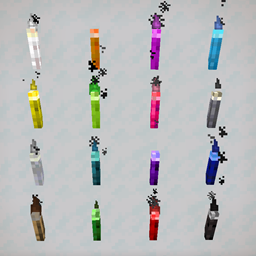
Colored torches are torches colored by metal chlorides, available in blue, red, purple, and green.
Obtaining
Breaking
Colored torches break instantly and drop itself when broken using anything. The tool does not take any durability damage.
| Block |  Colored Torch Colored Torch
| |
|---|---|---|
| Hardness | 0 | |
| Breaking time (secs) | ||
| Default | 0.05 (JE) 0.05 (BE) | |
- incorrect tool, drops nothing
- correct tool, drops nothing or something other than the block itself
- correct tool, drops the block itself
- italicized can be instant mined
Colored torches are also broken if pushed by a piston.
Crafting
| Ingredients | Crafting recipe | Notes |
|---|---|---|
| Cerium Chloride or Mercuric Chloride or Potassium Chloride or Tungsten Chloride + Torch |
   |
Cerium Chloride: Blue Mercuric Chloride: Red Potassium Chloride: Purple Tungsten Chloride: Green [Bedrock Edition and Minecraft Education only] |
Usage
Torches can be placed on the top or the sides of most solid blocks, although some require sneaking (see placement for exceptions). Being non-solid, torches have no collision box.
Gravity-affected blocks like sand and gravel do not fall if the block below them has a torch on it and break when falling onto a torch.
Light
Torches emit a light level of 14. Torches also melt snow layers within 2 blocks and ice within 3 blocks (taxicab distance). Colored torches emit normal light, not colored light, and therefore the coloring is purely aesthetic.
When the Render Dragon Features for Creators experiment is enabled in Minecraft Preview, the top part of colored torches emits colored point lighting with
#0000ff for blue torches,
#ff00ff for purple torches,
#ff0000 for red torches, and
#00ff00 for green torches. This causes the bottom part of the torch to render a small square shadow.
Placement
In general, torches can be placed only on solid, opaque, full blocks; exceptions are listed below.
| Block name | Torch placeable |
|---|---|
| Slab | Top of top-half slabs |
| Fence | Top only |
| Wall | Top only |
| Glass | Yes |
| Stained Glass | Yes |
| Hopper | Top only |
| Snow | Top of 8-layer thick snow |
| Soul Sand | Yes |
| Piston | Yes |
| Monster Spawner | Yes |
Sounds
 wood sound type | |||||||
|---|---|---|---|---|---|---|---|
| Sound | Closed captions | Source | Description | Identifier | Translation key | Volume | Pitch |
| Block broken | Blocks | Once the block has broken | dig | subtitles | 1.0 | 0.8–1.0 | |
| Block placed | Blocks | When the block is placed | place | subtitles | 1.0 | 0.8 | |
| Axe strips | Blocks | When an axe strips a log or wood block [sound 1] | use | subtitles | 1.0 | 0.8 | |
| Block breaking | Blocks | While the block is in the process of being broken | hit | subtitles | 0.23 | 0.5 | |
| Footsteps | Players | Falling on the block with fall damage | fall | subtitles | 0.4 | 1.0 | |
| Footsteps | Players | Walking on the block | step | subtitles | 0.3 | 1.0 | |
| Footsteps | Blocks | Jumping from the block | jump | subtitles | 0.12 | 1.0 | |
| Footsteps | Blocks | Falling on the block without fall damage | land | subtitles | 0.18 | 1.0 | |
Data values
ID
| Name | Identifier | Alias ID | Numeric ID | Form | Item ID[i 1] | Translation key |
|---|---|---|---|---|---|---|
 Red Torch Red Torch | colored_torch_red | colored_torch_rg / 0 | 202 | Block & Giveable Item[i 2] | Identical[i 3] |
tile |
 Green Torch Green Torch | colored_torch_green | colored_torch_rg / 1 | 1218 | Block & Giveable Item[i 2] | Identical[i 3] (Numeric: -963) |
tile |
| Blue Torch | colored_torch_blue | colored_torch_bp / 0 | 204 | Block & Giveable Item[i 2] | Identical[i 3] |
tile |
 Purple Torch Purple Torch | colored_torch_purple | colored_torch_bp / 1 | 1219 | Block & Giveable Item[i 2] | Identical[i 3] (Numeric: -964) |
tile |
Block states
| Name | Default value | Allowed values | Description |
|---|---|---|---|
| torch_facing_direction | top | eastnorthsouthtopunknownwest | The direction the top of the torch is facing. |
History
Bedrock Edition
| Bedrock Edition | |||||||
|---|---|---|---|---|---|---|---|
| 1.4.0 | beta 1.2.20.1 |             Added colored torches. Added colored torches. | |||||
| 1.21.0 | Preview 1.21.0.21 | Colored torches now appear in the Creative inventory when the Education edition toggle is on. | |||||
| 1.21.30 | Preview 1.21.30.22 | The different color bit block states for the colored_torch_rg and colored_torch_bp IDs have been split up into their own IDs. | |||||
Minecraft Education
| Minecraft Education | |||||||
|---|---|---|---|---|---|---|---|
| 1.0.27 | Added colored torches. | ||||||
| 1.21.03 | Preview 1.21.01.0 | Colored torches now appear in the Creative inventory. | |||||
Trivia
- As with sparklers, the flame colors correspond to results from a flame test performed on these chloride salts.
- The stick for colored torches use the pre-Texture Update texture.
Gallery
Renders
-
 Purple Torch
 -
 Blue Torch
 -
 Green Torch
 -
 Red Torch
 -
 Purple Wall Torch
 -
 Blue Wall Torch
 -
 Green Wall Torch
 -
 Red Wall Torch