This article is about the way the player interacts with the world. For the difficulty modes, see Difficulty. For the command, see Commands/gamemode. For the studio, see Gamemode One.

A game mode dictates how a player may interact with a Minecraft world.
List of game modes

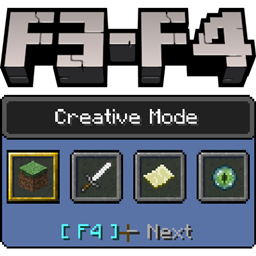
A game mode is defined by the "gameType" variable, meaning that there are four game modes. In the create new world screen, quick world creation, or server.properties, the player can select the world's default game mode between Survival or Creative. Afterward, the player's personal game mode can be changed to Survival, Creative, Adventure, or Spectator in the game settings,[Bedrock Edition only] the /gamemode command, or the game mode switcher.[Java Edition only] The world's default game mode can also be changed in the game settings.
Survival
In this mode, players have to gather all their materials to build, craft items and tools and gain experience points. There is a health, hunger, and armor bar, an inventory, and also an oxygen bar when underwater, suffocating,[BE only] or in lava.[BE only] If a player runs out of hearts (health), the player dies and returns to the spawn point. Upon death, the player emits smoke, loses all experience and items, and leaves a death message explaining how the player died.
Creative
The player has access to an infinite amount of almost all blocks and items available, and can destroy them instantly. Players are invulnerable, unless they fall into the void,[Java Edition only] and do not have health, armor, or hunger, and can fly. The player has access to items not available in Survival mode, e.g. spawn eggs. The player cannot see command blocks if they look through the Creative GUI - they need to spawn command blocks with the /give or /setblock commands. Alternatively, the Operator Utilities Tab can be turned on via the Controls Tab in Options, containing command blocks.[Java Edition only] Maximum reach is slightly higher.
Adventure
Players can interact with objects such as levers and buttons, and can interact with mobs. However, they can break blocks only with tools having a can_break data tag, and place blocks only if the block they are holding has a can_place_on data tag, making this mode good for adventure maps. Adventure mode is often the default game mode from Marketplace world templates.
Spectator
When in Spectator mode, players can clip through blocks and fly freely. The player can't interact with blocks, entities or their inventory.
Spectators are invisible to all players and mobs except for other spectators. When in third-person mode, a spectator looks like a transparent, floating head with no body.
In Java Edition, the player can enter the perspective of other entities by left-clicking on them. The player can use the scroll wheel to adjust the flying speed, unlike flying in Creative mode.
Other game modes

Default
The "Default" game mode is a setting for the personal game mode or can be accessed by typing /gamemode default, which sets the player's game mode to the world's default game mode. This corresponds the game mode set in the Create new world screen, or the game settings under "Default game mode".
Invalid game mode
Any invalid game mode functions similarly to Creative, with the following differences:
- The health and hunger bars are visible, like in Survival.
- The Creative inventory is still accessible, but blocks and items cannot be taken from it.
Invalid game modes are only accessible using third-party software.
Game states
In addition to game modes, there are several further states that worlds can be in with different rules and gameplay mechanics compared to a typical Minecraft game. They are separate from game modes, as they globally change behaviors for all players in the world and can (technically) be combined with any real game mode.
Hardcore
In this mode, which plays in the same way as Survival mode, the difficulty level is locked to "Hard", and when the player dies, they are unable to respawn and must either leave the world or permanently switch to Spectator mode, effectively preventing them from interacting with the world ever again.
Players cannot get Creative mode in a normal Hardcore mode game, unless "Allow Commands" option is enabled through Open to LAN feature and setting their game mode using /gamemode,[JE only] or editing the level.dat with external programs and tools. Players who have died in the Hardcore mode game with different game modes (Creative, Adventure, Spectator; typically via usage of /kill command or by void death), will be met the same fate of being unable to respawn in the world, just like in a normal Hardcore mode game.
The difficulty in a Hardcore mode game cannot be changed, even with the usage of /difficulty command.[note 1]
In a multiplayer game, a player who dies gets put into Spectator mode, while all other players remain in Survival mode. When looking at a Hardcore singleplayer world, the game mode text is written "Hardcore Mode!" in red.
In Bedrock Edition, hardcore mode is a toggle, that locks the game mode to Survival and the game's difficulty to Hard. When looking at a Hardcore singleplayer world, the game mode is Survival-Hardcore.
Demo mode
Demo Mode functionally serves to allow the players to try out the game before deciding to buy Minecraft. It allows players to play on a single world for a limited period before the map is locked and required to be reset. The game is locked to Survival mode and cheats are off by default. While the demo version does not expire, it comes with certain restrictions, by others, as its sole purpose is to allow new players to try out Minecraft.
Demo Mode is not technically a game mode as it cannot be enabled with the /gamemode command.
Editor project
Before exporting to a world or world templates, projects created in Bedrock Editor are in a state above game modes. Game modes are not accessible, but instead the player can switch between editing modes. In Tool Mode, an editing GUI, several hotkeys, and free mouse movement allows to alter the world, while the camera can move at any speed and phase through blocks. Crosshair Mode is similar to Creative, with the exception that the player can phase through blocks while flying.
A project can also be opened in Test World, creating a temporary copy that is outside of the project state and functions like regular world states, which can also have Hardcore or Demo mode. Data is not saved, however.
Data values
In the level.dat file, Survival mode is gametype=0, Creative is gametype=1, Adventure is gametype=2, Spectator is gametype=3,[JE only] or gametype=6[BE only], and Default is gametype=5.
Hardcore can be toggled with hardcore=1 (a normal world uses hardcore=0 instead). This knowledge allows hacking to change game modes by editing the world's level.dat.
Gallery
-
 Survival Mode icon from Bedrock Edition
 -
 Creative Mode icon from Bedrock Edition
See also
Notes
- ↑ Changing the difficulty using
/difficultyresults in a successful message, but rechecking it afterward indicates that it is left unchanged from Hard difficulty.