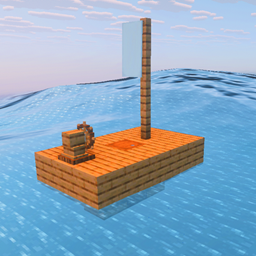
This article is about player spawning. For mob spawning, see Mob spawning. For other uses, see Spawn.
The world spawn is where players initially spawn in the Minecraft world.
Spawn
 "respawn_radius" redirects here. For the game rule, see Game rule § respawn_radius.
The world spawnpoint is determined using a search algorithm that discourages (but cannot fully prevent) spawns in oceans, rivers, or regions with very high or low climate noise samples.
- The algorithm first evaluates 66 exact coordinates that loosely form circles of radius 0, 512, 1024, 1536, and 2048 blocks from the world's center. Each coordinate is evaluated by its distance to (0,0), and by how far its climate samples fall outside the desired climate thresholds for spawnpoints. The most suitable coordinate is set as the interim spawnpoint.
- The algorithm then draws 16 circles centered around the interim spawn point, roughly 32 blocks apart, and performs the same fitness evaluations on 862 coordinates across those circles. If a more suitable position is found, the world spawnpoint is set to that position; otherwise, the world spawnpoint remains at the current position.
- Java Edition alone then inspects all chunks within a five-chunk square radius of the current interim spawnpoint, looking for a topsolid non-waterlogged block. Once one is found, it is set as the final spawnpoint.
The world spawn point can be changed using the /setworldspawn command.
When the player first loads into the world, the game searches within a small area surrounding the world spawnpoint, and tries to place the player on a random solid block. This area is 21×21 blocks by default in Java Edition and 10×10 in Bedrock Edition, but can be changed by the respawn_radius[JE only] or spawnradius[BE only] game rule or world setting. Upon spawning, the player is placed on the highest topsolid non-waterlogged block, regardless of elevation. In Bedrock Edition, it is also possible for a player to spawn underwater and start drowning.[1] Upon death or return from the End dimension, the player respawns within this same area unless the player's individual spawn point changed (by using a bed, respawn anchor, or /spawnpoint).

Adventure mode
When the server's settings specify the default game mode as Adventure (using the server.properties), then the normal spawning mechanic is ignored, and players are spawned directly on the world spawn point. This includes the X, Y, and Z coordinates, even if there is no block there, and even if there are blocks above it.
If the Y coordinate is not within a valid spawning area, then the server looks up until it finds one, up to a maximum of Y=256. If there is space to spawn, but it is in mid-air, the player spawns in mid-air, even falling into the void if there is a hole.
Location
There are several ways to determine the world spawn point:
- A compass (that hasn't been assigned to a lodestone) always points to the world spawn point.
- Doing the commands
/gamerule respawn_radius 0then/kill. - If commands are disabled, remove all the grass blocks in the 21×21 spawn area (or place a block above them to make them invalid), make sure the individual spawn point is disabled, and die.
- Entities, other than players, falling into the exit portal in the End land exactly at the world spawn point. Items thrown in mark the spot in the Overworld. Players spawn like they normally do, allowing this action to be used to perform the above without dying, and thus can be performed in hardcore mode.
- Mods or external programs, such as NBTExplorer or MCEdit, can also be used to find and set the world spawn point.
Individual spawn
The individual spawn point of the player can be changed by sleeping in a bed, using a respawn anchor, or using the /spawnpoint command. If the individual spawning area of the player is obstructed upon death, the player respawns at the world spawn.
Sleeping in a bed allows for leniency in obstruction, in that the player respawns on other blocks near the bed if the original point becomes blocked. The same is true for the respawn anchor. If the spawn point set via /setworldspawn or /spawnpoint becomes obstructed, the player is not given this leniency in respawning. If the block obstructing the player's spawn point is a bed in the Overworld or a respawn anchor in the Nether, regardless of if the bed or respawn anchor was used to set the spawnpoint, this leniency will still be given.
For the spawn point to be considered unobstructed, certain criteria need to be met. Generally, for a spawn point set via /setworldspawn or /spawnpoint, there must be a two-block-tall space at the spawn point which is free of solid blocks. However, there are also some solid blocks which do not obstruct spawning, some examples including the heavy core, candles, and player and mob heads. Lava and water will also obstruct the spawn point despite being non-solid, however, aquatic plants, such as kelp and seagrass, will not, even when in water. The player will always be spawned in the center of the spawn point block and 1⁄10 of a block above the bottom of the block, even if there is a non-obstructing solid block occupying the space, such that the player can sometimes be spawned inside of a block they would otherwise have collision with. Unlike when respawning around a bed or respawn anchor, the block below the spawn point is not considered, meaning the player can be spawned on top of dangerous blocks such as magma blocks, or over a non-solid block. The state of any blocks occupying the two-block-tall spawning space is also not considered. For example, an open fence gate will still obstruct the spawn point even though the player has no collision with it.
- Air (air, cave air, and void air)
- All
 banners
 - All
 beds (in the Overworld only; will apply bed respawn positioning logic)[2]
 - All
 buttons
 - All
 candles
 - All


 carpets (including moss carpet and pale moss carpet)
 - All


 coral plants and coral fans (including dead variants)
 - All crops
- All
 flower pots
 - All
 flowers (including two-high flowers)
 - All

 mushrooms and Nether fungi
 - All
 player and mob heads
 - All

 portals (End portal, End gateway, and Nether portal)
 - All
 pressure plates
 - All

 rails
rails - All
 saplings (including azaleas and flowering azaleas, but not bamboo saplings)
 - All


 signs (including hanging signs and wall hanging signs)
 - All


 torches and wall torches (torches, soul torches, and redstone torches)
 - All


 vines (vines, twisting vines, weeping vines, and cave vines)
  Big dripleaf
 Big dripleaf stem
 Chorus flower
 Chorus plant
 Cocoa
Cocoa Crimson roots and warped roots
 Dead bush
 Fire and soul fire
 Frogspawn
 Hanging roots
 Heavy core
 Kelp
Kelp Ladder
 Lever
Lever Light
Light Lily pad
 Nether sprouts
 Pale hanging moss
 Pink petals
 Powder snow
 Redstone comparator
 Redstone repeater
 Resin clump
 Respawn anchor (in the Nether only; will apply respawn anchor respawn positioning logic, even if uncharged)[2]
 Scaffolding
 Sea pickle
 Seagrass
 Short grass and tall grass
 Small dripleaf
 Snow (any number of layers)
 Spore blossom
 Structure void
 Sugar cane
 Sweet berry bush
 Tripwire
 Tripwire hook
History
Java Edition
| Java Edition Infdev | |||||||
|---|---|---|---|---|---|---|---|
| 20100327 | The player now drops their inventory and respawns at the spawn location upon death, rather than having to reload the last save. | ||||||
| 20100611 | The player now only spawns on sand blocks. As a result, the player will often spawn in beaches, but spawning on deserts is also a possibility. | ||||||
| Java Edition Beta | |||||||
| 1.4_01 | Beds now act as respawn points for players. | ||||||
| 1.8 | 1.8 (PAX Prime) | In this version only the player spawns in a village. | |||||
| Pre-release | The player's spawn point now attempts to spawn players on grass blocks, and favors forests, swamps, and taiga biomes. | ||||||
| Java Edition | |||||||
| 1.1 | 12w01a | The algorithm now favors forests, plains, taigas, forest hills, and taiga hills biomes. | |||||
| 1.2.1 | 12w03a | The algorithm now additionally favors jungles and jungle hills biomes. | |||||
| 1.4.2 | 12w32a | Added the command /spawnpoint. | |||||
| 1.7.2 | 13w43a | Added the command /setworldspawn. | |||||
| 1.8 | ? | The fallback spawnpoint if no favored blocks can be found is shifted 11.3 blocks, changing some spawnpoints. | |||||
| 1.9 | 15w51a | Added the game rule spawnRadius to control the size of the world spawn area. | |||||
| 1.15 | 19w36a | Added the game rule doImmediateRespawn. | |||||
| 1.16 | 20w12a | Added the respawn anchor, allowing players to set their spawn point in the Nether. | |||||
| 1.18 | 21w42a | Reworked world spawn selection algorithm. Players now spawn according to the same climate parameters that control biome placement and world generation: players spawn less often in the ocean or similar inconvenient locations. | |||||
| 1.20.5 | 24w03a | Added the game rule spawnChunkRadius to control the size of the spawn chunks.
| |||||
| The default spawn chunk propagation is now 3×3 instead of 19×19. | |||||||
| 1.21.2 | 24w40a | The formula used to grade potential spawn coordinates is changed. | |||||
| Spawns are far less likely to occur in oceans, and routinely place the player farther from (0,0). | |||||||
| 1.21.9 | 25w31a | Removed spawn chunks and the aforementioned game rule. | |||||
| Pre-Release 1 | The world spawn can now be set in a dimension other than the Overworld. | ||||||
Bedrock Edition
| Pocket Edition Alpha | |||||||
|---|---|---|---|---|---|---|---|
| 0.1.0 | Added the world spawn point. The spawn point is always located in the center of the world (X/Z: 128). | ||||||
| 0.9.0 | build 1 | The player's spawn point is now located in specific biomes in the Infinite world type. | |||||
| On the Old world type, the player still spawns on the center of the world, but the exact position is no longer consistent between worlds. Instead, the position is determined by the world seed. | |||||||
| Bedrock Edition | |||||||
| 1.9.0 | beta 1.9.0.0 | Added the immediateRespawn game rule. | |||||
| 1.12.0 | beta 1.12.0.2 | Added the game rule spawnRadius to control the size of the world spawn area. | |||||
| 1.16.0 | beta 1.16.0.57 | The world spawn can now be set in the Nether using /spawnpoint. | |||||
| 1.21.60 | Preview 1.21.50.20 | The formula used to grade potential spawn coordinates is changed. | |||||
| Spawns are far less likely to occur in oceans, and routinely place the player farther from (0,0). | |||||||
| 1.21.100 | Preview 1.21.100.20 | The world spawn can now be set in the End using /spawnpoint. | |||||
Legacy Console Edition
| Legacy Console Edition | |||||||
|---|---|---|---|---|---|---|---|
| Xbox 360 | Xbox One | PS3 | PS4 | PS Vita | Wii U | Switch | |
| TU1 | CU1 | 1.00 | 1.00 | 1.00 | Patch 1 | 1.0.1 | Added the world spawn point. |
| TU12 | The player's spawn point can now also be located in jungle and jungle hills biomes. | ||||||
| ? | ? | ? | ? | ? | ? | Added a host option that allows players to change the world spawn point. | |
| 1.88 | Added the Immediate Respawn host option. | ||||||
Trivia
- The farthest possible spawnpoint from (0,0) under Euclidean distance is (1599, -2160).
- Developer Ulraf in a livestream expressed the idea of giving the dragon egg the use of modifying the world spawn, because there is only one dragon egg per world. He clarified that he experimented with this idea using commands, and that there weren't plans to add this function to vanilla.[3]
Issues
Issues relating to "World spawn" are maintained on the bug tracker. Issues should be reported and viewed there.
Gallery
Screenshots
-
 An ideal spawn location, with trees and animals nearby.
 -
 A non-ideal spawn location. In a desert, unless a player finds an exposed mineshaft, it is much more difficult to find wood.
 -
 A spawn location on an island, with trees nearby.
 -
 A dark forest's dense foliage can protect hostile mobs from sun, making this biome dangerous. Note the village and ruined portal on the left.
References
- ↑ MCPE-120237 – Player world spawn is sometimes underwater – resolved as "Unresolved".
- ↑ a b MC-278686 – resolved as "Won't Fix".
- ↑ https://youtu.be/2cxUNoWNy50?t=11284
External links
- How spawning, dying and respawning works in Minecraft – Minecraft.net on September 22, 2023