This article is about the invisible light-producing block. For light producing blocks in general, see Light § Light level.

Java Edition

Bedrock Edition


| Rarity tier | |
|---|---|
| Renewable | No |
| Stackable | Yes (64) |
| Tool | None |
| Blast resistance | 3,600,000.75 |
| Hardness | -1 |
| Luminous | See § Usage |
| Transparent | Yes |
| Waterloggable | Yes |
| Flammable | No |
| Catches fire from lava |
No |
| Map color | No waterlogging: 0 NONE Waterlogging:: |
| Note block instrument | Default (Harp) |
Lights are invisible blocks, primarily intended for map makers, that can produce any light level from 0 to 15.
Obtaining
Light blocks cannot be mined, similar to air, and can be targeted only if the player is holding a light item in the main hand. Light blocks with a light level of 0 are functionally identical to air.
They do not attach to any block, meaning that breaking an adjacent block does not remove the light block. However, they can be broken by replacing them with another block.[1] The exception is water (including, in Bedrock Edition, flowing water), which can occupy the same space as a light block. See Waterlogging for more information.
In Java Edition, light blocks are available in the Creative inventory. Across both Java Edition and Bedrock Edition, they can also be obtained by using commands such as /give. Using /give <target> minecraft:light[block_state={level:"<int>"}] can give a light block with a specific light level and corresponding texture. If the block_state component is removed or the level is not an integer from 0 to 15, the yellow stars texture is used by the item model, and a light level of 15 is emitted when the block is placed.
In Bedrock Edition, specifying the data value from 0 to 15 determines the block's light level; if the data value is not specified, the light block emits a light level of 0. The command is: /give <target> light_block [amount: int] [data: int (0 - 15)] [components: json].
Usage


Each light block has an associated light level, which can be any value from 0 to 15. In the player's inventory, light blocks display their light level in the top-left corner with a unique sprite for each light level.
Placement and interaction
Light blocks are mainly used in Creative mode, so the description below mainly applies to that mode.
Light blocks are not visible, and have no hitbox unless the player is holding another light block in their main hand. When the player holds a light block, any placed light block become interactive, displaying a small icon in the center indicating the block's location and current light level. The block icon is a particle, and does not become visible if particles are set to their lowest setting, although the hitbox remains visible and interactive until the light block leaves the player's main hand.
When holding a light block in the main hand, clicking use on a light block that is already placed on the ground causes the light level of the light block to increase by one. If the light level is already 15, it resets to 0. If a light block's level has been modified, it can be copied back into the player's hotbar by using the pick block button while holding another light block.
In Survival mode, a light block can be placed, however only its hitbox is visible, and the block is not interactive (it does not allow to increase its level).
In Adventure mode, a light block cannot be placed, and already placed blocks are completely invisible and inaccessible (only the light they produce is visible).
Behavior
Liquids such as water and lava cannot pass through light blocks unless they are waterlogged (either with the debug stick or by placing water on either side of the block.) but falling blocks like sand, gravel, and anvils pass through the light block as if it is air. If a falling block lands on a light block, or another block is placed over it, the light block is destroyed.
Light blocks are detected by observers, and in Bedrock Edition they can be pushed and pulled by pistons.
Light source
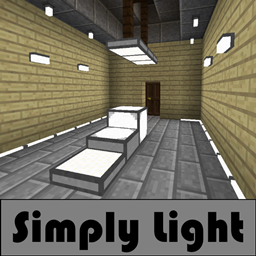
Since light blocks produce light, their primary use is to illuminate certain areas of the world.
Sounds
 stone sound type | ||||||||
|---|---|---|---|---|---|---|---|---|
| Sound | Closed captions | Source | Description | Identifier | Translation key | Volume | Pitch | Attenuation distance |
| Block broken | Blocks | Once the block has broken | block | subtitles | 1.0 | 0.8 | 16 | |
| Block placed[until: JE 26.4] | Blocks | When the block is placed | block | subtitles | 1.0 | 0.8 | 16 | |
| Block breaking | Blocks | While the block is in the process of being broken | block | subtitles | 0.25 | 0.5 | 16 | |
| Something falls on a block | Entity-Dependent | Falling on the block with fall damage | block | subtitles | 0.5 | 0.75 | 16 | |
| Footsteps | Entity-Dependent | Walking on the block | block | subtitles | 0.15 | 1.0 | 16 | |
stone sound type | |||||||
|---|---|---|---|---|---|---|---|
| Sound | Closed captions | Source | Description | Identifier | Translation key | Volume | Pitch |
| Block broken | Blocks | Once the block has broken | dig | subtitles | 1.0 | 0.8–1.0 | |
| Block placed | Blocks | When the block is placed | place | subtitles | 1.0 | 0.8–1.0 | |
| Block breaking | Blocks | While the block is in the process of being broken | hit | subtitles | 0.37 | 0.5 | |
| Footsteps | Players | Falling on the block with fall damage | fall | subtitles | 0.4 | 1.0 | |
| Footsteps | Players | Walking on the block | step | subtitles | 0.3 | 1.0 | |
| Footsteps | Blocks | Jumping from the block | jump | subtitles | 0.12 | 1.0 | |
| Footsteps | Blocks | Falling on the block without fall damage | land | subtitles | 0.22 | 1.0 | |
Data values
ID
| Name | Identifier | Form | Block tags | Translation key |
|---|---|---|---|---|
 Light Light | light | Block & Item | dragon_transparentwither_immune |
block |
| Name | Identifier | Alias ID | Numeric ID | Form | Item ID[i 1] | Translation key |
|---|---|---|---|---|---|---|
 Light Light | light_block_0 | light_block / 0 | 470 | Block & Giveable Item[i 2] | Identical[i 3] (Numeric: -215) |
tile |
 Light Light | light_block_1 | light_block / 1 | 1184 | Block & Giveable Item[i 2] | Identical[i 3] (Numeric: -929) |
tile |
 Light Light | light_block_2 | light_block / 2 | 1185 | Block & Giveable Item[i 2] | Identical[i 3] (Numeric: -930) |
tile |
 Light Light | light_block_3 | light_block / 3 | 1186 | Block & Giveable Item[i 2] | Identical[i 3] (Numeric: -931) |
tile |
 Light Light | light_block_4 | light_block / 4 | 1187 | Block & Giveable Item[i 2] | Identical[i 3] (Numeric: -932) |
tile |
 Light Light | light_block_5 | light_block / 5 | 1188 | Block & Giveable Item[i 2] | Identical[i 3] (Numeric: -933) |
tile |
 Light Light | light_block_6 | light_block / 6 | 1189 | Block & Giveable Item[i 2] | Identical[i 3] (Numeric: -934) |
tile |
 Light Light | light_block_7 | light_block / 7 | 1190 | Block & Giveable Item[i 2] | Identical[i 3] (Numeric: -935) |
tile |
 Light Light | light_block_8 | light_block / 8 | 1191 | Block & Giveable Item[i 2] | Identical[i 3] (Numeric: -936) |
tile |
 Light Light | light_block_9 | light_block / 9 | 1192 | Block & Giveable Item[i 2] | Identical[i 3] (Numeric: -937) |
tile |
 Light Light | light_block_10 | light_block / 10 | 1193 | Block & Giveable Item[i 2] | Identical[i 3] (Numeric: -938) |
tile |
 Light Light | light_block_11 | light_block / 11 | 1194 | Block & Giveable Item[i 2] | Identical[i 3] (Numeric: -939) |
tile |
 Light Light | light_block_12 | light_block / 12 | 1195 | Block & Giveable Item[i 2] | Identical[i 3] (Numeric: -940) |
tile |
 Light Light | light_block_13 | light_block / 13 | 1196 | Block & Giveable Item[i 2] | Identical[i 3] (Numeric: -941) |
tile |
 Light Light | light_block_14 | light_block / 14 | 1197 | Block & Giveable Item[i 2] | Identical[i 3] (Numeric: -942) |
tile |
 Light Light | light_block_15 | light_block / 15 | 1198 | Block & Giveable Item[i 2] | Identical[i 3] (Numeric: -943) |
tile |
Block states
| Name | Default value | Allowed values | Description |
|---|---|---|---|
| waterlogged | false | truefalse | Whether or not there's water in the same place as this light block. |
| level | 15 | 0123456789101112131415 | The amount of light this block outputs. |
History
Java Edition
| Java Edition | |||||||
|---|---|---|---|---|---|---|---|
| 1.17 | 21w13a |                 Added lights. Added lights.
| |||||
 Unlike in Bedrock Edition, while a player is holding the item, a particle is displayed similar to a barrier. Unlike in Bedrock Edition, while a player is holding the item, a particle is displayed similar to a barrier. | |||||||
| 21w18a |                 The textures of lights have been changed. The textures of lights have been changed. | ||||||
| 21w20a |                 The textures of lights have been changed, again. The textures of lights have been changed, again.
| ||||||
| The rarity of light has been changed from "Common" to "Epic". | |||||||
| 1.18 | 21w42a | The respective item texture of lights is now used as the particle instead of four yellow stars, matching Bedrock Edition.[2] | |||||
| The texture for the four stars now used only as placeholder texture by item model.[3] | |||||||
| 1.19 | 22w11a | Withers and ender dragons can no longer break light blocks. | |||||
| 1.19.3 | 22w44a | Light blocks are now available in the Creative inventory, but only if cheats are enabled. | |||||
| 22w45a | Moved light blocks behind the "Operator Utilities" tab in the Creative inventory. The tab is available only if cheats are enabled and the "Operator Items Tab" option in the controls menu is turned on. | ||||||
| 26.3 | snap3 | The placeholder light texture has been removed. | |||||
Bedrock Edition
| Bedrock Edition | |||||||
|---|---|---|---|---|---|---|---|
| 1.13.0 | beta 1.13.0.4 | Added textures for light blocks. | |||||
                Added light blocks. Added light blocks.
| |||||||
 Light blocks have a second form with an ID of Light blocks have a second form with an ID of -215 and the following identifier: item.light_block. They also use the placeholder texture. | |||||||
| 1.13.0 | beta 1.13.0.13 | The second form of the light block has been removed. | |||||
| 1.17.30 | beta 1.17.20.22 | Light blocks now reveal a particle when the player is holding the item, showing the respective item texture as the particle. | |||||
| beta 1.17.30.20 | Right-clicking a light block with another now changes its light level by 1. | ||||||
| Left-clicking a light block while holding a light block now removes it. | |||||||
| 1.18.0 | beta 1.18.0.22 | Light blocks are now invulnerable to explosions. | |||||
| 1.20.30 | Preview 1.20.20.21 | Increased the blast resistance of light blocks from 3,600,000 to 3,600,000.8. | |||||
| 1.20.70 | Preview 1.20.70.22 | Light block no longer drops itself when breaking. | |||||
| 1.21.20 | Preview 1.21.20.21 | The different block states for the light_block ID have been split up into their own IDs. | |||||
| 1.21.30 | Preview 1.21.30.22 | Changed name from "Light Block" to "Light" to match Java Edition. | |||||
Gallery
Renders
- Java Edition




- Bedrock Edition


Screenshots
-
 The light block as seen with a structure block in save mode
 -
 A screenshot displaying the way light blocks can prevent the flow of water and lava, as well as being waterlogged
Issues
Issues relating to "Light block" or "Light blocks" are maintained on the bug tracker. Issues should be reported and viewed there.