| Renewable | Yes |
|---|---|
| Stackable | Yes (64) |
| Tool | Any tool |
| Blast resistance | 0 |
| Hardness | 0 |
| Luminous | No |
| Transparent | Yes |
| Flammable | Yes |
| Catches fire from lava |
No |
| Map color | 7 PLANT[JE only] 0 NONE[BE only] |
| Note block instrument | Default (Harp) |
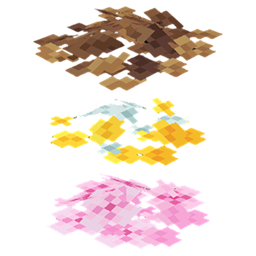
Pink petals are a decorative block that generates in cherry grove biomes.
Obtaining
Breaking
Pink petals can be broken instantly with any item or by hand.
| Block |  Pink Petals Pink Petals
| |
|---|---|---|
| Hardness | 0 | |
| Breaking time (secs) | ||
| Default | 0.05 (JE) 0.05 (BE) | |
- incorrect tool, drops nothing
- correct tool, drops nothing or something other than the block itself
- correct tool, drops the block itself
- italicized can be instant mined
Pink petals are also removed and drop as an item if:
- its attachment block is moved, removed, or destroyed.
- water or lava flows into its space.
- a piston tries to push it or moves a block into its space.
- it is placed on a mud block, and that mud block converts to clay.
The amount of pink petal items dropped is equal to how many were present in the block space beforehand (i.e. a pink petal block with 3 placed will drop 3 pink petal items when destroyed).
Natural generation
Pink petals generate naturally in cherry groves.
If a village should appear in a cherry grove biome, it is possible for the petals to be growing on dirt path blocks, similar to short grass.
Post-generation
Each time bone meal is applied to pink petals, the number of petals in the block increases by 1. If there are already four pink petals in the block, it drops a copy of itself, similar to tall flowers.
Pink petals also generate when bone meal is applied to a grass block in cherry groves.[JE only][1]
Usage
A pink petal may be placed on grass blocks, podzol, mycelium, dirt, coarse dirt, rooted dirt, moss blocks, mud, muddy mangrove roots, or farmland. Pink petals are used for decoration, and can be crafted into pink dye.
More than one pink petal can be placed on a block, similar to other blocks such as sea pickles and candles. Up to four pink petals can be placed in a group on one block.
Sheep can consume the grass under pink petals without breaking the petals.
Unlike leaf litter, pink petals cannot be used as fuel in a furnace.
Crafting ingredient
| Ingredients | Crafting recipe |
|---|---|
| Pink Petals |  |
Bees
Bees can pollinate pink petals like other flowers. They can also be bred using pink petals.
Bee nests
Oak, birch, and cherry trees grown from saplings that are within 2 blocks of pink petals have a 5% chance to grow with a bee nest and 2-3 bees in it.
Composting
Placing pink petals into a composter has a 30% chance of raising the compost level by 1.
Color
The coloration of the green stems below pink petals is dependent on the biome they are in. A block always uses the color set to its location, regardless of how it was placed or of its source.
These values are generated by the biome dyeing algorithm. See Biome colors for more information.


Sounds
 pink_petals sound type | ||||||||
|---|---|---|---|---|---|---|---|---|
| Sound | Closed captions | Source | Description | Identifier | Translation key | Volume | Pitch | Attenuation distance |
| Block broken | Blocks | Once the block has broken | block | subtitles | 0.8 | 0.96 | 16 | |
| Block placed[until: JE 26.4] | Blocks | When the block is placed | block | subtitles | 0.8 | 0.96 | 16 | |
| Block breaking | Blocks | Not normally encounterable[sound 1] | block | subtitles | 0.2 | 0.6 | 16 | |
| Something falls on a block | Entity-Dependent | Falling on the block with fall damage | block | subtitles | 0.4 | 0.9 | 16 | |
| Footsteps | Entity-Dependent | Walking on the block | block | subtitles | 0.12 | 1.2 | 16 | |
- ↑ Since all blocks this sound type applies to break instantly, this can never be heard in normal gameplay. Besides playing manually via
/playsound, it can only be encountered with a Mining Fatigue level of 86 or above: MC-311511
pink_petals sound type | |||||||
|---|---|---|---|---|---|---|---|
| Sound | Closed captions | Source | Description | Identifier | Translation key | Volume | Pitch |
| ? | Blocks | Once the block has broken | break | ? | 0.8 | 0.96–1.2 | |
| ? | Blocks | When the block is placed | place | ? | 0.8 | 0.96–1.2 | |
| ? | Blocks | While the block is in the process of being broken | hit | ? | 0.64 | 1.2 | |
| ? | Players | Falling on the block with fall damage | fall | ? | 0.32 | 1.2 | |
| ? | Players | Walking on the block | step | ? | 0.16 | 1.2 | |
| ? | Players | Jumping from the block | step | ? | 0.096 | 1.2 | |
| ? | Players | Falling on the block without fall damage | step | ? | 0.144 | 1.2 | |
Data values
ID
| Name | Identifier | Form | Block tags | Item tags | Translation key |
|---|---|---|---|---|---|
| Pink Petals | pink_petals | Block & Item | flowersinside_step_sound_blocks | flowers |
block |
| Name | Identifier | Numeric ID | Form | Item ID[i 1] | Translation key |
|---|---|---|---|---|---|
| Pink Petals | pink_petals | 804 | Block & Giveable Item[i 2] | Identical[i 3] (Numeric: -549) |
tile |
Block states
| Name | Default value | Allowed values | Description |
|---|---|---|---|
| facing | north | eastnorthsouthwest | The direction the pink petals are facing. The opposite from the direction the player faces while placing the pink petals. |
| flower_amount | 1 | 1234 | The amount of pink petals in the block. |
| Name | Metadata Bits | Default value | Allowed values | Values for Metadata Bits |
Description |
|---|---|---|---|---|---|
| growth | Not Supported | 0 | 01234567 | Unsupported | The amount of pink petals in the block. A value greater than 3 is obtainable only via commands. |
| minecraft:cardinal_direction | Not Supported | south | eastnorthsouthwest | Unsupported | The direction the pink petals are facing. The opposite from the direction the player faces while placing the pink petals. |
History
Announcement
| February 14, 2023 |      Pink petals were shown as part of the cherry grove biome.[2] Pink petals were shown as part of the cherry grove biome.[2] | ||||||
|---|---|---|---|---|---|---|---|
Java Edition
| Java Edition | |||||||
|---|---|---|---|---|---|---|---|
| 1.19.4 Experiment | 23w07a |              Added pink petals behind the "Update 1.20" experimental data pack. Added pink petals behind the "Update 1.20" experimental data pack.
| |||||
| The model files used are in a very unoptimized state - despite only being intended to be composed of 2D planes (represented in models as zero-width cuboids), all six faces are still defined in the model, despite most not being visible. | |||||||
| pre1 | Bees now see pink petals as flowers.[3] | ||||||
| Pink petals now mine instantly.[4] | |||||||
| pre2 |                 The texture of pink petals has now been changed. | ||||||
| 1.20 | 23w12a | Pink petals are now available without using the "Update 1.20" experimental data pack. | |||||
| The model used is now optimized, removing all of the zero-area faces from each element.[5] | |||||||
        However, this has also resulted in the accidental removal of one of the stem planes, specifically from the even-centered flower present when three or more pink petals occupy the same space. | |||||||
| 23w14a | minecraft:pink_petals is now part of the block tags #minecraft:mineable/hoe and minecraft:sword_efficient. This, however, has no effect in-game, since the block breaks instantly anyway regardless of tool used or active effects. | ||||||
| 1.20.2 | 23w31a |         The accidentally removed stem plane has been readded.[6] | |||||
| The size of the hitbox now increases with the number of petals.[7] | |||||||
| 1.21.5 | 25w10a | minecraft:pink_petals has been removed from the block tags #minecraft:mineable/hoe and #minecraft:sword_efficient. | |||||
| 26.1 | snap7 |  The texture for pink petals has been changed to remove a transparent pixel.[8] The texture for pink petals has been changed to remove a transparent pixel.[8] | |||||
Bedrock Edition
| Bedrock Edition | |||||||
|---|---|---|---|---|---|---|---|
| 1.19.80 Experiment | Preview 1.19.80.20 | Added pink petals behind the "Next Major Update" experimental toggle. | |||||
| 1.20.0 | Preview 1.20.0.21 | Pink petals are now available without using the "Next Major Update" experimental toggle. | |||||
| 1.20.30 | Preview 1.20.30.20 | Pink petals now use the minecraft:cardinal_direction block state instead of direction. | |||||
Issues
Issues relating to "Pink Petals" are maintained on the bug tracker. Issues should be reported and viewed there.
Gallery
-
 Pink petals found in a cherry grove
References
- ↑ MCPE-168074 – Using Bone meal in Cherry Grove does not grow Pink Petals
- ↑ "Old one, calm down" – @JasperBoerstra (Jasper Boerstra) on X (formerly Twitter), February 17, 2023
- ↑ MC-260051 – resolved as "Fixed".
- ↑ MC-260185 – resolved as "Fixed".
- ↑ MC-260296
- ↑ MC-262720
- ↑ MC-260054 – Pink Petals hitbox does not adjust to contents – resolved as "Fixed".
- ↑ MC-263488