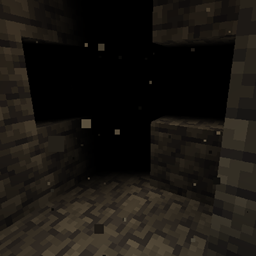
Fog is a rendering feature intended for obscuring the player's view distance, usually for colored atmospherics or for seamlessly occluding sharp boundaries such as unloaded chunks. While traditionally referring to render distance, there are many other types of fog that can be encountered in-game under specific circumstances.
Fog types
Render distance fog

This refers to fog that is dependent of the render distance, which includes air fog in the Overworld and the End in Bedrock Edition, or general fog in all dimensions in Java Edition.
The sight distance in the render distance fog is equal to the render distance, which begins to appear at 92% of the render distance. Objects from the sky are not faded, making it appear in the shape of a cylinder. Its color depends mainly on the biome the camera is in, and is affected by:
- the current day-time in the Overworld:
- At midnight, fog is always dark blue regardless of other colors.
- During sunrise and after sunset, the biome fog color gets gradually mixed with the black.
- When looking in the direction of the sun during sunrise or sunset, the fog gradually turns orange.
- the current sky color, and the render distance[Java Edition only]
- The smaller the render distance, the closer the color of the fog is adjusted to the sky color.
- When the render distance is 32, the color of the fog is not affected by the sky color.
- the current weather
The base fog color is as follows:
#c0d8ff in most Overworld biomes in Java Edition.
#abd2ff in most Overworld biomes in Bedrock Edition.
#817770 in pale garden biomes.
#8cb831 in sulfur caves.
#14559b in ice caves.[upcoming: Fourth Drop 2026]
#a080a0 in all End biomes in Java Edition[note 1]
#0b080c in the End biome in Bedrock Edition.[note 2]

In Bedrock Edition, a separate type of render distance fog is used during precipitation, known as weather fog. This fog is much denser; it appears at 23% of the render distance and becomes opaque at 70% of the render distance. The base color changes to
#666666,
#403C44 in pale gardens, or stays the same in sulfur and ice caves.

Atmospherics

With Vibrant Visuals, the Overworld sky box does not exist and render distance fog entirely replaces its purpose for dynamic atmospherics. Atmospherics have different colors for a zenith and horizon region, which are being illuminated by rayleigh scattering.
The atmospherics constantly change color as the daylight cycle progresses. In general, zenith is blue at daytime and dark blue at nighttime with less rayleigh scattering illuminating it. The horizon has unique shades of purple, pink, blue, orange, brown, and light gray for each part of the daylight cycle, and it is positioned lower at nighttime. Around sunrise and sunset, an additional mie scattering shades the area around the sun with a mix of fog colors and sunlight colors.
Several biomes (as well as the End) have unique atmospherics, including some unique zenith and horizon colors at daytime, brighter night sky colors in warmish biomes, and some use entirely unique colors. Because many biomes also have unique lighting and color grading settings, there are more variations of the final scene. See Vibrant Visuals/Configurations § Atmospherics for all details.
During precipitation, the denser weather fog takes on the same colors as the sky box without Vibrant Visuals, while mie scattering is still applied around the sun. Unlike the classic sky, this is not applied in dry biomes or with a wither.
- During rainfall or snowfall at day:
rgb(103, 103, 103) for 100% - During thunderstorms at day:
rgb(51, 51, 51) blended for 75% with rainfall colors. - When lightning strikes, the sky flashes multiple times:
rgb(204, 204, 255) blended for 45% with all previous colors. This can be disabled with the "Hide Sky Flashes" setting.


Like classic distance fog, it also fades objects near the edge of the render distance with the atmospheric colors. Objects faded by fog are also reflected with the fog.
Environmental fog


This refers to fog that renders ambiently inside chunks in the Overworld that are far away from the player. This type of fog grows in strength at greater distances from the player and does not change with render distance.
Rain fog
Environmental fog grows in strength during precipitation. Rain-based fog becomes weaker when the player is not exposed to as much sky light (sky light is always the same regardless of the weather or daylight cycle). This creates the effect of the fog getting weaker when the player is not in the rain.
Special fog
This refers to fog used in special cases, which does not change with render distance.
Water fog

When the camera is in water, a dedicated fog is applied to simulate this. Underwater fog progressively recedes with time spent underwater. The color and distance[BE only] depends on the biome the camera is in (see Water § Appearance for a full list). In Java Edition, swamps and mangrove swamps have a thicker fog than most other biomes, which is controlled by the biome tag has_closer_water_fog.
When the camera descends into water, a much thicker initial fog is applied first, with the same color but obscuring the distance at 0.01 blocks, which is blended for 25% with regular fog at the start. The transition fog slowly disappears, being blended for 60% at 5 seconds and removed at 30 seconds.
Vibrant Visuals modifies underwater fog by brightening it more at the top and bottom of the sphere, while it appears almost black in horizontal directions. It is illuminated by directional lighting, and looking at a lit area when the camera is in the dark dynamically brightens it where light falls down.
Lava fog

When the camera is in lava, an even thicker fog is applied. Its color is
#991A00. With this fog, normally the player can see only 1 block away. The Fire Resistance effect can mitigate the fog so that the sight distance becomes 3 blocks. In Spectator mode, the fog is even less opaque to reveal objects located within up to half the render distance.
Powder snow fog
Being beneath powder snow imparts another fog. Its color is
#9FBBC8. With this fog, normally the player can see only 2 blocks away. In Spectator mode, the fog becomes thinner so that things within half of the render distance are visible.
Powder snow fog is illuminated by directional lighting with Vibrant Visuals.
Nether fog
Sky and weather fog in Nether biomes has a specified range of blocks and does not change with the render distance, like other types of sky and weather fog. It begins to appear at 10 blocks and becomes opaque at 96 blocks. The color depends on the biome, which is
#330808 in Nether wastes,
#1a051a in warped forests,
#330303 in crimson forests,
#1b4745 in soul sand valleys, and
#685f70 in basalt deltas.
With Vibrant Visuals, this fog uses the tint from the biome's atmospherics as well, although it simulates the same colors by illuminating them with rayleigh scattering.
In Java Edition, the shorter fog distance is created by the dimension effect and does not apply in Nether biomes in other dimensions, while in Bedrock Edition it is only controlled by the biome.
Volumetric fog

With Vibrant Visuals and ray tracing, an additional dynamic fog is applied on top of regular fog settings. Volumetric fog has strong effect on how light behaves, which can be faded out, make the fog glow, or scatter into light shafts. It is applied in the air, with varying densities depending on the biome, and underwater, colored bright blue. At Y=320 and higher, volumetric fog is not rendered.
Volumetric fog uses the color from the regular fog, which uses the color and illumination from atmospherics and lighting. Depending on the biome, it further scatters in unique colors, or can absorb some light.
With Vibrant Visuals, fog in water and air can affect how light shafts behave with the Henyey-Greenstein G phase function. The strength varies from biome to biome.
Color grading makes all types of fog appear in different colors for each biome. The fog is barely visible at night, strong and orange/red at sunrise and sunset, brighter yellow when the sun is higher, and less strong at noon.
-
 The red volumetric fog at sunrise with Vibrant Visuals.
 -
 Red fog at sunrise with ray tracing.
 -
 Strong light shafts in a pale garden with ray tracing.
 -
 Volumetric fog applied underwater with Vibrant Visuals.
 -
 Underwater volumetric fog with ray tracing.
Vanilla volumetric fog settings
- Default:
- Density: 0
- Scattering: 0 for all RGB channels
- Absorption: 0 for all RGB channels
- Henyey-Greenstein G: 0.75.
- Biomes:
 All others
- Semi-humid:
- Density: 0.05
- Scattering: 0.04 for all RGB channels
- Absorption: 0 for all RGB channels
- Henyey-Greenstein G: 0.6
- Biomes:
 Beach,
  Snowy Taiga,
  Snowy Taiga Hills,
  Snowy Taiga Mountains,
  Deep Lukewarm Ocean,
  Deep Warm Ocean,
  Windswept Forest,
  Gravelly Mountains+,
  Lukewarm Ocean,
  Old Growth Pine Taiga,
  Giant Tree Taiga Hills,
  Old Growth Spruce Taiga,
  Giant Spruce Taiga Hills,
  Taiga,
  Taiga Hills,
  Taiga Mountains,
  Warm Ocean
- Humid:
- Density: 0.05
- Scattering: 0.06 for all RGB channels
- Absorption: 0 for all RGB channels
- Henyey-Greenstein G: 0.4
- Biomes:
 Bamboo Jungle,
  Bamboo Jungle Hills,
  Sparse Jungle,
  Modified Jungle Edge,
  Jungle,
  Jungle Hills,
  Modified Jungle,
  Lush Caves,
  Mangrove Swamp
 Ice Spikes and
  Ice Caves[upcoming: Fourth Drop 2026]:
- Density: 0.05
- Scattering: 0.02 for all RGB channels
- Absorption: 0 for all RGB channels
- Henyey-Greenstein G: 0.3
 Mushroom Fields and
  Mushroom Field Shore:
- Density: 0.05
- Scattering: 0.01 for all RGB channels
- Absorption: 0.042, 0.137, 0.012
- Henyey-Greenstein G: 0.3
 Pale Garden and
  Sulfur Caves:
- Density: 0.07
- Scattering: 0.5 for all RGB channels
- Absorption: 0.25, 0.125, 0.125
- Henyey-Greenstein G: 0.3
 Dark Forest and
  Dark Forest Hills:
- Density: 0.05
- Scattering: 0.04 for all RGB channels
- Absorption: 0 for all RGB channels
- Henyey-Greenstein G: 0.75
 Swamp and
  Swamp Hills:
- Density: 0.05
- Scattering: 0.06 for all RGB channels
- Absorption: 0.2549019753932953, 0.12995001673698426, 0.18875093758106233
- Henyey-Greenstein G: 0.4
 The End
- Density: 0.25
- Scattering: 0.02 for all RGB channels
- Absorption: 0 for all RGB channels
- Henyey-Greenstein G: 0.8
-
 Default volumetric fog creates a glow around the sun and slight light shafts.
 -
 Semi-humid volumetric fog fades blocks in the distance with an orange color.
 -
 Humid volumetric fog creates a warm atmosphere.
 -
 In ice spikes, barely any light shafts appear and the fog tints the environment more gray.
 -
 Mushroom fields fog is purple, more noticeable at the glow around the sun and at zenith.
 -
 Fog in pale gardens is very dense and decreases view distance, but allows light shafts to pass.
 -
 Sulfur caves volumetric fog is similar to the pale garden fog, but appears differently due to the biome's sunlight settings.
 -
 Fog in dark forests creates a glow around the sun and more light shafts, while coloring the rest of the sky dull blue.
 -
 Fog in swamps fades many objects in the distance with dark green.
 -
 The End volumetric fog is only visible during an End flash, and creates many light shafts and purple fading.
-
 Default volumetric fog creates a glow around the sun and slight light shafts.
 -
 Semi-humid volumetric fog fades blocks in the distance and creates bright light shafts.
 -
 Humid volumetric fog is stronger than semi-humid fog and tinted warmer.
 -
 In ice spikes, barely any light shafts appear and the fog tints the environment more gray.
 -
 Mushroom fields fog is purple, more noticeable at the glow around the sun and at zenith.
 -
 Fog in pale gardens is very dense and decreases view distance, but allows light shafts to pass.
 -
 Fog in dark forests creates a glow around the sun and more light shafts, while coloring the rest of the sky dull blue.
 -
 Fog in swamps fades many objects in the distance with dark green.
Fog modifiers
Blindness and Darkness

Blindness and Darkness set the fog color to pure black, also hiding the sky and its objects. Except for the Overworld air fog, it uses the regular colors with Vibrant Visuals. The sight distance with Blindness is 5 blocks, while the sight distance with Darkness is 15 blocks. Both Blindness- and Darkness-caused fog fade out when the effect ends, while Darkness fog also fades in.
Blindness has a higher priority than Darkness. The two effects do not work if the camera is in lava or powder snow.
Night Vision

If the entity has no Darkness or Blindness effect, Night Vision makes the color of air fog, weather fog, lava fog, and powder snow fog brighter outside Vibrant Visuals, except the regular air fog at day in the Overworld.
Ender dragon

If the player is in a dimension where there's an ender dragon boss event, the sight distance in the render distance fog (not water, lava, powder snow fog) is half of the rendering distance, and the maximum sight distance is 96 blocks, similar to Nether fog.
Height
If the world is not a superflat world, and the camera is not in lava and not in powder snow, the brightness becomes power(clamp((y-minY)*0.03125,0.0,1.0)) of the original, which means that the color changes to pure black gradually from minY+32 to minY.
In Bedrock Edition, it is instead the sky color which gets darker.
Wither
If there is a wither boss event, the color becomes darker and slightly redder.
Objects unaffected by fog
Most things in the world are affected by fog. There are exceptions, most to all of which are presumably unintended:
- Clouds, stars, the sun, moon, End sky, and End flash are not affected by air, water, and weather fog.
- Clouds are faded by themselves (except on Simple graphics), which depends on the cloud range setting or render distance.
- The End sky is also not faded by lava fog. It is slightly transparent in Bedrock Edition, making fog visible through the texture.
- The classic sky box is also not affected by air and weather fog but it is gradually faded until 7° above the horizon where it gets fully transparent.
- Lightning
- The world border[1][JE only]
- Render distance fog is not used for the world border. It uses its own draw distance algorithm, which introduces inconsistencies.[2] It being unaffected by fog is mainly visible via water, lava, powder fog, blindness and darkness fog.
- Chunk border lines[3][JE only]
- The core shader used for rendering these differs only from the normal shader used for translucent blocks in that it ignores fog. It is unknown if this was done intentionally, or is an oversight.
- Charged creeper armor[4]
- Wither anti-projectile armor[5]
- Water with Vibrant Visuals. The tint from underwater fog and reflections are faded at the edge of the render distance, but the MERS texture not.
- Objects underwater with Vibrant Visuals are not faded by lava fog.
- Entity shadows on Fancy graphics[BE only]
- Banner flags[verify for Java Edition]
In addition, the beams emitted by beacons and end gateways use an outdated planar fog boundary, rather than the modern cylinder shape.[6] The intended behavior may be for beacon beams to be unaffected by fog, at least of certain types and in some directions.[7]
When these objects are in conjunction with objects that are faded by fog (like blocks) fully take on the fog's color while the other objects, like the sky, do not, making them easily distinguishable.
Custom fogs
 For the fog settings in resource packs, see Fog definition.
The currently active fog settings can be changed with the /fog command, which has settings for every biome. These fog settings can be customized using resource packs, or new fog settings can be added. When applying a fog setting to a biome, the identifier needs to be specified in the client biome JSON files.
Active fog settings are determined from three aspects:
- Custom fog stack (from
/fogcommand) - Fog settings for the current biome
- Default fog setting
Whenever the game needs to get the current fog, it checks the fog settings from these three aspects from the top (the newest fog setting in the fog stack from the command) to the bottom (default fog setting) in order, until it finds a fog definition for the current fog type.
In other words, this is equivalent to that all fog settings from the three aspects are applied one by one from the bottom (default fog setting) to the top (the newest fog setting in the fog stack from the command) in order. The fogs in a fog setting applied later overrides that of earlier fog settings. Each fog type works independently.
Vanilla fog settings
minecraft:fog_bamboo_jungleminecraft:fog_bamboo_jungle_hillsminecraft:fog_basalt_deltasminecraft:fog_beachminecraft:fog_birch_forestminecraft:fog_birch_forest_hillsminecraft:fog_cherry_groveminecraft:fog_cold_beachminecraft:fog_cold_oceanminecraft:fog_cold_taigaminecraft:fog_cold_taiga_hillsminecraft:fog_cold_taiga_mutatedminecraft:fog_crimson_forestminecraft:fog_dappled_forestminecraft:fog_deep_cold_oceanminecraft:fog_deep_frozen_oceanminecraft:fog_deep_lukewarm_oceanminecraft:fog_deep_oceanminecraft:fog_deep_warm_oceanminecraft:fog_default(used by old growth birch forest, tall birch hills, deep dark, dripstone caves, grove, meadow, shattered savanna plateau, snowy slopes, and stony peaks)minecraft:fog_desertminecraft:fog_desert_hillsminecraft:fog_dry(used by desert lakes, frozen peaks, jagged peaks, legacy frozen ocean, modified badlands plateau, and modified wooded badlands plateau)minecraft:fog_extreme_hillsminecraft:fog_extreme_hills_edgeminecraft:fog_extreme_hills_mutatedminecraft:fog_extreme_hills_plus_treesminecraft:fog_extreme_hills_plus_trees_mutatedminecraft:fog_flower_forestminecraft:fog_forestminecraft:fog_forest_hillsminecraft:fog_frozen_oceanminecraft:fog_frozen_riverminecraft:fog_hellminecraft:fog_humid(used by modified jungle edge)minecraft:fog_ice_caves[upcoming: Fourth Drop 2026]minecraft:fog_ice_mountainsminecraft:fog_ice_plainsminecraft:fog_ice_plains_spikesminecraft:fog_jungleminecraft:fog_jungle_edgeminecraft:fog_jungle_hillsminecraft:fog_jungle_mutatedminecraft:fog_lukewarm_oceanminecraft:fog_mangrove_swampminecraft:fog_mega_spruce_taigaminecraft:fog_mega_spruce_taiga_mutatedminecraft:fog_mega_taigaminecraft:fog_mega_taiga_hillsminecraft:fog_mega_taiga_mutated(unused)minecraft:fog_mesaminecraft:fog_mesa_bryceminecraft:fog_mesa_mutated(unused)minecraft:fog_mesa_plateauminecraft:fog_mesa_plateau_stoneminecraft:fog_mushroom_islandminecraft:fog_mushroom_island_shoreminecraft:fog_oceanminecraft:fog_pale_gardenminecraft:fog_plainsminecraft:fog_powder_snowminecraft:fog_riverminecraft:fog_roofed_forestminecraft:fog_roofed_forest_mutatedminecraft:fog_savannaminecraft:fog_savanna_mutatedminecraft:fog_savanna_plateauminecraft:fog_semi_humid(used by giant spruce taiga hills and old growth spruce taiga)minecraft:fog_soulsand_valleyminecraft:fog_stone_beachminecraft:fog_sulfur_cavesminecraft:fog_sunflower_plainsminecraft:fog_swamplandminecraft:fog_swampland_mutatedminecraft:fog_taigaminecraft:fog_taiga_hillsminecraft:fog_taiga_mutatedminecraft:fog_the_endminecraft:fog_warm_oceanminecraft:fog_warped_forest
Void fog


In prior versions of Java Edition (specifically Beta 1.8 Pre-release through 14w34b inclusive, up to its removal in 14w34c), a thick black fog was introduced. As the player descended below Y=26, this fog would start to appear. As the player traveled deeper, the fog at the edge of the render distance would become closer until the player reached the first layers of bedrock, where visibility was reduced to just a few blocks, beyond which was complete darkness similar to the Blindness effect. The gray void particles started appearing below Y=7, as well as in the void.
The existence of this fog depended on a lack of sky lighting. If vent holes were opened up to allow skylight to enter an otherwise secluded underground space, void fog would no longer be present, so long as the player kept near this skylight source.
Void fog was removed late into 1.8's development for performance reasons and general community distaste.[8]
-
 A player's view limit would decrease with depth.
History
Java Edition
| Java Edition pre-Classic | |||||||
|---|---|---|---|---|---|---|---|
| Cave game tech test | Shadowed surfaces have a thick black fog applied to them. | ||||||
| rd-20090515 | Added a subtle white distance fog. It only appears for lit surfaces. | ||||||
| Decreased density of fog in shadowed areas. | |||||||
| Java Edition Classic | |||||||
| 0.0.12a | Distance fog is now the same color as the sky. | ||||||
| Added water and lava fog. | |||||||
| Lava fog in this version is similar to water fog, except orange in color. | |||||||
| 0.0.13a | Lava fog is now redder and appears much closer to the player. | ||||||
| 0.0.14a | Distance fog is affected by render distance, and is now linear instead of exponential. | ||||||
| 0.0.14a_08 | Shadowed surfaces no longer have a dark fog applied to them. | ||||||
| Distance fog is now white again, and is also applied to shadowed surfaces. | |||||||
| Java Edition Indev | |||||||
| 0.31 | 20100107-1851 | Level themes have been added, which feature different fog colors. | |||||
| The fog color in Hell-themed worlds is #100400. | |||||||
| 20100122 | The color of fog, clouds and the sky can now be configured via map editing. | ||||||
| 20100214 | The fog color in Paradise-themed worlds is #C6DEFF by default. | ||||||
| The fog color in Woods-themed worlds is #4D5A5B by default. | |||||||
| Java Edition Infdev | |||||||
| 20100227-1414 | With the deprecation of Indev worlds, fog color is no longer customizable. | ||||||
| 20100313 | Fog color has been changed to #B0D0FF. | ||||||
| 20100618 | Fog color has been changed to #C0D8FF. | ||||||
| Java Edition Alpha | |||||||
| v1.2.0 | The fog color in the Nether is #330808. | ||||||
| Java Edition Beta | |||||||
| 1.8 | Pre-release | Overworld fog now changes color during sunrise and sunset when looking toward the sun. | |||||
| Added void fog. | |||||||
| Pre-release 2 ;) | Many of void fog's effects can be circumvented by having sky access. | ||||||
| Java Edition | |||||||
| 1.0.0 | Beta 1.9 Prerelease 2 | Added blindness fog. | |||||
| Beta 1.9 Prerelease 4 | The fog color in the End is #131318. | ||||||
| 1.1 | 11w48a | Players in creative mode can no longer see void fog. | |||||
| 1.2.1 | 12w03a | Added nether fog. | |||||
| 1.3.1 | 12w25a | The fog color in the End has been changed to #181318. | |||||
| 1.7.2 | 13w36a | The distance where fog starts has been doubled. | |||||
| 13w38a | Re-adjusted fog to appear near the render distance limit again, reverting changes made in 13w36a. | ||||||
| Fog now covers 25% of the render distance, compared to 75% before 13w36a. | |||||||
| 1.8 | 14w34c | Removed void fog and its associated particles. | |||||
| 1.13 | 18w08b | Water now appears fully fogged when entered, and gradually becomes clearer over time. | |||||
| The Respiration enchantment and Water Breathing effect no longer have an effect on water fog. | |||||||
| 18w10a | Water fog now varies per biome. | ||||||
| Water fog no longer takes time to clear in Spectator mode. | |||||||
| 1.16 | 20w06a | Fog color is now based on the current biome, rather than the dimension. | |||||
| The End biomes are coded with a fog color of #A080A0. | |||||||
| The End dimension darkens every biome's fog color by 85%. | |||||||
| 20w09a | Fog color no longer changes abruptly when switching biomes.[9] | ||||||
| Pre-release 3 | The Fire Resistance effect now makes under-lava fog slightly less harsh. | ||||||
| 1.16.2 | 20w28a | Fog color is now something that can be changed by custom biomes. | |||||
| Pre-release 1 | Added dimension effects, allowing for nether fog to be applied to any custom dimension. | ||||||
| 1.17 | 20w46a | Added powder snow, which has its own dedicated fog effect. | |||||
| 20w48a | How submerged the player has to be in lava to see the fog effect has now changed.[10] | ||||||
| 21w10a | Render distance fog is now spherical, and no longer changes based on the view angle.[11][12] | ||||||
| 21w11a | Underwater fog is now far less intense when in Spectator mode. However, it is still present.[13] | ||||||
| Lava fog is now far less intense when in Spectator mode.[14] However, it is still present.[15] | |||||||
| Powder snow fog is now far less intense when in Spectator mode.[16] However, it is still present.[17] | |||||||
| 1.18.1 | Pre-release 1 | World fog now starts further away from the player, to make distant terrain more visible. | |||||
| Instead of applying fog as a spherical volume, it is now applied as a cylindrical volume, making it easier to see into the distance when standing on tall mountains. | |||||||
| 1.21.5 | 25w07a | End portals and end gateways are now affected by fog in the manner that all other blocks are. | |||||
| 1.21.6 | 25w19a | Added environmental fog. | |||||
| 25w20a | Fog is now applied to 3d HUD elements such as first person player hands and items in hands. | ||||||
| Slightly reduced rain and thunder weather fog. | |||||||
| Rain and thunder fog is now significantly reduced when the player is under blocks. | |||||||
| 1.21.11 | 25w44a | Nether fog no longer becomes thicker when playing at lower render distances. Its thickness now always matches how it previously looked at 32 render distance. | |||||
| Upcoming Java Edition | |||||||
| 26.4 | snap2 | Chunk edge fog now makes things render translucent, rather than fading to a solid opaque colour. This means that distant structures will no longer stick out harshly against the sky, and clouds are also visible behind them. | |||||
Bedrock Edition
| Pocket Edition Alpha | |||||||
|---|---|---|---|---|---|---|---|
| v0.1.0 | Added distance, water, and lava fog. | ||||||
| All fog types are a flat plane based on the camera angle. Render distance fog starts at 50% of the render distance and becomes fully opaque at the render distance limit. Water and lava fog both start at the camera and become fully opaque at 32 blocks and 3 blocks, respectively. | |||||||
| v0.5.0 | Render distance fog now covers 10% of the render distance. | ||||||
| v0.6.0 | Render distance fog now covers 40% of the render distance and is now blue instead of gray. | ||||||
| v0.8.0 | build 1 | Render distance fog now covers 30% of the render distance. | |||||
| Due to changes made to chunk rendering in this version, fog is now visible only on chunks that are far enough away from the player. This can cause sharp borders between areas with and without render distance fog, especially on lower render distance settings. This also means that water and lava fog are no longer visible since this version made it so that far chunks do not render while water or lava fog is active. | |||||||
| build 4 | Water and lava fog are once again visible in rendered chunks. | ||||||
| v0.9.0 | build 1 | Render distance fog now covers % of the render distance, with being the player's render distance in blocks. | |||||
| This version also added a minimum start distance of 72 blocks to render distance fog, resulting in glitchy behavior if the player sets their render distance to 4 chunks. | |||||||
| In particular, setting the render distance to 4 chunks would cause water to become colored with the fog color, making it indistinguishable from the fog, and cause mobs to lose their textures and become colored with the fog color as well. | |||||||
| build 2 | The glitchy low render distance fog behavior in the previous build was fixed by adding a minimum distance of 4 blocks between the render distance limit and the start of the fog area, preventing render distance values lower than the minimum available through the settings from being used. | ||||||
| v0.10.0 | build 1 | Render distance fog now covers % of the render distance, with being the player's render distance in blocks. | |||||
| Render distance fog now becomes fully opaque at 20% of the distance between the player and the render distance limit. | |||||||
| The 72 block minimum start distance for render distance fog has been removed. | |||||||
| Water fog now becomes fully opaque 8 blocks away from the camera. | |||||||
| Lava fog now becomes fully opaque 1 block away from the camera. | |||||||
| Sky coloring is now visible through water and lava fog if the "Beautiful skies" toggle is enabled. | |||||||
| build 2 | All fog is now spherical and no longer changes based on the camera angle when fancy graphics is on. | ||||||
| Render distance fog now covers % of the render distance, with being the player's render distance in blocks. | |||||||
| Render distance fog once again becomes fully opaque at the render distance limit. | |||||||
| v0.12.1 | build 1 | Added weather fog. | |||||
| v0.14.2 | Render distance fog now covers % of the render distance, with being the player's render distance in blocks. | ||||||
| Render distance fog now becomes fully opaque 16 blocks under the render distance limit. | |||||||
| Bedrock Edition | |||||||
| 1.16.0 | beta 1.16.0.51 | Added lava resistance fog. | |||||
| 1.16.200 Experiment | beta 1.16.200.52 | Added powder snow fog. | |||||
| 1.21.80 Experiment | Preview 1.21.80.25 | Added volumetric fog in Vibrant Visuals, with new Henyey-Greenstein G light shafts. | |||||
| Distance fog is now colored by atmospherics with Vibrant Visuals. | |||||||
| 1.21.90 | Preview 1.21.90.26 | Added biome configurations for volumetric with Vibrant Visuals, also applied with ray tracing. | |||||
| Added biome configurations for atmospherics with Vibrant Visuals. | |||||||
| 26.30 | Preview 26.30.20 | Added ender dragon fog. | |||||
| Preview 26.30.27 | Added unique air, water, and volumetric fog to sulfur caves. | ||||||
| 26.40 | Preview 26.40.22 | Clouds, stars, the sun, and the moon are no longer affected by water fog in Vibrant Visuals, making them visible through Snell's window. | |||||
Legacy Console Edition
Issues
Issues relating to "Fog" are maintained on the bug tracker. Issues should be reported and viewed there.
Gallery
Screenshots
-
 Fog during sunset, when the camera is looking near the sun
 -
 Fog during sunset, when the camera is looking sideways from the sun
 -
 Fog at nighttime
 -
 Dynamic underwater fog with Vibrant Visuals in an aquifer
 -
 Underwater fog with Vibrant Visuals when no directional light source is visible, which appears black and cyan.
 -
 Air fog in the End fades outer End islands with a dark color, and colors the sky black in Bedrock Edition.
 -
 Air fog in Nether wastes
 -
 Air fog in basalt deltas
 -
 Air fog in a crimson forest
 -
 Air fog in a soul sand valley
 -
 Air fog in a warped forest
 -
 Air fog in a pale garden
 -
 Weather fog in a pale garden is darker gray than regular weather fog.
 -
 Air fog in sulfur caves
 -
 Air fog in ice caves
 -
 Lava fog with Fire Resistance
 -
 Powder snow fog
 -
 Powder snow fog with Vibrant Visuals appears brighter due to directional lighting and color grading.
 -
 Water transition fog after 1 second
 -
 Water transition fog after 5 seconds
 -
 Water transition fog after 30 seconds
 -
 Blindness or Darkness underwater with Vibrant Visuals
 -
 An End single biome world in the Overworld uses a unique purple fog color in Java Edition.
 -
 The void, covered in void fog before Java Edition 1.8
Water fog colors in Bedrock Edition
Note: Not all biomes with unique fog colors are shown here.
-

-

-

-

-

-

-

 The Nether (except basalt deltas)
 -

-

-

-

-

-

-

-

-

-

-

 Old Growth Birch Forest (default)


Night Vision fog
-
 Sunset fog
 -
 Sunset fog more near the night
 -
 Weather fog
 -
 Pale garden air fog
 -
 Pale garden weather fog
 -
 Powder snow fog
 -
 Lava fog
 -
 Nether wastes
 -
 Crimson forest
 -
 Warped forest
 -
 Soul sand valley
 -
 Basalt deltas
 -
![The End[Bedrock Edition only]](https://minecraft.wiki/images/thumb/The_End_fog_night_vision.png/120px-The_End_fog_night_vision.png?97967) The End[Bedrock Edition only]
The End[Bedrock Edition only]
References
- ↑ MC-223566
- ↑ MC-279571
- ↑ MC-220523, MC-221254
- ↑ MC-279051
- ↑ MC-279052
- ↑ MC-279049, MC-279050
- ↑ MC-231123
- ↑ "Removed void fog today. Now we don't need to tick air blocks (seriously, WTH?), and honestly, who actually *liked* the void fog?" – @TheMogMiner (Ryan Holtz) on X (formerly Twitter), August 19, 2014
- ↑ MC-170879
- ↑ MC-3615 (did the other listed fix version change anything?)
- ↑ MC-32452
- ↑ This type of fog was previously available only for users of Nvidia GPUs, as it depended on the
GL_NV_fog_distance
OpenGL extension. - ↑ MC-214186
- ↑ MC-71530
- ↑ MC-219893
- ↑ MC-213743
- ↑ MC-219894