For other uses, see Moon (disambiguation).


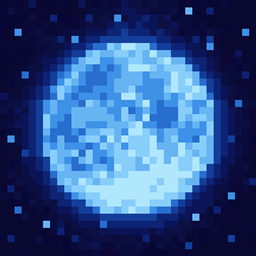
The moon is a celestial body that appears in the night sky in the Overworld.
Nighttime
Nighttime begins after the sun has fully set in the west and the moon has risen in the east. As time passes, the moon moves westward across the sky. Overall, nighttime lasts about 7 minutes (in real-time). Players can track the moon's position in the sky using a clock.
During the night, the moon illuminates the surface in the same manner as the sun; however, light levels fall to a minimum of four. A pixelated dark blue glow shows around the moon.

With Vibrant Visuals, the moon is considered a directional light source, which can create pixelated shadows, water caustics, and specular highlights on water and smooth textures. With direct diffuse, moonlight illuminates directly exposed surfaces with a level of 0.4 lumen (fading during dusk and dawn) and color of
163, 182, 255. Pale gardens have a moonlight color of
217, 225, 255, most warm biomes
88, 129, 255, and deserts
62, 108, 255. Instead of a pixelated glow, the moon creates volumetric fog depending on the biome. It also has a slight light bloom effect.
The moon is not visible during precipitation, even in dry biomes in Java Edition. Disabling "Beautiful Skies" in Bedrock Edition completely hides the moon. The moon also disappears in Bedrock Edition during daytime[upcoming: JE 26.4], where it is still visible below the void in Java Edition[until: JE 26.4].
Grass blocks and saplings do not grow in moonlight, nor do they decay. To grow them at night requires the use of light sources such as torches. On the other hand, crops can continue to grow with sufficient client light, even if not lit up by torches.[JE only]
Nighttime can be skipped entirely using a bed, provided there are no monsters nearby.
Stars
Together with the moon, the night sky also consists of stars. Stars appear as bright points, and the starfield rotates with the moon, rising in the east and descending in the west, as the night progresses.
Phases

The moon is always opposite of the sun, but still goes through eight lunar phases, and changes phase at the end of every sunrise. This allows the player to keep rough track of the passage of time, even after spending a few game days underground.
Moon phases follow the direction of real moon phases in the southern hemisphere in Java Edition, or reverse in Bedrock Edition. Following the chronological order in Java Edition, the phases of the moon are:
 Full moon
 Waning gibbous
 Third quarter
 Waning crescent
 New Moon
 Waxing crescent
 First quarter
 Waxing gibbous
The pixels of the first quarter phase moon and waxing gibbous moon present a more rounded, organic shape than the corresponding waning phase moons that show a more squared-off appearance. It can help a player in timing a slime hunt in a swamp (see below).
There is no explicit command to change the moon's phase, but using /time add 24000 advances time by one day toward the next phase. To go back one phase, using /time add 168000 advances time by 7 days, which is one full lunar cycle minus one moon phase.
There is an equation to calculate the moon phase on any given day in Minecraft: phase = (day mod 8) + 1. The day can be found in the F3 screen in Java Edition, or by enabling the "Show days played" game setting in Bedrock Edition, and the phase matches to the list shown above.
Effects on mobs

The phase of the moon has three subtle effects on mob spawning:
- The number of slimes that spawn in swamps is proportional to the moon's fullness: They are most numerous during the full moon and none spawn during the new moon. (The moon's phase does not influence the normal spawning of slimes in designated chunks at altitudes below Y=40.)
- The moon phase affects the regional difficulty, increasing the chance that (1) skeletons and zombies have the ability to pick up items and spawn with weapons and armor, (2) their natural equipment is enchanted, and (3) any equipment enchantments are higher. Regional difficulty also gives spiders a greater chance to spawn with random beneficial status effects, including Invisibility[Java Edition only] in Hard difficulty. All of these effects combine with the world's difficulty, and higher difficulty levels increase the chance of mob buffs.
- Only during a full moon, black cats have a 1/11 chance of spawning.
History
Java Edition
| Java Edition Indev | |||||||
|---|---|---|---|---|---|---|---|
| 20100211-2327 | Added day/night cycle with the addition of the sun and the moon. | ||||||
| Java Edition | |||||||
| 1.0.0 | Beta 1.9 Prerelease 4 | The moon now rises in the east instead of the north.[1] | |||||
| Added eight lunar phases to the moon. The moon was changed from being square to having a more rounded look to it.[2][3] | |||||||
| Beta 1.9 Prerelease 6 | Moon is reverted back to original square form and lunar phases converted to square form. | ||||||
| 1.3.1 | 12w21a | Updated stars texture. They are now smaller and brighter. | |||||
| 1.5 | 13w02a | Previously, the moon graphics used to be in /terrain in the minecraft.jar. They are now contained in /environment. | |||||
| 1.21.6 | 25w19a | Due to a bug, the moon is rendered incorrectly on some Qualcomm graphics.[4] | |||||
| 1.21.7 | Release Candidate 1 | The moon is now rendered correctly on some Qualcomm graphics. | |||||
Bedrock Edition
| Pocket Edition Alpha | |||||||
|---|---|---|---|---|---|---|---|
| v0.7.3 | Added moon and stars. | ||||||
| v0.10.0 | build 1 | The night sky is now dark blue instead of black. | |||||
| Pocket Edition | |||||||
| 1.1.0 | alpha 1.1.0.0 | The sun, moon, and stars now rise in the east and set in the west. (Previously they rose in the north and set in the south.) | |||||
| Bedrock Edition | |||||||
| 1.21.80 Experiment | Preview 1.21.80.25 | The moon is now a directional light source with Vibrant Visuals and creates various graphical effects. | |||||
| 1.21.90 | Preview 1.21.90.26 | Added biome configurations for moonlight with Vibrant Visuals. | |||||
Legacy Console Edition
| Legacy Console Edition | |||||||
|---|---|---|---|---|---|---|---|
| Xbox 360 | Xbox One | PS3 | PS4 | PS Vita | Wii U | Switch | |
| TU7 | CU1 | 1.00 | 1.00 | 1.00 | Patch 1 | 1.0.1 | Added moon phases. |
Issues
Issues relating to "Moon" are maintained on the bug tracker. Issues should be reported and viewed there.
Trivia
- One Minecraft lunar cycle (from full moon to full moon) takes 2 hours and 40 minutes of playtime. This means there are approximately 9 lunar cycles in one real-world day (24 hours) of play.
- There is a patch of the full moon that is off color, being
#606978 instead of
#60687A. This can be found 1 4×4 patch above the bottom right corner.
Gallery
Textures
-
 Texture of the moon phases in Bedrock Edition
Screenshots
-
 Moonrise in the forest
 -
 The moon shines through the trees of a dark forest.
 -
 A crescent moon rises over the hills.
 -
 The moon peeks through the opening of a cave.
Mojang screenshots
-
 The separate moon phases in Beta 1.9 Prerelease 4 and Beta 1.9 Prerelease 5.
 -
 The old round and square sun and moon textures
 -

-

In other media
-

-

-
 The moon in Minecraft x Marketplace Pass
 -

-
 The moon as it appears in A Minecraft Movie
 -

See also
 The Moon (April Fools' dimension)
References
- ↑ "Aaaand now the sun rises in the east. #breakallthesunrises" – @notch (Markus Persson) on X (formerly Twitter), October 13, 2011
- ↑ "I'm making the moon and the sun round. I am very sorry." – @notch (Markus Persson) on X (formerly Twitter), October 13, 2011
- ↑ "It's because this:" – @notch (Markus Persson) on X (formerly Twitter), October 13, 2011
- ↑ MC-297748