For the item category, see Creative inventory § Bedrock Edition.
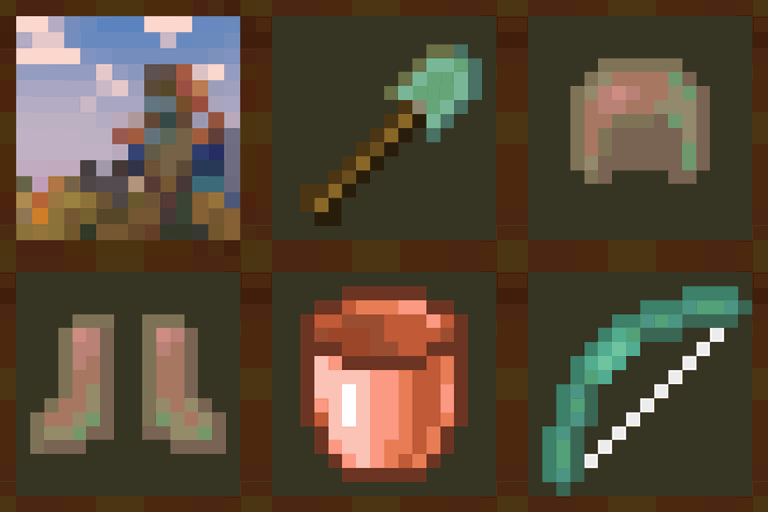
Equipment refers to items that can be inserted into a specialized slot in a mob's inventory in order to change certain aspects of its behavior and appearance. Equipment objects typically do not flash red when the mob takes damage and remain visible if the mob has the Invisibility effect.
Specification
Custom equipment can be defined and referenced by the equippable item component.
Equipment definitions are stored in the assets/<namespace>/equipment directory of a resource pack.
- [NBT Compound / JSON Object]: The root tag.
- [NBT Compound / JSON Object] layers: Layer types for this equipment model. If a layer is omitted, the armor piece does not render when in the respective slot (with the exception of the head slot, where the regular item model is rendered instead).
- [NBT List / JSON Array] Layer definitions: The layers for this layer type.
- [String] texture: A namespaced id pointing to a texture for this layer.
namespace:pathresolves toassets/<namespace>/textures/entity/equipment/<layer_type>/<path>.png. - [NBT Compound / JSON Object] dyeable: (optional) Specifies how this layer behaves when the item is dyed. An item is considered as "dyed" when it has the
dyed_colordata component.- [Int] color_when_undyed: (optional) An rgb int in decimal representation. The color to tint this layer if the item is undyeable or not dyed. If this is not present and the item is not dyed, the layer is hidden.
- [Boolean] use_player_texture: (optional, default: false) If set to true, the layer texture is overridden by a texture given by the player. This is currently used only for the
wingslayer type, where the player's cape texture is used instead if this is set to true.
- [String] texture: A namespaced id pointing to a texture for this layer.
- [NBT List / JSON Array] Layer definitions: The layers for this layer type.
- [NBT List / JSON Array] trim_overrides: Contains a list of override entries. That controls which trim material should be replaced for this equipment asset. The first matching entry will always be selected.
- [NBT Compound / JSON Object] A trim override.
- [NBT Compound / JSON Object] when: The override matcher.
- [String] material: (optional) Trim material ID, the material to match.
- [String] pattern: (optional) Trim pattern ID, the pattern to match (this is not the palette ID).
- At least one of material or pattern must be specified. If both are specified, both must match for the entry to be used.
- [String] texture: (optional) Trim pattern asset ID, a replacement texture to use if this entry matches. If not specified, the default texture for the pattern will be used.
- [String] palette: (optional) Palette ID, a replacement palette to use if this entry matches. If not specified, no palette remapping will be applied to the texture.
- At least one of texture or palette must be defined.
- [NBT Compound / JSON Object] when: The override matcher.
- [NBT Compound / JSON Object] A trim override.
- [NBT Compound / JSON Object] layers: Layer types for this equipment model. If a layer is omitted, the armor piece does not render when in the respective slot (with the exception of the head slot, where the regular item model is rendered instead).
Equipment Layer Types
Equipment layer types are used for the following inventory slots:
| Equipment model layer type | Inventory slots |
|---|---|
wolf_body
|
A wolf's body slot.
|
horse_body
|
A horse's or zombie horse's body slot.
|
llama_body
|
A llama's or trader llama's body slot.
|
humanoid
|
A humanoid's[a] head or chest or feet slot.
|
humanoid_leggings
|
A humanoid's[a] legs slot.
|
wings
|
A humanoid's[a] chest slot if the equipment has the glider data component.
|
pig_saddle
|
A pig's saddle slot.
|
strider_saddle
|
A strider's saddle slot.
|
camel_saddle
|
A camel's saddle slot.
|
horse_saddle
|
A horse's saddle slot.
|
donkey_saddle
|
A donkey's saddle slot.
|
mule_saddle
|
A mule's saddle slot.
|
skeleton_horse_saddle
|
A skeleton horse's saddle slot.
|
zombie_horse_saddle
|
A zombie horse's saddle slot.
|
happy_ghast_body
|
A happy ghast's body slot.
|
nautilus_body
|
A nautilus or zombie nautilus's body slot.
|
nautilus_saddle
|
A nautilus or zombie nautilus's saddle slot.
|
camel_husk_saddle
|
A camel husk's saddle slot.
|
humanoid_baby
|
A baby humanoid's head or chest or legs or feet slot.
|
- ↑ a b c Player, piglin, piglin brute, all skeleton (wither skeleton, stray, parched, bogged), all zombies (husk, drowned, zombie villager, zombified piglin, frostbite[upcoming: Fourth Drop 2026]), giant, armor stand and mannequin. The endermens are technically humanoids, but they don't render armor. Villagers are not considered humanoid by the game's code.
History
| Java Edition | |||||||
|---|---|---|---|---|---|---|---|
| 1.21.2 | 24w36a | Equipment is now defined in resource pack using the files in assets/[namespace]/models/equipment.
| |||||
| The appearance of equipment when equipped by players or certain mobs can now be customized by defining 'equipment models' in the Resource Pack. | |||||||
| 1.21.4 | 24w45a | Equipment is now defined at assets/[namespace]/equipment.
| |||||
equipment directory has been moved one level up, i.e. models/equipment/ becomes equipment/. | |||||||
| 1.21.5 | 25w03a | Saddles are now counted as equipment. | |||||
Added 8 new equipment model layers for saddles: pig_saddle, strider_saddle, camel_saddle, horse_saddle, donkey_saddle, mule_saddle, skeleton_horse_saddle and zombie_horse_saddle. These layers are only used for the respective entities' saddle slots. | |||||||
| 25w06a | The offhand inventory slot NBT Slot:-106 was moved to be under the equipment tag as offhand. | ||||||
| 25w08a | Equipment layers configured to be dyeable will now show if the dyed_color component is present on the item, even if the item is not in the dyeable item tag. | ||||||
| 1.21.6 | 25w15a | Added a new equipment model layer happy_ghast_body for happy ghasts. | |||||
| 1.21.11 | 25w41a | Added a new equipment model layers nautilus_body and nautilus_saddle for nautilus. | |||||
| 25w44a | Added a new equipment model layer camel_husk_saddle for camel husk. | ||||||
| Pre-Release 1 | The leather equipment assets have been split into a tinted base layer and an overlay layer. | ||||||
| 26.1 | snap7 | Added a new equipment model layer humanoid_baby for baby mobs. | |||||
| 26.3 | snap1 | A new optional trim_palette_replacements field controls which trim material palettes should be replaced for this equipment asset (formerly controlled by override_armor_assets in the trim material) | |||||
| snap6 | The trim_palette_replacements field has been replaced with trim_overrides. This can be used to swap out the texture or palette used with specific trim materials or patterns for a given equipment asset, not just swap specific palettes. | ||||||


![Equipment Compare [Neo/Forge]](https://media.forgecdn.net/avatars/thumbnails/476/686/256/256/637770200277803086.png)
![Equipment Compare [Fabric]](https://media.forgecdn.net/avatars/thumbnails/476/687/256/256/637770200756337173.png)