Looking for OptiFine shaders for Minecraft 1.7.7? MineUniverse ranks 27 of them by downloads, led by Miniature Shader, PixelCraft Shaders and CH Motion.
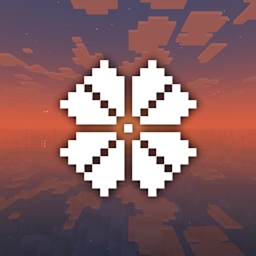
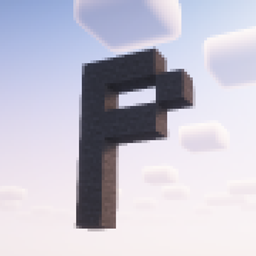
Pixelcraft Shaders is a Complementary Shaders edit which aims to replicate pixel art. Every screenshot is a new piece of art brought to life!
![SI: Spectre [DISCONTINUED]](https://media.forgecdn.net/avatars/thumbnails/1709/657/256/256/639086435563101127.jpg)

Give your Minecraft that retro 256-color look with low-res pixelation options!

This shaderpack turns your game into a retro 1980s-style CRT screen



The shaders of The Diamonds Devloppers. It's optimized and looks good. Practical for low-end computers.

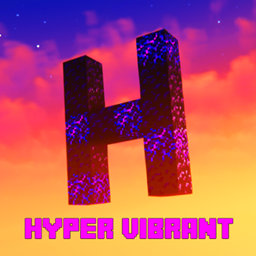
A very modified settings for the popular shader called complementary that makes minecraft feel alive
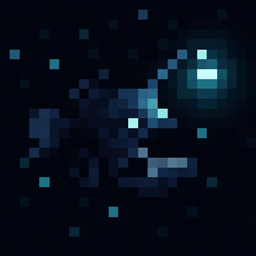 Abyss
A dark, atmospheric shader for you updated Sep 21, 2026
Abyss
A dark, atmospheric shader for you updated Sep 21, 2026
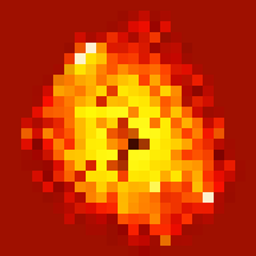 Amber
Minecraft through fossilized amber. updated Sep 21, 2026
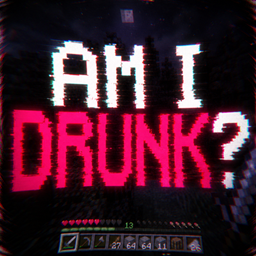
Am I Drunk?
Cursed drunk-like distortion shader. updated Sep 10, 2026
Osh
Fisheye lens distortion to the texture by radially warping UV coordinates. updated Sep 10, 2026
Amber
Minecraft through fossilized amber. updated Sep 21, 2026
Am I Drunk?
Cursed drunk-like distortion shader. updated Sep 10, 2026
Osh
Fisheye lens distortion to the texture by radially warping UV coordinates. updated Sep 10, 2026
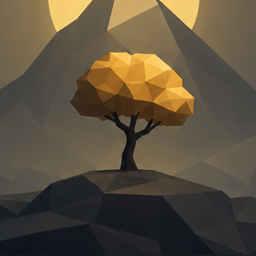
 Soleron
A warm, cozy atmosphere and heartwarming shadows. updated Sep 10, 2026
ZigCRT
Creates a wavy, pixelated CRT-style distortion effect. updated Sep 10, 2026
Soleron
A warm, cozy atmosphere and heartwarming shadows. updated Sep 10, 2026
ZigCRT
Creates a wavy, pixelated CRT-style distortion effect. updated Sep 10, 2026
SI: Spectre [DISCONTINUED] and Chippa256 Shaders round out the top five. Within the past 30 days, 2 of these shaders (7%) were updated for 1.7.7. The latest updates include Abyss, Amber and Am I Drunk? Altogether, these OptiFine shaders have more than 5.6 million downloads.
Released on April 9, 2014, Minecraft 1.7.7 has as many OptiFine shaders as 1.7.6 (27) and 1 more than 1.7.8 (26).
Overall, 77% of the 35 shaders for 1.7.7 are OptiFine shaders. If you use another shader loader, Minecraft 1.7.7 also offers shaders for Iris (25).
The most downloaded OptiFine shaders for Minecraft 1.7.7 on MineUniverse are Miniature Shader, PixelCraft Shaders, CH Motion, SI: Spectre [DISCONTINUED] and Chippa256 Shaders.
There are 27 OptiFine shaders for Minecraft 1.7.7 on MineUniverse. Within the past 30 days, 2 of these shaders (7%) were updated for 1.7.7. Together they have more than 5.6 million downloads.
1. Install OptiFine for your Minecraft version (optifine.net) and start it once. 2. Download the shader pack .zip (do not extract it). 3. Put the .zip into .minecraft/shaderpacks. 4. In game open Options → Video Settings → Shaders and select the pack.
OptiFine has more: 27 shaders for Minecraft 1.7.7 support OptiFine, compared with 25 for Iris.
Yes. All 27 OptiFine shaders for Minecraft 1.7.7 on MineUniverse are free to download.