Reality drifts slightly out of focus.
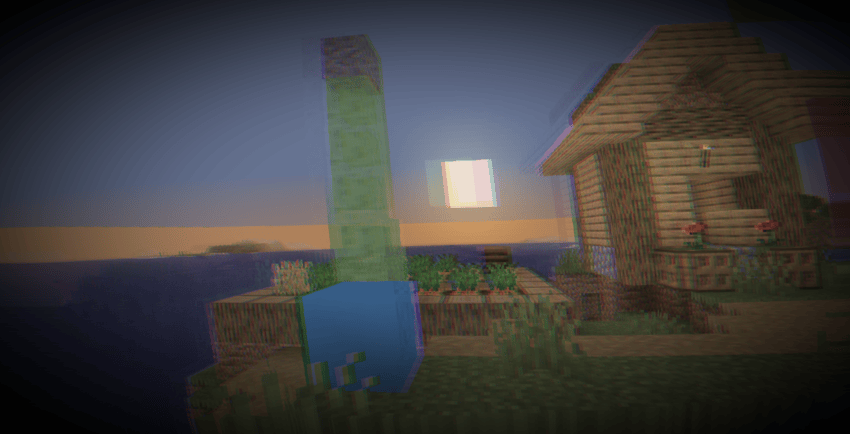
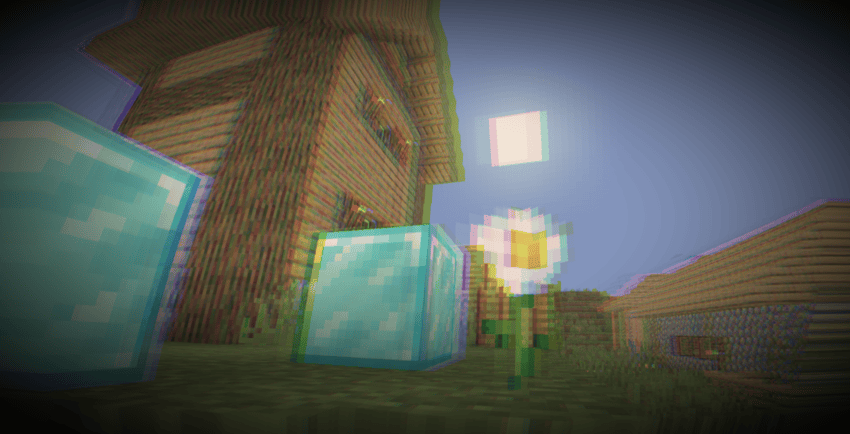
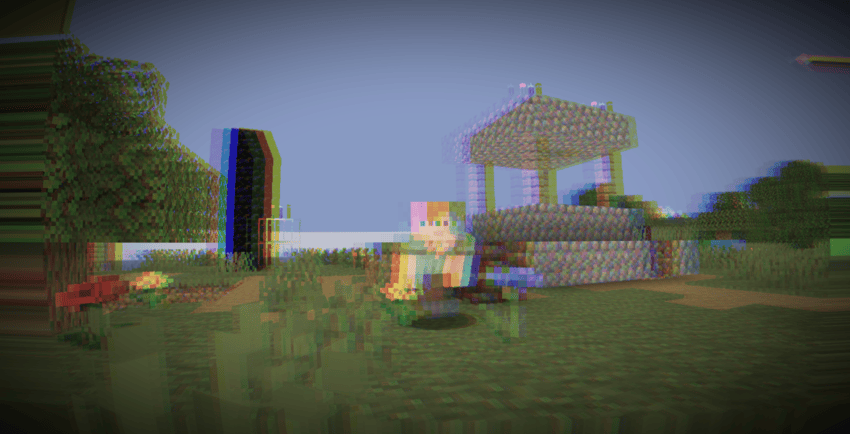
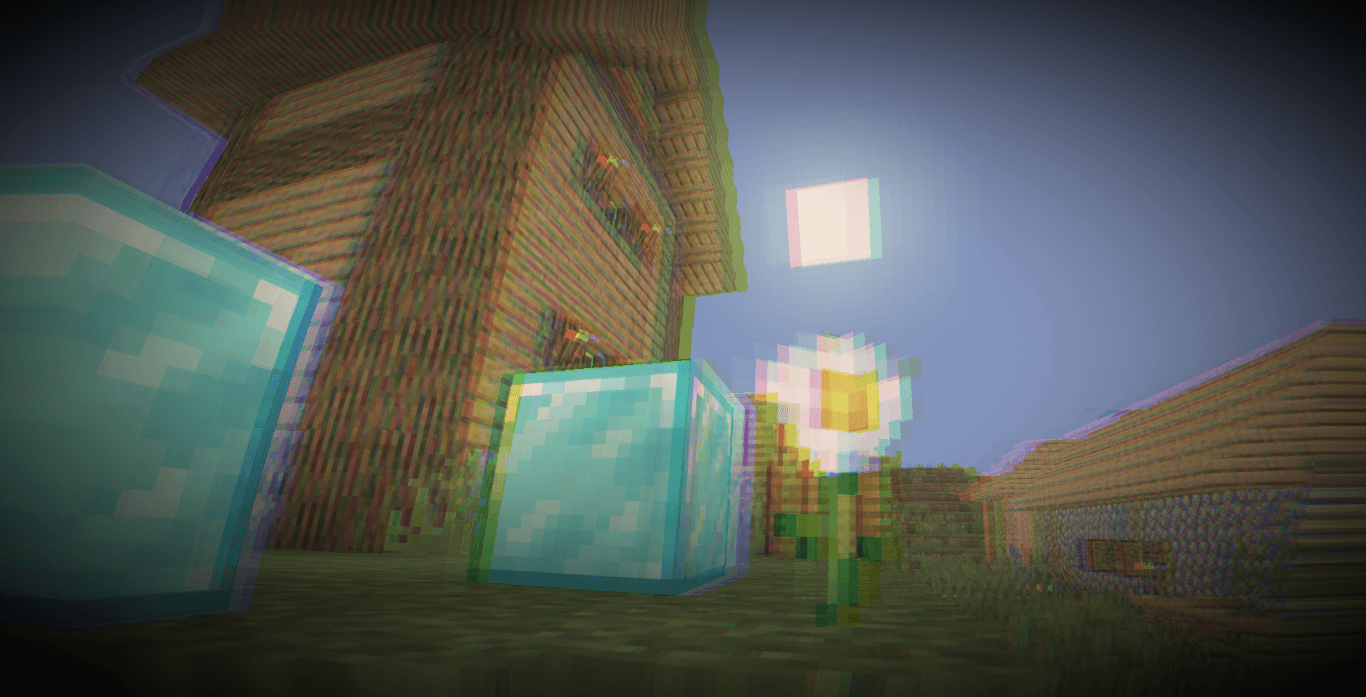
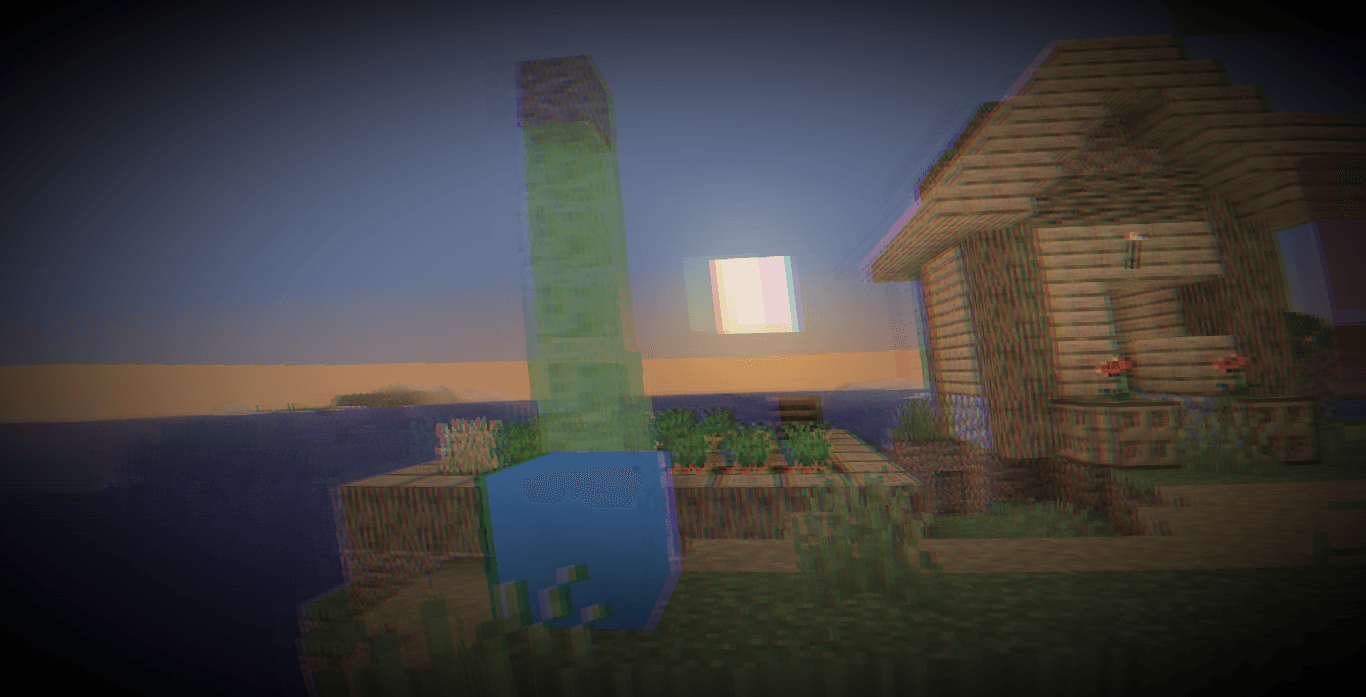
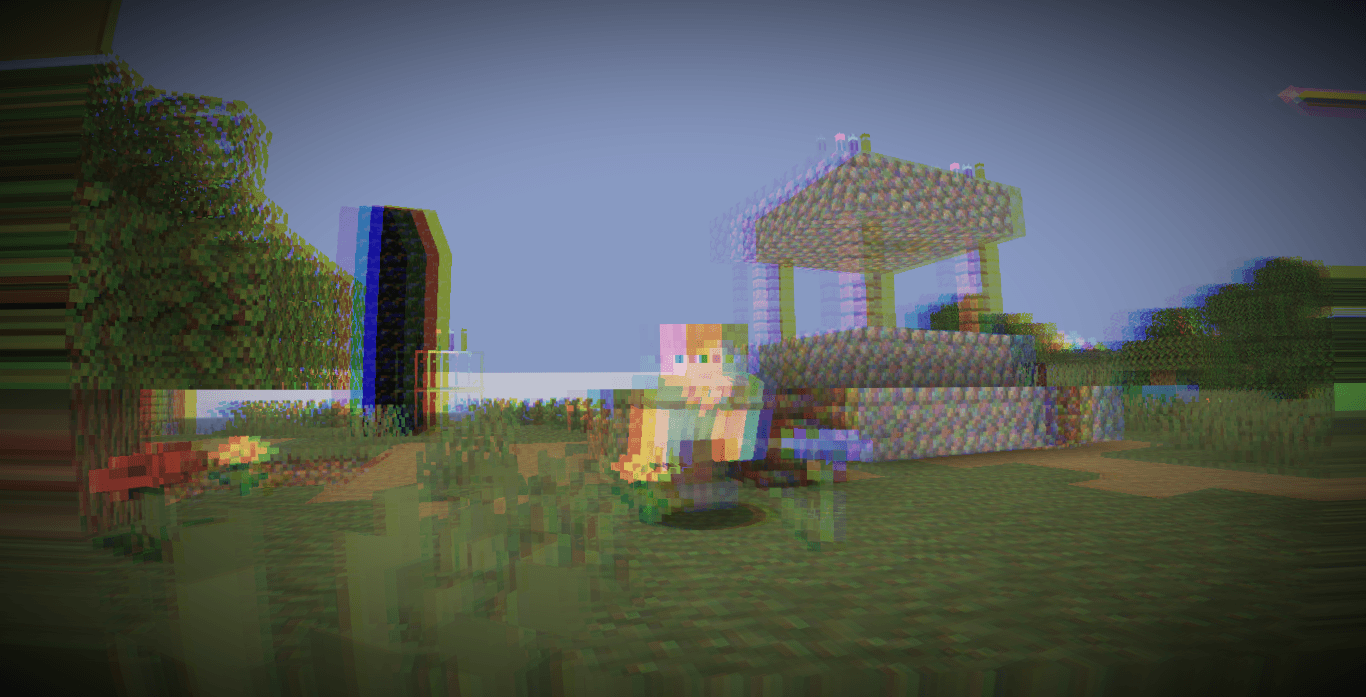
This shader recreates the visual sensation of intoxication using a lightweight full-screen post-processing pass. Rather than modifying Minecraft's lighting or atmosphere, it distorts the final rendered image with subtle camera sway, lens warping, double vision, chromatic separation, and tunnel vision effects.
The result is a constantly shifting view that feels unstable and disoriented while remaining fully playable. All effects are animated in real time and driven by the shader's internal time counter, creating continuous motion without requiring any gameplay interaction.
Dynamic Camera Sway.
The entire image gently drifts horizontally and vertically over time using layered sine-wave motion. This creates the feeling of an unstable viewpoint and simulates the natural imbalance associated with intoxication.
World Tilt Rotation.
A slow rotational offset causes the screen to subtly lean from side to side. The effect is continuously animated, giving the impression that the world is gradually shifting beneath the player.
Lens Distortion.
A barrel distortion pass warps the image outward from the center of the screen. This creates a curved lens effect that enhances the feeling of visual instability and altered perception.
Double Vision.
The shader renders a secondary offset sample of the scene and blends it with the primary image. The ghost image changes position over time, producing a convincing double-vision effect without requiring additional render passes.
Chromatic Separation.
Red and blue color channels are sampled from slightly different positions, introducing subtle color fringing and chromatic drift. The amount of separation varies over time to keep the effect dynamic.
Color Desaturation and Warm Tinting.
The final image is partially blended toward a warmer and slightly desaturated color palette. This softens contrast and contributes to the overall visual mood without completely washing out the scene.
Animated Vignette.
Darkening around the edges of the screen simulates tunnel vision. The vignette intensity changes gradually over time, helping reinforce the sensation of impaired focus.
Brightness Pulsing.
A gentle brightness fluctuation is applied to the entire frame, creating subtle visual breathing and further emphasizing the unstable appearance.
Lightweight Post-Processing Design.
All effects are performed in a single composite shader stage using screen-space operations. No advanced world rendering features, shadow systems, or volumetric effects are required.
No configurable shader options were found in the included files.