Minecraft 1.8.1 has 52 OptiFine shaders on MineUniverse, with more than 5.8 million downloads combined. RedHat Shaders v34.3 is the most downloaded of them.
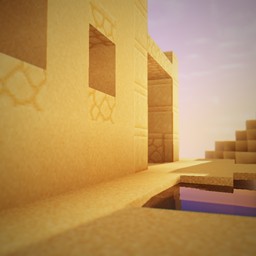
An edit of Chocapic13 focusing on semi-realism/fantasy featuring amazing lighting, lens flare and more!
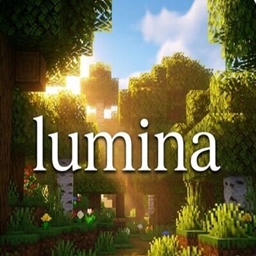
A next-generation, hyper-realistic shader pack designed to push your PC to the limit with uncompromising cinematic graphics.
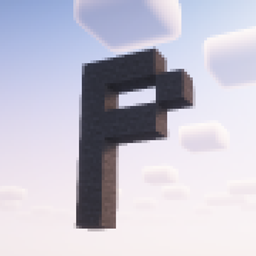
Pixelcraft Shaders is a Complementary Shaders edit which aims to replicate pixel art. Every screenshot is a new piece of art brought to life!

A PSX shader with affine texture mapping, dithering, vertex snapping and more!
![SI: Spectre [DISCONTINUED]](https://media.forgecdn.net/avatars/thumbnails/1709/657/256/256/639086435563101127.jpg)
As light as light, as beautiful as painting. Make you have both high FPS and good image quality.
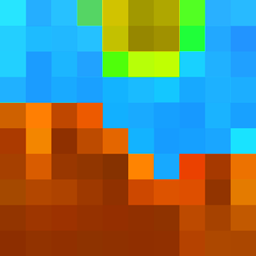
Enjoy beautiful lighting, soft shadows, and realistic water in Minecraft with great performance — perfect for both low-end and high-end devices.

Give your Minecraft that retro 256-color look with low-res pixelation options!

A lightweight shader that adds a realistic, warm atmosphere and soft lighting to Minecraft while maintaining the vanilla style.
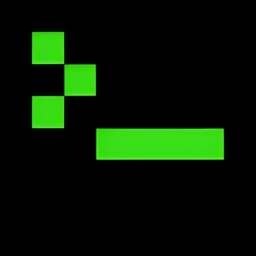
This shaderpack turns your game into a retro 1980s-style CRT screen
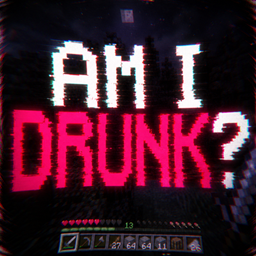

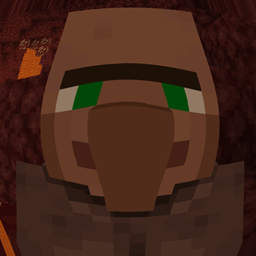
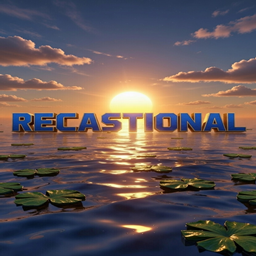
 Toonlamentry
A cartoon / anime stylized shaderpack meant to forget about themed limitations and just make the game look as cool as possible. 61 downloads
Lux V1
Lux is a high fidelity Minecraft: Java Edition shader pack based on Capt Tatsu's BSL Shaders. 234K downloads
Toonlamentry
A cartoon / anime stylized shaderpack meant to forget about themed limitations and just make the game look as cool as possible. 61 downloads
Lux V1
Lux is a high fidelity Minecraft: Java Edition shader pack based on Capt Tatsu's BSL Shaders. 234K downloads
 Lux V1: BrickCraft Edition
A version of Lux V1 made in collaboration with - and in rememberance of - BrickCraft's original creator. 152 downloads
Lux V1: BrickCraft Edition
A version of Lux V1 made in collaboration with - and in rememberance of - BrickCraft's original creator. 152 downloads
 Abyss
A dark, atmospheric shader for you 644 downloads
Abyss
A dark, atmospheric shader for you 644 downloads
 Amber
Minecraft through fossilized amber. 274 downloads
Lumina Shaders - Event Horizon
A next-generation, hyper-realistic shader pack designed to push your PC to the limit with uncompromising cinematic graphics. 367.4K downloads
Amber
Minecraft through fossilized amber. 274 downloads
Lumina Shaders - Event Horizon
A next-generation, hyper-realistic shader pack designed to push your PC to the limit with uncompromising cinematic graphics. 367.4K downloads
Behind RedHat Shaders v34.3, the ranking continues with Lumina Shaders - Event Horizon, PixelCraft Shaders, Lux V1 and PSX-Core Shader.
With 52 of 71, OptiFine shaders account for 73% of all shaders for 1.8.1. OptiFine ranks second of two shader loaders for 1.8.1, behind Iris (52).
Recent activity: 6 OptiFine shaders (12%) got a new file for 1.8.1 in the last 30 days. Recently updated picks include Toonlamentry, Lux V1: BrickCraft Edition and Abyss. Mojang released Minecraft 1.8.1 on November 24, 2014. Against its nearest versions, 1.8.1 has 2 fewer OptiFine shaders than 1.8 (54) and 2 fewer than 1.8.2 (54).
By downloads, the leading OptiFine shaders for Minecraft 1.8.1 are RedHat Shaders v34.3, Lumina Shaders - Event Horizon, PixelCraft Shaders, Lux V1 and PSX-Core Shader.
MineUniverse currently has 52 OptiFine shaders for Minecraft 1.8.1. Recent activity: 6 OptiFine shaders (12%) got a new file for 1.8.1 in the last 30 days. Together they have more than 5.8 million downloads.
1. Install OptiFine for your Minecraft version (optifine.net) and start it once. 2. Download the shader pack .zip (do not extract it). 3. Put the .zip into .minecraft/shaderpacks. 4. In game open Options → Video Settings → Shaders and select the pack.
OptiFine and Iris are level: 52 shaders for Minecraft 1.8.1 each.
Yes. All 52 OptiFine shaders for Minecraft 1.8.1 on MineUniverse are free to download.