| Renewable | Yes |
|---|---|
| Stackable | Yes (64) |
| Tool | 
|
| Blast resistance | 0.5 |
| Hardness | 0.5 |
| Luminous | No |
| Transparent | Yes |
| Waterloggable | JE: No BE: Yes |
| Flammable | No |
| Catches fire from lava |
No |
| Map color | 0 NONE |
| Note block instrument | JE: Default (Harp) BE: Bass Drum |
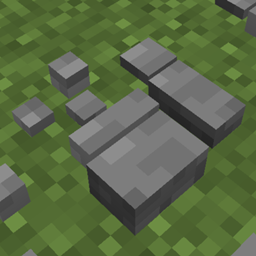
A stone button is a variant of the button, a non-solid block that produces a temporary redstone signal when pressed by a player or when hit by a wind charge.
Obtaining
Breaking
A stone button is most easily broken with a pickaxe. It drops itself as an item when broken using any tool.


- incorrect tool, drops nothing
- correct tool, drops nothing or something other than the block itself
- correct tool, drops the block itself
- italicized can be instant mined
- ↑ These durations ignore any other influential factors (e.g., Mining Fatigue) and are measured in seconds. For more information, see Breaking § Mining efficiency.
A button is removed and drops as an item if:
- its attachment block is moved, removed, or destroyed.
- water or lava flows into its space.[Java Edition only]
- a piston tries to push it or moves a block into its space.
Natural generation
Stone buttons are naturally generated in strongholds, next to iron doors. There is one on each side.
Stone buttons also generate in desert villages, in armorer houses attached to granite, as well as in trial chambers next to dispensers.
Crafting
Usage
Placement
Buttons can be placed by using it on a surface.
They can be attached to the side, bottom and top of any full opaque block.
If placed on the top or bottom of a block, the button can face any direction.[Java Edition only]
It can also be attached to the top of a fence in Bedrock Edition.
More information about placement on transparent blocks can be found at Opacity/Placement.
Redstone power
A button can be used as a monostable redstone power source (it automatically deactivates shortly after being activated).
Buttons are usually in an inactive state, but can be temporarily activated by players. A stone button is activated by a player using it or when hit by a wind charge. Mobs cannot activate buttons directly.
When activated, a stone button remains active for 1 second (10 redstone ticks; 20 game ticks).
While active, a button:
- powers any adjacent redstone dust to power level 15, including beneath the button
- powers any adjacent redstone comparators or redstone repeaters facing away from the button to power level 15
- strongly powers its attachment block to power level 15
- activates any adjacent mechanism components, including above or below, such as pistons, redstone lamps, etc.
When a button changes state it provides a redstone update to all redstone components adjacent to itself (including above and below), and to all redstone components adjacent to its attachment block.
Sounds
Generic
 stone sound type | ||||||||
|---|---|---|---|---|---|---|---|---|
| Sound | Closed captions | Source | Description | Identifier | Translation key | Volume | Pitch | Attenuation distance |
| Block broken | Blocks | Once the block has broken | block | subtitles | 1.0 | 0.8 | 16 | |
| Block placed[until: JE 26.4] | Blocks | When the block is placed | block | subtitles | 1.0 | 0.8 | 16 | |
| Block breaking | Blocks | While the block is in the process of being broken | block | subtitles | 0.25 | 0.5 | 16 | |
| Something falls on a block | Entity-Dependent | Falling on the block with fall damage | block | subtitles | 0.5 | 0.75 | 16 | |
| Footsteps | Entity-Dependent | Walking on the block | block | subtitles | 0.15 | 1.0 | 16 | |
stone sound type | |||||||
|---|---|---|---|---|---|---|---|
| Sound | Closed captions | Source | Description | Identifier | Translation key | Volume | Pitch |
| Block broken | Blocks | Once the block has broken | dig | subtitles | 1.0 | 0.8–1.0 | |
| Block placed | Blocks | When the block is placed | place | subtitles | 1.0 | 0.8–1.0 | |
| Block breaking | Blocks | While the block is in the process of being broken | hit | subtitles | 0.37 | 0.5 | |
| Footsteps | Players | Falling on the block with fall damage | fall | subtitles | 0.4 | 1.0 | |
| Footsteps | Players | Walking on the block | step | subtitles | 0.3 | 1.0 | |
| Footsteps | Blocks | Jumping from the block | jump | subtitles | 0.12 | 1.0 | |
| Footsteps | Blocks | Falling on the block without fall damage | land | subtitles | 0.22 | 1.0 | |
Unique
| Sounds | ||||||||
|---|---|---|---|---|---|---|---|---|
| Sound | Closed captions | Source | Description | Identifier | Translation key | Volume | Pitch | Attenuation distance |
| Button clicks | Blocks | When a stone button deactivates | block | subtitles | 0.3 | 0.5 | 16 | |
| Button clicks | Blocks | When a stone button activates | block | subtitles | 0.3 | 0.6 | 16 | |
| Sounds | |||||||
|---|---|---|---|---|---|---|---|
| Sound | Closed captions | Source | Description | Identifier | Translation key | Volume | Pitch |
| ? | Blocks | When a stone button deactivates | random | ? | 0.3 | 0.5 | |
| ? | Blocks | When a stone button activates | random | ? | 0.3 | 0.6 | |
Data values
ID
| Name | Identifier | Form | Block tags | Item tags | Translation key |
|---|---|---|---|---|---|
 Stone Button Stone Button | stone_button | Block & Item | buttons | buttons |
block |
| Name | Identifier | Numeric ID | Form | Item ID[i 1] | Translation key |
|---|---|---|---|---|---|
| Stone Button | stone_button | 77 | Block & Giveable Item[i 2] | Identical[i 3] | tile |
Block states
| Name | Default value | Allowed values | Description |
|---|---|---|---|
| face | wall | ceilingfloorwall | The face of the block it's placed on. Floor is on top of a block, ceiling is on the bottom, and wall is on one of its sides. |
| facing | north | eastnorthsouthwest | The direction it's facing. Opposite to the direction the player is facing if placed on the side of a block. |
| powered | false | falsetrue | If true, the button is currently activated. |
| Name | Metadata Bits | Default value | Allowed values | Values for Metadata Bits |
Description |
|---|---|---|---|---|---|
| button_pressed_bit | 0x8 | false | falsetrue | 01 | If the button is currently activated. |
| facing_direction | 0x10x20x4 | 0 | 012345 | 012345 | The direction it's facing.
|
Videos
History
Java Edition
| Java Edition Alpha | |||||||
|---|---|---|---|---|---|---|---|
| v1.0.1 |          Added buttons, which can be placed on the sides of blocks. Added buttons, which can be placed on the sides of blocks.
| ||||||
| This was the recipe used at the time:
Recipe
 | |||||||
| Unknown | |||||||
| ? | Pressing buttons now displays a standard hand animation. | ||||||
| Java Edition Beta | |||||||
| 1.8 | Pre-release | Dropped button items no longer appear abnormally large. | |||||
| Buttons now generate next to iron doors in strongholds. | |||||||
| Java Edition | |||||||
| 1.0.0 | Beta 1.9 Prerelease 5 |     The texture of stone has been changed, which changes the edges of unpressed buttons. | |||||
| 1.4.2 | 12w34b | The crafting recipe for buttons has been changed.
Recipe
| |||||
| 12w37a | The redstone signal duration of the button has been changed from 9 to 12 redstone ticks. | ||||||
| 1.8 | 14w04a |     Buttons are now able to be placed on the top and bottom of blocks, and can currently only face north. | |||||
| 14w10a |              The models of buttons have been changed. The models of buttons have been changed. | ||||||
| 1.9 | 15w46a | Mobs no longer spawn on buttons. | |||||
| 16w02a | Buttons are broken more easily with pickaxes. | ||||||
| 1.13 | 17w47a | Buttons can no longer be placed on top of pistons. | |||||
| Buttons can now be placed in all 4 rotations on the top and bottom of a block. | |||||||
| Renamed "Button" to "Stone Button". | |||||||
| 1.14 | 18w43a |  The textures of stone buttons has been changed. The textures of stone buttons has been changed. | |||||
| 18w44a |  The texture of stone buttons has been changed, once again. The texture of stone buttons has been changed, once again. | ||||||
| 1.20 | 23w14a |  UV texture map of stone button has been changed, the front texture of stone button is no longer mirrored up and down. UV texture map of stone button has been changed, the front texture of stone button is no longer mirrored up and down. | |||||
| 1.20.3 Experiment | 23w45a | Stone buttons now generate in trial chambers. | |||||
Bedrock Edition
| Pocket Edition Alpha | |||||||
|---|---|---|---|---|---|---|---|
| v0.13.0 | build 1 | Added buttons. | |||||
| Bedrock Edition | |||||||
| 1.4.0 | 1.2.20.1 | The stone button has been renamed to "Stone Button". | |||||
| 1.10.0 | beta 1.10.0.3 | The textures of buttons have been changed. | |||||
| 1.20.60 Experiment | Preview 1.20.60.20 | Stone buttons now generate in trial chambers. | |||||
| 1.21.50 | Preview 1.21.50.20 | Stone buttons no longer require a pickaxe to drop themselves and are faster to mine with any improper tool. | |||||
| 26.30 | Preview 26.30.25 | Stone buttons now generate in strongholds. | |||||
Legacy Console Edition
| Legacy Console Edition | |||||||
|---|---|---|---|---|---|---|---|
| Xbox 360 | Xbox One | PS3 | PS4 | PS Vita | Wii U | Switch | |
| TU1 | CU1 | 1.00 | 1.00 | 1.00 | Patch 1 | 1.0.1 | Added stone buttons. |
| TU5 | Stone buttons now generate next to iron doors in strongholds. | ||||||
| TU9 | The crafting recipe for stone buttons has been changed. | ||||||
| TU31 | CU19 | 1.22 | 1.22 | 1.22 | Patch 3 | Buttons are now able to be placed on the top and bottom of blocks. | |
| 1.90 | The textures of stone buttons has been changed. | ||||||
New Nintendo 3DS Edition
| New Nintendo 3DS Edition | |||||||
|---|---|---|---|---|---|---|---|
| 0.1.0 | Added buttons. | ||||||
-
 First image of a button on a ceiling.
Data history
| Java Edition | |||||||
|---|---|---|---|---|---|---|---|
| 1.13 | 17w47a | Prior to The Flattening, this block's numeral ID was 77. | |||||
Issues
Issues relating to "Stone Button" are maintained on the bug tracker. Issues should be reported and viewed there.