Badges update automatically and link to the shader page on MineUniverse.
ABOUT
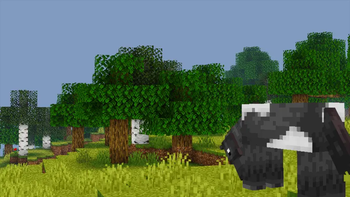
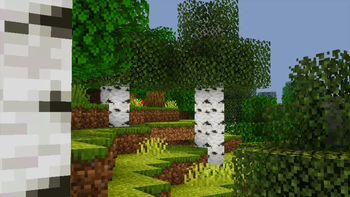
Pixelated Shaders is a lightweight, beautifully enhanced shader pack designed to bring natural lighting, soft colors, and smooth performance to every device. Built with clean code, optimized effects, and a focus on stability, Pixelated Shaders delivers a realistic visual upgrade without sacrificing FPS. Whether you're exploring landscapes or playing competitive modes, Pixelated Shaders keeps your world bright, vibrant, and immersive — all while staying incredibly fast.

90s-Themed Water Waves: Nostalgic, retro-inspired water animation for a classic feel.
90s-Themed Waving Leaves: Smooth, natural leaf movement reminiscent of old-school visuals.
Natural Lighting & Colors: Soft, realistic lighting that enhances Minecraft’s world.
Optimized Performance: Lightweight and efficient for smooth gameplay on most devices.
Immersive Experience: Brings a nostalgic yet natural atmosphere to your game.
</details>How to report BUGS!!
Our GlacierDevelopment Discord server is Live you can report bugs and Chat with other GlacierShaders users, report bugs, get help with issues, and join exciting giveaways — all in one place!

OFFER!!