Mineuniverse
Shaders
EzExposure

EzExposure

SHADER
Adds a simple slider which allows you to change exposure.
by GamesofDev
Download Claim this project
8,488 downloads
0 likes
Updated Oct 14, 2026
0 hypes
Vanilla
Advertisement Remove ads with Premium →

EzExposure

EzExposure is an ultra-lightweight shader pack for Iris Shaders that adds a configurable Exposure Slider, allowing you to adjust the overall brightness and exposure of Minecraft without affecting lighting, shadows, or overall performance.

Designed to be simple and efficient, EzExposure only modifies the game's exposure, making it ideal for players who want a brighter or darker visual experience while preserving Minecraft's original lighting and art style.

donate

<details> <summary>Features</summary>
  • Adjustable exposure slider
  • Extremely lightweight with minimal performance impact
  • Does not modify lighting, shadows, reflections, or other visual effects
  • Compatible with Iris Shaders
  • Simple plug-and-play installation
</details>

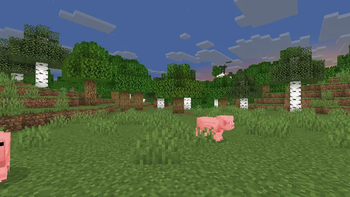
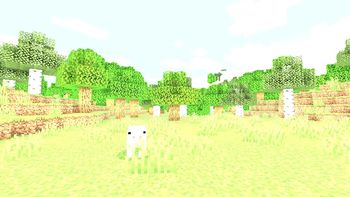
Exposure Showcase

The exposure slider supports the following values:

0.0 0.05 0.10 0.15 0.20 0.25 0.30 0.35 0.40 0.45
0.50 0.55 0.60 0.65 0.70 0.75 0.80 0.85 0.90 0.95
1.00 1.05 1.10 1.15 1.20 1.25 1.30 1.35 1.40 1.45
1.50 1.55 1.60 1.65 1.70 1.75 1.80 1.85 1.90 1.95
2.00 3.00 100

Slider Reference

Value Result
0.0 Completely dark (minimum exposure)
1.0 Default Minecraft exposure
2.0 Twice the default exposure
3.0 Very bright exposure
100 Maximum exposure for experimentation

Supported Versions

  • Minecraft 1.17 through 1.21.8
  • Iris Shaders v1.7.0+ (including Iris 1.8.x)
  • GLSL Version 120 and above

Note: Version support may expand with future updates.

EzExposure
MC 1.21, 1.19.3, 1.20.2, 1.19.4, 1.21.8, 1.20.5, 1.21.5, 1.21.4, 1.20.1, 1.20, OptiFine, 1.20.6, 1.21.1, 1.21.6, 1.21.3, 1.21.7, 1.20.4, 1.19.2, 1.20.3, Iris, 1.19, 1.21.2
Release 2026-06-30 Get

Requirements & install

How to use this shader in Minecraft
Shader loader
Iris OptiFine
Minecraft
1.21.1 – 1.21.8
Install folder
.minecraft/shaderpacks

How to install shaders

  1. Install a shader loader for your Minecraft version: Iris (with Sodium) or OptiFine.
  2. Download the shader pack .zip file (do not extract it).
  3. Put the .zip into the shaderpacks folder (.minecraft/shaderpacks).
  4. In game open Options → Video Settings → Shader Packs, select the pack and apply it.
Browse more: Iris shaders OptiFine shaders Shaders for 1.21.8 All shaders

More from GamesofDev

Advertisement Remove ads with Premium →

You Might Also Like