Mineuniverse
Shaders
Knight Shaders

Knight Shaders

SHADER
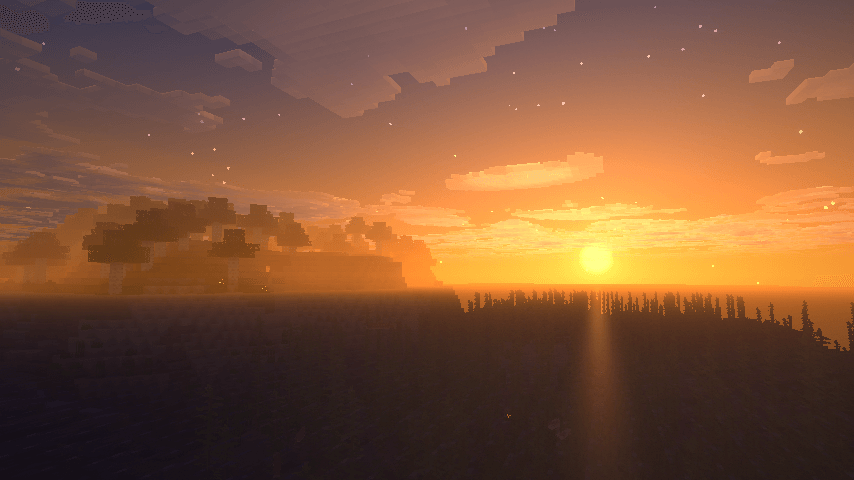
A lightweight Minecraft shader with volumetric lighting, dynamic skies, bloom, god rays, and customizable cinematic visuals.
by GamesofDev
Download Claim this project
969 downloads
0 likes
Updated Oct 14, 2026
0 hypes
Fantasy Vanilla
Advertisement Remove ads with Premium →

ABOUT

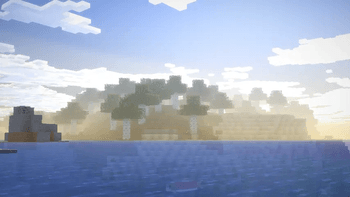
Knight Shader adds cinematic lighting, volumetric clouds, bloom, god rays, and a dynamic sky to Minecraft. Featuring a warm color palette and customizable color grading, it delivers stunning visuals with a lightweight design.

License

Knight Shader is licensed under the Creative Commons Attribution 4.0 International (CC BY 4.0) License.

You are free to:

  • Share — copy and redistribute the shader pack in any medium or format
  • Adapt — remix, transform, and build upon the shader pack for any purpose

Under the following condition:

Attribution — You must give appropriate credit to GamesofDev, provide a link to the license, and indicate if changes were made.

For more information, visit: https://creativecommons.org/licenses/by/4.0/

KnightShaders v1.0
MC 1.21, 1.21.8, 1.21.5, 1.21.4, 1.21.1, 1.21.6, 1.21.3, 1.21.7, Iris, 1.21.2, 1.21.9, 1.21.10, 1.21.11, 26.1, 26.1.1, 26.1.2
Release 2026-06-16 Get

Requirements & install

How to use this shader in Minecraft
Shader loader
Iris
Minecraft
1.21.7 – 26.1.2
Install folder
.minecraft/shaderpacks

Install with Iris

  1. Install Iris with the Iris installer (irisshaders.dev); it sets up Fabric and Sodium for you.
  2. Download the shader pack .zip (do not extract it).
  3. Put the .zip into .minecraft/shaderpacks.
  4. In game open Options → Video Settings → Shader Packs, select the pack and click Apply.
Browse more: Iris shaders OptiFine shaders Shaders for 26.1.2 All shaders

More from GamesofDev

Advertisement Remove ads with Premium →

You Might Also Like