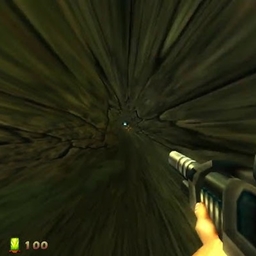
Certain non-solid blocks, such as short grass, pointed dripstone, and some flowers do not have their textures or interaction boxes centered on blocks they are placed on, and are instead staggered in a pseudorandom manner. The offset of a block depends solely on its X and Z coordinates, and not the world seed. This means that, for example, a row of flowers at the same coordinates will always be staggered the same way between worlds, and this will not be changed by a player breaking or replacing them.
All blocks with an offset have their interaction box and/or texture translated in the X and Z axis. Some blocks such as short grass or the fern additionally have an offset in the Y axis for their textures only. The base X, Y, and Z offsets of a block are consistent between all blocks at a certain coordinate. However, some blocks (such as bamboo[Bedrock Edition only] or pointed dripstone[Java Edition only]) may use the base offset slightly differently than most blocks for block placement.
List of blocks subject to offset
The following is a list of blocks subject to an offset in game. Most blocks have their interaction box offset to match their texture being offset, but some do not.
| Block | Interaction box XZ offset | Texture XZ offset | Interaction box Y offset | Texture Y offset |
|---|---|---|---|---|
 Short Grass Short Grass Fern Fern Short Dry Grass Short Dry Grass Tall Dry Grass Tall Dry Grass |
Yes | Yes | Bedrock Edition only | Yes |
 Mangrove Propagule Mangrove Propagule Dandelion Dandelion Golden Dandelion Golden Dandelion Torchflower Torchflower Poppy Poppy Blue Orchid Blue Orchid Allium Allium Azure Bluet Azure Bluet Tulips Tulips Oxeye Daisy Oxeye Daisy Cornflower Cornflower Wither Rose Wither Rose Lily of the Valley Lily of the Valley Bamboo Sapling Bamboo Sapling Bamboo Bamboo Pointed Dripstone Pointed Dripstone Sulfur Spike Sulfur Spike |
Yes | Yes | No | No |
 Sunflower Sunflower Lilac Lilac Rose Bush Rose Bush Peony Peony Tall Grass Tall Grass Large Fern Large Fern Pitcher Plant Pitcher Plant Warped Roots Warped Roots Nether Sprouts Nether Sprouts Crimson Roots Crimson Roots Hanging Roots Hanging Roots |
Bedrock Edition only | Yes | No | No |
 Coral Fans Coral Fans Dead Coral Fans Dead Coral Fans |
Bedrock Edition only | Bedrock Edition only | No | No |
 Coral Coral Dead Coral Dead Coral |
Bedrock Edition only | No[note 1] | No | No |
 Tall Seagrass Tall Seagrass |
No | Java Edition only | No | No |
 Small Dripleaf Small Dripleaf |
No | Java Edition only | No | Java Edition only |
Effects of block offset on textures and hitboxes
In Java Edition, X and Z offsets are added to the coordinates of the center of the block to determine the new center of the texture or hitbox. In Bedrock Edition, X and Z offsets are used differently depending on the block. On both versions, the Y offset is directly added to the Y coordinate of the block to determine what Y level a texture will start. A Y offset will always be negative or zero, meaning a block's texture or interaction box may be translated downwards but never upwards.
Calculation of block offset

X and Z offset
The following algorithm is used to calculate X and Z offsets of blocks in Java Edition (except for pointed dripstone and sulfur spikes), given a block's X and Z coordinates.[1] Note that two's compliment arithmetic while treating all integers as signed 64 bit numbers must be used for correct results.[note 2]
temp1 = (0x2FC20F * x) XOR (0x6EBFFF5 * z)
temp2 = (0x285B825 * temp1 * temp1) + (0x000B * temp1)
x_offset = (((temp2 >> 16) AND 0xF) / 15.0 - 0.5) * 0.5
z_offset = (((temp2 >> 24) AND 0xF) / 15.0 - 0.5) * 0.5
The X and Z offsets of pointed dripstone and sulfur spikes are given by calculating the x_offset and z_offset above, and clamping the values between -0.125 and 0.125. All other blocks have their X and Z offsets clamped between -0.25 and 0.25.[note 3]
Y offset
The Y offset in Java Edition depends solely on the X and Z coordinates of a block and the block type. For all blocks with a Y offset besides small dripleaf, the Y offset is given by (using the variable temp2 from above):[1]
y_offset = (((temp2 >> 20) AND 0xF) / 15.0 - 1.0) * 0.2
The Y offset for small dripleaf is half as much as the Y offset for other blocks at the same coordinates.
Calculator


Notes
- ↑ MCPE-228149 – Unlike the Coral fans, all Corals only have their hitbox randomly offcentered but not their block
- ↑ This corresponds to standard arithmetic operations involving the
longdatatype in Java. - ↑ The
y_offsethowever is not clamped