Mineuniverse
Shaders
Jooonah's Grove

Jooonah's Grove

SHADER
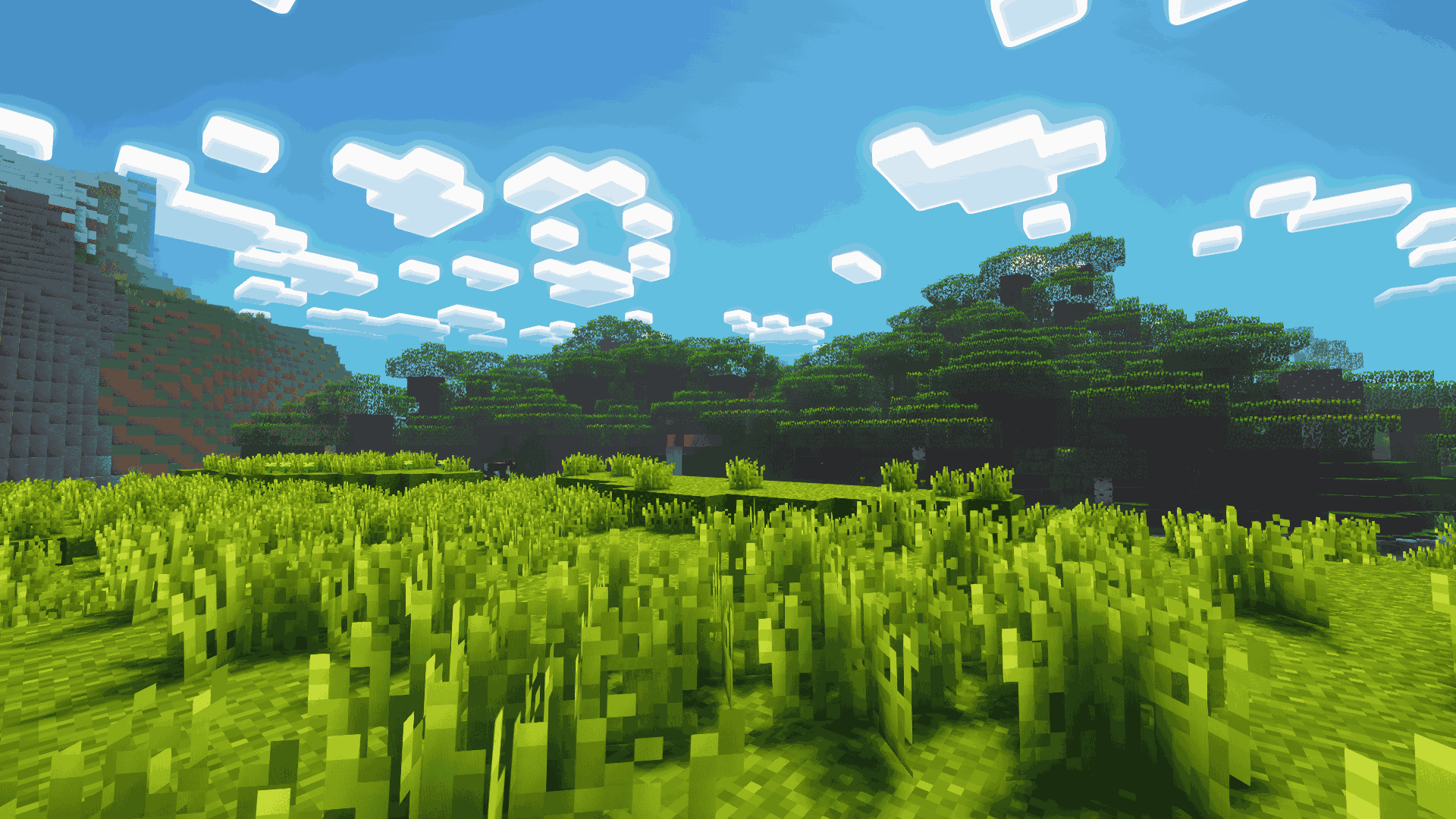
A green-toned shader pack made for Jooonah, perfect for creators and gamers who love green. Features a green-themed sky and an overall green aesthetic.
by GamesofDev
Download Claim this project
1,230 downloads
0 likes
0 followers
Updated Oct 14, 2026
0 hypes
Follow0
Fantasy
Advertisement Remove ads with Premium →


About Shaders

Joonah’s Groove is a fanmade shader pack created for Jooonah, a popular Minecraft 1.8 creator. It features a green-themed sky, glowing clouds, and an overall green tone inspired by Jooonah’s 1.8 texture pack. The shaders include two styles of clouds – realistic and fantasy – which you can customize in the settings. It’s compatible with all versions of Minecraft and works with both Optifine and Iris.

Credit

The base shaders used are Complementary Reimagined by EminGT, and this project fully follows its license.

Styles

Jooonah’s Groove comes with two types of clouds – Fantasy and Realistic, both customizable in the settings.


Jooonah's Grove
MC 1.21.4, OptiFine, Iris, 1.8.9
Release 2025-09-21 Get

Requirements & install

How to use this shader in Minecraft
Shader loader
Iris OptiFine
Minecraft
1.8.9 – 1.21.4
Install folder
.minecraft/shaderpacks

How to install shaders

  1. Install a shader loader for your Minecraft version: Iris (with Sodium) or OptiFine.
  2. Download the shader pack .zip file (do not extract it).
  3. Put the .zip into the shaderpacks folder (.minecraft/shaderpacks).
  4. In game open Options → Video Settings → Shader Packs, select the pack and apply it.
Browse more: Iris shaders OptiFine shaders Shaders for 1.21.4 All shaders

More from GamesofDev

Advertisement Remove ads with Premium →

You Might Also Like