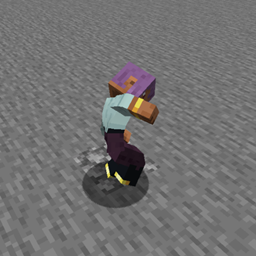
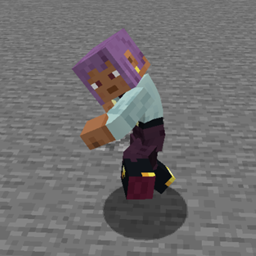
This small and extremely simple mod adds a few utilities here and there: damage devices, damage interactions, damage/element reactions, and general utilities.
Although, aside from the modules mentioned below, the mod also adds a few things that fall into the general category.
🔽 Developer comments
Hello! Due to several issues, and because this project previously handled too many systems within a single mod, I’ve decided to split it into six separate mods. This change is intended to reduce overhead, resource consumption, and potential bugs or instability.
⚠️ Important:
Previously, all of these systems were bundled into a single mod.
They are now distributed as independent mods, which must be downloaded separately depending on the features you want to use.
Additionally, you may have noticed that the NeoForge version (v3.4) has been ahead of the Forge version (v2.9.7). This restructuring will resolve that discrepancy. The split will be implemented primarily for Minecraft 1.21.1, and then gradually backported to 1.20.1.
Modules previously known as "LZM: X" have now been renamed to "SLM: X".
The central system will be unified with LZM: Runner, becoming:
Thank you for your support!
Commands:
Forge Events:
CameraControllerEvent:
Adds an event that allows you to control the camera by registering a "packet" on it. You can configure the offset, in-out time, and hold time of the effect on the camera.
Packagers:
Network packers for particles, cooldowns, focal or non-focal tags, STC and CTS
Add Resourcepacks and Global Datapacks as In-Built:
In the .minecraft/lazy_utilities/global folder, you will find two folders, datapacks and resourcepacks. There you can put your assets that behave like built-in and your Datapacks that will do the same, both with the advantage of being global.
Resourcepack example: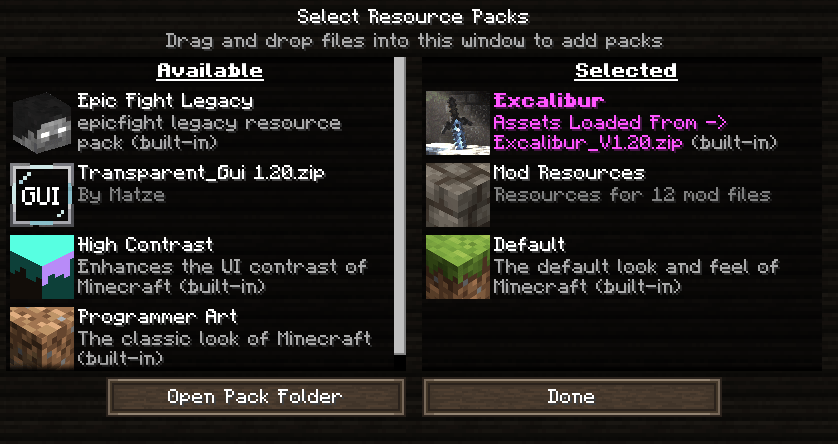
Datapacks example:
Armor Codex:
A new codex has been added for items, allowing you to add data to weapons and armor (and perhaps later, if I consider it valid, items), adding space to display their passives, actives, descriptions, attributes, or innate abilities.
This is useful if the amount of text to be added becomes too much for the normal tooltip.
Armor Codex: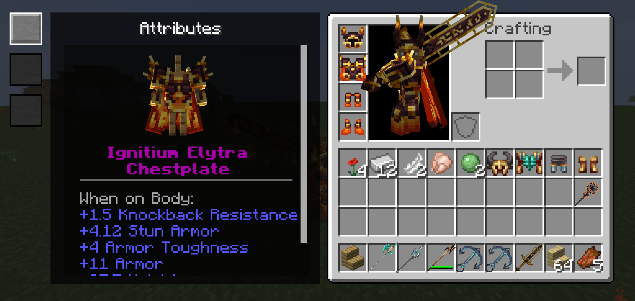
In this example from the Cataclysmic Arsenal mod, the codex for armor is displayed.
1) Attributes
2) Passives
3) Actives
Both are displayed on the left like those buttons; the armor rotates.
You can configure whether or not to display the armor stand.
Weapon Codex:
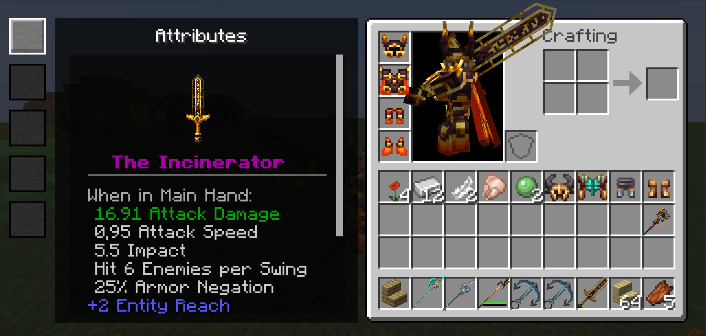
In this example from the Cataclysmic Arsenal mod, the codex for weapon is displayed.
1) Attributes
2) Description
3) Internal Skill
4) Passive Skill
5) Innate Skill
Both are displayed on the left like those buttons; the weapon rotates.
Codex Tooltip:
The codex is accessed if the item implements its interface. Likewise, if you transfer the innate skill to the codex, it will no longer be possible to display it with the EF button, but with the codex button, usually X.
The description of what will be displayed when pressing X varies depending on the implementation data. Currently, codex can only be added to items through code, but I will evaluate whether it is possible to do so with .json.
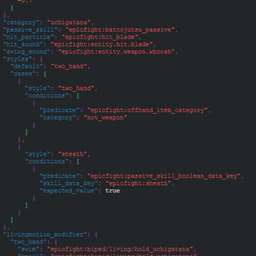
This module is responsible for adding utilities to Epicfight, helping you build tooltips, managing models, adding files, and some events.
This module will naturally be "isolated" from your game unless you have Epicfight installed, except for a few options that will always be active.
Packer:
The reading, writing, and indexing system prior to Lazy Utilities 2.5 has been removed.
Files are now mounted directly, and each file is used differently depending on its type. Additionally, a dynamic resource bundle will no longer be generated.
The destination folder has been moved from
mods/Lazy Utilities/epicfight -> (to) -> lazy_utilities/epicfight
Example
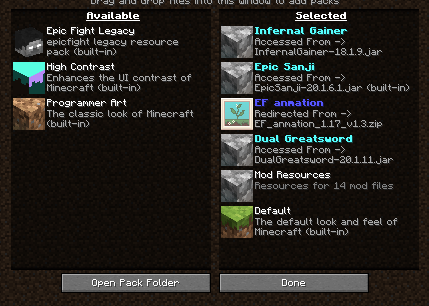
Zip files within the folder will be redirected, while .Jar files will retain their original namespaces.
Namespaces are determined by the .toml file, and failing that, by the assets folder, and only one modid can be registered. The Minecraft namespace is excluded. Therefore, DON'T USE THIS as a Global Datapack or Resourcepack.
Model utilities:
Adds utilities to be used on the player model, such as obtaining coordinates, emitting particles based on the model or its surroundings, etc.
This is why it's useful for the functionality of "Particles on the Blades" and "Cataclysmic Arsenal."
Skills Utilities:
Allows you to add virtual functions such as "OnIni", "OnRemove", "Update Container", "onFail", etc. to objects, in this case for example armor. This is useful for example for "Cataclysmic Arsenal" when adding abilities to armor when holding a weapon.
Forge Events:
PlayerAttackEvent:
It runs on the player and analyzes each phase of the attack during an animation. This automatically creates an interface for weapons. It's useful for replacing the vanilla attack system when crafting or modifying items.
This means, for example, that weapons like the "Ancient Spear" from Cataclysm, which launches sandstorms when attacking, stop working when in combat mode. Implementing this in the item solves the problem, as seen in Cataclysmic Arsenal.
RegisterBladeModelConfig:
Allows you to record weapon sizes, positions, etc. It is used to record the size of the weapons so that the "Particles On The Blades" mod, for example, can generate its particles on the weapons and model.
Module responsible for adding elements, damage types, properties, configurable text particles, combat methods, etc.
This module is naturally "isolated" from your game; nothing here is accessible unless you configure it via a configuration file or access it externally.
Damage Types:
Elements and their effects:
Elemental Damage Types:
ERCS – Entity Reactions Cooldown Shield:
The Entity Reaction Cooldown System (ERCS) introduces individual cooldowns for reactions triggered by entities, preventing them from being triggered too aggressively or in rapid succession.
Each reaction has a specific cooldown period that varies depending on whether the reaction is Direct, Reverse, or Static:
Importantly, cooldowns are not shared between reactions. For example, Vaporized (Pyro + Hydro) has a different cooldown than Vaporized (Hydro + Pyro).
| Reaction | Direct | Reverse | Static |
|---|---|---|---|
| Melt | 850 | 925 | – |
| Overload | – | – | 420 |
| Vaporized | 580 | 605 | – |
| Frozen | – | – | 1200 |
| Electrocharged | – | – | 300 |
| Cooled | 315 | 380 | – |
| Burning | 315 | 335 | – |
| Conductor | – | – | 335 |
| Superconductor | – | – | 530 |
| Rooted | – | – | 335 |
ERGCS – Entity Reactions Global Cooldown Shield:
The Entity Reaction Global Cooldown System (ERGCS) introduces a global shield mechanic that prevents an entity from triggering any elemental reactions while active.
This system uses a reaction intensity counter (or "shield value"). The more destructive a reaction is, the higher its intensity value, which fills the shield more quickly. While the shield is active, the entity becomes temporarily immune to any further reactions.
The shield decays over time:
Once the shield is fully depleted, the entity can once again be affected by reactions.
This system only applies to high-health entities that are likely to trigger multiple reactions. Lower-health or high-resistance entities will typically die or resist before the shield activates.
| Reaction | Intensity (Direct) | Intensity (Reverse) | Intensity (Static) |
|---|---|---|---|
| Melt | 13 | 17 | – |
| Overload | – | – | 8 |
| Vaporized | 10 | 12 | – |
| Frozen | – | – | 25 |
| Electrocharged | – | – | 3 |
| Cooled | 4 | 6 | – |
| Burning | 4 | 5 | – |
| Conductor | – | – | 6 |
| Superconductor | – | – | 10 |
| Rooted | – | – | 6 |
Reaction Intensity Rules:
ICD – Internal Cooldown Dealer:
The Internal Cooldown Dealer (ICD) introduces a cooldown mechanism between successive elemental infusions or transfers. It ensures that elemental application does not occur too frequently from regular attacks, maintaining balance between basic attacks and special abilities.
When a weapon is infused with an element (e.g. Pyro), it can only apply or transfer that element to a target once every 2.5 seconds, or after 3–4 consecutive hits. This restriction applies to normal attacks only.
Special abilities bypass this limitation and always apply their element.
The ICD behavior is dynamic and depends on:
Elemental Transfer:
When an element is transferred via ICD, additional data is passed from the Source Entity to the Target Entity. This includes metadata to determine reaction damage scaling, which depends on the source’s weapon stats and base damage.
Reaction damage is categorized into two main types (not detailed here).
Elemental Durations (in Ticks):
| Element | Duration |
|---|---|
| Pyro | 120 ticks (~6s) |
| Hydro | 105 ticks (~5.25s) |
| Geo | 140 ticks (~7s) |
| Electro | 80 ticks (~4s) |
| Cryo | 105 ticks (~5.25s) |
Each item when transferred has a life expectancy determined in the table above, keep this in mind!
Elemental Tracking:
Only if in "./config/lazy_utilities/LZM_Elements.toml", "allowElementsInEnvironment" was assigned as true
Okay, now that we understand the type of damage, its characteristics and some functions, let's move on to the reactions...
Only if in "./config/lazy_utilities/LZM_Elements.toml", "allowReactions" was assigned as true
All information that will be provided to you is subject to changes in balance, order, or may be modified if more elements are added in the future.
Instant Reactions:
"Instant" reactions are those triggered and fully resolved in a single tick. They are categorized into two subgroups
Undetermined Reactions: These reactions are independent of the target and instead derive their damage, behavior, and execution data entirely from the entity that triggers them.
Damage Type Note: The last element applied defines the final damage type of the reaction.
Example: If Hydro is applied first, then Pyro, the reaction is Pyro-type.
Determined Reactions: These reactions depend primarily on the target, with scaling mechanics influenced by the source weapon’s characteristics but limited in scope.
On-Tick Elemental Reactions:
These reactions apply damage over time (DoT) rather than instantly. The affected reactions include:
Characteristics:
This damage type is classified as "Poison-style" (i.e., consistent periodic output).
Reverse Reaction Scaling:
Certain On-Tick reactions benefit from reverse reaction bonuses when a specific element acts as the base:
Note: These reactions also interact with the elemental damage scaling system introduced earlier. They are fully influenced by elemental amplification, resistances, and reaction modifiers.
Utilitie Reactions:
Utility reactions modify how an entity interacts with elemental damage and control effects. They do not deal damage directly, but instead amplify other effects or alter attributes of the affected entity.
Conductor
Superconductor
Rooted
Reaction table:
| Base \ + | Pyro | Hydro | Geo | Cryo | Electro |
|---|---|---|---|---|---|
| Pyro | — | Vaporized | Burn | Melted | Overload |
| Hydro | Vaporized | — | Rooted | Frozen | Electrocharged |
| Geo | Burn | Rooted | — | Cold | Conductor |
| Cryo | Melted | Frozen | Cold | — | Superconductor |
| Electro | Overload | Electrocharged | Conductor | Superconductor | — |
Other features:
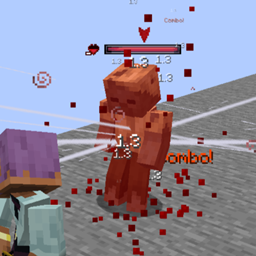
It also adds a new particle type, this particle is of type "text", you will normally see it when applying an element on an entity or when performing an elemental reaction, reactions require (some) access to the ICD, if they don't have the data when trying to apply a "reaction" as an effect via /effect it will simply fail.
...