Mineuniverse
Log in Register
Mods

SL Library

Adds various base utilities, synchronization help, policy, packet sending and data driven
by Sleys
Download Claim this project
225,407 downloads
0 likes
Updated Jul 6, 2026
0 hypes
API and Library

🔹SL Library


🧰 Core Library & Utilities

SL Library includes a internal library designed to support mod features such as synchronization, event handling, logic execution, and client-side rendering utilities.


⚙️ What does it provide?

The internal library is composed of multiple utility modules that handle:

  • 🔄 Network synchronization (client ↔ server)
  • 🎯 Event-driven systems for gameplay interactions
  • 🧠 Conditional logic and execution systems
  • 📦 File handling and configuration utilities
  • ⚡ Command registration and processing
  • 🎮 Input handling and player interaction events
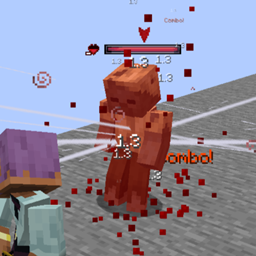
  • ✨ Custom particle systems (including text particles)
  • 🧩 Compatibility and modular execution support


🌐 Networking System

Includes a complete packet-based synchronization layer:

  • Sync custom data between client and server  
  • Handle cooldowns, tags, and state updates  
  • Support for particle and visual synchronization  


🎯 Event System

Provides a wide range of events for gameplay interaction:

  • Player input and movement  
  • Attack and combat behavior  
  • Targeting systems  
  • Client-side rendering and camera control  


🧠 Logic & Execution System

A flexible logic framework built around reusable "statements":

  • Player, entity, item, and equipment conditions  
  • Execution chains and conditional logic  
  • Sound and action triggers  


✨ Particle System

Includes a custom particle engine with advanced features:

  • Text-based particles  
  • Buffered rendering system  
  • Mathematical handlers for animation and positioning  


🛠️ Utilities & Tools

Additional systems included:

  • File reading and path building utilities  
  • Configuration management  
  • Command registration system  
  •  Exception handling framework  
  • Rendering helpers and overlay utilities  


🔹SL Data-Driven

Extends data reading, whether for resource packs, data packs via external folders, or early internal In-Jar reads


📁 Global Data-Driven Folders

SL Data-Driven provides two special global directories inside your `.minecraft` folder:

.minecraft/data_driven/resourcepacks  
.minecraft/data_driven/datapacks  


🔍 How it works

Anything placed inside these folders behaves as if it were built directly into the game or a mod.

The key advantage:

  • Content is global  
  • Works across all worlds automatically  
  • No per-world installation required


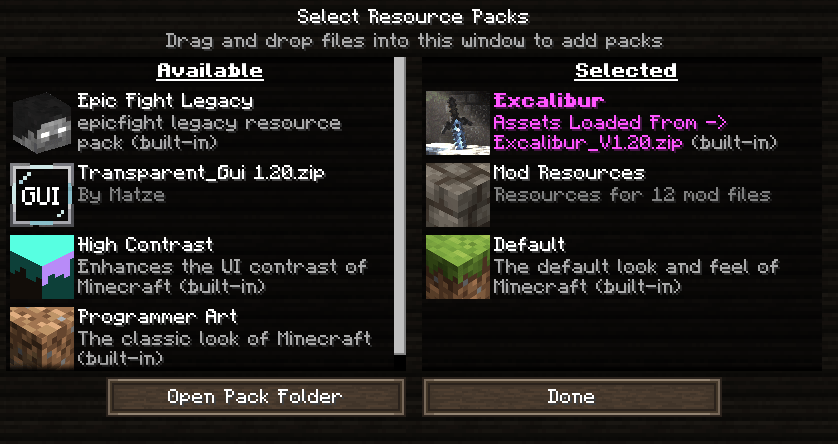
📦 Resource Packs

Path:
.minecraft/data_driven/resourcepacks  

  • Store assets such as textures, models, animations, and similar files  
  • Behaves like a built-in resource pack  
  • No manual activation required  

Resourcepack example:


📚 Data Packs

Path:

.minecraft/data_driven/datapacks  

  • Store datapacks and data-driven logic  
  • Works like standard datapacks  
  • Automatically loaded in all worlds  

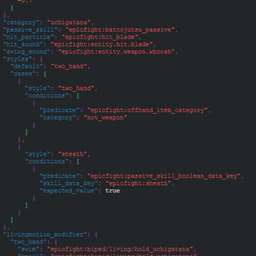
Datapacks example:


📦 Dependency Package System

SL Data-Driven introduces a dependency system that allows other mods to automatically add content using structured files (such as JSON) directly inside their .jar.

This makes it easy to create extensions, compatibility layers, and data-driven features without modifying the base mod.


🔍 How does it work?

The system is fully automatic:

1. Declare the dependency  
Your mod must depend on "sl_data_driven" in its META-INF descriptor.

2. Folder structure  
Inside your mod, create the following path:

/data_driven/<your_mod_id>/

3. Add your files  
Place any files you want SL Data-Driven to process (JSON, configs, etc.) inside that folder.

4. Automatic loading  
On startup, SL Data-Driven

  • Detects all mods that depend on it  
  •  Scans the /data_driven/ directory  
  •  Loads the files as extensions  

This allows collecting and reading files, but it does not add a base read; all file reading must be designed.


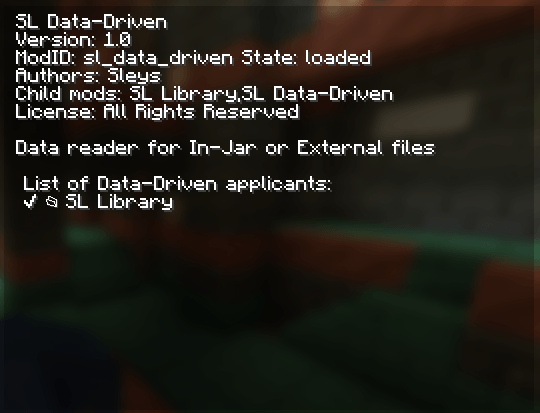
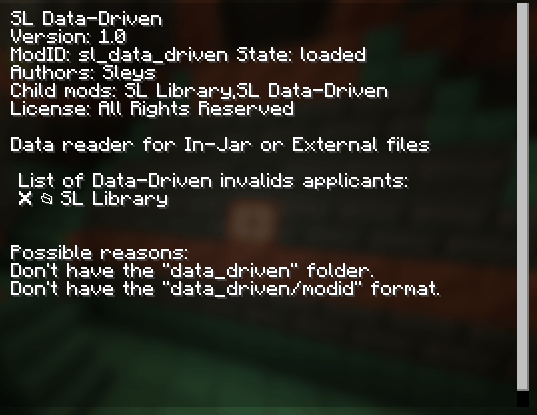
One way to confirm that it works is, for example, to check that your modid is listed here, in this case I added the mod (SL Library) to the Data-Driven

When valid:
 

When it is invalid:


✅ Minimum requirements

For your .jar to be recognized as a valid mod:

  •  It must include a META-INF descriptor  
  • It must use:

modLoader="lowcodefml"


🧪 Example configuration

modLoader="lowcodefml"
loaderVersion="[47,)"
license="All Rights Reserved"

[[mods]]
modId="your_modid"
displayName="Your Mod Name"
version="1.0"
authors="you"

[[dependencies.your_modid]]
modId="sl_data_driven"
mandatory=true
versionRange="*"
ordering="AFTER"
side="BOTH"


SL-Library-1.4.1-1.21.1+[NeoForge].jar
MC Client, 1.21.1, NeoForge, Server
Release 2026-07-04 Get
SL-Library-1.4.1-1.20.1+[Forge].jar
MC Client, 1.20.1, Forge, Server
Release 2026-07-04 Get

More from Sleys

Epic Fight - Give Me An Infernal Gainer
9,766
Epic Fight - Give Me a Sanji
8,703
Lazy Utilities [Deprecated]
833,357
Epic Fight - EDP (Extended Datapacks)
513,866
Damage & Status Indicator
4,530
Epic Fight - Give Me more Animations
36,114

You Might Also Like

Vivecraft
A Minecraft VR mod on a loader of your choice!
9,988,339
Athena
A crossplatform (Forge/Fabric) solution to connected block textures for 1.19.4+
99,799,527
Lodestone
A collection of code used throughout projects under the Lodestar team.
9,914,417
TheDragonLib
A library for most of sokratis12GR's Mods
9,910,232
Multi Mob Library
A library mod containing essential files for Daveyx0's mob mods
9,892,767
FTB Library (Forge) (Legacy)
FTB Library is a library mod that is used for some of our mods.
98,265,314