Mineuniverse
Data Packs
Deep Bundles

Deep Bundles

DATA PACK
Adds bundle variants that can hold more items and automatically pick up certain categories of items
by aji56
Download Claim this project
195 downloads
0 likes
Updated Oct 14, 2026
0 hypes
Utility
Advertisement Remove ads with Premium →

The purpose of deep bundles is to enable longer expeditions by automatically storing commonly found items.

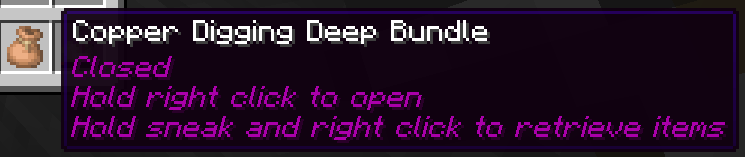
Deep bundles can be open or closed, and only picks up items while open (you can tell by the enchantment glint or the tooltip). Items can only be retrieved while the bundle is closed. To open or close it, hold right click while not sneaking when it's in your main hand until it changes state. To retrieve items, hold right click while sneaking with the closed bundle in your main hand. If your deep bundle gets full, it will automatically close itself, and can't be reopened until some items are removed and it has space for more items.

While deep bundles can pick up items while they're in any inventory slot (or even your offhand), they only store items from your inventory and ignore anything in your hotbar or offhand, to allow keeping some but not all items.

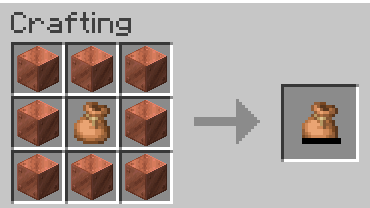
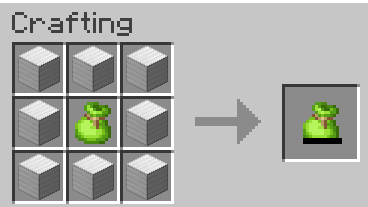
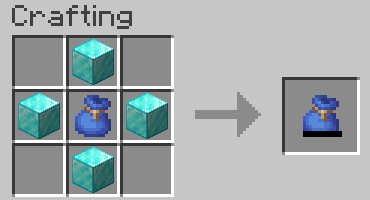
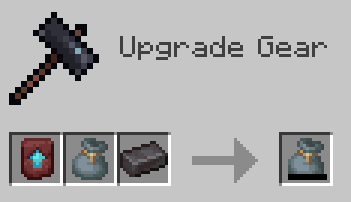
Deep bundles are crafted from a specific color of bundle depending on the category, as well as a tier material. They come in 4 tiers: copper, iron, diamond, and netherite, which hold 128, 256, 512, and 1024 items respectively. They can't be upgraded to a higher tier once they've been crafted, you'll need to make a new one if you want a higher tier than what you have.

There are currently 6 bundle categories:

  • Digging (brown) - items you might dig up from the world with a shovel, like dirt or sand
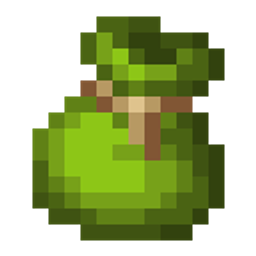
  • Farming (lime) - farmable plant/animal products, like wheat, sugar cane, or raw meats
  • Fishing (blue) - fish and nautilus shells
  • Mining (gray) - items you might pick up with a pickaxe while mining, like ores or stone
  • Monster (red) - mob drops, like rotten flesh or string
  • Woodcutting (green) - logs, saplings and other items that come from trees

These categories are controlled by item tags, which can be easily changed if necessary.

If you notice any bugs or have constructive feedback, please let me know.

deep_bundles_v1.0_26.3.zip
MC 26.3
Release 2026-09-20 Get
deep_bundles_v1.0_26.2.zip
MC 26.2
Release 2026-07-27 Get

Requirements & install

How to use this data pack in Minecraft
Mods needed
None, works in vanilla
Minecraft
26.2 – 26.3
Install folder
saves/<world>/datapacks

How to install data packs

  1. Download the data pack .zip file (do not extract it).
  2. New world: click Data Packs on the world creation screen and drop the .zip in. Existing world: open .minecraft/saves/<world>/datapacks.
  3. Put the .zip into the datapacks folder of the world (servers: world/datapacks).
  4. Run /reload in game (or rejoin the world) and check it with /datapack list.
Browse more: Data Packs for 26.3 All data packs

More from aji56

Advertisement Remove ads with Premium →

You Might Also Like