Mineuniverse
Data Packs · Vanilla-friendly

Utility Data Packs for Minecraft

1,177 data packs · most popular: Farmer's Delight Cutting Compat, DarkSpawn - Change spawn coordinates and DarkLoot - Change mob loot drops

Farmer's Delight Cutting Compat

Farmer's Delight Cutting Compat

Adds compatibility between Farmer's Delight and many other mods through cutting board recipes!

6.6M
DOWNLOADS
0
LIKES
Download
DarkSpawn - Change spawn coordinates

DarkSpawn - Change spawn coordinates

DarkSpawn datapack to change the coordinates for spawning
933.8K
DOWNLOADS
0
LIKES
Download
DarkLoot - Change mob loot drops

DarkLoot - Change mob loot drops

DarkLoot datapack to change loot drops from mobs

785.9K
DOWNLOADS
0
LIKES
Download
DarkQuesting - Change casino rewards

DarkQuesting - Change casino rewards

DarkQuesting Casino datapack to change the casino loot table drops

854.3K
DOWNLOADS
0
LIKES
Download
DarkMining - Change mining drops

DarkMining - Change mining drops

DarkMining datapack to change the dropped items when mining

784.4K
DOWNLOADS
0
LIKES
Download
Dynamic Lights [Data Pack]

Dynamic Lights [Data Pack]

Supported entities and items such as torches or lanterns emit light!

2.1M
DOWNLOADS
0
LIKES
Download
All Mob Heads

All Mob Heads

by MLDEG

A datapack that allows the head drop of all mobs.

368.2K
DOWNLOADS
0
LIKES
Download
Loot Tweaks For RPG Series - Utility Datapack for Prominence II

Loot Tweaks For RPG Series - Utility Datapack for Prominence II

This Datapack Removes all of Archers Expansion RPG Series' Armor pieces. Originally used for Prominence II, this Datapack can be easily modified into…

2.3M
DOWNLOADS
0
LIKES
Download
Loot Tweaks For Artifacts - Utility Datapack for Prominence II

Loot Tweaks For Artifacts - Utility Datapack for Prominence II

This Datapack Removes Feral Claws from any of the Loot tables and replaces it with Pickaxe heaters by default. This Datapack can be used to Modify Ar…

2.2M
DOWNLOADS
0
LIKES
Download
DarkTimer - Change time & announcement text

DarkTimer - Change time & announcement text

DarkTimer datapack to change the item deletion duration and chat announcement text to anything you want

940.7K
DOWNLOADS
0
LIKES
Download
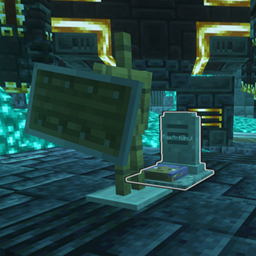
Create: Easy Stone Generators - No Obsidian Gen

Create: Easy Stone Generators - No Obsidian Gen

Removes the recipe for Obsidian Generators with the Easy Stone Generators Mod
1M
DOWNLOADS
0
LIKES
Download
Grave Destruction fix for "You're in Grave Danger" and "L_Ender 's Cataclysm" bosses

Grave Destruction fix for "You're in Grave Danger" and "L_Ender 's Cataclysm" bosses

Literally just adds the YIGD grave tag to the files in the Cataclysm mod that are immune to the bosses, fixing the issue with the graves being destro…

1.1M
DOWNLOADS
0
LIKES
Download
MSW Guns' Upswing

MSW Guns' Upswing

by ImEden6

This datapack configures Soulslike Weaponry guns to have custom Better Combat melee swing animations with a fast 0.1-second (2-tick) upswing time.

696.5K
DOWNLOADS
0
LIKES
Download
DarkRewards - Change item rewards

DarkRewards - Change item rewards

DarkRewards datapack to change the rewarded items

780.5K
DOWNLOADS
0
LIKES
Download
DarkStarter - Change starter items

DarkStarter - Change starter items

DarkStarter datapack to change starter items

783.9K
DOWNLOADS
0
LIKES
Download
DarkMobs - Change mob effects

DarkMobs - Change mob effects

DarkMobs datapack to change effects or disable effects for mobs
618.7K
DOWNLOADS
0
LIKES
Download
DarkBindings - Recipe Disabler

DarkBindings - Recipe Disabler

DarkBindings datapack to disable any unwanted recipes

791.3K
DOWNLOADS
0
LIKES
Download
DarkMobs - Easy Mode mobs

DarkMobs - Easy Mode mobs

DarkMobs datapack to make mobs slightly easier to fight

615.9K
DOWNLOADS
0
LIKES
Download
How to install data packs
  1. Download the data pack .zip file (do not extract it).
  2. New world: click Data Packs on the world creation screen and drop the .zip in. Existing world: open .minecraft/saves/<world>/datapacks.
  3. Put the .zip into the datapacks folder of the world (servers: world/datapacks).
  4. Run /reload in game (or rejoin the world) and check it with /datapack list.