Mineuniverse
Data Packs
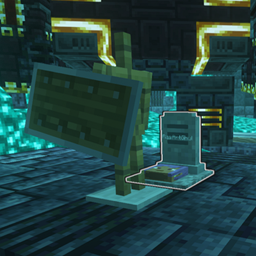
Grave Destruction fix for "You're in Grave Danger" and "L_Ender 's Cataclysm" bosses

Grave Destruction fix for "You're in Grave Danger" and "L_Ender 's Cataclysm" bosses

DATA PACK
Literally just adds the YIGD grave tag to the files in the Cataclysm mod that are immune to the bosses, fixing the issue with the graves being destroyed
by RasArtGhul
Download Claim this project
Add a badge to your pageLink to Grave Destruction fix for "You're in Grave Danger" and "L_Ender 's Cataclysm" bosses from a README, website or forum post.
Preview: Badge

Badges update automatically and link to the data pack page on MineUniverse.

1,086,196 downloads
0 likes
0 followers
Updated Oct 14, 2026
0 hypes
Follow0
Utility
Advertisement Remove ads with Premium →

I love the Cataclysm mod by L_Ender and I love the You're In Grave Danger mod by b1n_ry.

Update: 1.20.1 players, great news. This does work on 1.20.1, but you need to make one small change.
RLLStudio commented on this, but you need to change the folder named "block" to be named "blocks". Apparently that was changed somewhere along the way, for whatever reason. 

Sadly, the Cataclysm bosses are able to destroy the graves from YIGD, and that is a problem when running a server. If you play alone, you can just use console commands to restore graves, but less so for players on a server without operator permissions. Thus, with a LOT of help from b1n_ry(he basically told me exactly what to do, I just typed some stuff after that, 90% credit goes to him for this), I put together this little data pack that adds the grave tag from YIGD to the files from Cataclysm that define which blocks are immune to the bosses. 

 I tested this on the Netherite Monstrosity, but the process is the same for all the bosses, so I see no reason it shouldn't also work on the others. 


Let me know if this causes any issues 

RasFix_Cataclysm_YIGD.zip
MC 1.21.1
Release 2025-10-12 Get

Requirements & install

How to use this data pack in Minecraft
Mods needed
None, works in vanilla
Minecraft
1.21.1
Install folder
saves/<world>/datapacks

How to install data packs

  1. Download the data pack .zip file (do not extract it).
  2. New world: click Data Packs on the world creation screen and drop the .zip in. Existing world: open .minecraft/saves/<world>/datapacks.
  3. Put the .zip into the datapacks folder of the world (servers: world/datapacks).
  4. Run /reload in game (or rejoin the world) and check it with /datapack list.
Browse more: Data Packs for 1.21.1 All data packs

More from RasArtGhul

Advertisement Remove ads with Premium →

You Might Also Like