Mineuniverse
Shaders
StarShaders

StarShaders

SHADER
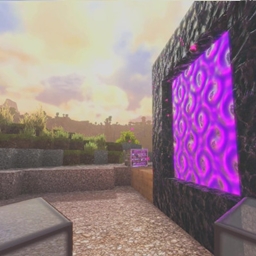
Star Shaders is a low-end friendly shader that adds better clouds, reflective water, and gentle wave effects while keeping performance smooth for high FPS on weaker devices.
by GamesofDev
Download Claim this project
Add a badge to your pageLink to StarShaders from a README, website or forum post.
Preview: Badge

Badges update automatically and link to the shader page on MineUniverse.

2,079 downloads
0 likes
0 followers
Updated Oct 14, 2026
0 hypes
Follow0
Fantasy
Advertisement Remove ads with Premium →

ABOUT

Star Shaders is a lightweight shader pack designed for low-end devices, delivering improved visuals without sacrificing performance. It features enhanced clouds, reflective water, gentle wave motion, and subtle lighting effects to create a smoother and more immersive Minecraft experience while maintaining high FPS. The shader focuses on balanced quality and optimization, making it ideal for players who want better graphics on weaker hardware.

donate


Perfomance

Specs used for FPS Testing

- Ryzen 5 3600
- RX6600
- 16GB DDR4


Features

Features:
Star Shaders includes support for Distant Horizons, fancy volumetric-style clouds, customizable post-processing sliders, and many more visual enhancements. It offers reflective water, gentle waves, improved lighting, and multiple settings for performance tuning, giving players a smooth and customizable experience even on low-end devices.

How to report BUGS!!

Our GlacierDevelopment Discord server is Live you can report bugs and Chat with other GlacierShaders users, report bugs, get help with issues, and join exciting giveaways — all in one place!

OFFER!!



StarShaders v1
MC 1.21, 1.21.8, 1.21.5, 1.21.4, 1.21.1, 1.21.6, 1.21.3, 1.21.7, Iris, 1.21.2, 1.21.9, 1.21.10, 1.21.11, 26.1, 26.1.1, 26.1.2
Release 2026-06-02 Get

Requirements & install

How to use this shader in Minecraft
Shader loader
Iris
Minecraft
1.21.7 – 26.1.2
Install folder
.minecraft/shaderpacks

Install with Iris

  1. Install Iris with the Iris installer (irisshaders.dev); it sets up Fabric and Sodium for you.
  2. Download the shader pack .zip (do not extract it).
  3. Put the .zip into .minecraft/shaderpacks.
  4. In game open Options → Video Settings → Shader Packs, select the pack and click Apply.
Browse more: Iris shaders OptiFine shaders Shaders for 26.1.2 All shaders

More from GamesofDev

Advertisement Remove ads with Premium →

You Might Also Like