Mineuniverse
Shaders
Negative Colors

Negative Colors

SHADER
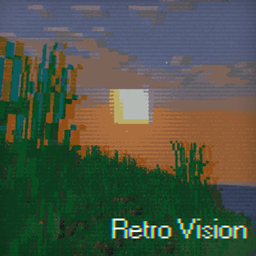
Transform Minecraft with the Negative Color shader,
by marctgamer
Download Claim this project
19,844 downloads
0 likes
Updated Oct 14, 2026
0 hypes
Vanilla
Advertisement Remove ads with Premium →

Invert all colors in Minecraft for a unique, surreal look.

Features: **Color inversion ** Compatibility: Needs OptiFine or similar mod

negativecolor v1.2
MC 1.16-Snapshot, 1.17.1, 1.16.3, 1.13.1, 1.19.3, 1.20.2, 1.21.2-Snapshot, 1.21, 1.15-Snapshot, 1.16.1, 1.18.1, 1.19.4-Snapshot, 1.20.5, 1.14.4, 1.14.1, 1.12.1, 1.17, 1.12
Release 2024-09-01 Get
negativecolor.zip
MC 1.16-Snapshot, 1.17.1, 1.9.1, 1.16.3, 1.13.1, 1.9.3, 1.19.3, 1.20.2, 1.21, 1.15-Snapshot, 1.16.1, 1.18.1, 1.19.4-Snapshot, 1.20.5, 1.10-Snapshot, 1.9.4, 1.9.2, 1.14.4, 1.14.1
Release 2024-07-31 Get

Requirements & install

How to use this shader in Minecraft
Shader loader
Iris or OptiFine
Minecraft
1.17.1 – 1.21.2-Snapshot
Install folder
.minecraft/shaderpacks

How to install shaders

  1. Install a shader loader for your Minecraft version: Iris (with Sodium) or OptiFine.
  2. Download the shader pack .zip file (do not extract it).
  3. Put the .zip into the shaderpacks folder (.minecraft/shaderpacks).
  4. In game open Options → Video Settings → Shader Packs, select the pack and apply it.
Browse more: Iris shaders OptiFine shaders Shaders for 1.21.2-Snapshot All shaders

More from marctgamer

Advertisement Remove ads with Premium →

You Might Also Like