Mineuniverse
Shaders
GSR Shaders

GSR Shaders

SHADER
[WIP] A Colorful Shaders Based on Complementary Unbound.
by SamHere
Download Claim this project
Add a badge to your pageLink to GSR Shaders from a README, website or forum post.
Preview: Badge

Badges update automatically and link to the shader page on MineUniverse.

113 downloads
0 likes
0 followers
Updated Nov 10, 2026
0 hypes
Follow0
Fantasy Vanilla
Advertisement Remove ads with Premium →

GSR Shaders

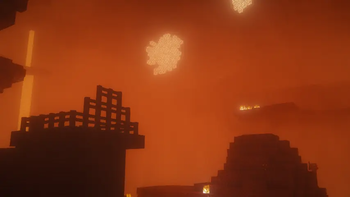
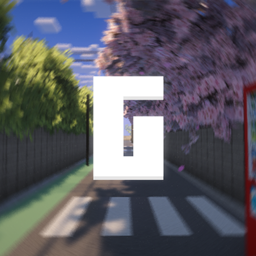
GSR Shaders is a customized edition of Complementary Reimagined, featuring a collection of visual improvements and atmospheric enhancements designed to create a more vibrant and immersive Minecraft experience while preserving the original shader's excellent performance and quality.

Features

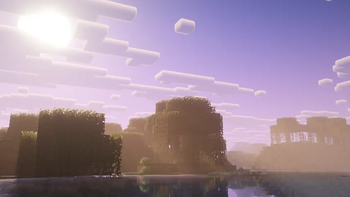
  • Beautifully recolored sky with richer gradients and a more dynamic atmosphere.
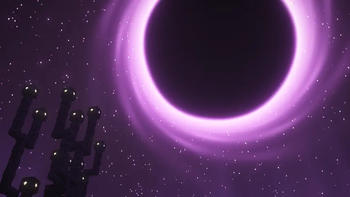
  • Completely enhanced End dimension featuring a massive black hole for a unique and cinematic appearance.
  • Realistic rain reflections that appear on surfaces during rainy weather.
  • Redesigned water with a fresh color palette for cleaner and more natural-looking oceans, rivers, and lakes.
  • Shooting stars that occasionally streak across the night sky, adding life to nighttime exploration.
  • Various visual refinements and tweaks throughout the shader for a refreshed experience.

Credits

GSR Shaders is based on Complementary Reimagined. All credit for the original shader framework and core rendering belongs to the Complementary development team. GSR Shaders builds upon their outstanding work by introducing new visual effects, custom colors, and artistic enhancements.

Looking for the next version?

Be sure to check out GSU (Unbound Version) for an even more refined visual experience with additional improvements and future features.

GSRShaders_v1.zip
MC 1.21.2-Snapshot, 1.21, 1.21.6-snapshot, 1.20.2-Snapshot, 1.20.5-Snapshot, 1.21.1-Snapshot, 1.20.2, 1.21.8, 1.20.5, 1.21.5, 1.21.4, 1.21.5-Snapshot, 1.20.1, 1.20, OptiFine, 1.20.6
Release 2026-10-30 Get

Requirements & install

How to use this shader in Minecraft
Shader loader
OptiFine
Minecraft
1.21 – 1.21.8
Install folder
.minecraft/shaderpacks

Install with OptiFine

  1. Install OptiFine for your Minecraft version (optifine.net) and start it once.
  2. Download the shader pack .zip (do not extract it).
  3. Put the .zip into .minecraft/shaderpacks.
  4. In game open Options → Video Settings → Shaders and select the pack.
Browse more: Iris shaders OptiFine shaders Shaders for 1.21.8 All shaders

More from SamHere

Advertisement Remove ads with Premium →

You Might Also Like