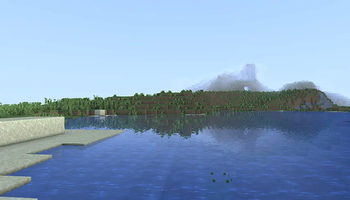
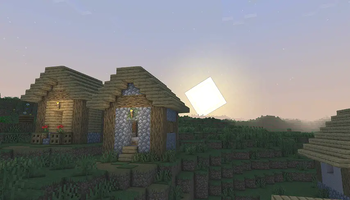
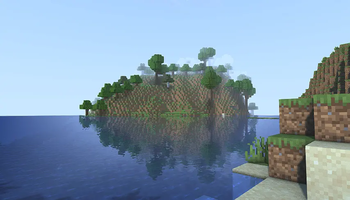
This is a modified version of Body Camera Shaders by LoLip_p, redistributed under CC BY 4.0. Changes include fixed crushed shadows, improved color grading and saturation, a brighter and more natural sky, warmer sunlight, reduced fog, and removal of the night vision, thermal, and scanline features, resulting in a cleaner vanilla plus look.
shaders/
    shaders.properties      pack metadata, screen/profile layout, LUT loading
    settings.glsl            all user-facing toggles and their default values
    block.properties         vanilla block ID to shader ID mapping
    entity.properties        vanilla entity ID to shader ID mapping
    dimension.properties     maps world0/world-1/world1 to Overworld/Nether/End
    lut.png, lut_init.png,
    lut_invers.png,
    lut_only_red.png          color grading look-up tables
    lang/                     en_US, fr_FR, ru_RU translations for the
                              in-game settings menu
    lib/util/dither.glsl      shared dithering helper
    world0/                   Overworld shaders (full pipeline: composite 0-4,
                              shadow, gbuffers, Distant Horizons terrain/water)
    world-1/                  Nether shaders (reduced composite chain,
                              composite 1/2/3/5/6, Distant Horizons terrain)
    world1/                   End shaders (same layout as world-1)
Creative Commons Attribution 4.0 International (CC BY 4.0). Full text: https://creativecommons.org/licenses/by/4.0/legalcode