Mineuniverse
Shaders
Eclipse

Eclipse

SHADER
A Revamped Version of EclipseLite, In Cooperation with Gamer Ben
by gamerbenyt
Download Claim this project
Add a badge to your pageLink to Eclipse from a README, website or forum post.
Preview: Badge

Badges update automatically and link to the shader page on MineUniverse.

360,957 downloads
0 likes
0 followers
Updated Oct 14, 2026
0 hypes
Follow0
Vanilla
Advertisement Remove ads with Premium →

Eclipse

Eclipse is a Revamped Version of EclipseLite, in Cooperation with Gamer Ben.

About

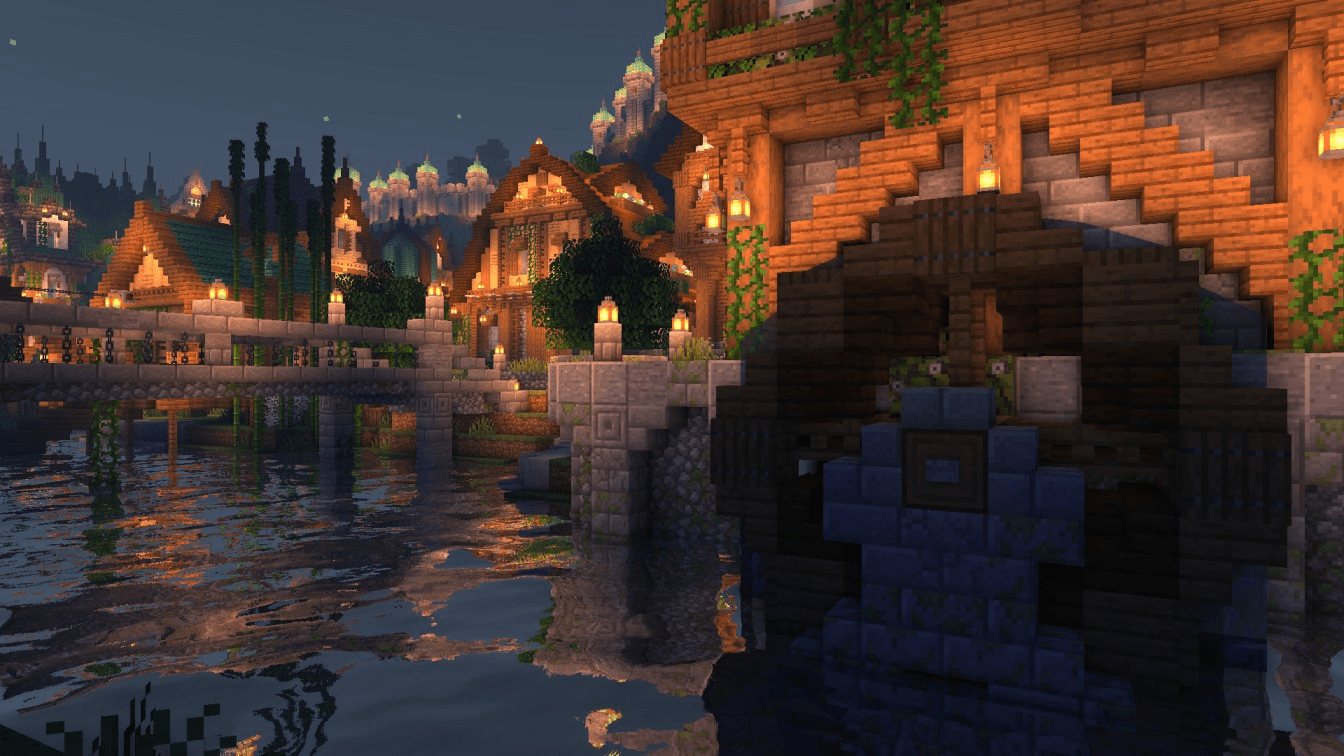
Eclipse is a Shader Pack that gives a Solar Eclipse feel to the skies during the day! It is based on EclipseLite, but has many distinct features that set it apart.

Eclipse aims to give a dark and moody feel to your world, but still keeping it vanilla.

Our shader may looks similar to vanilla, but thats the whole point! We want to keep Eclipse close to standard gameplay, yet with a new vibe.

Team

Eclipse is a project founded and developed by GamesOfDev, but Owned and tweaked by Gamer Ben.

Eclipse Shaders 1.0
MC 1.19.3, 1.20.2, 1.21, 1.20.5, 1.21.5, 1.19.4, 1.21.8, 1.21.4, 1.19.2, 1.20.3, 1.20.1, 1.20, 1.20.6, 1.19.1, 1.20.4, 1.21.3, 1.21.7, 1.21.1, 1.21.6, Iris, 1.19, 1.21.2
Beta 2025-08-16 Get

Requirements & install

How to use this shader in Minecraft
Shader loader
Iris
Minecraft
1.21.1 – 1.21.8
Install folder
.minecraft/shaderpacks

Install with Iris

  1. Install Iris with the Iris installer (irisshaders.dev); it sets up Fabric and Sodium for you.
  2. Download the shader pack .zip (do not extract it).
  3. Put the .zip into .minecraft/shaderpacks.
  4. In game open Options → Video Settings → Shader Packs, select the pack and click Apply.
Browse more: Iris shaders OptiFine shaders Shaders for 1.21.8 All shaders

More from gamerbenyt

Advertisement Remove ads with Premium →

You Might Also Like