Mineuniverse
Shaders
Cozy & Light

Cozy & Light

SHADER
A good performing lightweight shaderpack designed for a little comfort in vanilla.
by vexinity99
Download Claim this project
130,415 downloads
0 likes
Updated Oct 14, 2026
0 hypes
Realistic Vanilla
Advertisement Remove ads with Premium →

About

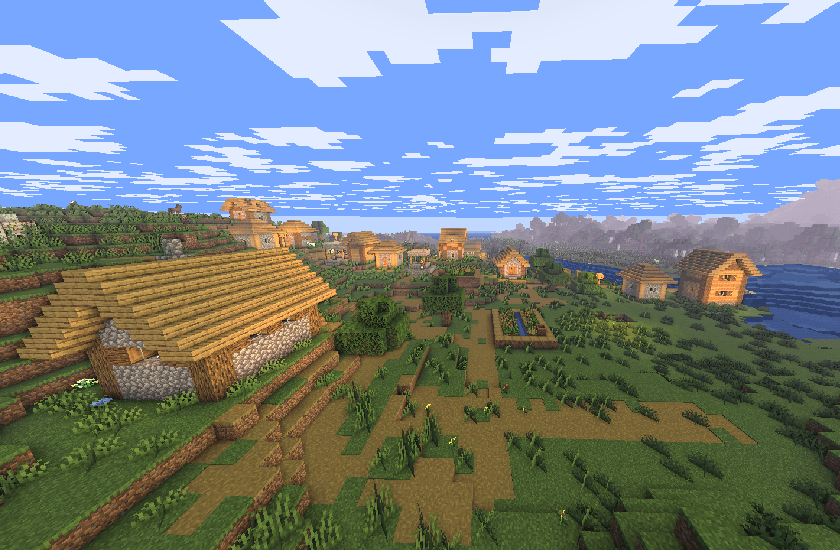
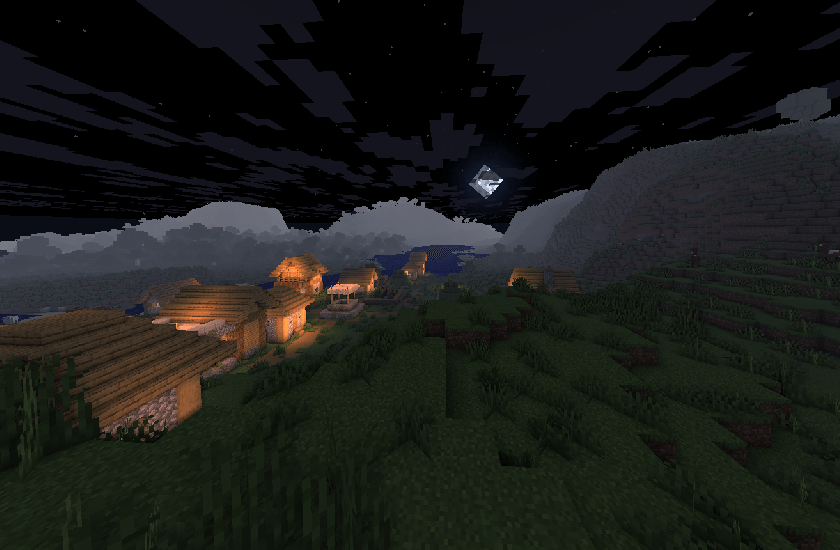
Cozy & Light is a shader pack for Minecraft Java Edition that adds better lighting, improves water, and more! Instead of aiming for laggy realism, Cozy & Light focuses on beautiful visuals, still keeping the same fps as vanilla.


Installation

  • First, install the Iris Shaders mod to enable shader packs in Minecraft Java Edition.
  • Launch the game and open the Shaders / Shaderpacks menu in Video Settings.
  • Open the shaderpacks folder using the button inside the menu.
  • Download Cozy & Light and place the file into the shaderpacks folder. (Do not unzip the file.)
  • Return to the game and select Cozy & Light from the shader list.

Join my discord!

Watch videos on my YouTube channel!

Cozy & Light 1.0.zip
MC 1.21, 1.19.3, 1.20.2, 1.19.4, 1.21.8, 1.20.5, 1.21.5, 1.21.4, 1.20.1, 1.20, 1.20.6, 1.21.1, 1.21.6, 1.21.3, 1.21.7, 1.19.1, 1.20.4, 1.19.2, 1.20.3, Iris, 1.19, 1.21.2, 1.21.9
Release 2025-11-02 Get

Requirements & install

How to use this shader in Minecraft
Shader loader
Iris
Minecraft
1.21.2 – 1.21.9
Install folder
.minecraft/shaderpacks

Install with Iris

  1. Install Iris with the Iris installer (irisshaders.dev); it sets up Fabric and Sodium for you.
  2. Download the shader pack .zip (do not extract it).
  3. Put the .zip into .minecraft/shaderpacks.
  4. In game open Options → Video Settings → Shader Packs, select the pack and click Apply.
Browse more: Iris shaders OptiFine shaders Shaders for 1.21.9 All shaders

More from vexinity99

Advertisement Remove ads with Premium →

You Might Also Like