Mineuniverse
Shaders
Low Water

Low Water

SHADER
A shaderpack that ONLY adds water. Built for low-end-devices, like a laptop.
by vexinity99
Download Claim this project
129,407 downloads
0 likes
Updated Oct 14, 2026
0 hypes
Realistic Vanilla
Advertisement Remove ads with Premium →

About

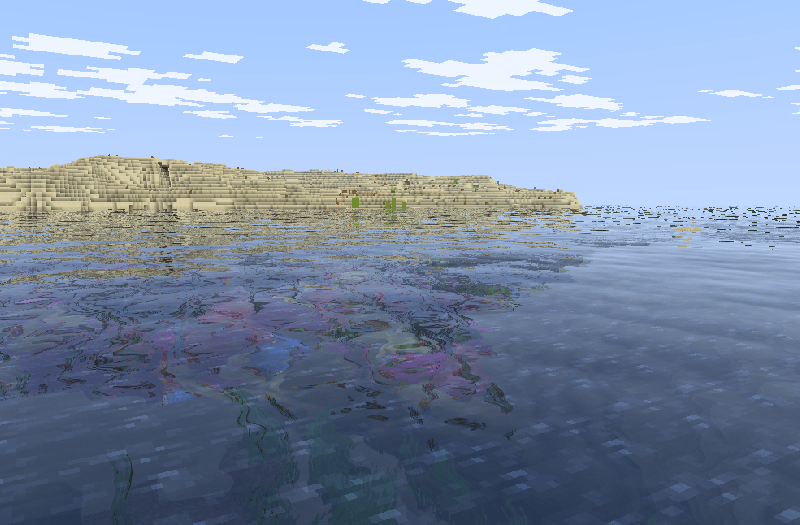
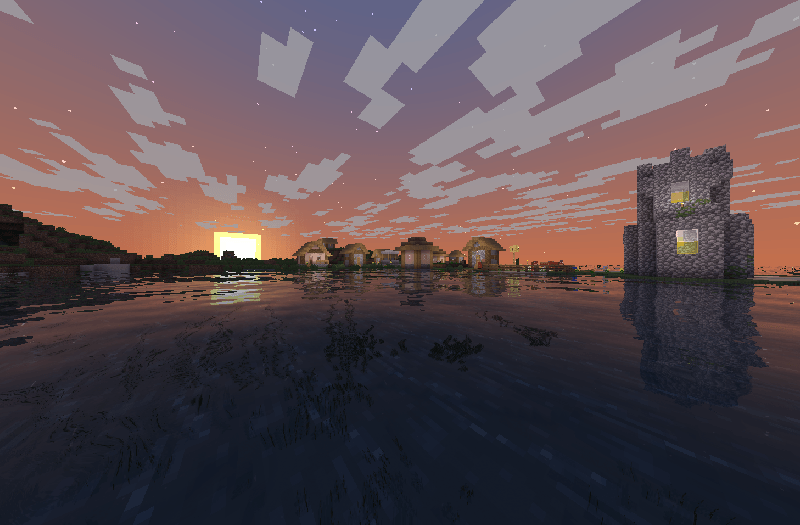
Low Water is a shader pack for Minecraft Java Edition that adds refractions, waves, and reflections to water. These changes make the game feel a tad bit better in the best way possible. Instead of aiming for lighting and other stuff, Low Water focuses on realistic water that can run on low end devices perfectly.


Installation

  • First, install the Iris Shaders mod to enable shader packs in Minecraft Java Edition.
  • Launch the game and open the Shaders / Shaderpacks menu in Video Settings.
  • Open the shaderpacks folder using the button inside the menu.
  • Download Low Water and place the file into the shaderpacks folder. (Do not unzip the file.)
  • Return to the game and select Low Water from the shader list.

Join my discord!

Watch videos on my YouTube channel!

 

LowWater 1.0.zip
MC 1.21.2-Snapshot, 1.21, 1.21.6-snapshot, 1.20.2-Snapshot, 1.20.5-Snapshot, 1.21.1-Snapshot, 1.19.3, 1.20.2, 1.19.4, 1.21.8, 1.19.4-Snapshot, 1.20.5, 1.21.5, 1.21.4, 1.21.5-Snapshot
Release 2025-10-19 Get

Requirements & install

How to use this shader in Minecraft
Shader loader
Iris or OptiFine
Minecraft
1.21 – 1.21.8
Install folder
.minecraft/shaderpacks

How to install shaders

  1. Install a shader loader for your Minecraft version: Iris (with Sodium) or OptiFine.
  2. Download the shader pack .zip file (do not extract it).
  3. Put the .zip into the shaderpacks folder (.minecraft/shaderpacks).
  4. In game open Options → Video Settings → Shader Packs, select the pack and apply it.
Browse more: Iris shaders OptiFine shaders Shaders for 1.21.8 All shaders

More from vexinity99

Advertisement Remove ads with Premium →

You Might Also Like