Mineuniverse
Resource Packs
Softy

Softy

RESOURCE PACK
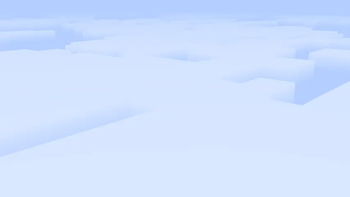
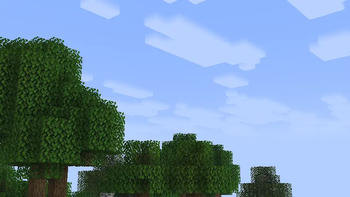
Transforms Minecraft's vanilla clouds into soft and dreamy formations.
by GamesofDev
Download Claim this project
1,019 downloads
0 likes
0 followers
Updated Oct 14, 2026
0 hypes
Follow0
16x
Advertisement Remove ads with Premium →

SOFTY

Softy

Softy is a lightweight Minecraft resource pack that gives the game's vanilla clouds a softer, smoother, and more natural appearance. By replacing the default cloud texture with fluffy, dreamy formations, Softy creates a calmer atmosphere while preserving the familiar vanilla aesthetic.

Designed to blend seamlessly into Minecraft, the pack enhances the sky without changing the game's overall art style. Whether you're exploring landscapes, building large projects, or simply enjoying the scenery, Softy makes every world feel a little more peaceful.


Features

  • Soft, fluffy cloud textures inspired by a clean vanilla style.
  • Maintains Minecraft's original look and feel.
  • Creates a more relaxing and atmospheric sky.
  • Lightweight with no impact on gameplay or performance.
  • Compatible with vanilla Minecraft and most resource packs.
  • Works alongside most shader packs for an enhanced visual experience.

Compatibility

  • Vanilla Minecraft
  • Most resource packs
  • Most shader packs
  • Multiplayer-friendly (client-side only)

Installation

  1. Download the Softy resource pack.
  2. Move the .zip file into your Minecraft resourcepacks folder.
  3. Open Minecraft and enable Softy from the Resource Packs menu.
  4. Enjoy a softer, more immersive Minecraft sky.

Credits

Created by GamesofDev.

If you enjoy Softy, consider leaving a review or sharing it with others to support future updates.

Softy.zip
MC 1.21.2-Snapshot, 1.21, 1.21.6-snapshot, 1.20.2-Snapshot, 1.20.5-Snapshot, 1.19-Snapshot, 1.21.1-Snapshot, 1.19.3, 1.20.2, 1.19.4, 1.21.8, 1.19.4-Snapshot, 1.20.5, 1.21.5, 1.21.4
Release 2026-08-05 Get

Requirements & install

How to use this resource pack in Minecraft
Resolution
16x
Minecraft
1.20.5 – 1.21.8
Install folder
.minecraft/resourcepacks

How to install resource packs

  1. Download the resource pack .zip file (do not extract it).
  2. In Minecraft open Options → Resource Packs → Open Pack Folder.
  3. Drop the .zip into the resourcepacks folder (.minecraft/resourcepacks).
  4. Move the pack to the Selected column and click Done.
Browse more: 16x resource packs 32x resource packs 64x resource packs 128x resource packs 256x resource packs 512x+ resource packs Resource Packs for 1.21.8 All resource packs

More from GamesofDev

Advertisement Remove ads with Premium →

You Might Also Like