Mineuniverse
Resource Packs
Lower Fire:Blue Fire: Safe & Low Visuals

Lower Fire:Blue Fire: Safe & Low Visuals

RESOURCE PACK
Its a resources packs for a more safer nether expirience
by MochiLinesStudio
Download Claim this project
21,217 downloads
0 likes
0 followers
Updated Oct 14, 2026
0 hypes
Follow0
16x
Advertisement Remove ads with Premium →

💎 Blue Fire - Safer Nether Exploration

Blue Fire is a utility-focused resource pack designed to revolutionize your survival experience in the Nether. By replacing the dull, obstructive vanilla fire with high-visibility Cyan-Blue flames, this pack ensures you stay safe and focused during your most dangerous adventures.

🌟 Key Features

  • Extreme Visibility: The vibrant blue hue creates a sharp contrast against the Nether's dark red environment, making fire hazards visible from a distance.

  • Low Fire Overlay: We have completely redesigned the first-person fire animation. The flames are lowered to clear your central vision, ensuring you never go "blind" during combat or parkour.

  • Safe Exploration: Perfect for Bastion Remnants and Fortress raiding. Stay aware of your surroundings even while on fire!

  • Vanilla Compatibility: Lightweight and works perfectly without any mods (though Shaders/OptiFine are recommended for the best glow).

    📸 Visual Showcase

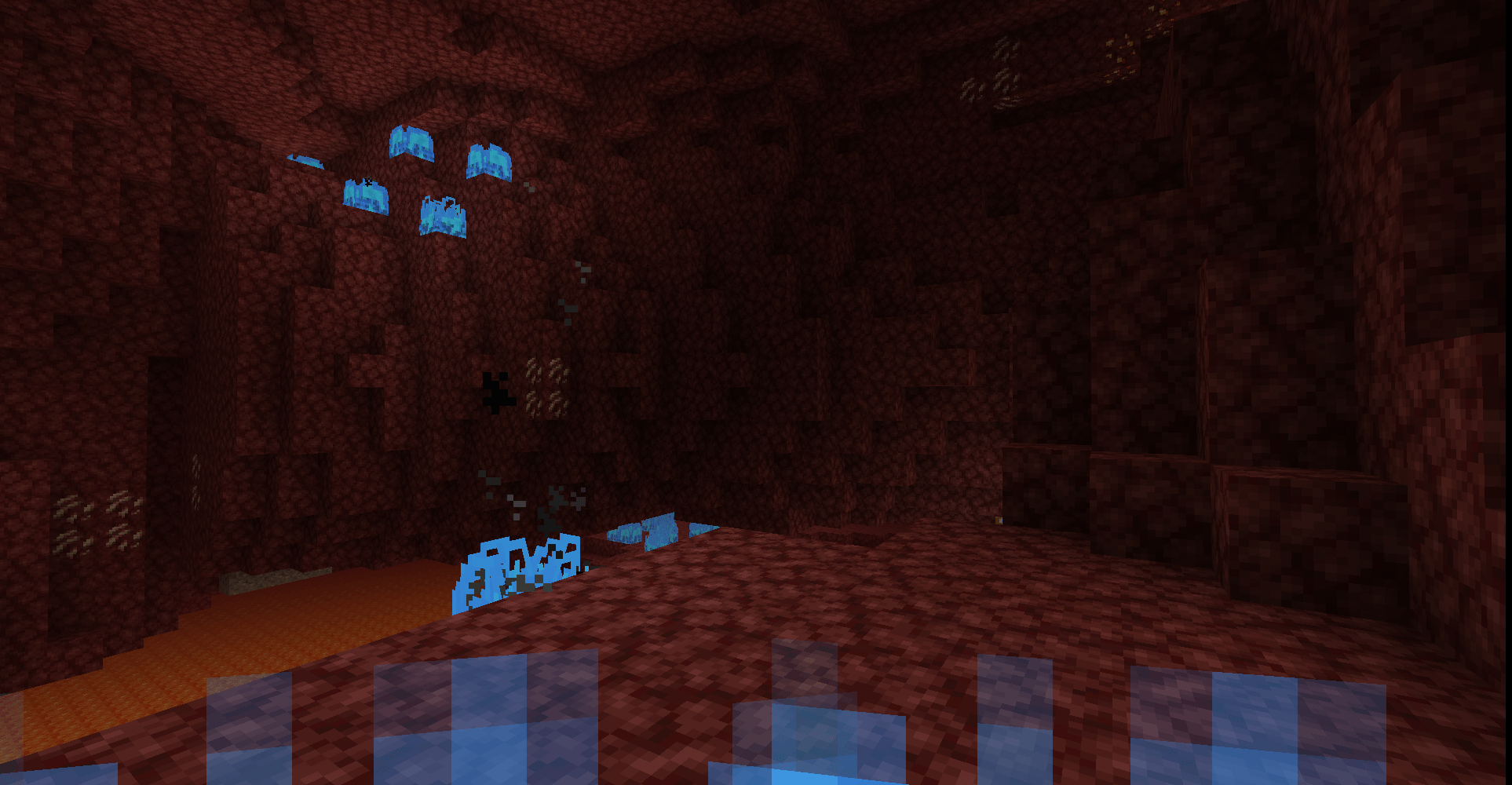
    1. First-Person Overlay Optimization


    Notice how the flames stay at the bottom of the screen, keeping your crosshair area 100% clear.
    _________________________________________________________________________________________________

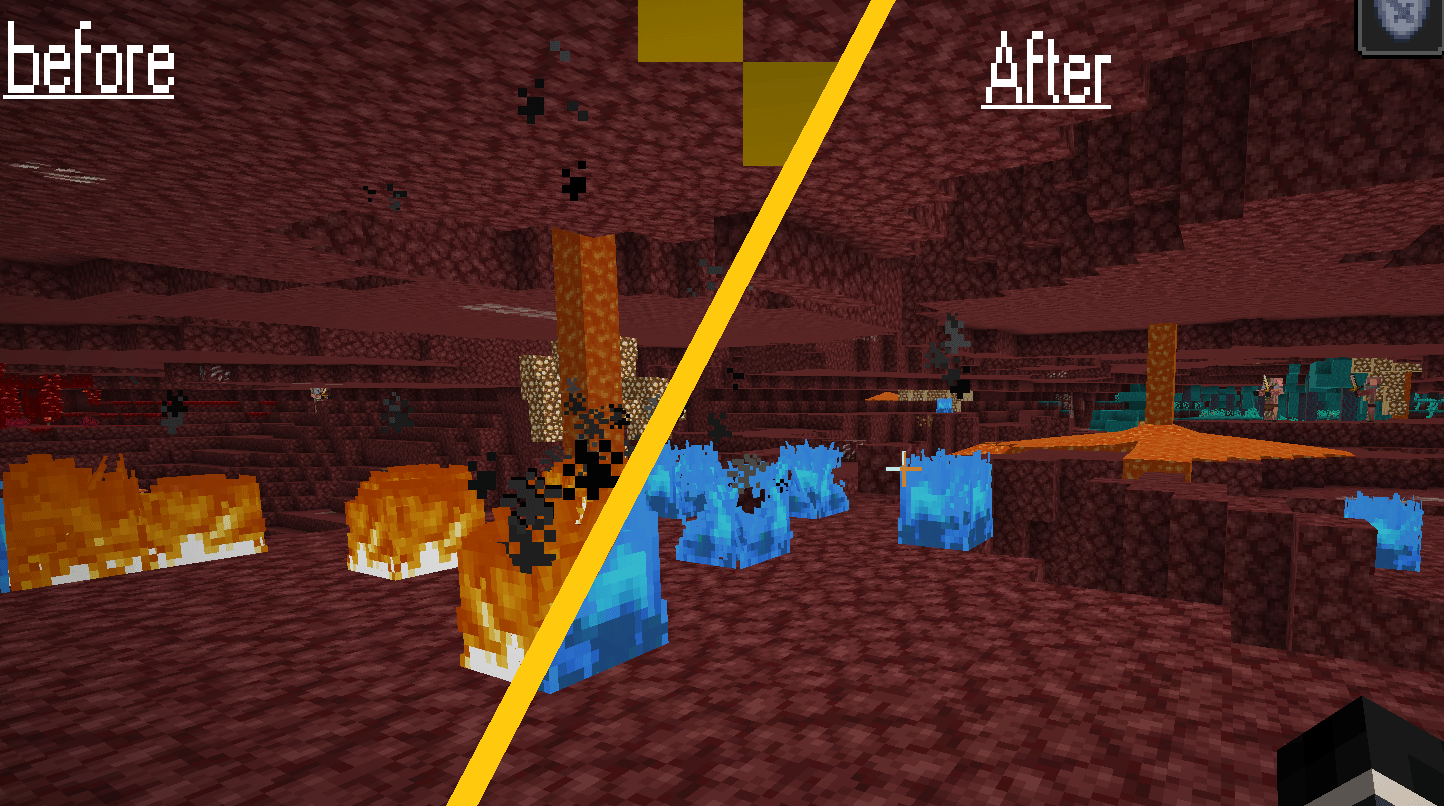
    2. Vanilla vs. Blue Fire Comparison
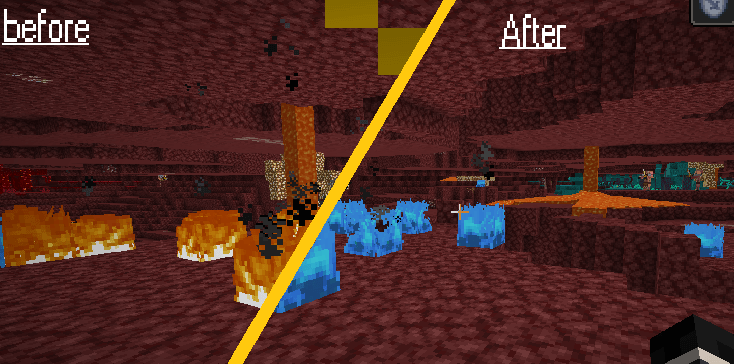

    A side-by-side look at how much cleaner and more striking the Blue Fire looks in the dark.


ZMoreVisibleandLowerFire26.zip
MC 1.21.8, 1.21.6, 1.21.7, 1.21.9, 1.21.10, 1.21.11, 26.1, 26.1.1, 26.1.2, 26.2, 26.3
Release 2026-09-27 Get
MoreVisibleandLowerFire1.21.6+.zip
MC 1.21.8, 1.21.6, 1.21.7, 1.21.9, 1.21.10, 1.21.11
Release 2026-03-15 Get
ZMoreVisibleandLowerFire1.19.4.zip
MC 1.19.4
Release 2026-03-15 Get
ZMoreVisibleandLowerFire1.20 - 1.20.1.zip
MC 1.20.1, 1.20
Release 2026-03-15 Get
ZMoreVisibleandLowerFire1.20.2.zip
MC 1.20.2
Release 2026-03-15 Get
ZMoreVisibleandLowerFire1.20.3 - 1.20.4.zip
MC 1.20.4, 1.20.3
Release 2026-03-15 Get
ZMoreVisibleandLowerFire1.20.5 - 1.20.6.zip
MC 1.20.5, 1.20.6
Release 2026-03-15 Get
ZMoreVisibleandLowerFire1.21 - 1.21.1.zip
MC 1.21, 1.21.1
Release 2026-03-15 Get
ZMoreVisibleandLowerFire1.21.2 - 1.21.3.zip
MC 1.21.3, 1.21.2
Release 2026-03-15 Get
ZMoreVisibleandLowerFire1.21.4.zip
MC 1.21.4
Release 2026-03-15 Get
【REWORK】ZMoreVisibleandLowerFire1.21.6+.zip
MC 1.21.8, 1.21.6, 1.21.7, 1.21.9, 1.21.10, 1.21.11, 26.1, 26.1.1, 26.1.2, 26.2
Release 2026-03-15 Get

Requirements & install

How to use this resource pack in Minecraft
Resolution
16x
Minecraft
1.21.9 – 26.3
Install folder
.minecraft/resourcepacks

How to install resource packs

  1. Download the resource pack .zip file (do not extract it).
  2. In Minecraft open Options → Resource Packs → Open Pack Folder.
  3. Drop the .zip into the resourcepacks folder (.minecraft/resourcepacks).
  4. Move the pack to the Selected column and click Done.
Browse more: 16x resource packs 32x resource packs 64x resource packs 128x resource packs 256x resource packs 512x+ resource packs Resource Packs for 26.3 All resource packs

More from MochiLinesStudio

Advertisement Remove ads with Premium →

You Might Also Like