

Mineuniverse
Resource Packs
[Animated texture]Mochi'sShortSword

[Animated texture]Mochi'sShortSword

RESOURCE PACK
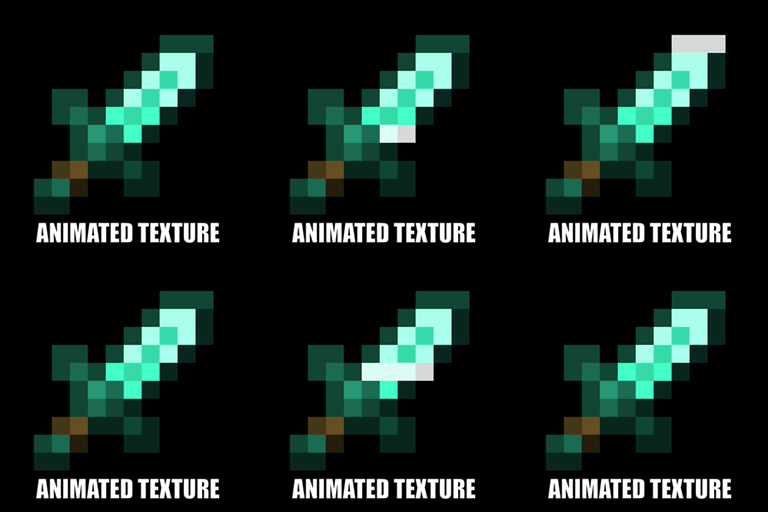
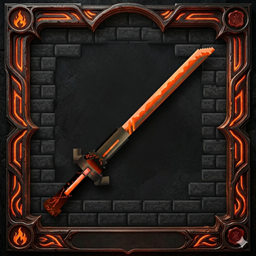
The short sword also has a flashing blade effect.
by MochiLinesStudio
Download Claim this project
1,310 downloads
0 likes
Updated Oct 14, 2026
0 hypes
16x Animated
Advertisement Remove ads with Premium →


✨ Animated White Glow Swords - All Tiers ✨

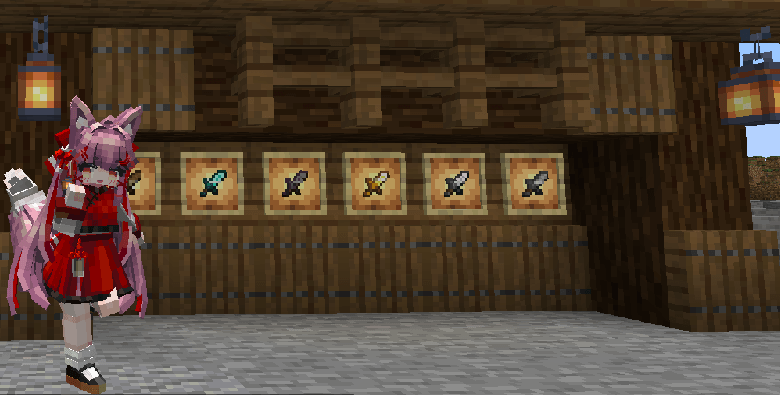
Add a clean, magical, and enchanting aesthetic to all your Minecraft swords with this resource pack. This pack transforms the mundane look of all six sword types by giving them a powerful, custom-designed Animated White Glow effect.

✨ Key Feature: Pure White Pulsing Glow

Forget about fire and brimstone; this is pure, clean energy. All your swords are now imbued with a magical, rhythmic pulsing white glow. The animation flows over the blade like a living light source, making them look truly powerful and enchanted, without needing actual enchantments to see the effect!

🗡️ Full Sword Set Re-skin

This pack includes unique re-textures for all six types of swords, ensuring your favorite weapon, no matter the material, gets the same high-quality glow effect:

  • Wooden Sword

  • Stone Sword

  • Iron Sword

  • Golden Sword

  • Diamond Sword

  • Netherite Sword

🎨 Aesthetic & Compatibility

  • Clean & Professional: A professional, vanilla-plus look that doesn't feel out of place in the default game style.

  • 45-Degree Tilted Models: All swords are tilted at a tactical 45-degree angle in hand for a better field of vision, particularly during PvP, and for a more realistic combat stance.

  • Vanilla Friendly: This animation runs natively in vanilla Minecraft using the .mcmeta system. No mods (like OptiFine) required!

  • Compatibility: Compatible with Minecraft 1.21.1+.

🛠️ Installation:

  1. Download the .zip file.

  2. Place it in your resourcepacks folder.

  3. Activate it in-game under Options > Resource Packs. Make sure it's at the top of your active packs!


Crafted with care by: §dMochiLinesStudio§r

Mochi'sShortSword.zip
MC 1.16.3, 1.13.1, 1.9.3, 1.8.7, 1.7.4, 1.7.7, 1.7.6, 1.16-Snapshot, 1.17.1, 1.9.1, 1.21.2-Snapshot, 1.21, 1.21.6-snapshot, 1.15-Snapshot, 1.7.5, 1.6.1, 1.16.1, 1.18.1
Release 2026-04-25 Get

Requirements & install

How to use this resource pack in Minecraft
Resolution
16x
Minecraft
1.16-Snapshot – 1.21.6-snapshot
Install folder
.minecraft/resourcepacks

How to install resource packs

  1. Download the resource pack .zip file (do not extract it).
  2. In Minecraft open Options → Resource Packs → Open Pack Folder.
  3. Drop the .zip into the resourcepacks folder (.minecraft/resourcepacks).
  4. Move the pack to the Selected column and click Done.
Browse more: 16x resource packs 32x resource packs 64x resource packs 128x resource packs 256x resource packs 512x+ resource packs Resource Packs for 1.21.6-snapshot All resource packs

More from MochiLinesStudio

Advertisement Remove ads with Premium →

You Might Also Like