Mineuniverse
Data Packs
Quality of Life(QoL)

Quality of Life(QoL)

DATA PACK
A growing collection of essential Quality of Life (QoL) tweaks designed to remove tedious grinding and make survival smoother.
by Tonlocalbytes
Download Claim this project
Add a badge to your pageLink to Quality of Life(QoL) from a README, website or forum post.
Preview: Badge

Badges update automatically and link to the data pack page on MineUniverse.

194 downloads
0 likes
0 followers
Updated Oct 14, 2026
0 hypes
Follow0
Tech Utility
Advertisement Remove ads with Premium →

🌲 Quality of Life (QoL) - Essential Survival Tweaks

Welcome to Quality of Life (QoL)! This datapack introduces simple but highly effective improvements for your survival world. Perfect for single-player worlds, it eliminates tedious grinding while keeping the vanilla mechanics and balance intact!


✨ Features

🪓 Timber (Fast Tree Chopping)

Tired of breaking wood block by block, especially on tall trees? Now you can chop down entire trees instantly!

  • How to use: Simply hold Shift (Sneak) and chop a tree with any Axe. The entire tree will break and drop its items immediately.
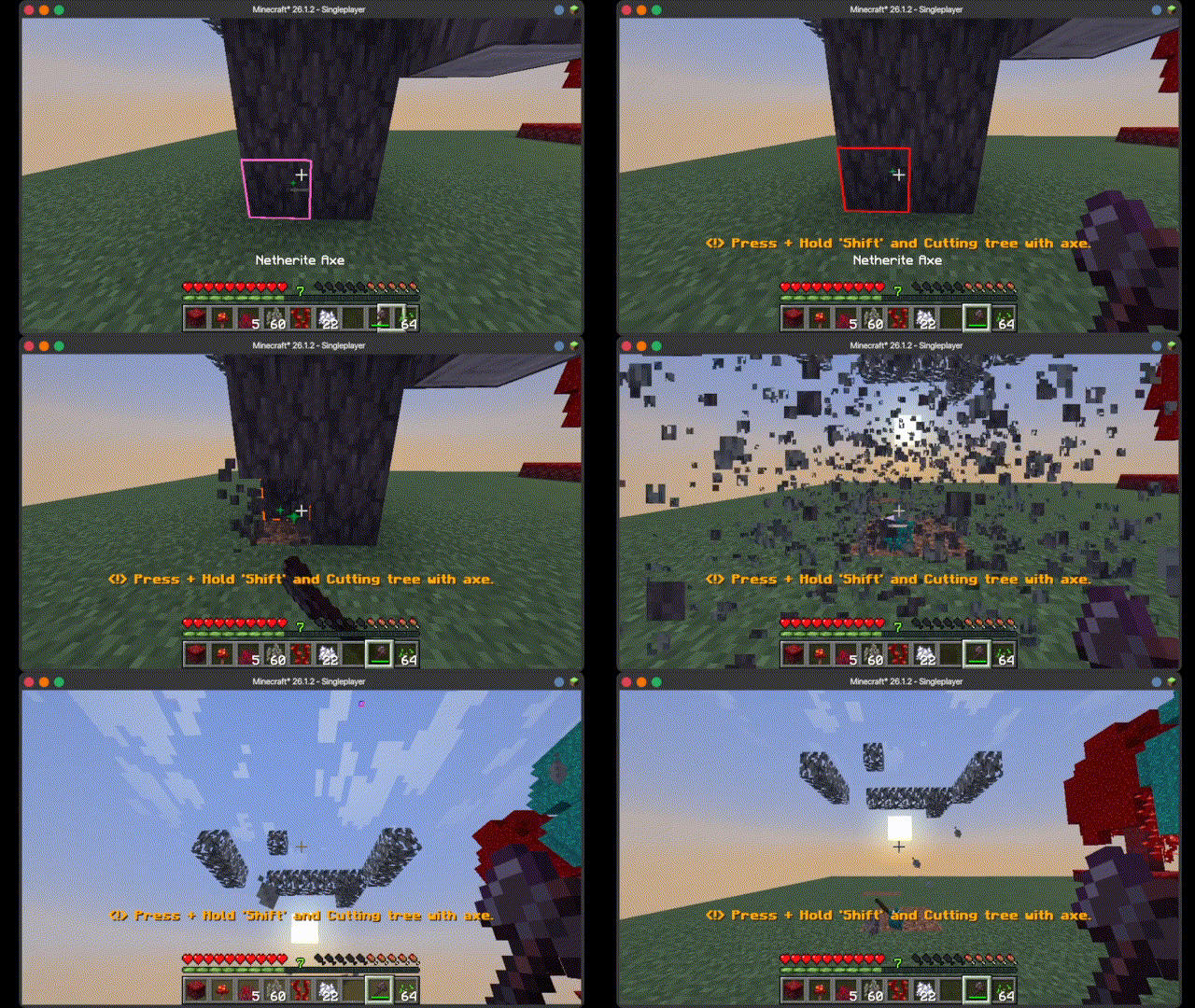
  • Nether Support & Smart Decay: Fully supports both Overworld trees and Nether fungi (Crimson/Warped Stems). Overworld leaves will decay instantly upon chopping. Note: Nether wart blocks will remain intact to preserve vanilla mechanics and must be harvested manually with a Hoe.

untitled.gif

🌾 AoE Auto-Planting

Replanting massive farms is no longer a chore. Plant your crops over a wide area with just a single click.
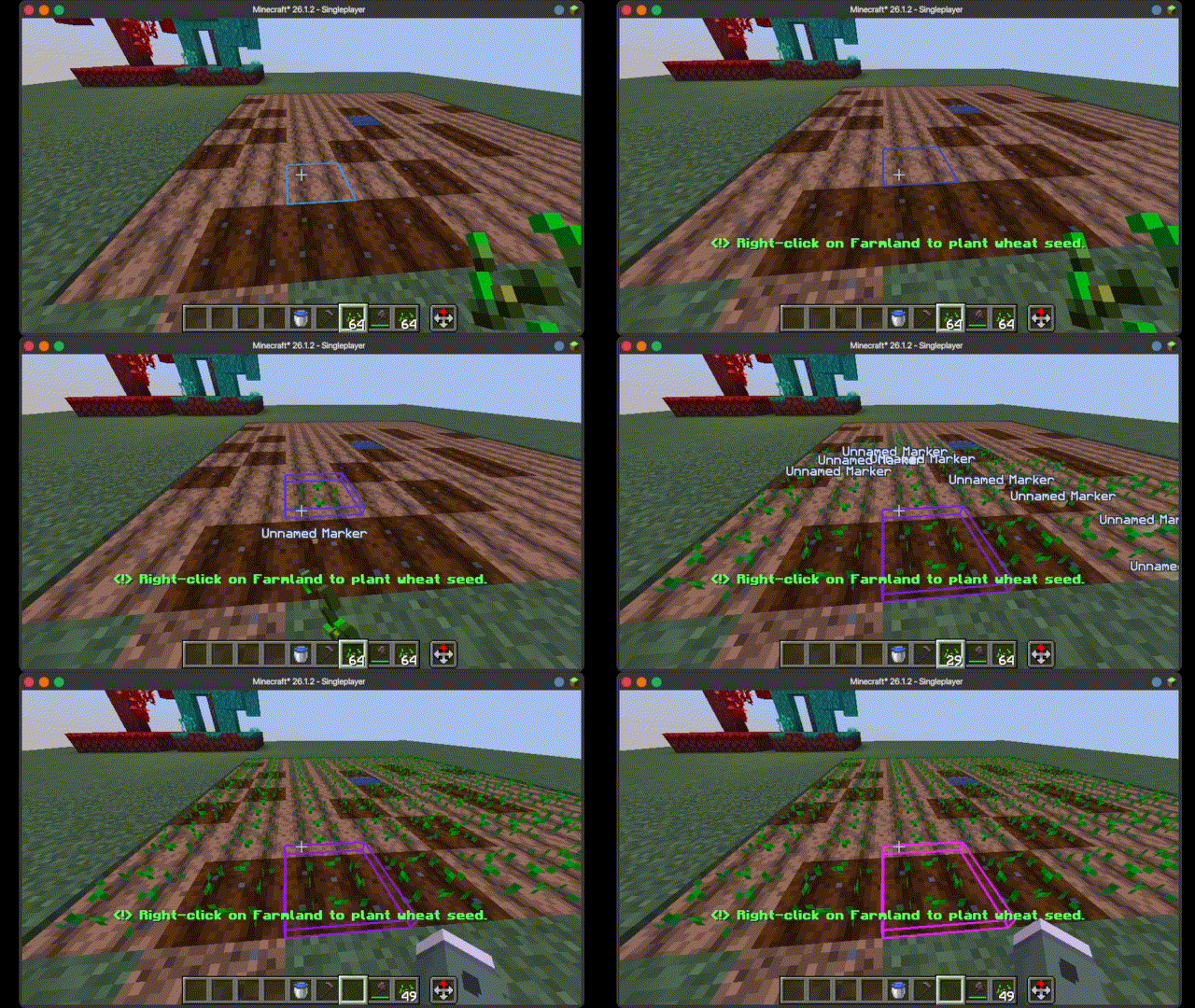
  • How to use: Hold your seeds in your hand and Right-Click on any Farmland. The system will automatically detect valid farmland blocks and plant the seeds around you instantly.

untitled2.gif


⚙️ Installation

  1. Download the .zip file.
  2. Go to your Minecraft world folder.
  3. Open the datapacks folder.
  4. Drop the downloaded .zip file inside.
  5. Join the world and type /reload (or restart the world). Enjoy!

Created by: Tonlocalbytes

QoL Datapack 26.1.2-1.1.0
MC 26.1.2
Release 2026-05-21 Get
QoL Datapack 26.1.2-1.0.0
MC 26.1.2
Release 2026-05-20 Get

Requirements & install

How to use this data pack in Minecraft
Mods needed
None, works in vanilla
Minecraft
26.1.2
Install folder
saves/<world>/datapacks

How to install data packs

  1. Download the data pack .zip file (do not extract it).
  2. New world: click Data Packs on the world creation screen and drop the .zip in. Existing world: open .minecraft/saves/<world>/datapacks.
  3. Put the .zip into the datapacks folder of the world (servers: world/datapacks).
  4. Run /reload in game (or rejoin the world) and check it with /datapack list.
Browse more: Data Packs for 26.1.2 All data packs

More from Tonlocalbytes

Advertisement Remove ads with Premium →

You Might Also Like