Mineuniverse
Resource Packs
Evernight Player Damage Sound

Evernight Player Damage Sound

RESOURCE PACK
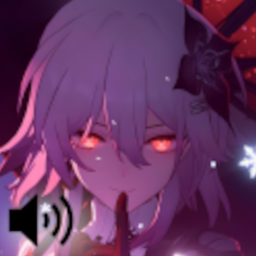
Adds custom player damage sounds inspired by Evernight from Honkai: Star Rail. Made for fun after seeing her trending on TikTok!
by Tonlocalbytes
Download Claim this project
4,263 downloads
0 likes
Updated Oct 14, 2026
0 hypes
16x Miscellaneous
Advertisement Remove ads with Premium →

🌙 Evernight Player Damage Sound

This simple resource pack replaces the default player hurt sounds with ones inspired by Evernight from Honkai: Star Rail.
I saw this character all over TikTok and really liked her vibe — so I decided to bring that feeling into Minecraft!


💜 Features

  • Custom hurt sounds inspired by Evernight
  • Works on Minecraft 1.21.x
  • Lightweight and compatible with most packs
  • Perfect for players who want a calm, elegant touch when taking damage

⚙️ Installation

  1. Download the .zip file from the “Files” tab.
  2. Place it in your resourcepacks folder.
  3. Enable it in-game under Options → Resource Packs.


🔔 Note

  • This pack only changes player hurt sounds (no other effects).
  • All sounds are fan-made and for fun only, no copyrighted assets are included.
  • Works on both Java Edition singleplayer and multiplayer.

💬 Credits

  • Made by : Tonlocalbytes
  • Inspiration: Evernight from Honkai: Star Rail
Evernight Player Damage Sound 1.2
MC 26.1, 26.1.1, 26.1.2, 26.2, 26.3
Release 2026-03-25 Get
Evernight Player Damage Sound 1.1.zip
MC 1.21, 1.21.8, 1.21.5, 1.21.4, 1.21.1, 1.21.6, 1.21.3, 1.21.7, 1.21.2, 1.21.9, 1.21.10, 1.21.11
Release 2025-12-10 Get
Evernight Player Damage Sound 1.0
MC 1.21, 1.21.5, 1.21.8, 1.21.9, 1.21.10, 1.21.4, 1.21.3, 1.21.7, 1.21.1, 1.21.6, 1.21.2
Release 2025-10-28 Get

Requirements & install

How to use this resource pack in Minecraft
Resolution
16x
Minecraft
1.21.9 – 26.3
Install folder
.minecraft/resourcepacks

How to install resource packs

  1. Download the resource pack .zip file (do not extract it).
  2. In Minecraft open Options → Resource Packs → Open Pack Folder.
  3. Drop the .zip into the resourcepacks folder (.minecraft/resourcepacks).
  4. Move the pack to the Selected column and click Done.
Browse more: 16x resource packs 32x resource packs 64x resource packs 128x resource packs 256x resource packs 512x+ resource packs Resource Packs for 26.3 All resource packs

More from Tonlocalbytes

Advertisement Remove ads with Premium →

You Might Also Like