Mineuniverse
Resource Packs
Tonlocalbytes Thai Fix

Tonlocalbytes Thai Fix

RESOURCE PACK
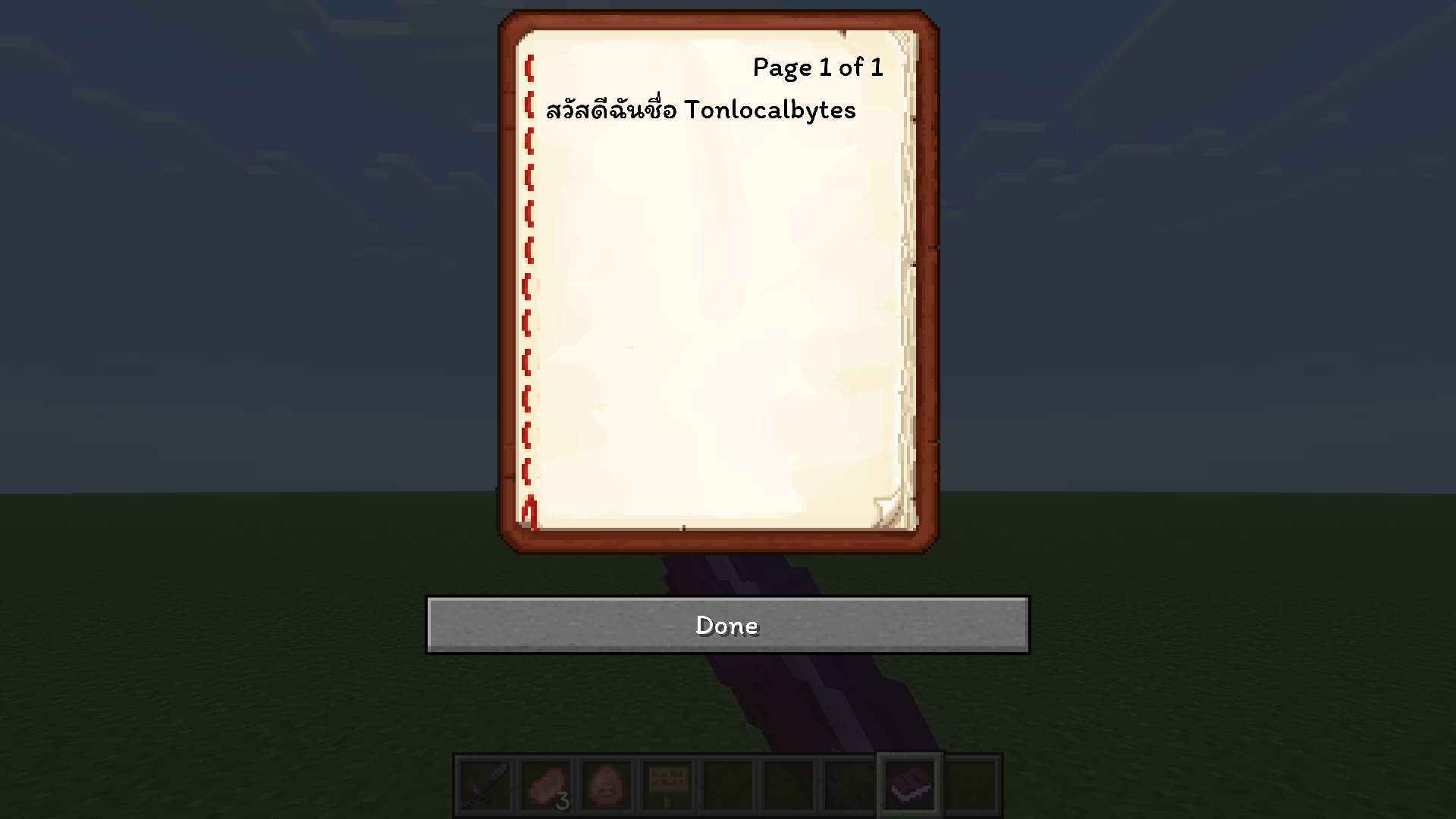
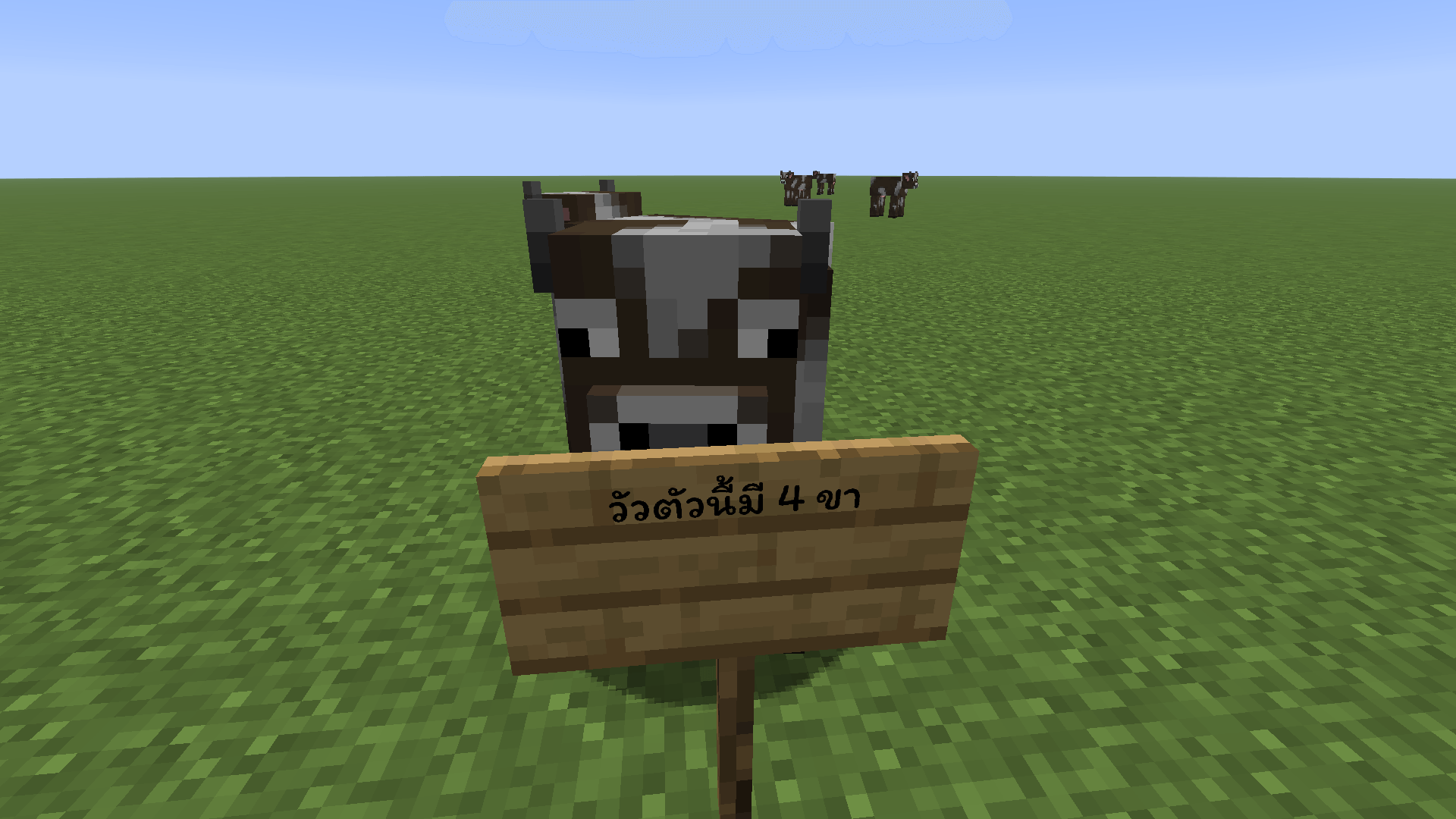
A resource pack that fixes Thai language rendering and floating vowels in Minecraft for a better reading experience.
by Tonlocalbytes
Download Claim this project
Add a badge to your pageLink to Tonlocalbytes Thai Fix from a README, website or forum post.
Preview: Badge

Badges update automatically and link to the resource pack page on MineUniverse.

12,910 downloads
0 likes
0 followers
Updated Oct 14, 2026
0 hypes
Follow0
16x Font Packs
Advertisement Remove ads with Premium →

TH Tonlocalbytes Thai Fix (แพ็กแก้ภาษาไทยสระไม่ลอย)

🎉 Special Thanks: ขอขอบคุณทางเพจ Minegarp ที่ช่วยนำแพ็กนี้ไปรีวิวและโปรโมตให้เป็นที่รู้จักมากขึ้นด้วยนะครับ!

แพ็กทรัพยากร (Resource Pack) สำหรับแก้ปัญหาสระลอยใน Minecraft Java Edition อัปเดตใหม่ล่าสุดเพื่อประสบการณ์การเล่นและอ่านภาษาไทยที่ดีที่สุดในเกม!


✅ ฟีเจอร์หลัก (Features)

  • รองรับเวอร์ชันล่าสุด: ใช้งานได้สมบูรณ์แบบกับ Minecraft 1.21 และเวอร์ชันใหม่ๆ
  • แก้สระลอยแบบ 100%: หมดปัญหาสระจม วรรณยุกต์ลอย หรือตัวอักษรบั๊กที่เคยเจอในเวอร์ชันเก่าๆ รวมถึงปรับปรุงคำแปลที่ตกหล่นให้สมบูรณ์ขึ้น
  • ฟอนต์สวย อ่านสบายตา: เปลี่ยนมาใช้ฟอนต์ "Itim" สุดน่ารักและเป็นเอกลักษณ์ ช่วยให้อ่านป้าย, แชท, หรือหน้าต่าง UI ต่างๆ ในเกมได้ง่ายและเป็นธรรมชาติมากยิ่งขึ้น
  • อัปเดตต่อเนื่อง: แพ็กนี้ได้รับการดูแลและอัปเดตอย่างสม่ำเสมอโดย (Tonlocalbytes) เพื่อให้มั่นใจว่าคุณจะใช้งานร่วมกับแพทช์ใหม่ๆ ของเกมได้ไม่มีสะดุด

ℹ️ Credits / เครดิต

  • Original Project: พัฒนาต่อยอด (Fork) จากแพ็กภาษาไทยต้นฉบับโดย Fatfish
  • Font: ใช้ฟอนต์ "Itim" ซึ่งออกแบบโดย Cadson Demak (©2015)
TLB Itim Font V 1.3
MC 26.1, 26.1.1, 26.1.2, 26.2, 26.3
Release 2026-03-25 Get
TLB Itim Font V 1.2.zip
MC 1.21, 1.21.8, 1.21.5, 1.21.4, 1.21.1, 1.21.6, 1.21.3, 1.21.7, 1.21.2, 1.21.9, 1.21.10, 1.21.11
Release 2025-12-10 Get
TLB Itim Font V 1.1
MC 1.21, 1.21.8, 1.21.5, 1.21.4, 1.21.1, 1.21.6, 1.21.3, 1.21.7, 1.21.2
Release 2025-08-13 Get
Tonlocalbytes Thai Itim.zip
MC 1.21.8, 1.21.7
Release 2025-07-21 Get

Requirements & install

How to use this resource pack in Minecraft
Resolution
16x
Minecraft
1.21.9 – 26.3
Install folder
.minecraft/resourcepacks

How to install resource packs

  1. Download the resource pack .zip file (do not extract it).
  2. In Minecraft open Options → Resource Packs → Open Pack Folder.
  3. Drop the .zip into the resourcepacks folder (.minecraft/resourcepacks).
  4. Move the pack to the Selected column and click Done.
Browse more: 16x resource packs 32x resource packs 64x resource packs 128x resource packs 256x resource packs 512x+ resource packs Resource Packs for 26.3 All resource packs

More from Tonlocalbytes

Advertisement Remove ads with Premium →

You Might Also Like