Mineuniverse
Data Packs
Fake Armor

Fake Armor

DATA PACK
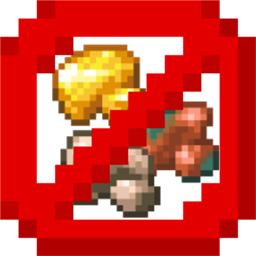
Craft cheap & stackable non-functional Fake Armor to decorate your Armor Stands
by fishbowlforever
Download Claim this project
222 downloads
0 likes
Updated Oct 14, 2026
0 hypes
Miscellaneous Utility
Advertisement Remove ads with Premium →


image showing fake armor logo

<center>image of discord invite link badge image of modrinth download badge</center>

All that glitters is not gold.

🤔 How does it work?

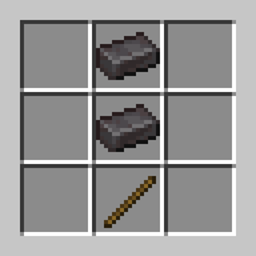
Craft Fake armor like any other Armor, but use Dye instead of valuable Materials. Fake Armor is not meant to be worn, but can used to decorate Armor Stands instead.
Yellow Dye -> 8x Gold
Cyan Dye -> 8x Diamond
Black Dye -> 8x Netherite
Light Gray Dye -> 8x Chainmail
Gray Dye -> 8x Iron
Brown Dye -> 8x Leather
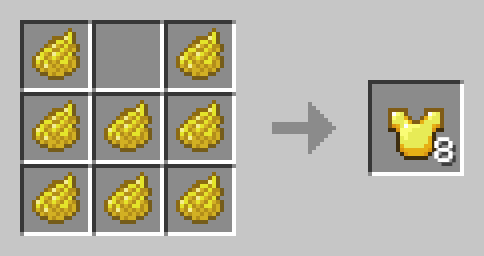
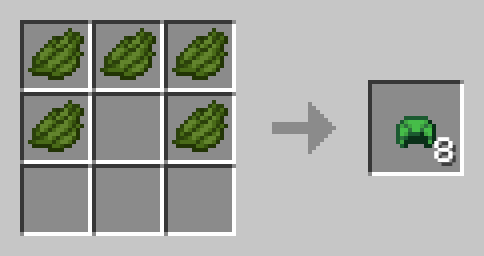
Image showing how to craft a Fake Gold Chestplate

Fake Turtle Shell

Image Displaying Recipe for Fake Turtle Shell

The Fake Turtle Shell cannot be worn to stop Players from abusing its water breathing capabilities.
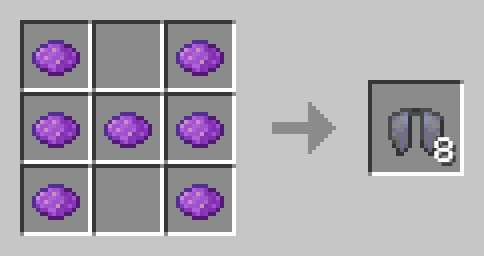
Fake Elytra

Image Displaying Fake Elytra

The Fake Elytra will actually look like a broken Elytra in Item, but will still look like a normal Elytra when worn or on Armor Stands. It is non-functional and cannot be repaired but has no Curse.

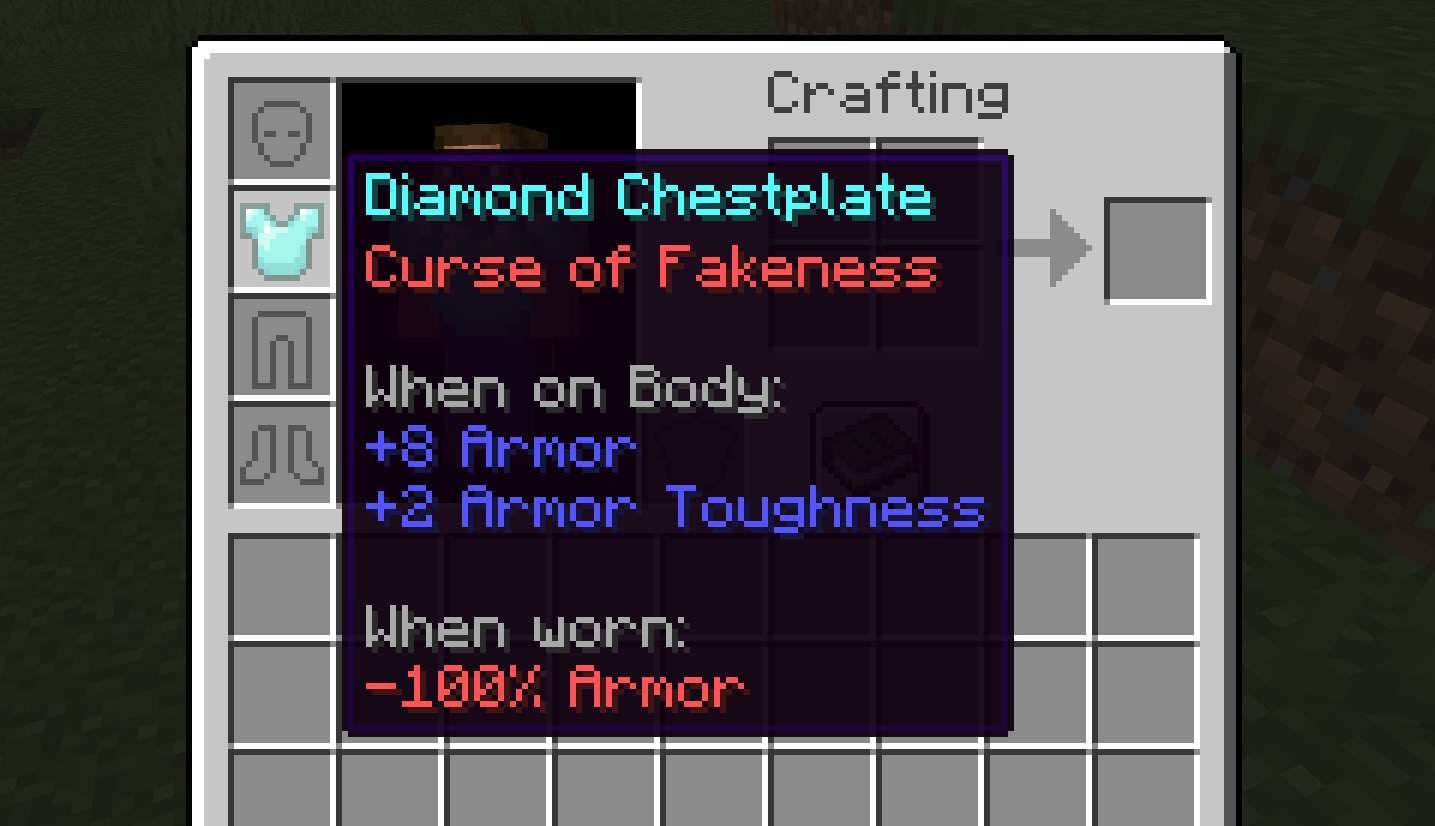
Curse of Fakeness

Fake Armor (Elytra & Turtle Shell exluded) will be enchanted with the Curse of Fakeness, meaning it will remove all your Armor Points when worn. You cannot remove Curses in the Grindstone or Crafting Table, but you can try. An Image displaying Curse of Fakeness on a Diamond Chestplate
🛠️ Installation

Datapack Installation Guide

Copy the .zip archive into the ".minecraft/saves/yourworldname/datapacks" folder, where yourworldname is the name of your world.

Mod installation Guide

Copy the .jar archive into the folder your Mod Loader of choice provides.

⚙️ Compatibility

Might not be compatible with certain Uncrafting/Recycling Mods that allow Armor to be converted back to their respective Materials efficiently.

❗Issues and Suggestions

Please report issues on My Discord.
v1.2 for 1.21
MC 1.21, 1.21.1
Release 2024-10-18 Get

Requirements & install

How to use this data pack in Minecraft
Mods needed
None, works in vanilla
Minecraft
1.21 – 1.21.1
Install folder
saves/<world>/datapacks

How to install data packs

  1. Download the data pack .zip file (do not extract it).
  2. New world: click Data Packs on the world creation screen and drop the .zip in. Existing world: open .minecraft/saves/<world>/datapacks.
  3. Put the .zip into the datapacks folder of the world (servers: world/datapacks).
  4. Run /reload in game (or rejoin the world) and check it with /datapack list.
Browse more: Data Packs for 1.21.1 All data packs

More from fishbowlforever

Advertisement Remove ads with Premium →

You Might Also Like