Mineuniverse
Data Packs
easyTeams

easyTeams

DATA PACK
Teaming up with your Friends has never been easier!
by fishbowlforever
Download Claim this project
595 downloads
0 likes
0 followers
Updated Oct 14, 2026
0 hypes
Follow0
Miscellaneous Utility
Advertisement Remove ads with Premium →

IMage displaying easyTeams logo

Team up with your Friends!

A Survival-Friendly Datapack/Mod that makes playing in Teams with your Friends super easy

There are a whopping 15 Teams included, meaning one Team for every Non-White Dye in the game.

Why join a Team?

  • Your Name will have the Teams Color
  • Friendly Fire is disabled (You won't accidentally hit your Teammates in group fights)
  • Your Death Messages and your Nametag will only be visible for Team Members
  • Chat with team members by using /teammsg

How to join a Team

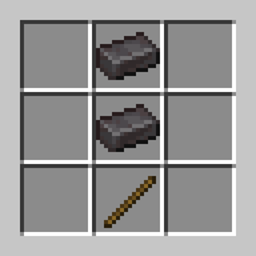
To join a Team, simply put a Wooden Sword and an according Dye (Red, Blue Green, Yellow, Pink, Orange etc.) in the crafting Grid and click on the Dye in the output box. You will automatically join the Team with the color of the Dye!
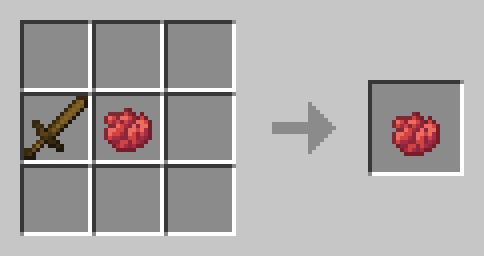
An Image displaying how to join the Red Team inside the Crafting Table

I don't like my Team!

To leave your Team, use White Dye instead :( You don't need to leave your Team to switch Teams.
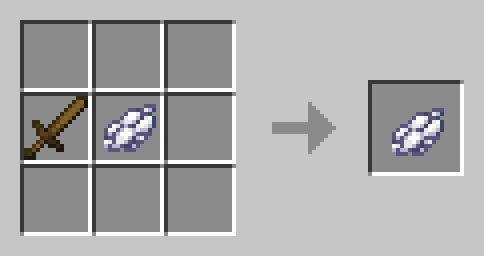
An Image displaying how to leave your Team inside the Crafting Table

🛠️ Installation

Datapack Installation Guide

Copy the .zip archive into the ".minecraft/saves/yourworldname/datapacks" folder, where yourworldname is the name of your world.

Mod installation Guide

Copy the .jar archive into the folder your Mod Loader of choice provides.

❗Issues & Suggestions

If you encounter any Issues with this Datapack/Mod, please report them on my Discord

v1.3 for 1.21
MC 1.21, 1.21.1
Release 2024-10-15 Get

Requirements & install

How to use this data pack in Minecraft
Mods needed
None, works in vanilla
Minecraft
1.21 – 1.21.1
Install folder
saves/<world>/datapacks

How to install data packs

  1. Download the data pack .zip file (do not extract it).
  2. New world: click Data Packs on the world creation screen and drop the .zip in. Existing world: open .minecraft/saves/<world>/datapacks.
  3. Put the .zip into the datapacks folder of the world (servers: world/datapacks).
  4. Run /reload in game (or rejoin the world) and check it with /datapack list.
Browse more: Data Packs for 1.21.1 All data packs

More from fishbowlforever

Advertisement Remove ads with Premium →

You Might Also Like