Mineuniverse
Data Packs
Recipefy

Recipefy

DATA PACK
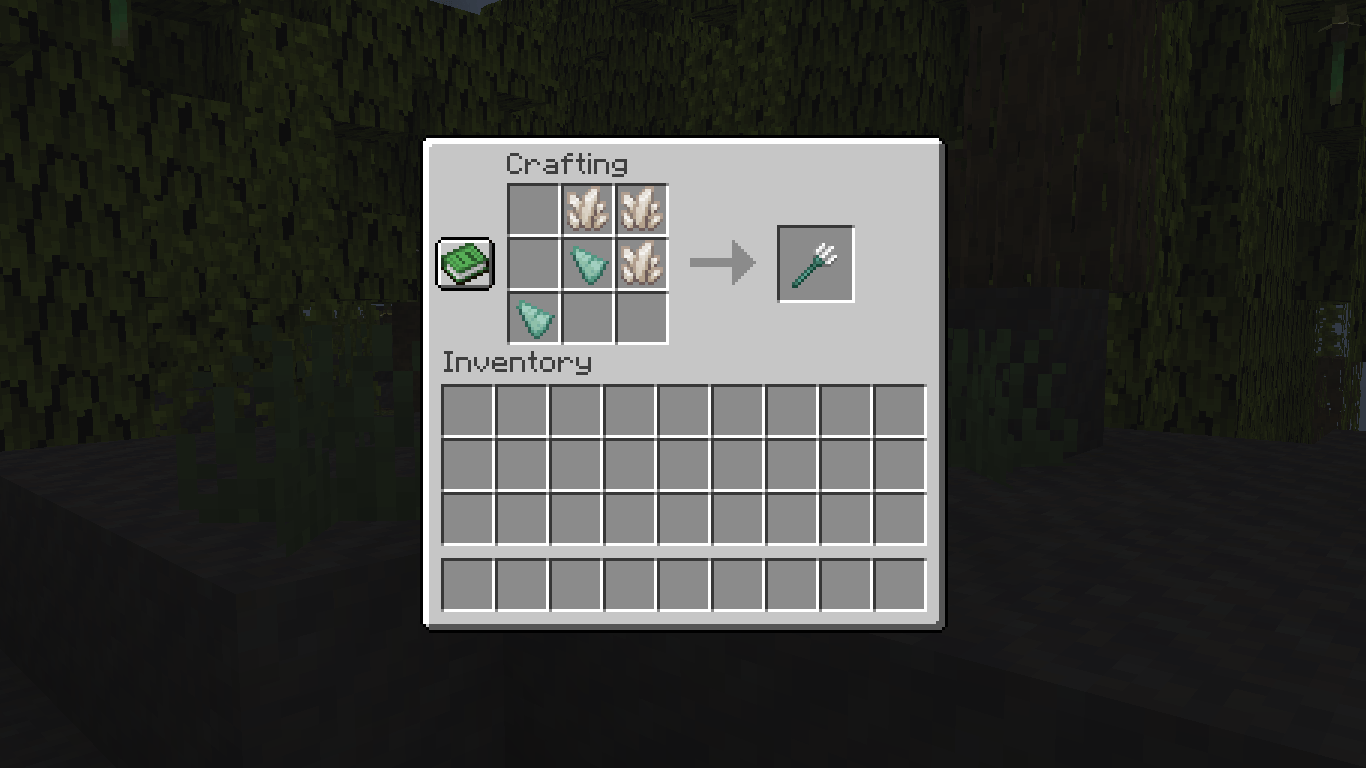
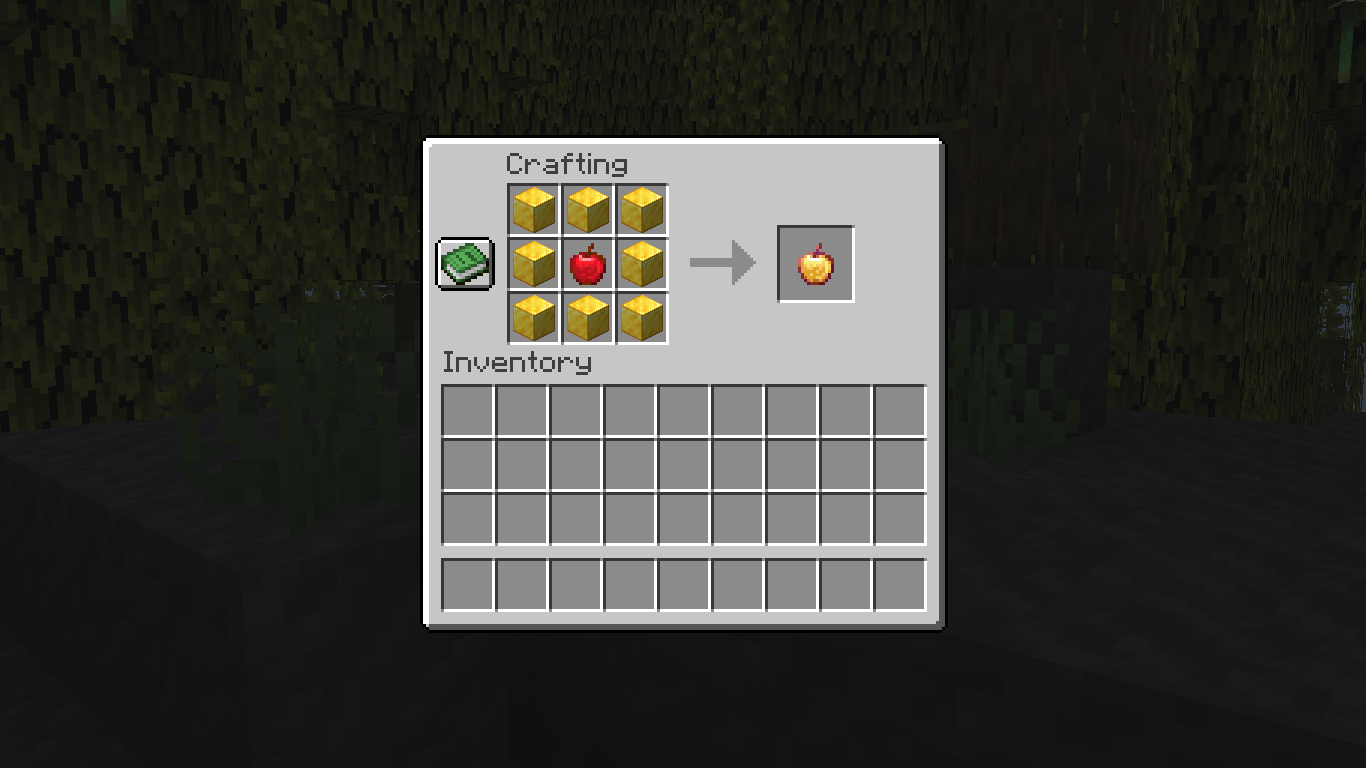
ow you can craft vNaluable, uncraftable items in Minecraft like the Trident and the Enchanted Golden Apple. Recipefy adds logical and fair crafting recipes for these items without breaking the game's balance.
by Cat12
Download Claim this project
934 downloads
0 likes
Updated Oct 14, 2026
0 hypes
Miscellaneous Utility
Advertisement Remove ads with Premium →

                                                        Recipefy - Recipes for Uncraftable Items


Tired of searching endless chests for valuable items or raiding dungeons to find what you need? The Recipefy data pack is here to solve that! This pack introduces balanced, vanilla-friendly crafting recipes for many of the game's most sought-after but uncraftable items.

Our goal is to reduce the reliance on pure luck (RNG) and reward your effort and resource gathering. Now, instead of leaving it to chance, you can craft powerful items like the Enchanted Golden Apple or the Trident right at your crafting table. Take control of your adventure!

(Main Features)


Features


  • Fully Vanilla-Friendly: No new items, blocks, or textures. Recipefy only adds recipes for existing vanilla items.

  • Balanced Recipes: Each recipe has been carefully designed to be fair, challenging, and rewarding, ensuring it doesn't break the core game balance.

  • Easy Installation: No mods required. Simply drop the data pack into your world's folder and you're ready to go!

  • What Can You Craft?


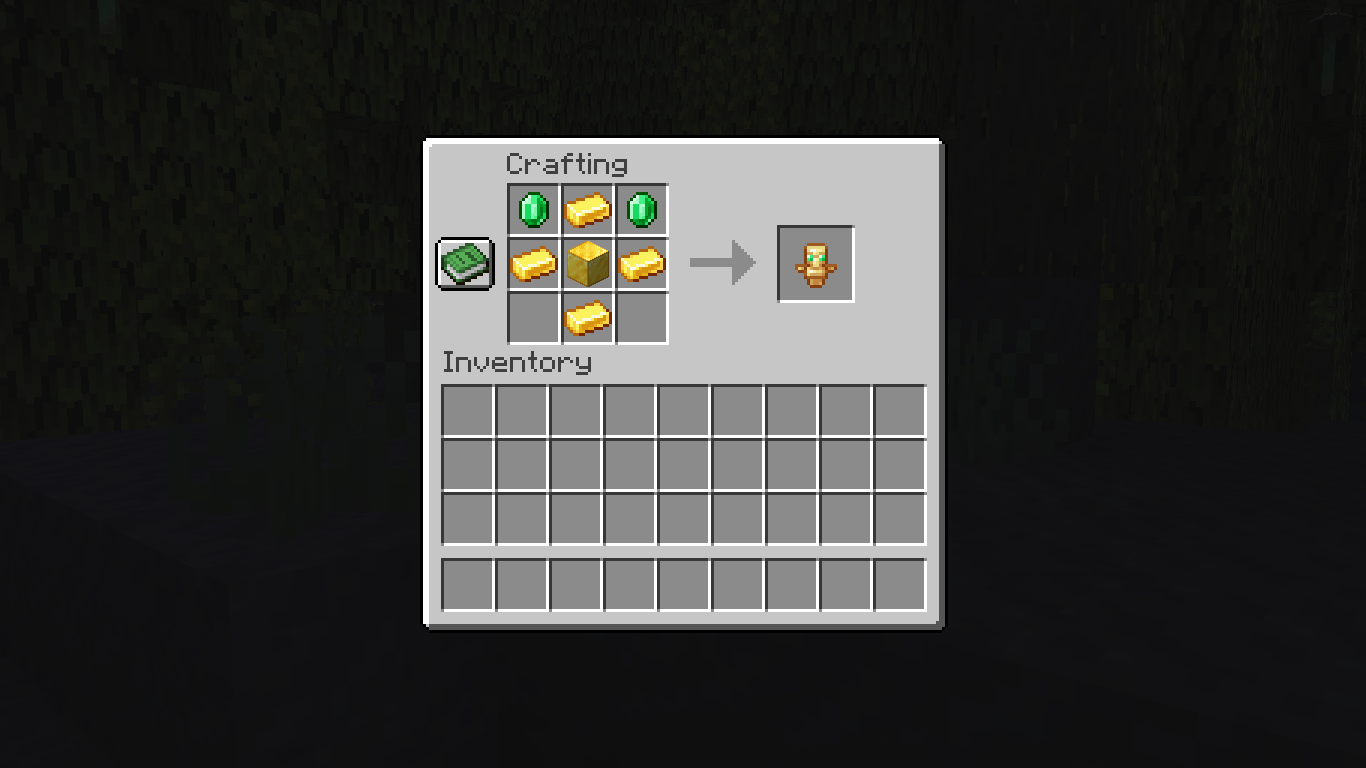
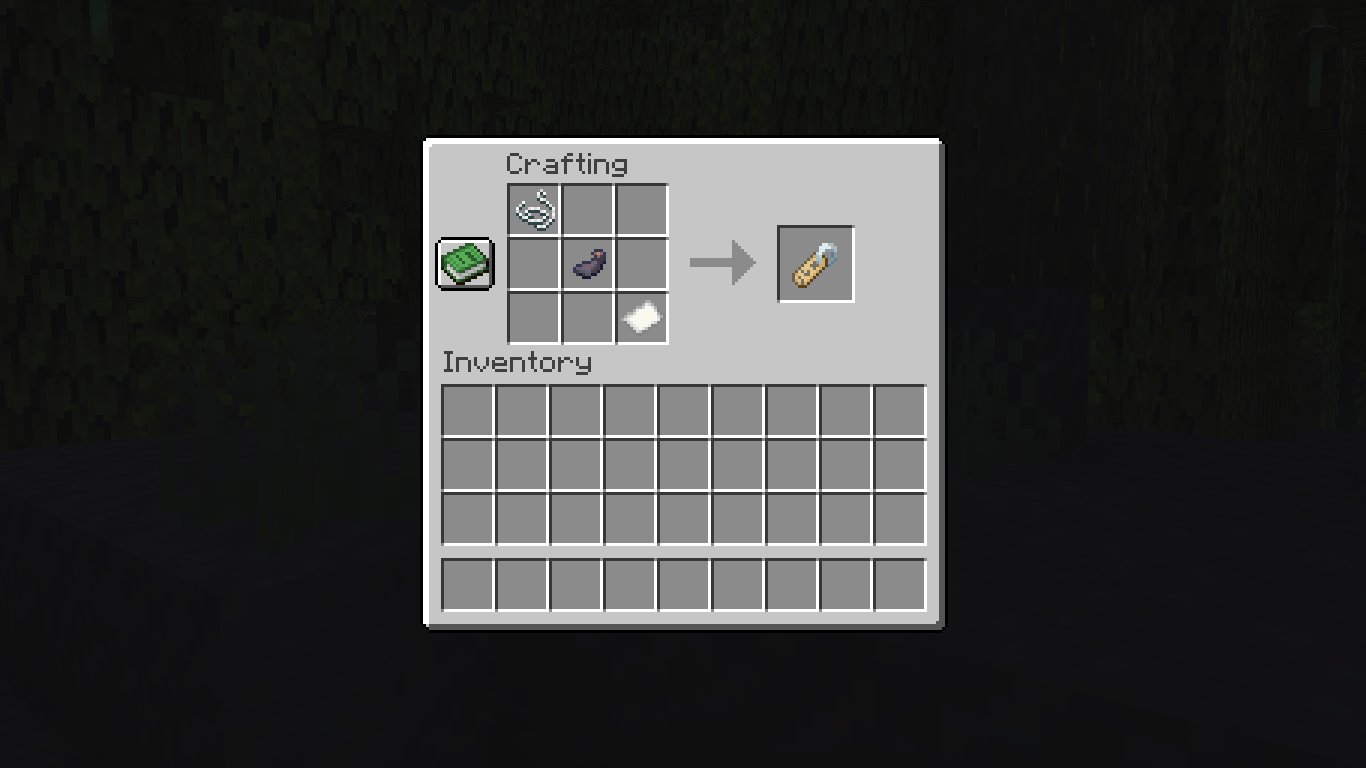
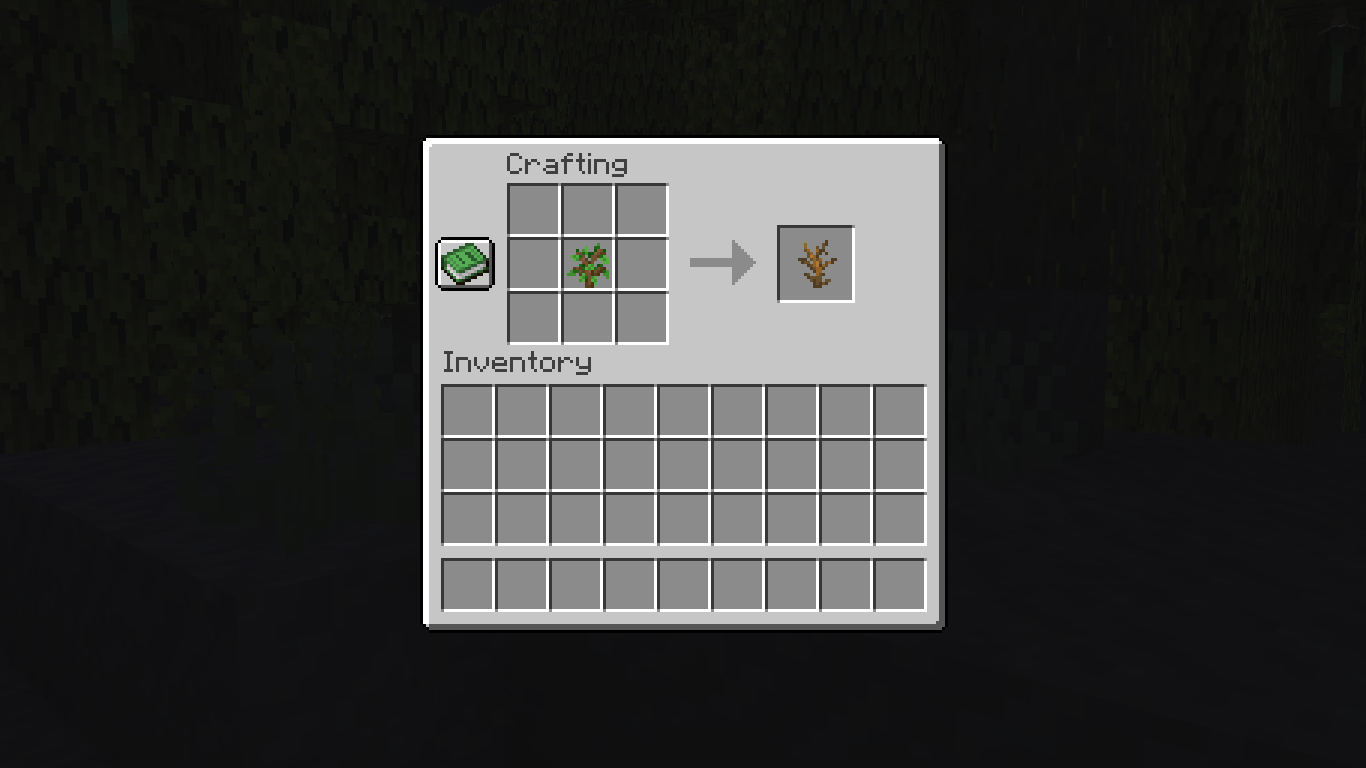
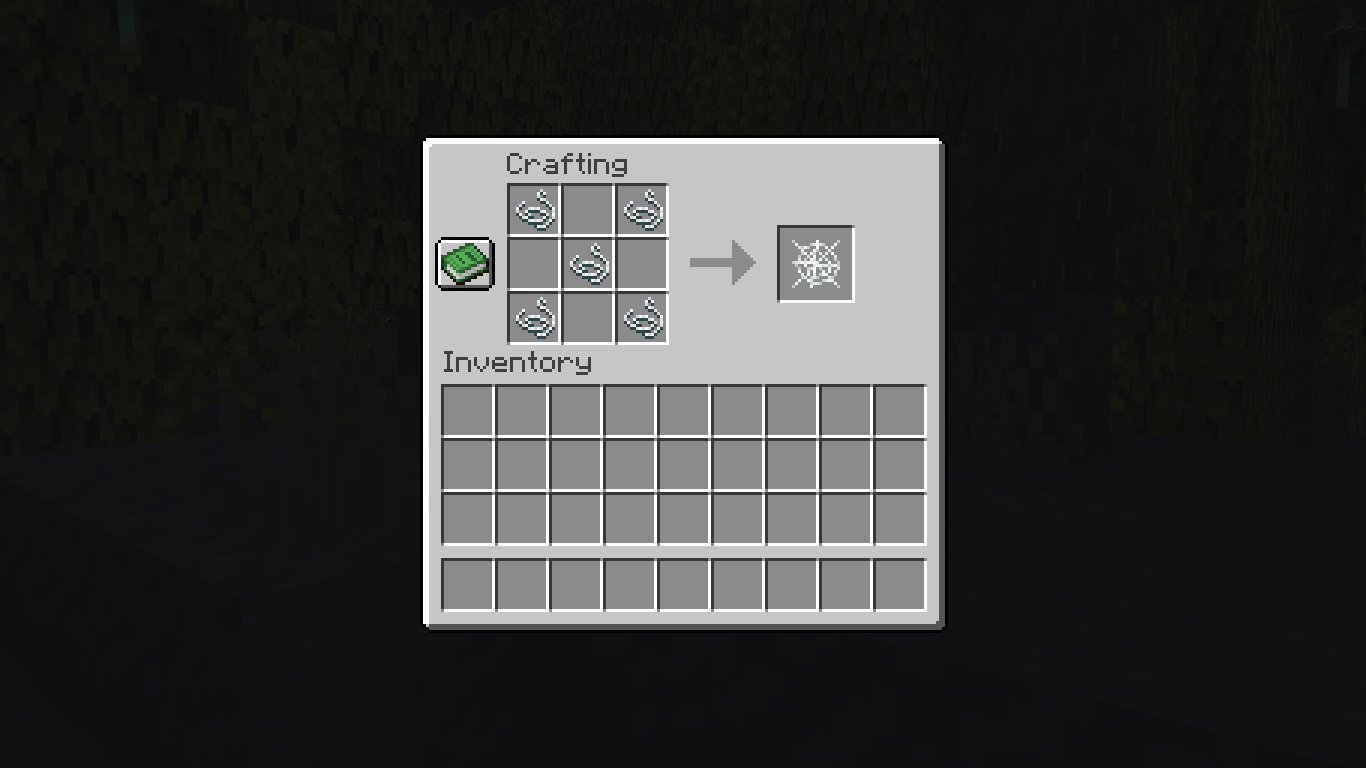
    Here are some of the items you can now craft with Recipefy:

  • Enchantment Golden Apple
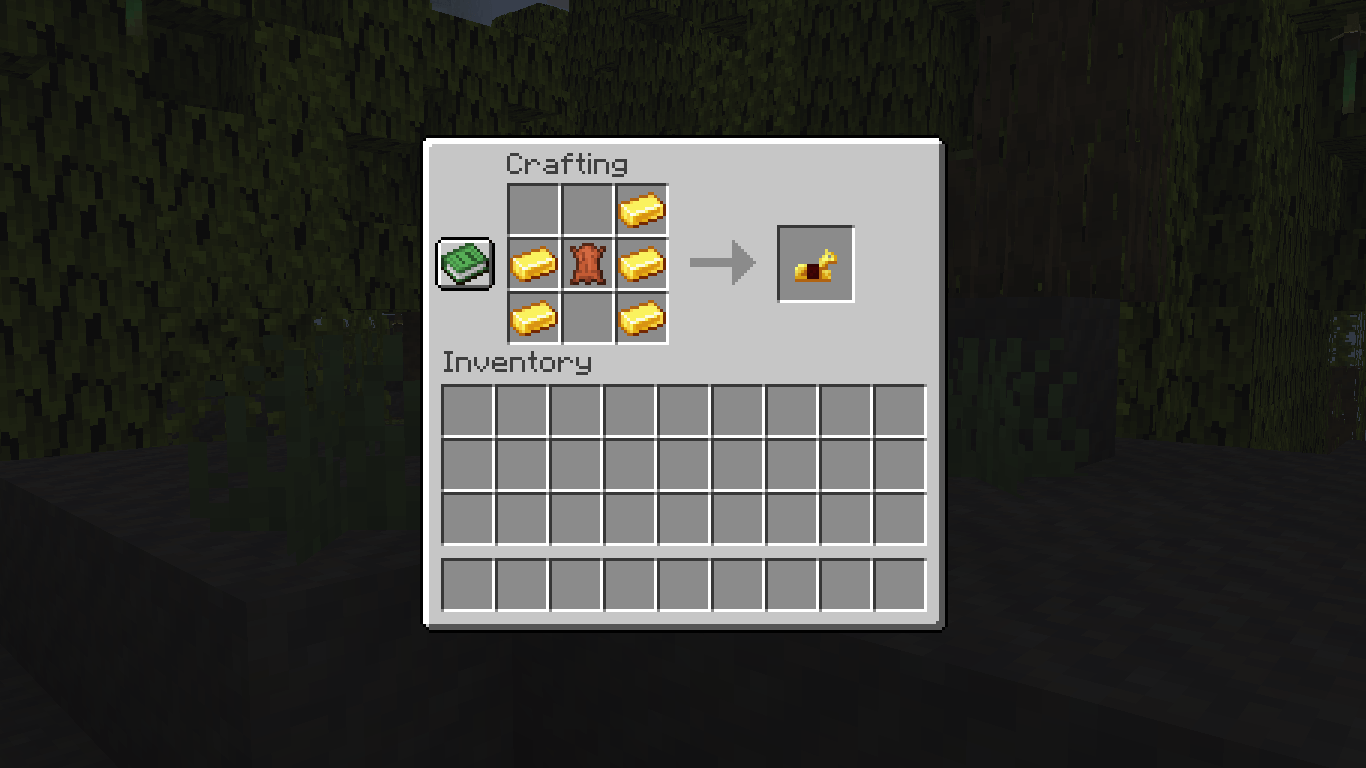
  • Horse Armor (İron,Gold,Diamond)
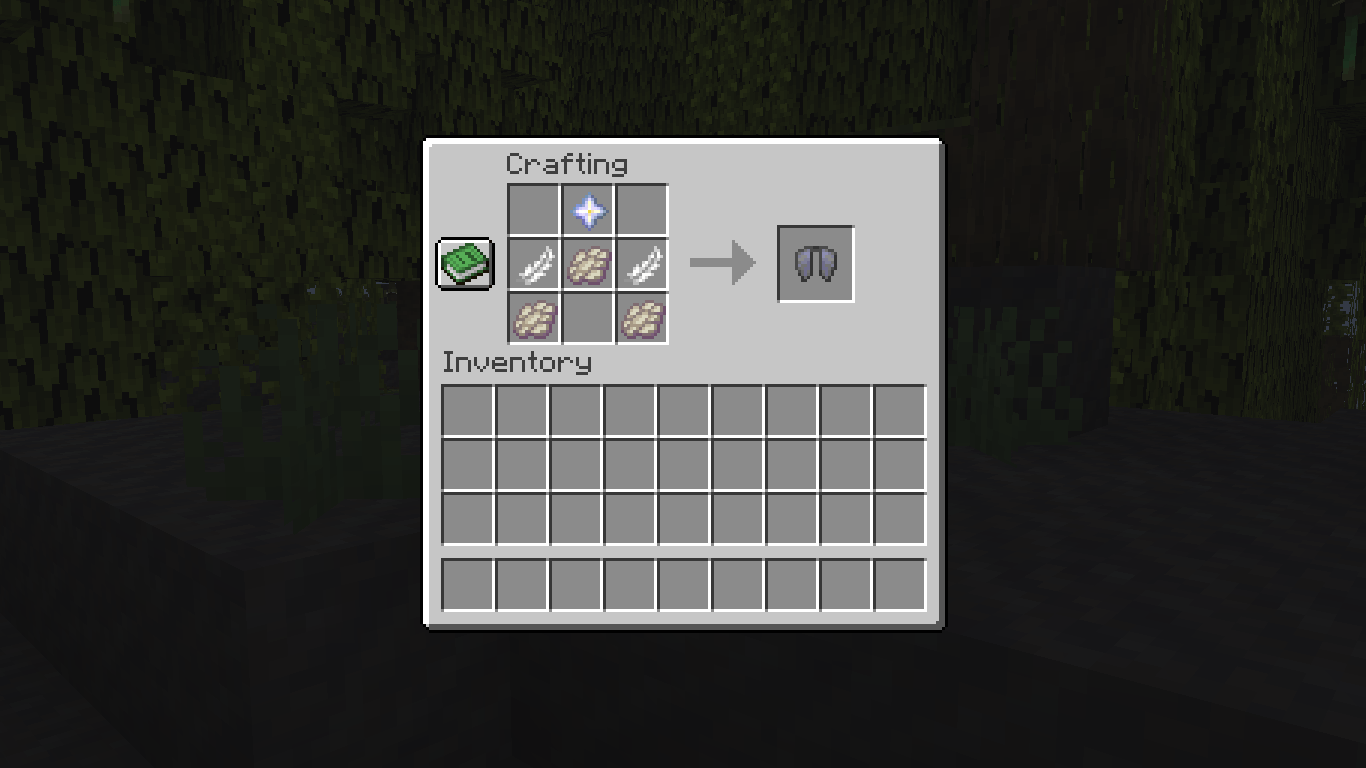
  • Elytra
  • Name Tag
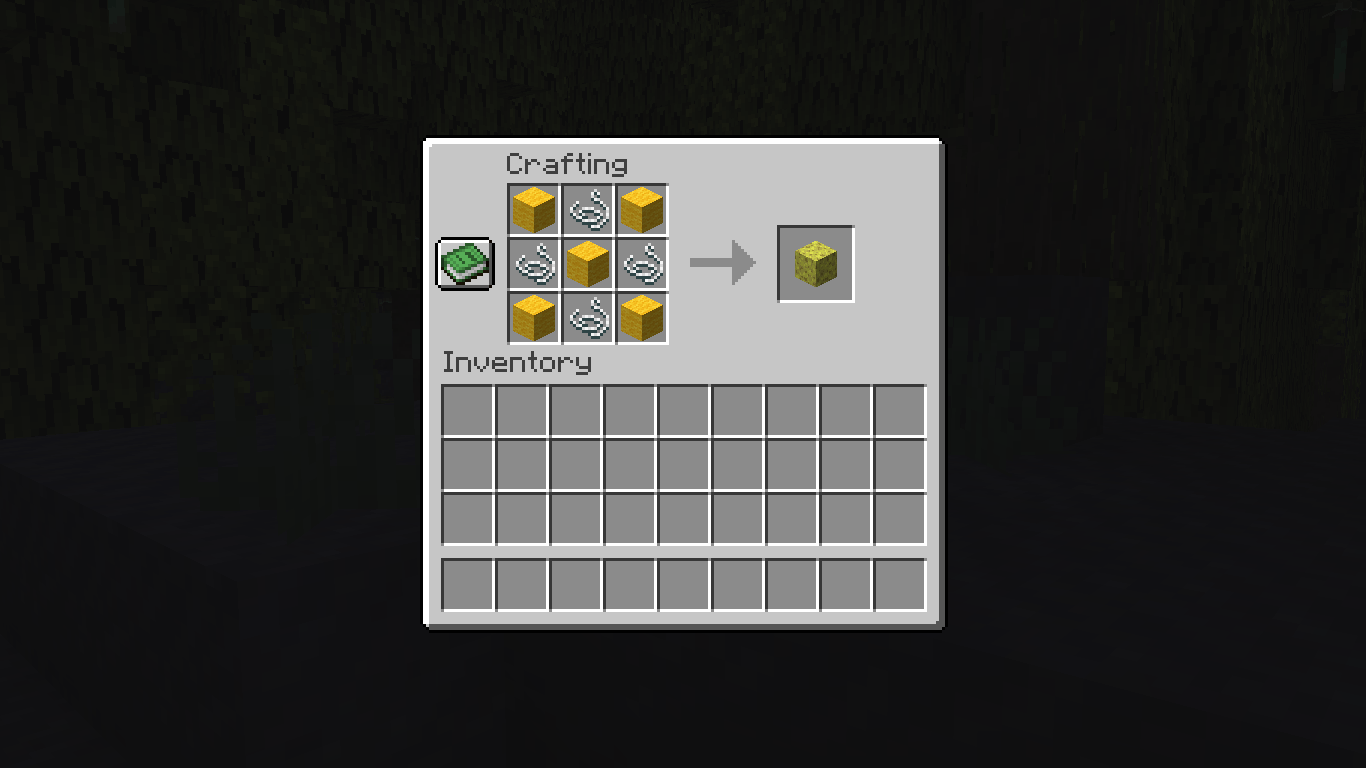
  • Sponge
  • Trident
  • Totem Of Undying
  • Dead Bush
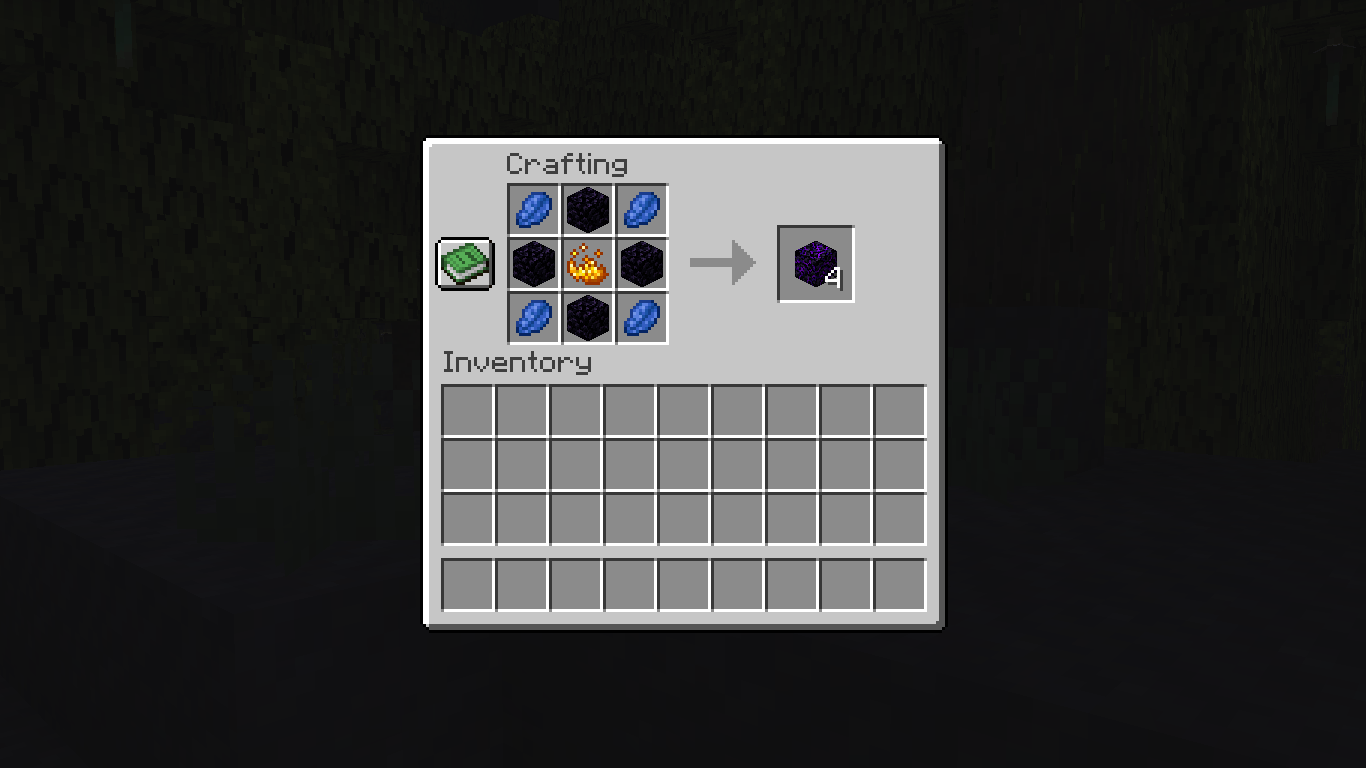
  • Crying Obsidian
  • Cobweb
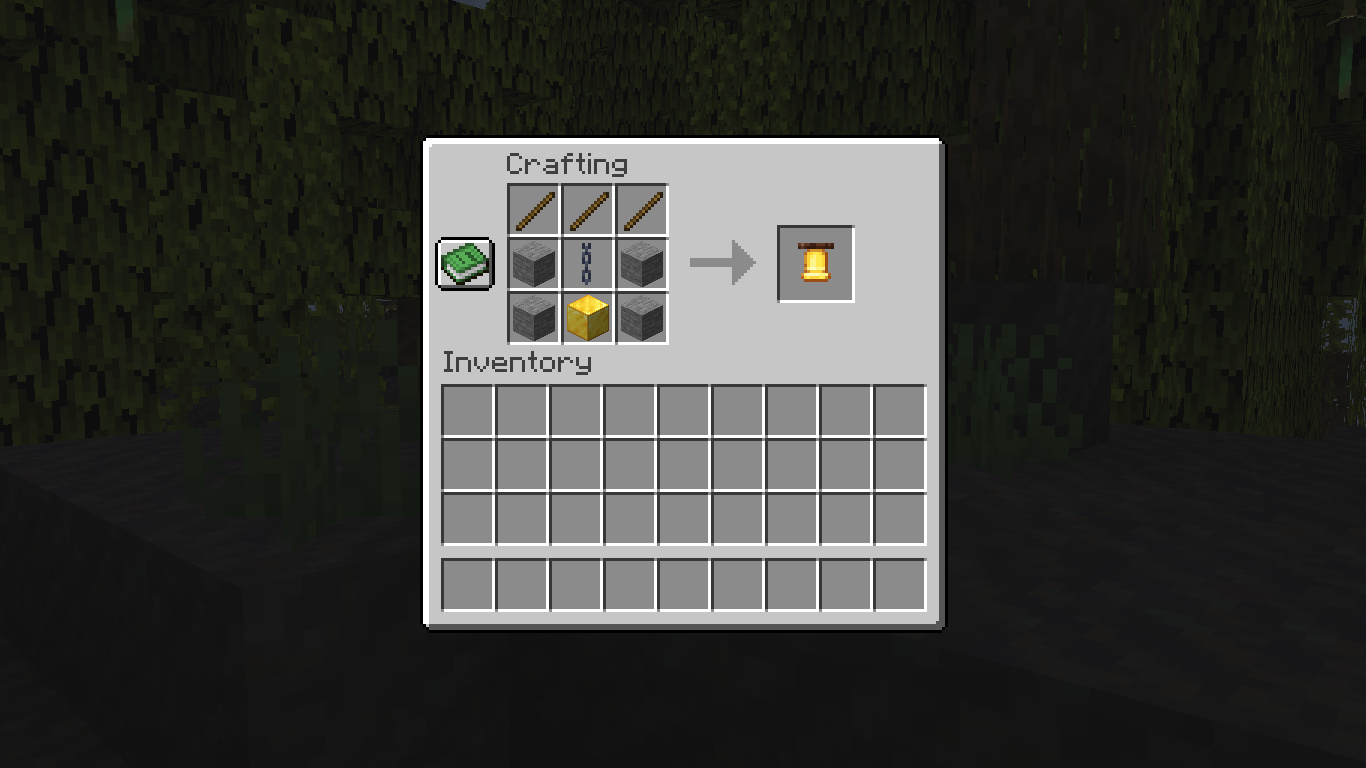
  • Bell
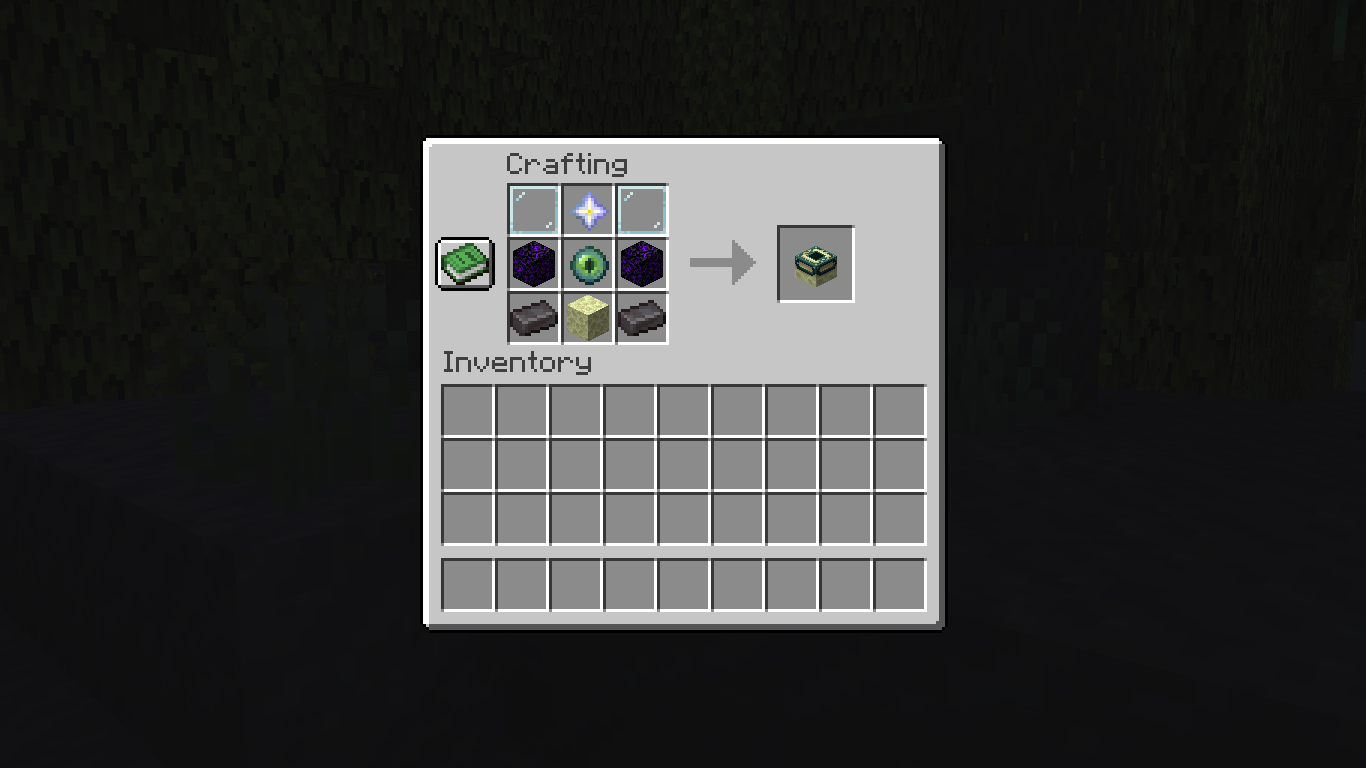
  • End Portal Frame

How to Install


  1. Download the .zip file for the data pack.

  2. Navigate to your Minecraft saves folder (usually found at %appdata%/.minecraft/saves).

  3. Open the folder of the world you want to add the data pack to.

  4. Place the downloaded .zip file directly into the datapacks folder.

  5. If you are in the world, run the command /reload. If not, just start the world, and it will be loaded automatically.

  6. Enjoy your new recipes!
Recipefy
MC 1.17.1, 1.21, 1.18.1, 1.19.3, 1.20.2, 1.19.4, 1.21.8, 1.17, 1.20.5, 1.21.5, 1.18, 1.21.4, 1.20.1, 1.20, 1.20.6, 1.21.1, 1.21.6, 1.21.3, 1.21.7, 1.19.1, 1.20.4, 1.18.2, 1.19.2
Release 2026-05-10 Get
Recipefy
MC 26.1, 26.1.1, 26.1.2
Release 2026-05-10 Get
Recipefy.zip
MC 1.17.1, 1.21, 1.18.1, 1.19.3, 1.20.2, 1.19.4, 1.21.8, 1.17, 1.20.5, 1.21.5, 1.18, 1.21.4, 1.20.1, 1.20, 1.20.6, 1.21.1, 1.21.6, 1.21.3, 1.21.7, 1.19.1, 1.20.4, 1.18.2, 1.19.2
Release 2025-10-03 Get

Requirements & install

How to use this data pack in Minecraft
Mods needed
None, works in vanilla
Minecraft
1.21.4 – 26.1.2
Install folder
saves/<world>/datapacks

How to install data packs

  1. Download the data pack .zip file (do not extract it).
  2. New world: click Data Packs on the world creation screen and drop the .zip in. Existing world: open .minecraft/saves/<world>/datapacks.
  3. Put the .zip into the datapacks folder of the world (servers: world/datapacks).
  4. Run /reload in game (or rejoin the world) and check it with /datapack list.
Browse more: Data Packs for 26.1.2 All data packs

More from Cat12

Advertisement Remove ads with Premium →

You Might Also Like