
Waystones lets you teleport back to places you have been. The idea is simple: every waystone you activate joins your list of destinations, and from any waystone (or with a Warp Stone or a scroll) you pick where to go. A trip costs some experience unless it is free in the settings.
1. Finding waystones
In the default settings wild waystones generate roughly every 25 chunks in the Overworld, the Nether and the End. Waystones also spawn in some villages (spawnInVillages = REGULAR). Their look depends on the biome:
| Waystone | Generates in |
|---|---|
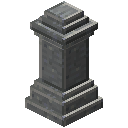 Waystone | Plains, forests, taigas, savannas, mountains and peaks, badlands, rivers, beaches, oceans, dripstone and lush caves |
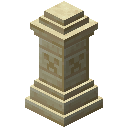 Sandy Waystone | Deserts |
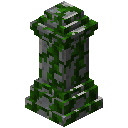 Mossy Waystone | Swamps, mangrove swamps, jungles and mushroom fields |
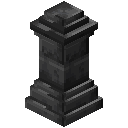 Deepslate Waystone | The Deep Dark |
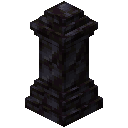 Black Waystone | The Nether biomes |
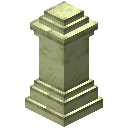 Ender Waystone | The End biomes |
Generated waystones get a generated name, and they cannot be broken: the mod's rules only let waystones placed by a player be broken, and otherwise it says “You cannot break this waystone.” The Purpur, Prismarine, Nether and Muddy Waystones have no biomes in the mod's world generation data, so you craft those.
2. Crafting your own
Everything starts with the  Warp Stone: four amethyst shards, four Ender Pearls and an emerald. A Waystone is a Warp Stone with stone bricks around it on obsidian. Swap the stone bricks for another stone to get a variant, for example mossy stone bricks, chiseled sandstone, deepslate, blackstone, end stone bricks, red nether bricks, purpur, prismarine or mud bricks. A plain waystone also turns mossy with three moss blocks or three vines.

4 × Amethyst Shard + 4 × Ender Pearl + any Emerald → Warp Stone
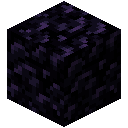
3 × Stone Bricks + Warp Stone + 3 × Obsidian → Waystone
Waystone + 3 × Vines → Mossy Waystone
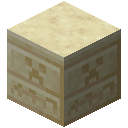
3 × Chiseled Sandstone + Warp Stone + 3 × Obsidian → Sandy Waystone
3. Activating and travelling
- Use a waystone once. The chat says “Activated Waystone: …” and the stone joins your destinations.
- Use any waystone again to open the menu “Select your destination”. It lists every waystone you have activated and can be sorted by hand, by name or by distance.
- Pick a destination. The menu shows the cost before you go; with too little experience the trip is refused.
- Waystones have a settings screen (“Edit …”). In the default settings only the owner may edit a waystone that a player placed.
In the default settings a waystone is visible to whoever activates it (“Visible upon Activation”). Other visibilities are visible to everyone (a global waystone), visible to a team, and visible to Sharestones of one colour. Not every player may manage global waystones in the default settings (allowEveryoneToManageGlobalWaystones = false).
4. What a teleport costs
Costs are built from the warpRequirements list in config/waystones-common.toml, which writes them as xp costs; the destination menu shows them as “Experience Cost”. In the default settings:
| Trip | xp cost (default settings) |
|---|---|
| Within one dimension | 0.01 per block of distance |
| To another dimension | 27 |
| Upper limit for any trip | 27 |
| Starting from a Warp Plate or a scroll | Free |
| To a global waystone or a Fleeting Memorial | Free |
- Pets do not travel with you (transportPets = DISABLED), but leashed mobs do (transportLeashed = ENABLED). The Wither can never be teleported.
- The Warp Stone loses durability with use, and holding right-click charges it for 32 ticks before it opens the menu.
- Waystone settings have a Warp Modifiers screen. Items from the warp modifier list, such as blaze powder, feathers, magma cream or a diamond, apply status effects on teleports (enableModifiers is on by default).
5. Sharestones and Portstones
A Sharestone does not need activating. Its tooltip says it teleports to any other Sharestone of the same colour, so every colour is its own network, for example 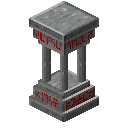 Red Sharestone. A Portstone such as
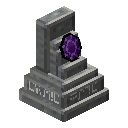 Portstone is a starting point only: its tooltip says it can not be teleported to.
3 × Stone Bricks + 2 × any Red Dye + Warp Stone + 3 × Obsidian → Red Sharestone
2 × any White Dye + 3 × Stone Bricks + Warp Stone + 3 × Polished Andesite → Portstone
6. Warp Plates
Warp Plates connect in pairs. The plate's own recipe contains a 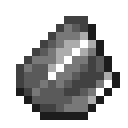 Dormant Shard, made from two
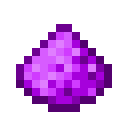 Warp Dust and a flint. The shard tooltips explain the rest:
- Insert a Dormant Shard into a Warp Plate to attune it. You get an
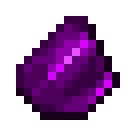 Attuned Shard.
- Bring the Attuned Shard to a second Warp Plate and insert it there. The plates are now linked.
- Stand on a linked plate for 15 ticks (default settings) to teleport. After arriving you must step off the target plate for 20 ticks before it sends you back.
A  Crumbling Attuned Shard is used up on its next teleport, and a
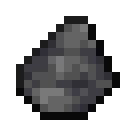 Deepslate Shard (deepslate and flint) locks a plate. Teleports from Warp Plates are free in the default settings.
Ender Pearl + Amethyst Shard → 4 × Warp Dust
2 × Warp Dust + Flint → Dormant Shard
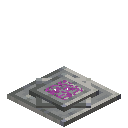
4 × Stone Bricks + 4 × Warp Dust + Dormant Shard → Warp Plate
Deepslate + Flint → Deepslate Shard
7. Scrolls
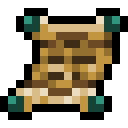 Warp Scroll: hold right-click (32 ticks) to open the waystone menu from anywhere.
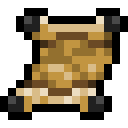 Blank Scroll: use it on a waystone to bind it; it becomes a
 Bound Scroll that names its waystone.
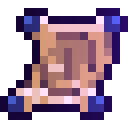 Portal Scroll: opens the waystone menu and a Warp Portal, which needs free space around you.
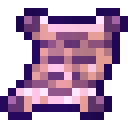 Return Scroll: gold nuggets, an ink sac and paper.
 Gold Nugget#c:nuggets/gold
 Gold Nugget#c:nuggets/goldGold Nugget#c:nuggets/gold
 Gold Nugget#c:nuggets/gold

4 × any Gold Nugget + Ink Sac + Ender Pearl + 3 × Paper → 3 × Warp Scroll

2 × any Gold Nugget + Feather + 3 × Paper → 3 × Blank Scroll
4 × Amethyst Shard + Ink Sac + Ender Pearl + 3 × Paper → 3 × Portal Scroll
2 × any Gold Nugget + Ink Sac + 3 × Paper → 3 × Return Scroll