Simple Storage Network has no power system and no storage cells of its own. It links the inventories you already have (chests, barrels, shulker boxes, other mods' storage) into one network and gives you a single screen for all of it. Every network needs exactly one Storage Network Root, at least one inventory connected with a Link Cable, and a way to look inside. This page follows Simple Storage Network 1.13.2 for Minecraft 1.21.1.
1. Network Cable and the Root
Start with  Network Cable: six
 Stone Slabs and two
 Iron Ingots give 8 cables. Plain Network Cable only joins network blocks to each other; it does not pull items out of a chest it touches. Four of these cables, four
 Nether Quartz and a
 Diamond make the
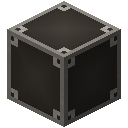 Storage Network Root.
6 × Stone Slab + 2 × any Iron Ingot → 8 × Network Cable
4 × Nether Quartz + 4 × Network Cable + any Diamond → Storage Network Root
The Root gives a comparator signal that grows with how full the linked storage is. Every cable can be hidden behind a block: sneak + left-click the cable with a block in hand to use it as a facade, sneak + left-click with an empty hand to take it off. The block is not used up.
2. Connecting chests
A  Link Cable connects the inventory it touches to the network; four Network Cables around a
 Chest give 4. Put one on each chest you want in the network. The
 Filtered Link Cable (four Network Cables around an
 Observer) does the same but has a screen with a priority, an item filter and upgrade slots.
4 × Network Cable + any Chest (#c:chests/wooden) → 4 × Link Cable
4 × Network Cable + Observer → 4 × Filtered Link Cable
Items that store items can join without any chest: the  Network Storage Cradle holds up to 9 of them, for example shulker boxes, and adds their slots to the network. It connects through any cable or network block next to it, so it needs no Link Cable. The mod lists shulker boxes, AE2 storage cells, Refined Storage disks and other item-handler items as compatible. Breaking the cradle gives every held item back with its contents.
 Iron Nugget#c:nuggets/ironIron Nugget#c:nuggets/iron
 Any #c:chests/woodenIron Nugget#c:nuggets/ironIron Nugget#c:nuggets/iron
4 × any Iron Nugget + 4 × Network Cable + any Chest (#c:chests/wooden) → Network Storage Cradle
3. Looking inside: tables
The  Storage Inventory shows everything in the network and lets you scroll, take and store items. The
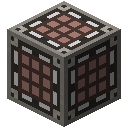 Storage Request Table adds a crafting grid that takes its ingredients straight from the network; it is a Storage Inventory surrounded by four
 Crafting Tables and four
 Gold Ingots. The
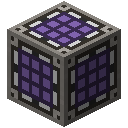 Expanded Request Table is a much larger version; its tooltip says it is meant only for very large screen resolutions with a low GUI scale.
Iron Nugget#c:nuggets/ironIron Nugget#c:nuggets/iron Iron Nugget#c:nuggets/ironIron Nugget#c:nuggets/iron
4 × any Iron Nugget + 4 × Network Cable + Dropper → Storage Inventory
Gold Ingot#c:ingots/goldGold Ingot#c:ingots/goldGold Ingot#c:ingots/goldGold Ingot#c:ingots/gold4 × any Gold Ingot + 4 × Crafting Table + Storage Inventory → Storage Request Table
- Type @ before a word to search by mod, # to search tooltips and $ to search tags.
- Right-click the search bar to clear it.
- In the crafting grid you can switch between shift-crafting one result and a full stack.
4. Moving items automatically
Four cable types move items without you:
 Import Cable (Network Cables around a
 Hopper): keeps pulling everything out of the inventory it touches into the network.
 Filtered Import Cable (Import Cables around a
 Barrel): imports only what its filter allows (Allow List) or everything except the list (Ignore List), with redstone control and upgrades.
 Export Cable (Network Cables around a
 Piston): pushes items from the network into the inventory it touches.
 Processing Cable (Export Cables around an Observer): runs a machine such as a furnace. Each cycle it sends the ingredients set on the left into the input face, waits for the results set on the right and pulls them back from the output face.
4 × Network Cable + Hopper → 4 × Import Cable
4 × Import Cable + Barrel → 4 × Filtered Import Cable
4 × Network Cable + Piston → 4 × Export Cable
4 × Export Cable + Observer → 4 × Processing Cable
In the default settings a cable works every 30 ticks and moves 4 items each time. Upgrades go into the upgrade slots of Export Cables and Filtered Import Cables. Every upgrade below is crafted from two redstone, one Network Cable and two of the item shown:
| Upgrade | Recipe item (x2) | Effect (from the mod's guide) |
|---|---|---|
 Speed Upgrade | Gold Ingot | Divides the wait between operations. Slowness Upgrades are ignored when both are present. |
 Slowness Upgrade |  Copper Ingot | Multiplies the wait between operations. |
 Stack Upgrade |  Blaze Powder | Moves a full stack (up to 64) per operation instead of 4. |
 Singleton Upgrade |  Coal | Moves 1 item per operation; wins over the Stack Upgrade. |
 Operation Upgrade |  Redstone Comparator | With Allow List on, moves exactly the counts set in the filter; Stack and Stock Upgrades are then ignored. |
 Stock Upgrade | Chest | Export: fills the target only up to the counts in the filter. Import: keeps those counts in the source. |
 Void Upgrade |  Ender Pearl | In a Filtered Import Cable: deletes items that pass the filter but do not fit into the network. |
Cables with a screen have a priority; smaller numbers go first, and cables without a screen count as 0. When you store or take items by hand, the network tries the lowest priority first until the request is done. For automation every cable is handled in priority order, one stack action per tick per cable.
5. Remotes
Each remote is bound by using it on the Root. After that it reaches the network without a range limit in the default settings, also from other dimensions, as long as the Root's chunk is loaded. The  Storage Remote and the
 Crafting Remote (with a crafting grid) both use up a Root in their recipe, so craft a second Root for them.
 Slimeball#c:slimeballs
 Glowstone Dust#c:dusts/glowstoneSlimeball#c:slimeballsGold Ingot#c:ingots/goldGold Ingot#c:ingots/goldSlimeball#c:slimeballsSlimeball#c:slimeballs
4 × any Slimeball + any Glowstone Dust + 2 × any Gold Ingot + Storage Network Root → Storage Remote
4 × Sea Lantern + Ender Chest + 2 × any Block of Gold + Storage Network Root → Crafting Remote
 Network Picker Remote: tap a block in the world to get one of it from the network, or a full stack while crouching.
 Network Collector Remote: anywhere in your inventory (Curios slots too, not the ender chest), it sends items you pick up into the network. It has its own toggle key.
 Network Builder Remote: has no screen; it tries to build a copy of the block you clicked using a matching item from the network.
 Expanded Remote: the Expanded Request Table's guide entry points to it as its remote version. Its own guide entry says it gives full remote network access, not limited by range or dimension, and its tooltip says it is meant only for very large GUI resolutions.
6. Chunks, other mods and sub-networks
A network only runs while its Root is in a loaded chunk. Link Cables in other chunks drop out of the network while their own chunk is unloaded, even though the screens still open. The  Chunkload Upgrade keeps the chunk of the cable it is in loaded; it fits Import, Filtered Import, Export and Processing Cables and needs no fuel.
For far-away or cross-dimension storage, bind a  Sub-Network Receiver by right-clicking the Root with it, place it at the other site and attach cables there. Storage on the receiver side joins the same network. A Chunkload Upgrade inside the receiver keeps both the receiver's and the Root's chunk loaded. Broken with Silk Touch, a bound receiver stays bound.
Copper Ingot#c:ingots/copperCopper Ingot#c:ingots/copper Copper Ingot#c:ingots/copperCopper Ingot#c:ingots/copper
4 × any Copper Ingot + 4 × Network Cable + Eye of Ender → Sub-Network Receiver

2 × Amethyst Shard + 2 × Ender Pearl + Network Cable → Chunkload Upgrade
To share the network with other storage mods, the  Network Exchange Interface shows the whole network as one inventory (1,024 stacks visible in the default settings), and the
 Network Collection Interface accepts items but never gives any out.