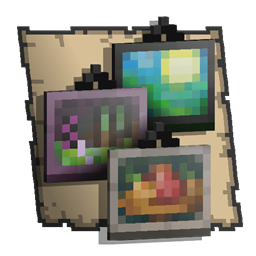
A portfolio is an item that can save photos taken with a camera.[1]
Obtaining
Portfolios can be obtained in the Creative inventory or given through the /give command. In Bedrock Edition, they are unobtainable and can only be obtained using glitches, inventory editing, or add-ons.
Usage

Once a photo has been taken using the camera, it appears in the portfolio. Once equipped, pressing the Use Item control brings up a two-page book of photos the player has taken, in chronological order. Captions can be added below each picture. Each picture can be deleted or saved as a photo item in the player's inventory. The "Add Photo" button allows the player to add pictures from photo items in their inventory, while the "Export Portfolio" button creates a PDF file in a specified folder containing all photos stored in the portfolio.
As photos from a camera are not stored in Bedrock Edition, no photos can be added or exported using the portfolio. The item therefore has no use.
Data values
ID
| Name | Identifier | Numeric ID | Form | Translation key |
|---|---|---|---|---|
 Portfolio Portfolio | portfolio | 608 | Item | item |
History
Bedrock Edition
| Pocket Edition Alpha | |||||||
|---|---|---|---|---|---|---|---|
| v0.16.0 | build 1 |  Added portfolios. Added portfolios. | |||||
| Their addition was likely accidental due to Pocket Edition sharing the same codebase as Education Edition. | |||||||
| build 2 | Removed portfolios. Their textures still exist in the files. | ||||||
| Bedrock Edition | |||||||
| 1.16.100 | Added data-driven portfolios, allowing for add-ons to create custom portfolios. Normal Portfolios are still unobtainable. | ||||||
| 26.50 | Preview 26.50.24 | Re-added portfolios. | |||||
Minecraft Education
| Minecraft Education | |||||||
|---|---|---|---|---|---|---|---|
| 1.0 | Added portfolios. | ||||||
| ? | The "Export Portfolio" button now creates a PDF file instead of a .zip file containing all photos as JPG files. | ||||||
References
- ↑ "Assessment Tools (Cameras, Portfolio, Book & Quill)" (§ Portfolio) by Penny – edusupport.minecraft.net.