Mineuniverse
Shaders
Vantage – PvP Optimized Shader

Vantage – PvP Optimized Shader

SHADER
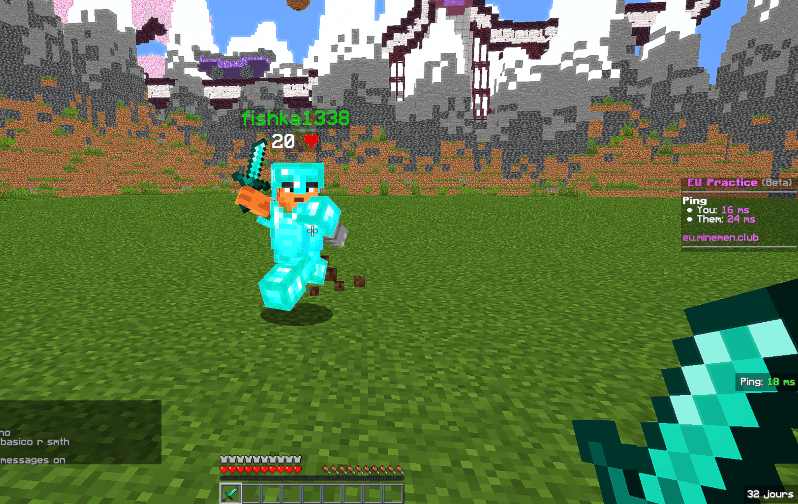
A PvP-optimized Minecraft shader (Iris & OptiFine): lifted shadows, sharpened image, vivid cinematic tones — see every enemy, look great doing it.
by ClipClipper
Download Claim this project
1,295 downloads
0 likes
Updated Oct 14, 2026
0 hypes
Realistic Vanilla
Advertisement Remove ads with Premium →

Vantage is built for the fight, not the screenshot.

Most shaders are made to look pretty in a sunset over a mountain. Vantage is made to help you win a fight — while still looking sharp. Shadows are lifted so nothing hides in the dark, players and mobs are boosted even further than the terrain so an enemy never blends into a cave wall or a dim room, and the image is sharpened for cleaner target tracking. On top of that: soft bloom on light sources and a cinematic color grade, so it still feels like a real shader pack, not a flat competitive filter.

Features

  • Lifted shadows — nothing disappears into darkness
  • Players & mobs boosted further than terrain for maximum visibility
  • Image sharpening for better target tracking at range
  • Soft bloom on torches, lava and sky — decorative only, never brightens dark areas
  • Cinematic split-tone color grade (cool shadows, warm highlights)
  • No fog, no grain, near-invisible vignette — nothing blocks peripheral vision
  • Lightweight — built to stay smooth in fast-paced fights
  • Every value adjustable in-game (Shader Options): sharpness, saturation, contrast, bloom, shadow lift

Perfect for PvP servers, UHC, MCSG, and anyone who wants a shader that helps them see the fight, not just admire it.


PVP 1.21 Shader.zip
MC 1.17.1, 1.21.2-Snapshot, 1.21, 1.21.6-snapshot, 1.18.1, 1.20.2-Snapshot, 1.20.5-Snapshot, 1.19-Snapshot, 1.21.1-Snapshot, 1.19.3, 1.20.2, 1.19.4, 1.21.8, 1.17, 1.19.4-Snapshot
Release 2026-07-18 Get

Requirements & install

How to use this shader in Minecraft
Shader loader
Iris or OptiFine
Minecraft
1.20.2-Snapshot – 1.21.8
Install folder
.minecraft/shaderpacks

How to install shaders

  1. Install a shader loader for your Minecraft version: Iris (with Sodium) or OptiFine.
  2. Download the shader pack .zip file (do not extract it).
  3. Put the .zip into the shaderpacks folder (.minecraft/shaderpacks).
  4. In game open Options → Video Settings → Shader Packs, select the pack and apply it.
Browse more: Iris shaders OptiFine shaders Shaders for 1.21.8 All shaders

More from ClipClipper

Advertisement Remove ads with Premium →

You Might Also Like